Layout
Accordion
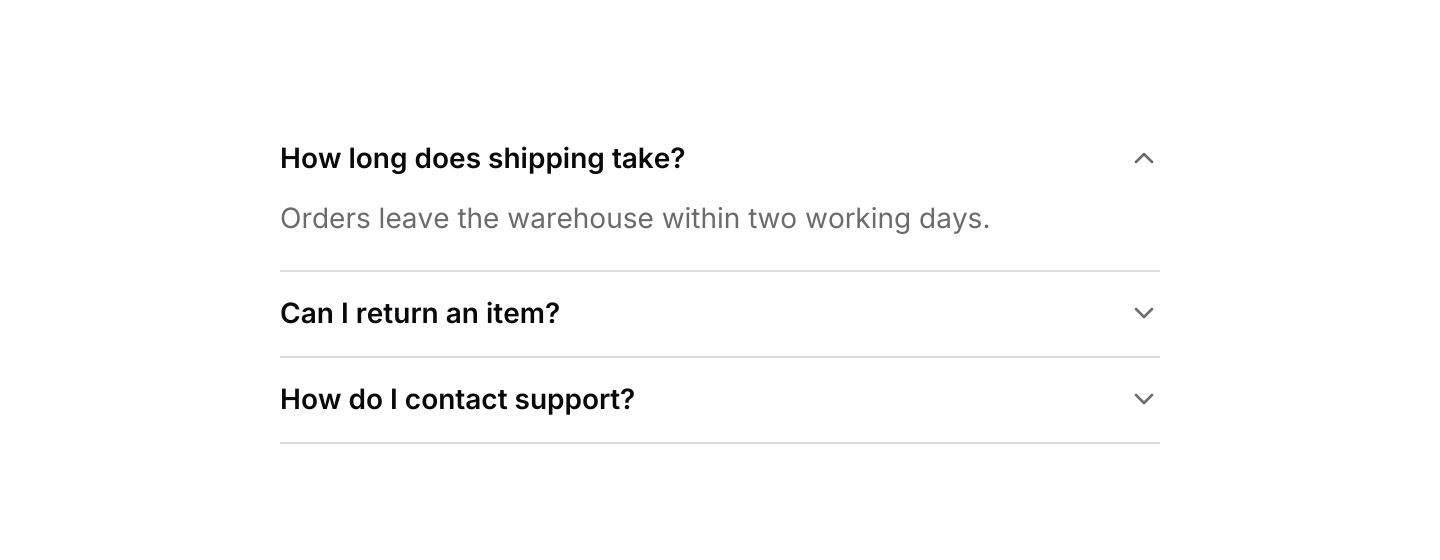
Stacked sections that expand and collapse under their headers.

use iced::widget::{container, text};
use iced::{Element, Length};
use iced_cube::layout::accordion::{self, Mode, State, accordion};

#[derive(Debug, Clone, Copy, PartialEq, Eq)]
pub enum Question {
    Shipping,
    Returns,
    Support,
}

#[derive(Debug, Clone)]
pub enum Message {
    Accordion(accordion::Event<Question>),
}

#[derive(Debug)]
pub struct Example {
    sections: State<Question>,
}

impl Default for Example {
    fn default() -> Self {
        Self {
            sections: State::new(Mode::Single).with_open(Question::Shipping),
        }
    }
}

impl Example {
    pub fn update(&mut self, message: Message) {
        let Message::Accordion(event) = message;
        let _ = self.sections.update(event);
    }

    pub fn view(&self) -> Element<'_, Message> {
        let answer = |body| text(body).size(14);

        container(
            accordion(&self.sections)
                .item(
                    Question::Shipping,
                    "How long does shipping take?",
                    answer("Orders leave the warehouse within two working days."),
                )
                .item(
                    Question::Returns,
                    "Can I return an item?",
                    answer("Yes, within 30 days, as long as it is unused."),
                )
                .item(
                    Question::Support,
                    "How do I contact support?",
                    answer("Email us any time and we reply within a day."),
                )
                .on_event(Message::Accordion),
        )
        .width(Length::Fixed(440.0))
        .into()
    }
}Usage
Use an accordion to shorten long pages such as FAQs or settings, where people only need one or two sections at a time. The chevron points down while a section is closed and up while it is open.
Semibold headings separate each section from its muted body text. Content inherits the muted colour by default; text and controls with their own styles keep those colours.
Clicking the header of an open section closes it in both modes.
The state does not know which sections exist, so keyboard actions take the section ids in display order. Next and Previous move the most recently opened section along that list, and ExpandAll only applies in Multiple mode.
Examples
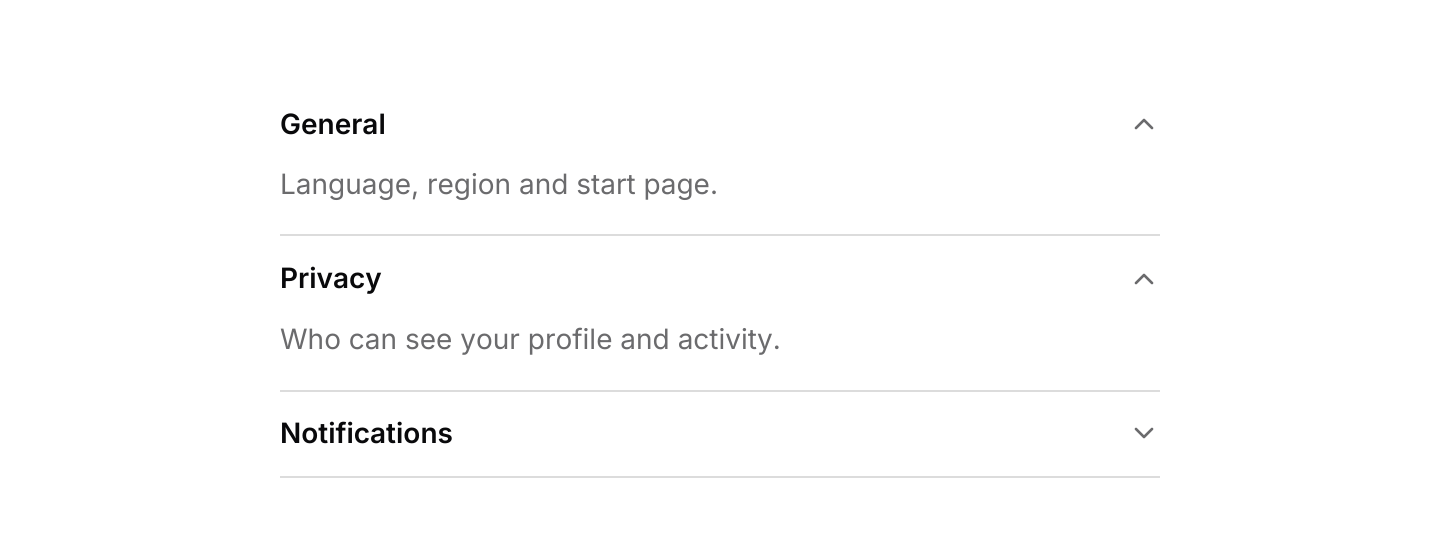
Multiple
Sections open and close independently.

use iced::widget::{container, text};
use iced::{Element, Length};
use iced_cube::layout::accordion::{self, Mode, State, accordion};

#[derive(Debug, Clone)]
pub enum Message {
    Accordion(accordion::Event<&'static str>),
}

#[derive(Debug)]
pub struct Example {
    sections: State<&'static str>,
}

impl Default for Example {
    fn default() -> Self {
        Self {
            sections: State::new(Mode::Multiple)
                .with_open("general")
                .with_open("privacy"),
        }
    }
}

impl Example {
    pub fn update(&mut self, message: Message) {
        let Message::Accordion(event) = message;
        let _ = self.sections.update(event);
    }

    pub fn view(&self) -> Element<'_, Message> {
        container(
            accordion(&self.sections)
                .item(
                    "general",
                    "General",
                    text("Language, region and start page.").size(14),
                )
                .item(
                    "privacy",
                    "Privacy",
                    text("Who can see your profile and activity.").size(14),
                )
                .item(
                    "alerts",
                    "Notifications",
                    text("Email and desktop alerts.").size(14),
                )
                .on_event(Message::Accordion),
        )
        .width(Length::Fixed(440.0))
        .into()
    }
}API
| Item | Description |
|---|---|
State:: | Starts with every section closed. Single keeps at most one open; Multiple opens each independently. |
.with_open(id) | Starts with a section open. |
state.update(Event) | Toggle(id), Open(id) or Close(id). Returns Opened(id) or Closed(id) when something changed. |
state.is_open(id) / state.open() | Checks one section, or lists the open ones in the order they opened. |
state.set_mode(Mode) | Switches mode. Going to Single keeps only the first open section. |
accordion(&state) | Renders the sections. Headers render disabled until .on_event is set. |
.item(id, title, content) | Adds a section. Closed sections are not laid out or drawn, but their content is still built on every view, so check state.is_open(id) first if it is expensive. |
state.mode() | The current Mode. |
.on_event(f) | Maps accordion events to your message. |
accordion:: | The default shortcuts as a Keymap<Action>. Bind, unbind or clear chords to change them. |
action.events(&state, §ions) | The events for a resolved Action, given every section id in display order. Pass each one to state.update. |
Keyboard
Default shortcuts. Every one can be changed or removed with a keymap; see Keyboard shortcuts.
| Keys | Action |
|---|---|
| ArrowDown | Next Opens the next section in place of the current one, wrapping at the end. |
| ArrowUp | Previous Opens the previous section in place of the current one, wrapping at the start. |
| Ctrl+Shift+ArrowDown | ExpandAll Opens every section. Only applies when several may be open. |
| Ctrl+Shift+ArrowUp | CollapseAll Closes every open section. |