Overlays
Popover
A floating panel of any content, anchored to the button that opens it.
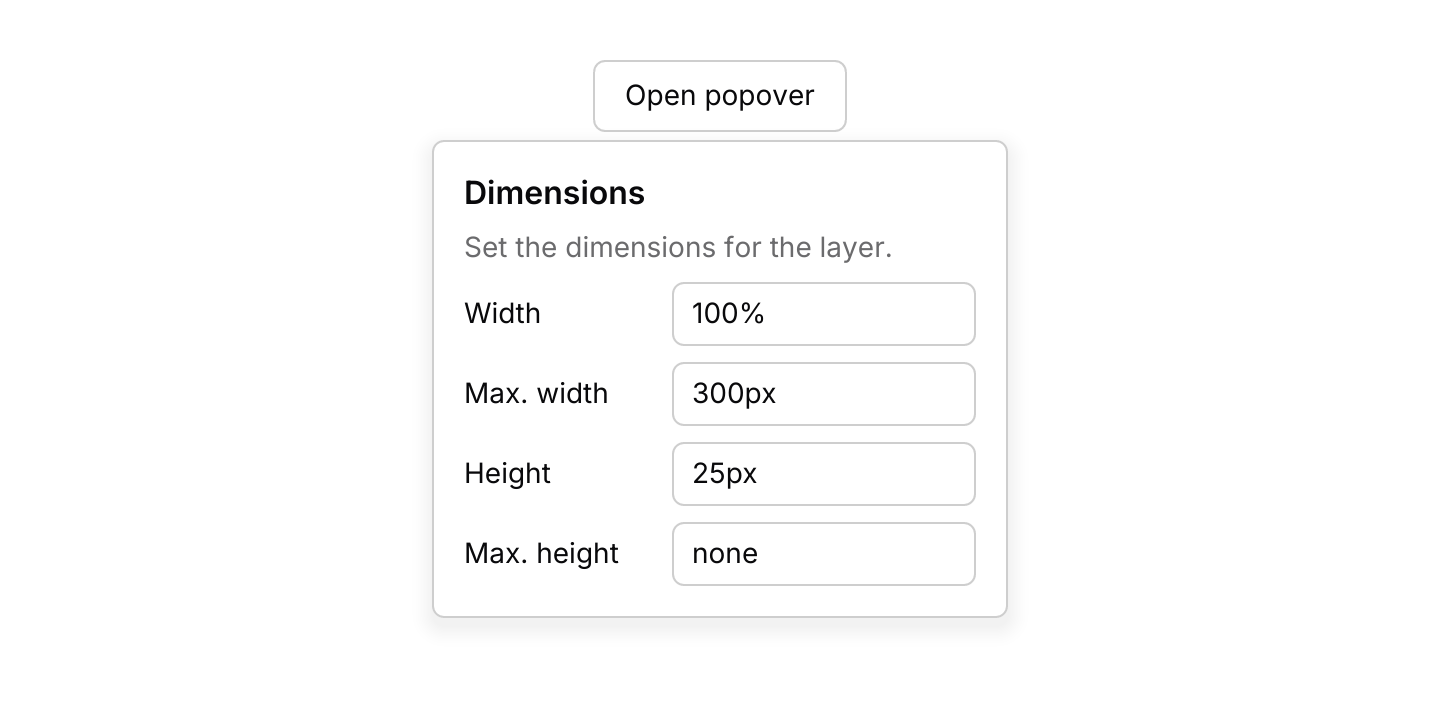
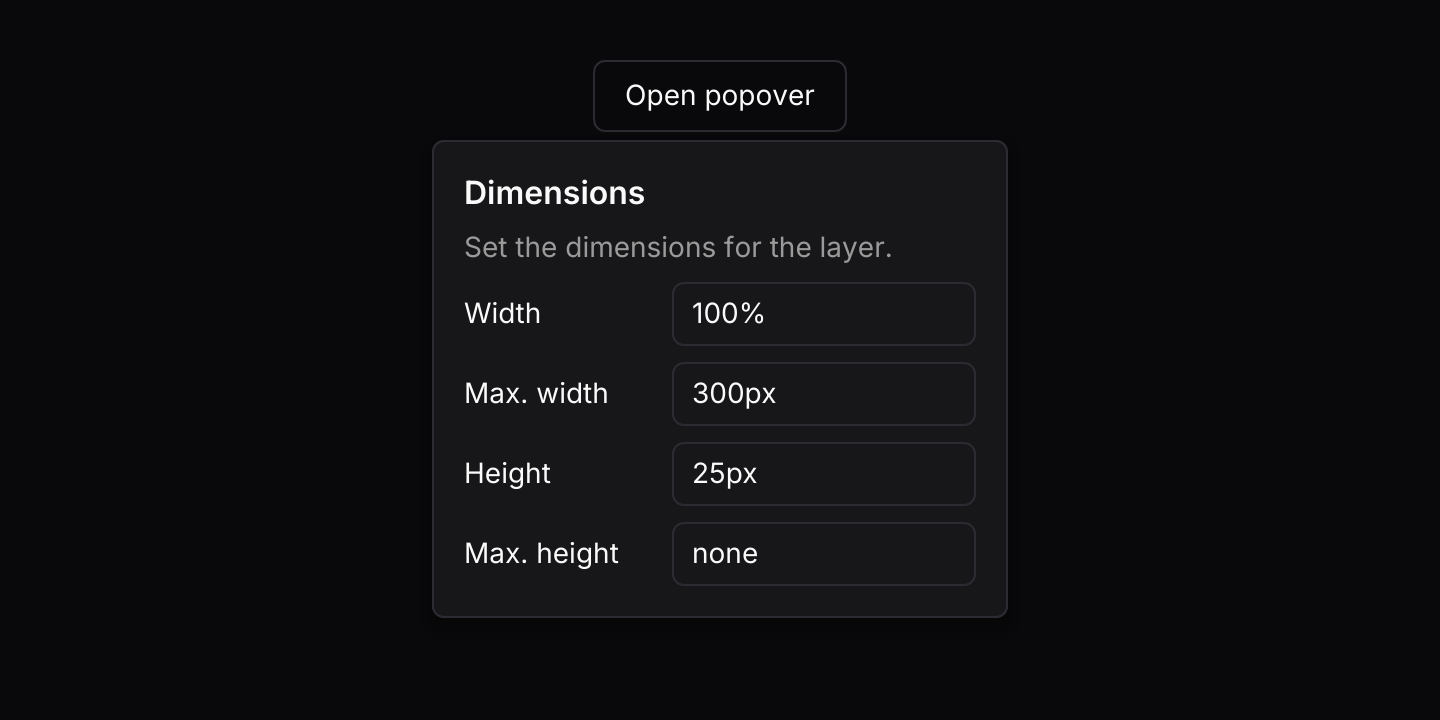
use iced::widget::{column, container, row, text};
use iced::{Alignment, Element};
use iced_cube::overlay::popover::popover;
use iced_cube::primitives::{button::Variant, input::Size};
use iced_cube::theme::{Tokens, semibold, text_size};
use iced_cube::{button, input, label};

#[derive(Debug, Clone)]
pub enum Message {
    Toggle,
    Dismiss,
    Width(String),
    Height(String),
    MaxWidth(String),
    MaxHeight(String),
}

#[derive(Debug)]
pub struct Example {
    open: bool,
    width: String,
    height: String,
    max_width: String,
    max_height: String,
}

impl Default for Example {
    fn default() -> Self {
        Self {
            open: true,
            width: "100%".into(),
            height: "25px".into(),
            max_width: "300px".into(),
            max_height: "none".into(),
        }
    }
}

impl Example {
    pub fn update(&mut self, message: Message) {
        match message {
            Message::Toggle => self.open = !self.open,
            Message::Dismiss => self.open = false,
            Message::Width(value) => self.width = value,
            Message::Height(value) => self.height = value,
            Message::MaxWidth(value) => self.max_width = value,
            Message::MaxHeight(value) => self.max_height = value,
        }
    }

    pub fn view(&self) -> Element<'_, Message> {
        let setting = |name, value: &str, on_input: fn(String) -> Message| {
            row![
                container(label(name)).width(96),
                input("", value).size(Size::Sm).on_input(on_input),
            ]
            .spacing(8)
            .align_y(Alignment::Center)
        };

        let form = column![
            text("Dimensions").size(text_size::MD).font(semibold()),
            text("Set the dimensions for the layer.")
                .size(text_size::SM)
                .style(|theme| text::Style {
                    color: Some(Tokens::of(theme).muted_foreground),
                }),
            column![
                setting("Width", &self.width, Message::Width),
                setting("Max. width", &self.max_width, Message::MaxWidth),
                setting("Height", &self.height, Message::Height),
                setting("Max. height", &self.max_height, Message::MaxHeight),
            ]
            .spacing(8),
        ]
        .spacing(8);

        let trigger = button("Open popover")
            .variant(Variant::Outline)
            .on_press(Message::Toggle);

        container(
            popover(trigger, form)
                .open(self.open)
                .on_dismiss(Message::Dismiss),
        )
        .height(300)
        .into()
    }
}Usage
A popover holds a small piece of UI that belongs to one button, such as a settings form, a colour picker or a short explanation. It is not modal: the rest of the window stays usable, and clicking elsewhere closes it through on_dismiss while the click still reaches what it landed on. Menus, comboboxes and command lists inside a popover close first: Escape or a click outside closes the inner layer and leaves the popover open. For choosing one action from a list, use a dropdown menu instead, and for a label that appears on hover, a tooltip.
While a text field in the panel has focus, Tab and Shift+Tab move between the panel’s fields and wrap at either end, so a form in a popover works from the keyboard. Tab anywhere else is left alone.
Your app owns whether the popover is open. Toggle a flag from the trigger’s message, clear it on dismiss and pass it to .open. Clicks on the trigger are left to the trigger, so it can close the popover as well as open it.
The panel moves to the opposite side when there is no room on the one you asked for, and slides along its side to stay inside the window. A panel on the left or right that fits on neither moves below or above the trigger instead of covering it. Clicks inside it never reach the widgets underneath.
Examples
Side and alignment
A popover on each side of its trigger, aligned to the start, centre or end.
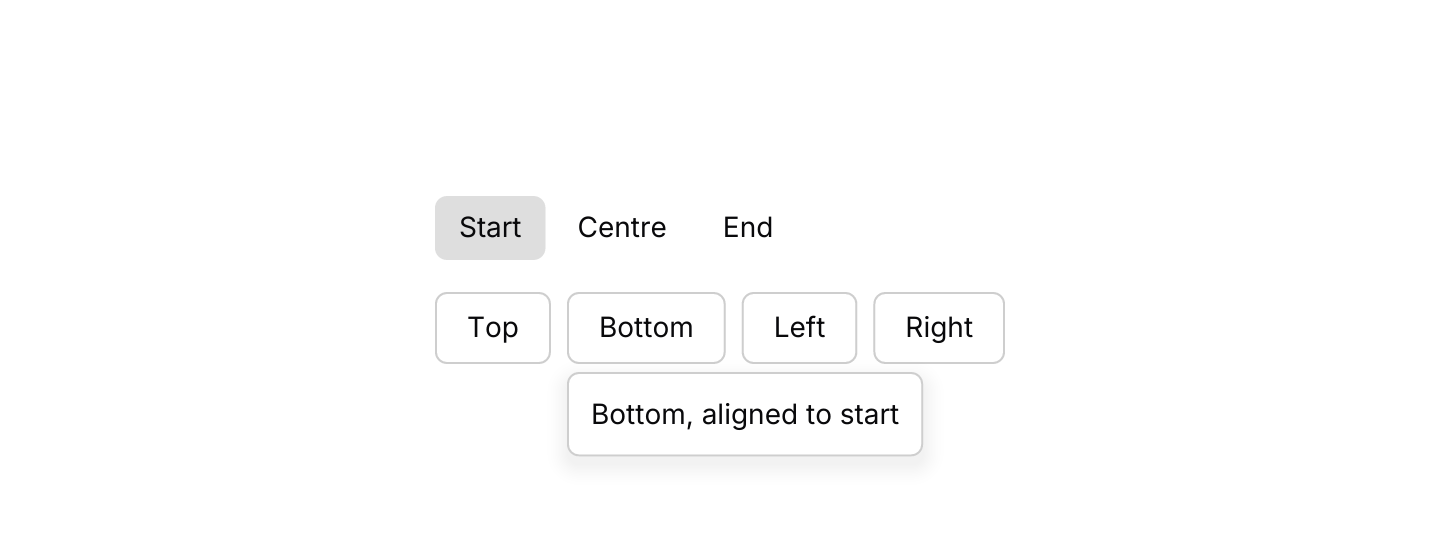
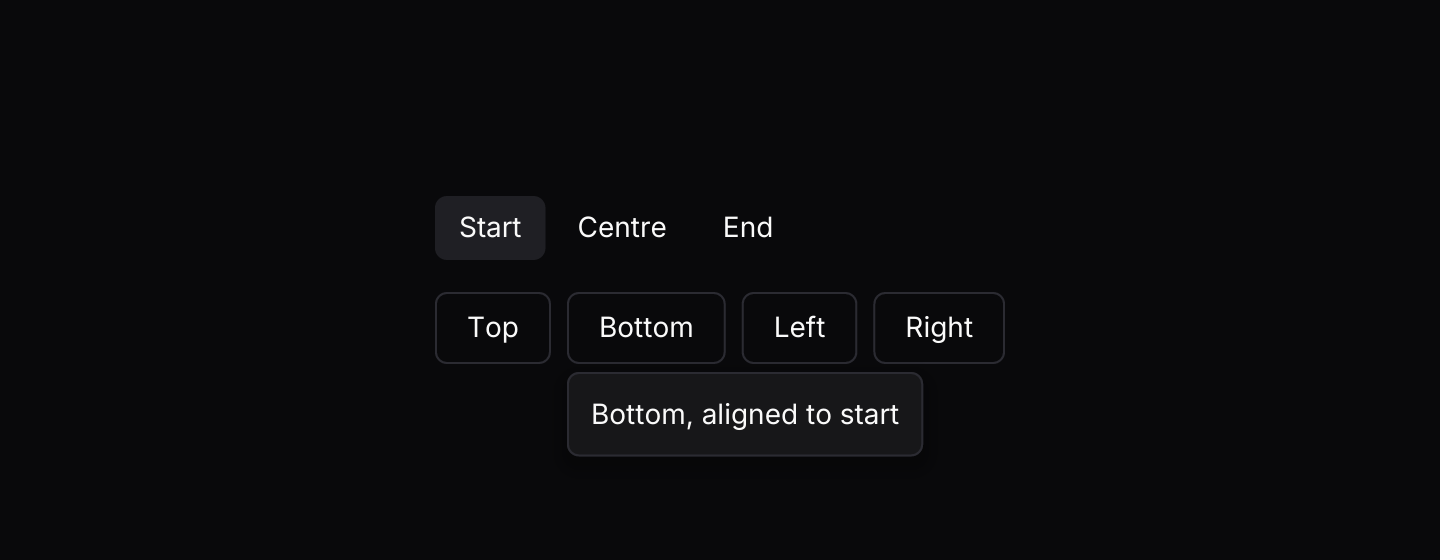
use iced::widget::{column, row, text};
use iced::{Element, Length};
use iced_cube::button;
use iced_cube::overlay::popover::{Align, Side, popover};
use iced_cube::primitives::button::{Size, Variant};
use iced_cube::theme::text_size;

#[derive(Debug, Clone)]
pub enum Message {
    Toggle(Side),
    Align(Align),
    Dismiss,
}

#[derive(Debug)]
pub struct Example {
    open: Option<Side>,
    last: Side,
    align: Align,
}

impl Default for Example {
    fn default() -> Self {
        Self {
            open: Some(Side::Bottom),
            last: Side::Bottom,
            align: Align::Start,
        }
    }
}

impl Example {
    pub fn update(&mut self, message: Message) {
        match message {
            Message::Toggle(side) => {
                self.open = (self.open != Some(side)).then_some(side);
                self.last = side;
            }
            // A click on an alignment also dismisses the popover, so reopen it.
            Message::Align(align) => {
                self.align = align;
                self.open = Some(self.last);
            }
            Message::Dismiss => self.open = None,
        }
    }

    pub fn view(&self) -> Element<'_, Message> {
        let name = |align| match align {
            Align::Start => "Start",
            Align::Center => "Centre",
            Align::End => "End",
        };

        let alignments = row(Align::ALL.map(|align| {
            let variant = if align == self.align {
                Variant::Secondary
            } else {
                Variant::Ghost
            };
            button(name(align))
                .size(Size::Sm)
                .variant(variant)
                .on_press(Message::Align(align))
                .into()
        }))
        .spacing(4);

        let sides = row(Side::ALL.map(|side| {
            let label = text(format!(
                "{side:?}, aligned to {}",
                name(self.align).to_lowercase()
            ))
            .size(text_size::SM);
            popover(
                button(format!("{side:?}"))
                    .variant(Variant::Outline)
                    .on_press(Message::Toggle(side)),
                label,
            )
            .open(self.open == Some(side))
            .side(side)
            .align(self.align)
            .width(Length::Shrink)
            .padding(12.0)
            .on_dismiss(Message::Dismiss)
            .into()
        }))
        .spacing(8);

        column![alignments, sides].spacing(16).into()
    }
}Keyboard shortcuts
Escape closes the popover, and an added binding toggles it with I.
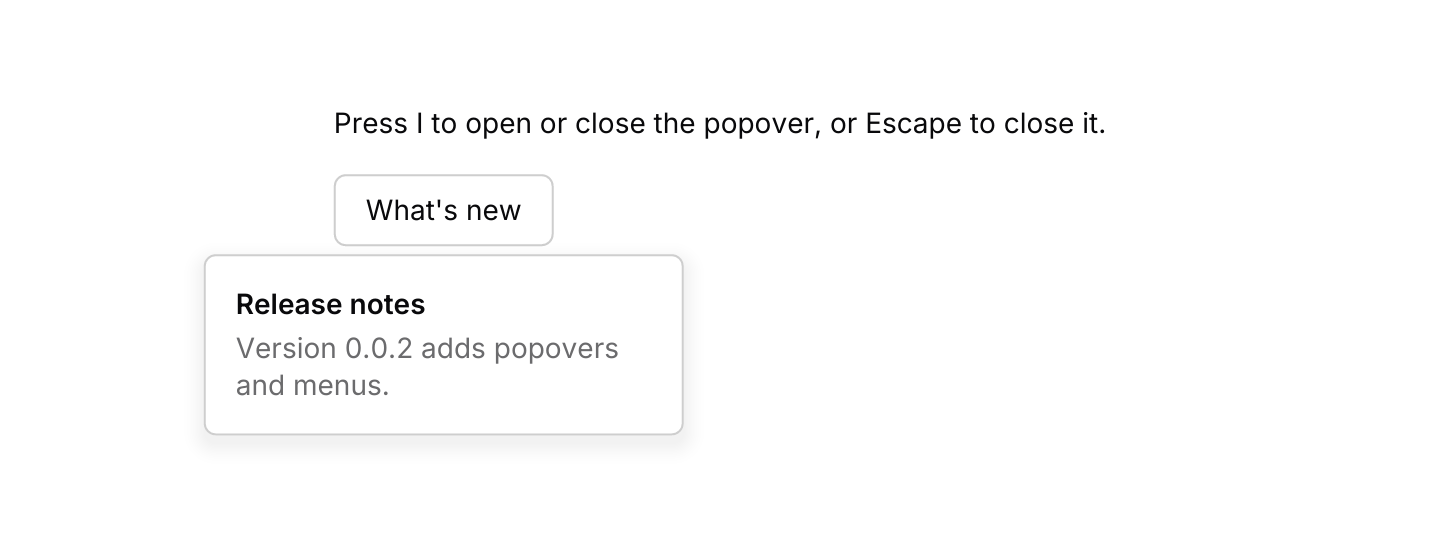
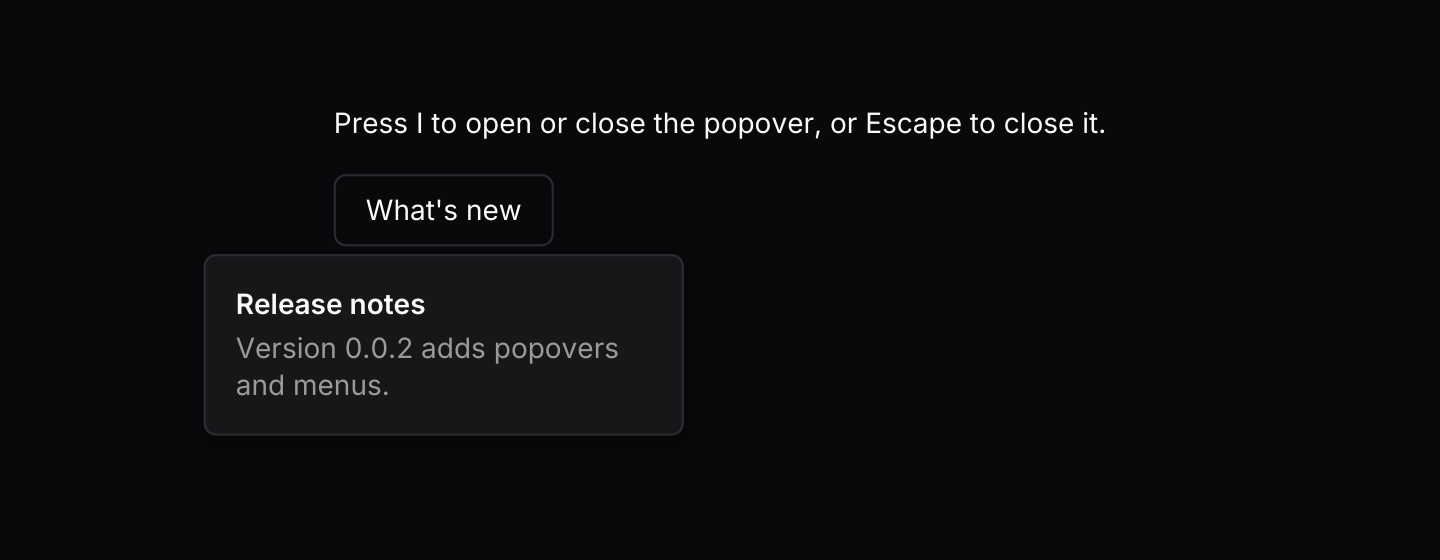
use iced::widget::{column, container, text};
use iced::{Element, Subscription};
use iced_cube::button;
use iced_cube::keys::{self, Chord, Keymap};
use iced_cube::overlay::popover::{self, Action, popover};
use iced_cube::primitives::button::Variant;
use iced_cube::theme::{Tokens, semibold, text_size};

#[derive(Debug, Clone)]
pub enum Message {
    Toggle,
    Dismiss,
    Key(keys::Event),
}

#[derive(Debug)]
pub struct Example {
    open: bool,
    keymap: Keymap<Action>,
}

impl Default for Example {
    fn default() -> Self {
        Self {
            open: true,
            keymap: popover::default_keymap().bind(Chord::character('i'), Action::Toggle),
        }
    }
}

impl Example {
    pub fn update(&mut self, message: Message) {
        match message {
            Message::Toggle => self.open = !self.open,
            Message::Dismiss => self.open = false,
            Message::Key(key) => {
                let next = self
                    .keymap
                    .resolve_event(&key)
                    .and_then(|action| action.apply(self.open));
                if let Some(open) = next {
                    self.open = open;
                }
            }
        }
    }

    pub fn view(&self) -> Element<'_, Message> {
        let info = column![
            text("Release notes").size(text_size::SM).font(semibold()),
            text("Version 0.0.2 adds popovers and menus.")
                .size(text_size::SM)
                .style(|theme| text::Style {
                    color: Some(Tokens::of(theme).muted_foreground),
                }),
        ]
        .spacing(4);

        let trigger = button("What's new")
            .variant(Variant::Outline)
            .on_press(Message::Toggle);

        column![
            text("Press I to open or close the popover, or Escape to close it.").size(14),
            container(
                popover(trigger, info)
                    .open(self.open)
                    .width(240)
                    .keymap(self.keymap.clone())
                    .on_dismiss(Message::Dismiss),
            )
            .height(140),
        ]
        .spacing(16)
        .into()
    }

    pub fn subscription(&self) -> Subscription<Message> {
        keys::subscription().map(Message::Key)
    }
}API
| Item | Description |
|---|---|
popover(trigger, content) | Shows the content in a panel next to the trigger while it is open. The trigger opens it itself, usually a button that sets a flag in your state. |
.open(bool) | Whether the panel is showing. Defaults to false. |
.on_dismiss(message) | Sent on Escape and on a press outside the panel and the trigger. Without it, only your app closes the popover. |
.side(Side) / .align(Align) | Top, Bottom, Left or Right, and Start, Center or End. Defaults to below the trigger, centred. |
.gap(f32) | Space between the trigger and the panel. Defaults to 4. |
.width(length) / .padding(f32) | The panel is 288 wide with 16 of padding by default. Length::Shrink fits the content. |
.keymap(keymap) | Replaces the default keymap. The open popover closes on the chords bound to Action::Close, after its content has had the key. |
style(tokens) | The panel style, the floating surface shared with menus and dialogs. |
popover:: | The default shortcuts as a Keymap<Action>. Bind a chord to Action::Toggle to give a popover an app-wide shortcut. |
action.apply(open) | Whether the popover should be open after a resolved Action (Toggle or Close), or None when nothing changes. |
Keyboard
Default shortcuts. Every one can be changed or removed with a keymap; see Keyboard shortcuts.
| Keys | Action |
|---|---|
| Escape | Close Closes the popover. |
| Tab | FocusNext Moves from a field in the popover to its next field, wrapping at the end. |
| Shift+Tab | FocusPrevious Moves from a field in the popover to its previous field, wrapping at the start. |