Navigation
Tabs
Switches between related views that share one place on screen.
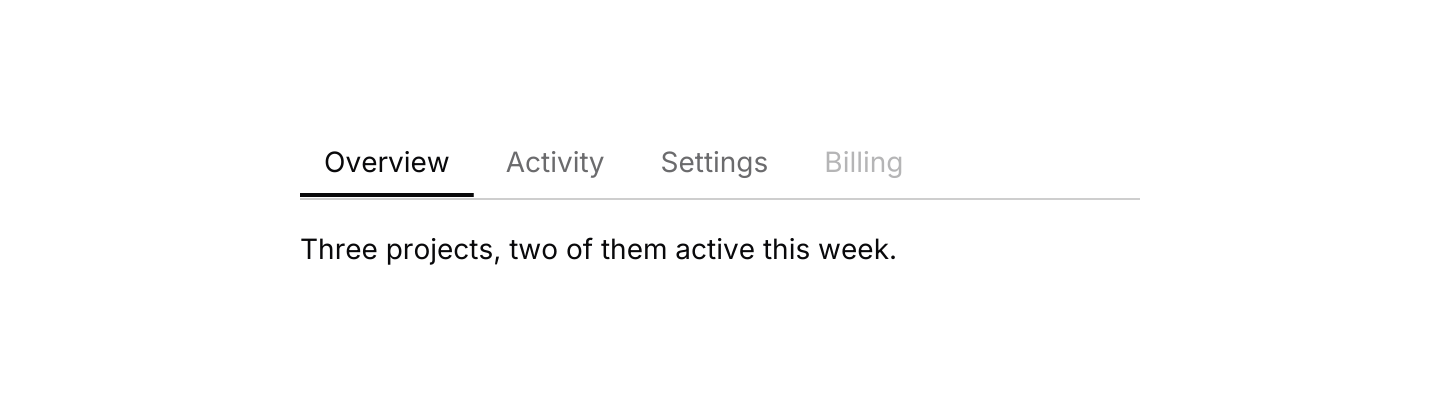
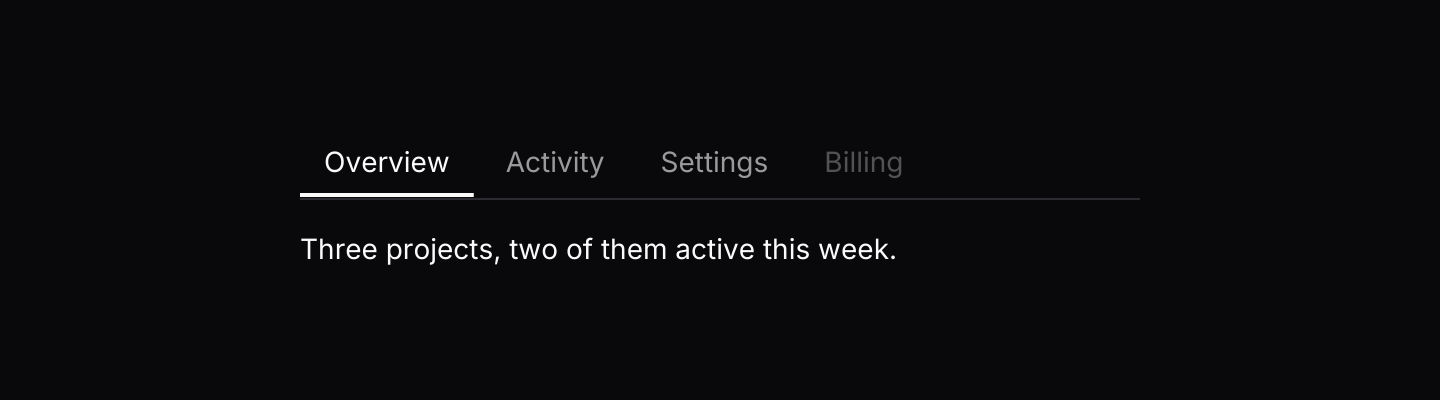
use iced::widget::{column, text};
use iced::{Element, Length};
use iced_cube::navigation::tabs::{self, State, tab, tabs};

#[derive(Debug, Clone, Copy, PartialEq, Eq)]
pub enum Section {
    Overview,
    Activity,
    Settings,
    Billing,
}

#[derive(Debug, Clone)]
pub enum Message {
    Tabs(tabs::Event<Section>),
}

#[derive(Debug)]
pub struct Example {
    tabs: State<Section>,
}

impl Default for Example {
    fn default() -> Self {
        Self {
            tabs: State::new([
                tab(Section::Overview, "Overview"),
                tab(Section::Activity, "Activity"),
                tab(Section::Settings, "Settings"),
                tab(Section::Billing, "Billing").disabled(true),
            ]),
        }
    }
}

impl Example {
    pub fn update(&mut self, message: Message) {
        let Message::Tabs(event) = message;
        let _ = self.tabs.update(event);
    }

    pub fn view(&self) -> Element<'_, Message> {
        let body = match self.tabs.selected() {
            Some(Section::Overview) => "Three projects, two of them active this week.",
            Some(Section::Activity) => "Nothing new since your last visit.",
            Some(Section::Settings) => "Project name, visibility and members.",
            Some(Section::Billing) | None => "",
        };

        column![
            tabs(&self.tabs).on_event(Message::Tabs),
            text(body).size(14),
        ]
        .spacing(16)
        .width(Length::Fixed(420.0))
        .into()
    }
}Usage
The app owns a tabs::State and routes events into it, then renders the view for state.selected() itself. The tab list is only the switcher, so the content can be anything.
Next and Previous wrap round at the ends and skip disabled tabs. The widget does not listen to the keyboard itself: the app subscribes with keys::subscription() and resolves each key press through a keymap, as the keyboard example does. The arrow keys, Home and End are bound app-wide, so an app with text inputs or other arrow-driven controls may want to unbind them and keep Ctrl+Tab.
Document tabs also bind Ctrl+Tab and Ctrl+Shift+Tab. When both are on screen, unbind the chords from one of the keymaps, usually this one, with tabs::default_keymap().unbind(&Chord::named(Named::Tab).ctrl()).unbind(&Chord::named(Named::Tab).ctrl().shift()). See Keyboard shortcuts for other shared keys.
Use the underline variant for page sections and the pills variant for a compact switch between views of the same data.
Examples
Pills
A segmented control with icons.


use iced::widget::{column, text};
use iced::{Alignment, Element};
use iced_cube::lucide;
use iced_cube::navigation::tabs::{self, State, Variant, tab, tabs};

#[derive(Debug, Clone, Copy, PartialEq, Eq)]
pub enum View {
    List,
    Board,
    Calendar,
}

#[derive(Debug, Clone)]
pub enum Message {
    Tabs(tabs::Event<View>),
}

#[derive(Debug)]
pub struct Example {
    tabs: State<View>,
}

impl Default for Example {
    fn default() -> Self {
        let tabs = State::new([
            tab(View::List, "List").icon(lucide!(List)),
            tab(View::Board, "Board").icon(lucide!(Columns3)),
            tab(View::Calendar, "Calendar").icon(lucide!(Calendar)),
        ]);
        Self {
            tabs: tabs.with_selected(View::Board),
        }
    }
}

impl Example {
    pub fn update(&mut self, message: Message) {
        let Message::Tabs(event) = message;
        let _ = self.tabs.update(event);
    }

    pub fn view(&self) -> Element<'_, Message> {
        let showing = self
            .tabs
            .selected()
            .map_or(String::new(), |view| format!("Showing the {view:?} view"));

        column![
            tabs(&self.tabs)
                .variant(Variant::Pills)
                .on_event(Message::Tabs),
            text(showing).size(14),
        ]
        .spacing(16)
        .align_x(Alignment::Center)
        .into()
    }
}Keyboard shortcuts
Key presses resolve through the default keymap, skipping disabled tabs. In the browser, use the arrow keys, Home and End: browsers keep Ctrl+Tab for themselves.
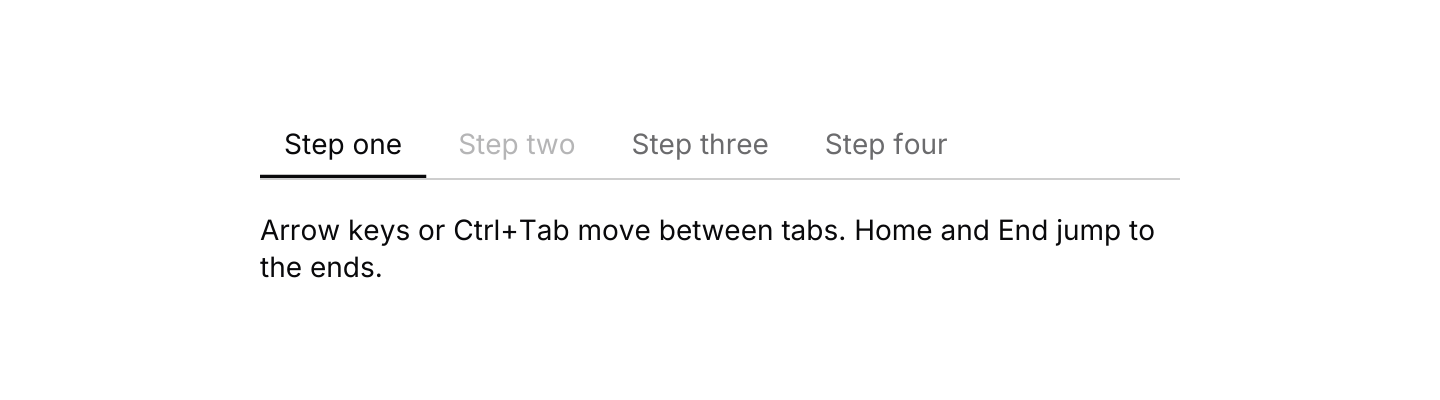
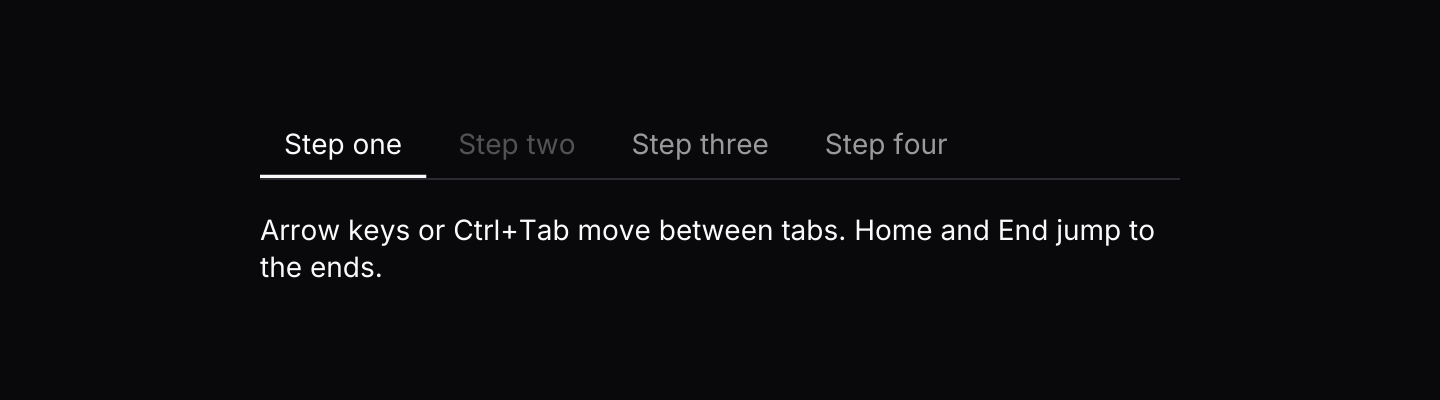
use iced::widget::{column, text};
use iced::{Element, Length, Subscription};
use iced_cube::keys::{self, Keymap};
use iced_cube::navigation::tabs::{self, Action, Event, State, tab, tabs};

#[derive(Debug, Clone)]
pub enum Message {
    Tabs(Event<u8>),
    Key(keys::Event),
}

#[derive(Debug)]
pub struct Example {
    tabs: State<u8>,
    keymap: Keymap<Action>,
}

impl Default for Example {
    fn default() -> Self {
        Self {
            tabs: State::new([
                tab(1, "Step one"),
                tab(2, "Step two").disabled(true),
                tab(3, "Step three"),
                tab(4, "Step four"),
            ]),
            keymap: tabs::default_keymap(),
        }
    }
}

impl Example {
    pub fn update(&mut self, message: Message) {
        let event = match message {
            Message::Tabs(event) => Some(event),
            Message::Key(key) => self
                .keymap
                .resolve_event(&key)
                .and_then(|action| action.event(&self.tabs)),
        };
        if let Some(event) = event {
            let _ = self.tabs.update(event);
        }
    }

    pub fn view(&self) -> Element<'_, Message> {
        column![
            tabs(&self.tabs).on_event(Message::Tabs),
            text("Arrow keys or Ctrl+Tab move between tabs. Home and End jump to the ends.")
                .size(14),
        ]
        .spacing(16)
        .width(Length::Fixed(460.0))
        .into()
    }

    pub fn subscription(&self) -> Subscription<Message> {
        keys::subscription().map(Message::Key)
    }
}API
| Item | Description |
|---|---|
State:: | Holds the tabs and selects the first enabled one. |
.with_selected(id) | Starts on a given tab, if it exists and is enabled. |
tab(id, label) | Creates a tab. Add .icon(glyph) or .disabled(true). |
state.update(Event) | Select(id), Next or Previous. Returns the new id when the selection changed. |
state.selected() / state.is_selected(id) | The selected id, or None when every tab is disabled, and a check for one id. |
state.tabs() | The tabs, in order. |
state.set_disabled(id, bool) | Enables or disables a tab at runtime. |
tabs(&state) | Renders the tab list. Tabs render disabled until .on_event is set. |
.variant(Variant) | Underline or Pills. Defaults to Underline. |
.width(length) | Overrides the width. Underline tabs fill the available width and pills shrink to fit by default. |
.on_event(f) | Maps tab events to your message, such as Message::Tabs. |
tabs:: | The default shortcuts as a Keymap<Action>. Bind, unbind or clear chords to change them. |
action.event(&state) | Turns a resolved Action (Next, Previous, First or Last) into the Event to pass to state.update. |
Keyboard
Default shortcuts. Every one can be changed or removed with a keymap; see Keyboard shortcuts.
| Keys | Action |
|---|---|
| Ctrl+Tab or ArrowRight | Next Selects the next enabled tab, wrapping at the end. |
| Ctrl+Shift+Tab or ArrowLeft | Previous Selects the previous enabled tab, wrapping at the start. |
| Home | First Selects the first enabled tab. |
| End | Last Selects the last enabled tab. |