Application
Status bar
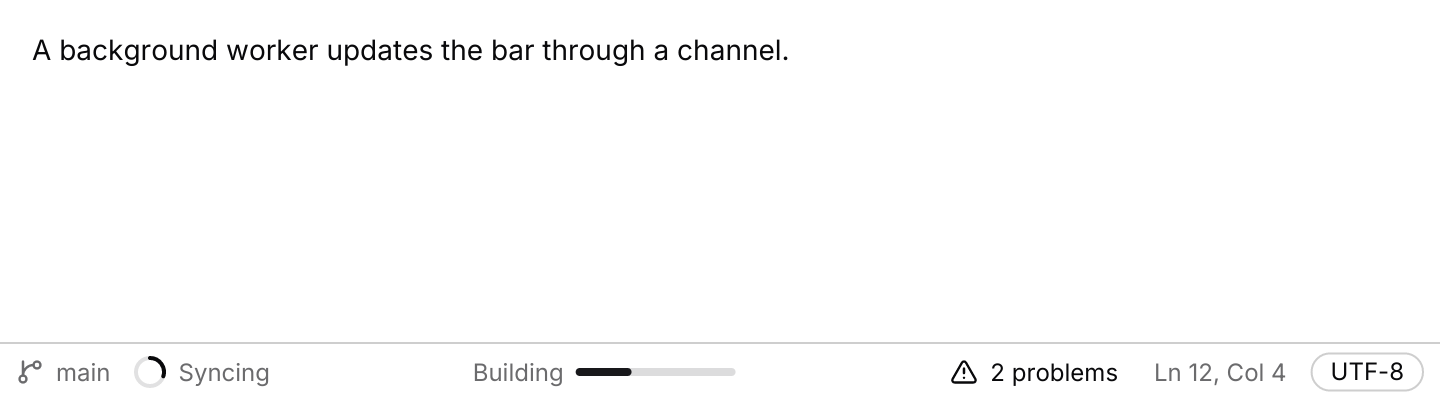
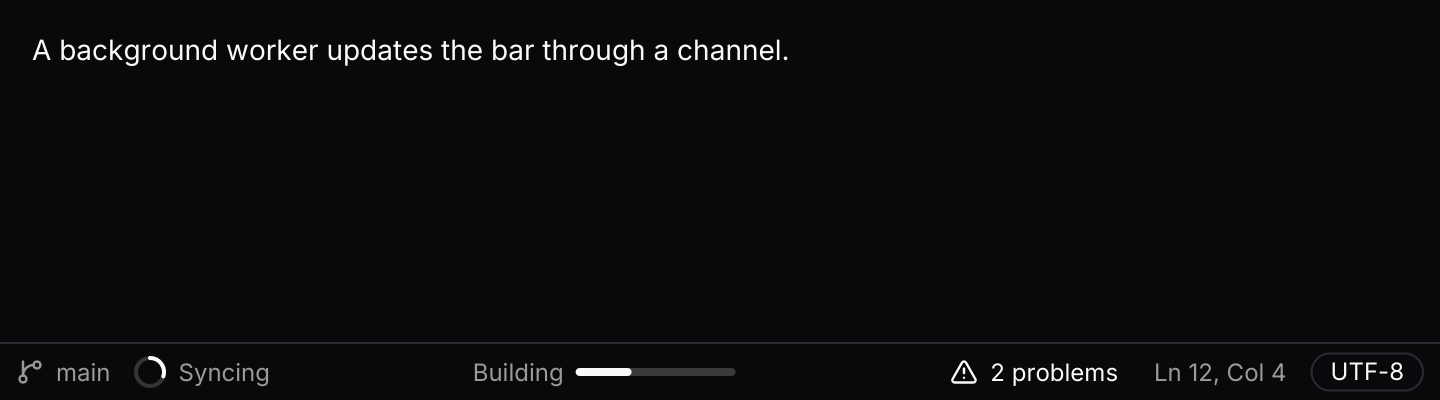
A thin bar along the bottom of a window, fed with status from background work.
use std::hash::{Hash, Hasher};
use std::time::Duration;

use futures_timer::Delay;
use iced::futures::{SinkExt, Stream, StreamExt, stream};
use iced::widget::{column, container, text};
use iced::{Element, Length, Subscription};
use iced_cube::feedback::badge::Variant;
use iced_cube::lucide;
use iced_cube::status_bar::{
    self, Output, Section, State, Update, action, badge, progress, spinner, status_bar,
};
use iced_cube::theme::text_size;

#[derive(Debug, Clone, Copy, PartialEq, Eq, Hash)]
pub enum Item {
    Branch,
    Sync,
    Build,
    Problems,
    Cursor,
    Encoding,
}

#[derive(Debug, Clone)]
pub enum Message {
    Status(status_bar::Event<Item>),
}

#[derive(Debug)]
pub struct Example {
    status: State<Item>,
    worker: Option<Worker>,
    last_pressed: Option<Item>,
}

impl Default for Example {
    fn default() -> Self {
        let status = State::new().with_items([
            status_bar::text(Item::Branch, "main").icon(lucide!(GitBranch)),
            spinner(Item::Sync, "Syncing"),
            progress(Item::Build, 0.35)
                .label("Building")
                .section(Section::Centre),
            action(Item::Problems, "2 problems")
                .icon(lucide!(TriangleAlert))
                .tooltip("Show problems")
                .section(Section::End),
            status_bar::text(Item::Cursor, "Ln 12, Col 4").section(Section::End),
            badge(Item::Encoding, "UTF-8", Variant::Outline).section(Section::End),
        ]);

        Self {
            status,
            worker: None,
            last_pressed: None,
        }
    }
}

impl Example {
    pub fn update(&mut self, message: Message) {
        let Message::Status(event) = message;
        match self.status.update(event) {
            // The worker holds only a sender, like a background thread would.
            Some(Output::Ready(sender)) => self.worker = Some(Worker { sender }),
            Some(Output::Pressed(item)) => self.last_pressed = Some(item),
            None => {}
        }
    }

    pub fn view(&self) -> Element<'_, Message> {
        let note = match self.last_pressed {
            Some(item) => format!("Pressed {item:?} in the status bar."),
            None => "A background worker updates the bar through a channel.".to_owned(),
        };

        column![
            container(text(note).size(text_size::SM))
                .padding(16)
                .height(Length::Fill),
            status_bar(&self.status).on_event(Message::Status),
        ]
        .into()
    }

    pub fn subscription(&self) -> Subscription<Message> {
        let worker = match &self.worker {
            Some(worker) => Subscription::run_with(worker.clone(), Worker::run),
            None => Subscription::none(),
        };

        Subscription::batch([
            status_bar::subscription().map(Message::Status),
            status_bar::animation(&self.status).map(Message::Status),
            worker,
        ])
    }
}

/// Simulated background work: a git sync, a build and a moving cursor.
/// It waits with futures-timer, so it also runs in the browser.
#[derive(Debug, Clone)]
struct Worker {
    sender: status_bar::Sender<Item>,
}

impl Hash for Worker {
    fn hash<H: Hasher>(&self, state: &mut H) {
        "status-worker".hash(state);
    }
}

impl Worker {
    fn run(&self) -> impl Stream<Item = Message> + use<> {
        let mut sender = self.sender.clone();

        stream::once(async move {
            let mut tick: u32 = 0;
            loop {
                Delay::new(Duration::from_millis(600)).await;
                tick += 1;

                let line = 12 + tick % 40;
                let column = 1 + (tick * 7) % 60;
                let mut updates = vec![Update::Set(
                    status_bar::text(Item::Cursor, format!("Ln {line}, Col {column}"))
                        .section(Section::End),
                )];

                let step = tick % 12;
                updates.push(Update::Set(if step < 4 {
                    spinner(Item::Sync, "Syncing")
                } else {
                    status_bar::text(Item::Sync, "Synced").icon(lucide!(Check))
                }));
                updates.push(Update::Set(if step < 10 {
                    progress(Item::Build, step as f32 / 10.0)
                        .label("Building")
                        .section(Section::Centre)
                } else {
                    badge(Item::Build, "Build passed", Variant::Success).section(Section::Centre)
                }));

                for update in updates {
                    if sender.send(update).await.is_err() {
                        return;
                    }
                }
            }
        })
        .filter_map(|()| async { None::<Message> })
    }
}Usage
Status usually comes from outside the UI thread: a sync job, a build, the language server or the editor’s cursor. The status bar follows the same channel pattern as toasts. status_bar::subscription() creates a bounded channel under a stable id, so iced keeps one stream however often you ask for it, and sends Event::Ready with the sender first. Keep the sender and hand clones to producers, which send Updates. The receiver drains whatever is waiting in batches, so a burst of cursor moves costs one redraw.
Every item has an id. Sending Update::Set with an id that is already there replaces that item in place, so a spinner can become a check mark, or a progress bar a badge, without the bar jumping about. Update::Remove takes an item away. Items keep the order they were first set within their section.
Subscribe to status_bar::animation(&state) as well to turn the spinners. It asks for window frames only while a spinner is showing. The example’s worker waits with futures-timer rather than a thread, so it also runs in the browser.
On a wide window the start section sits at the left, the end section at the right and the centre section between them. Below 480 pixels the items flow onto as many lines as they need instead, so nothing is cut off on a phone.
API
| Item | Description |
|---|---|
State:: | An empty bar, or one starting with items, as if each had been set in turn. |
text(id, label) / action(id, label) / spinner(id, label) / progress(id, value) / badge(id, label, variant) | Muted text, a small clickable ghost button, a spinner with a label, a short progress bar and a badge. |
.section(Section) / .icon(glyph) / .label(text) / .tooltip(text) | Places an item at the Start (the default), Centre or End, adds an icon, a label before a progress bar, or a tooltip. |
Update:: | What producers send. Set replaces the item with the same id where it stands, or adds it at the end of its section. |
status_bar:: | Owns the bounded channel under a stable id. Emits Ready(sender) once, then batches of up to BATCH_SIZE (16) updates. |
status_bar:: | Window frames while a spinner is showing, and nothing otherwise. |
state.update(Event) | Handles Ready, Received, Frame and Press. Returns Output::Ready(sender) once the channel is open and Output::Pressed(id) for a clickable item. |
state.apply(update) / state.items() / state.section(section) / state.item(&id) | Applies one update directly, and reads the items back. |
status_bar(&state) | Renders the three sections. Clickable items render disabled until .on_event is set. |
.on_event(f) / .compact_below(f32) | Maps status bar events to your message, and sets the width below which the items flow onto several lines (480 by default). |