Data
Virtual list
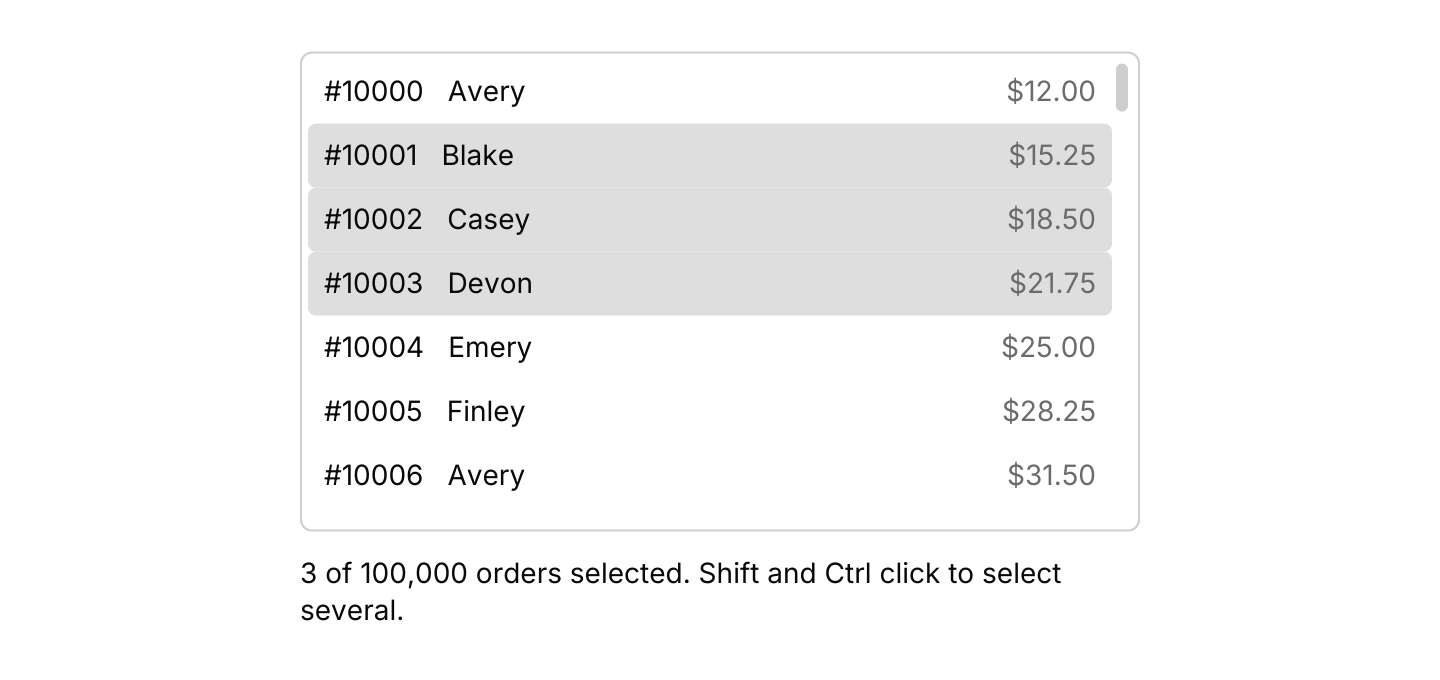
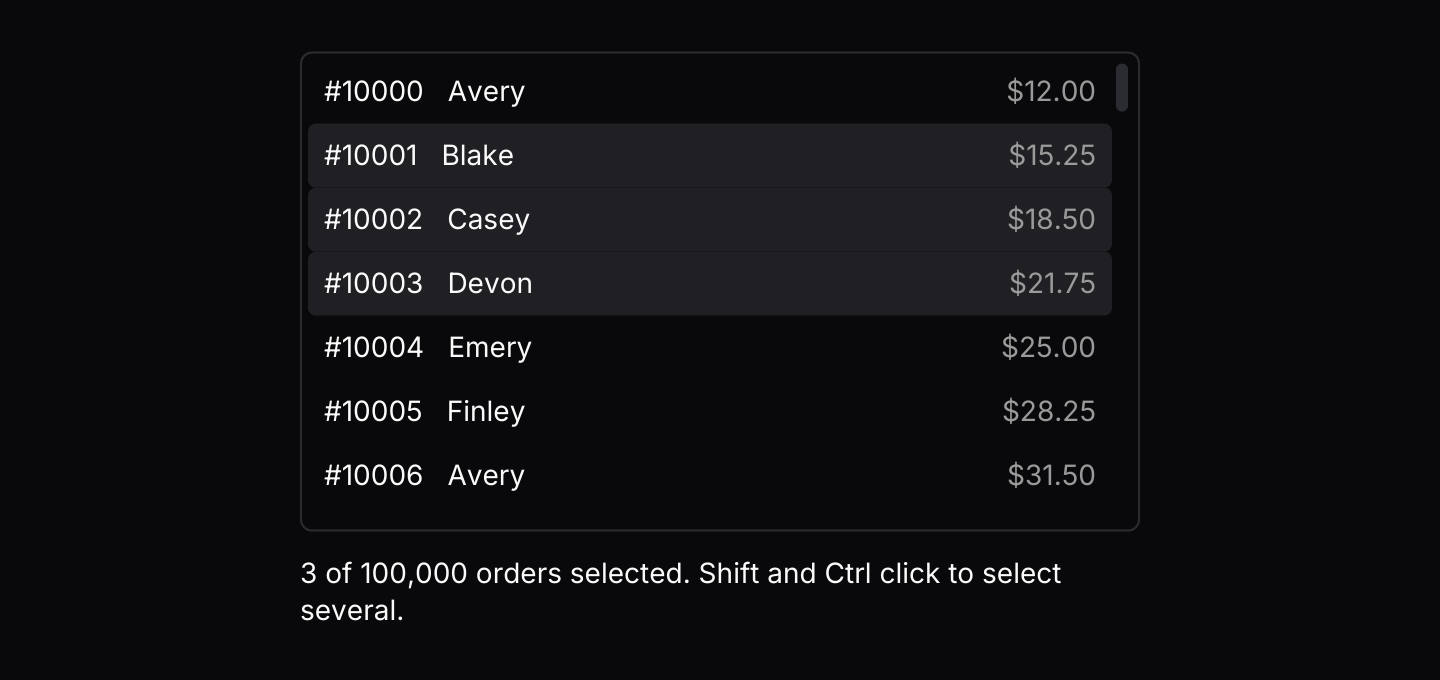
A long list of equally tall rows that only builds the rows in view, with selection, keyboard navigation and items streamed in from other threads.
use iced::keyboard::Modifiers;
use iced::widget::{column, row, space, text};
use iced::{Element, Length};
use iced_cube::data::virtual_list::{Event, Mode, Output, State, virtual_list};
use iced_cube::theme::{Tokens, text_size};

#[derive(Debug, Clone)]
pub enum Message {
    Orders(Event<Order>),
}

#[derive(Debug, Clone)]
pub struct Order {
    number: u32,
    customer: &'static str,
    total: f32,
}

const CUSTOMERS: [&str; 6] = ["Avery", "Blake", "Casey", "Devon", "Emery", "Finley"];

#[derive(Debug)]
pub struct Example {
    orders: State<Order>,
    selected: usize,
}

impl Default for Example {
    fn default() -> Self {
        let orders = (0..100_000u32).map(|number| Order {
            number: 10_000 + number,
            customer: CUSTOMERS[number as usize % CUSTOMERS.len()],
            total: (number % 97) as f32 * 3.25 + 12.0,
        });

        let mut orders = State::new(orders).with_mode(Mode::Multiple);
        let _ = orders.update(Event::Press(1, Modifiers::empty()));
        let _ = orders.update(Event::Press(3, Modifiers::SHIFT));

        Self {
            selected: orders.selected().len(),
            orders,
        }
    }
}

impl Example {
    pub fn update(&mut self, message: Message) {
        let Message::Orders(event) = message;
        if let Some(Output::Selected(indices)) = self.orders.update(event) {
            self.selected = indices.len();
        }
    }

    pub fn view(&self) -> Element<'_, Message> {
        let list = virtual_list(&self.orders, |_, order: &Order| {
            row![
                text(format!("#{}", order.number)).size(text_size::SM),
                text(order.customer).size(text_size::SM),
                space::horizontal(),
                text(format!("${:.2}", order.total))
                    .size(text_size::SM)
                    .style(|theme| text::Style {
                        color: Some(Tokens::of(theme).muted_foreground),
                    }),
            ]
            .spacing(12)
            .into()
        })
        .height(240)
        .on_event(Message::Orders);

        let summary = format!(
            "{} of 100,000 orders selected. Shift and Ctrl click to select several.",
            self.selected
        );

        column![list, text(summary).size(text_size::SM)]
            .spacing(12)
            .width(Length::Fill)
            .max_width(420)
            .into()
    }
}Usage
A virtual list shows thousands of items without building thousands of widgets. Every row is the same height, so the list knows where each one sits and builds only the rows in view, plus a few either side so scrolling never shows a gap. The app owns a virtual_list::State holding the items and routes the list’s events into it. The closure passed to virtual_list draws one row from its index and item, and only runs for rows in view.
Pressing a row highlights it, and in single or multiple mode selects it. In multiple mode Ctrl or Cmd adds or removes one item and Shift selects the range from the last one pressed. Space selects the highlighted item, and a double click or Enter activates it. .context_menu(&menu, on_event) gives every row a menu, keyed by its RowId; state.index(id) turns that back into an index. Give the list a fixed or filling height: one that shrinks to fit has to build every row.
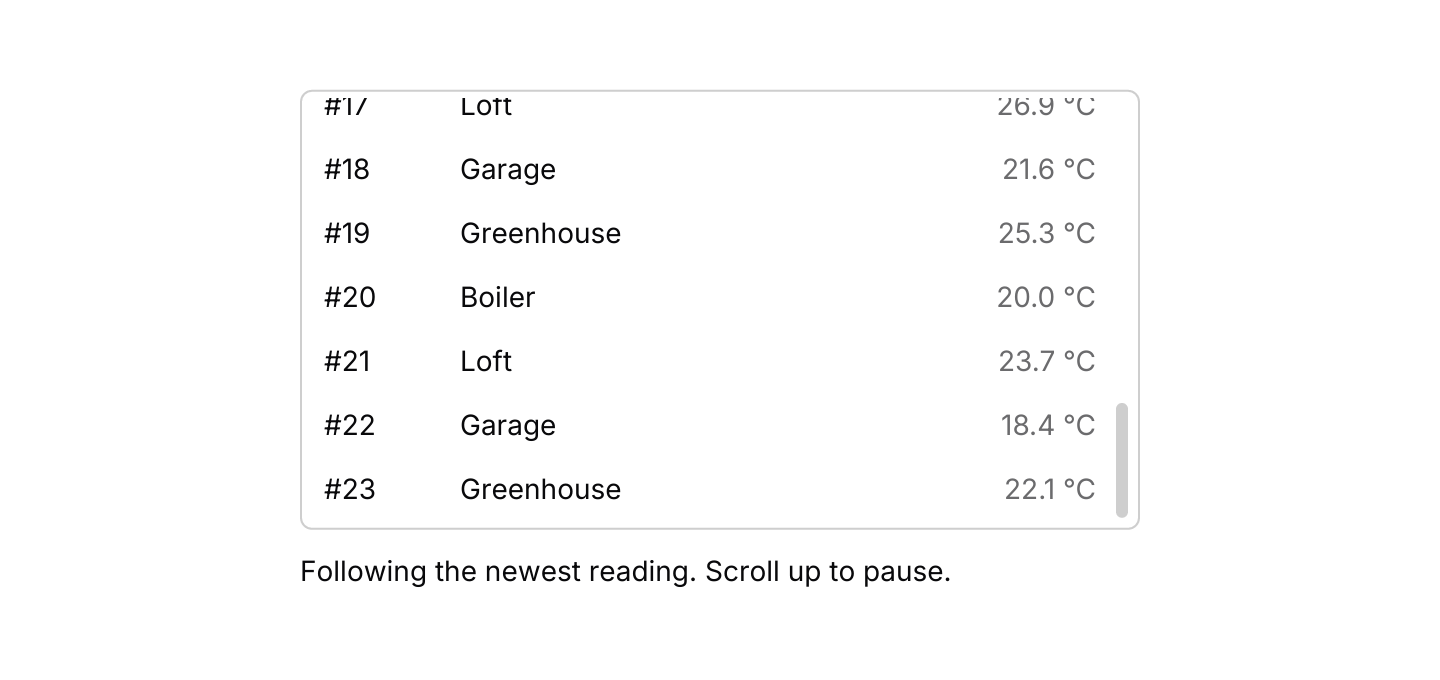
Items can stream in from threads or tasks. virtual_list::subscription() owns a bounded channel and sends Event::Ready with its sender first. Hand clones of the sender to producers, and items arrive in batches, so a burst costs one update rather than one per item. A list made with_follow(true) stays scrolled to its newest item. Scrolling up stops following, so the rows stay still while you read, and scrolling back to the end or pressing End starts again. with_limit(n) drops the oldest items once the list holds that many, and the rows in view stay where they are as older ones go.
The list resolves its keys itself, and only while it has focus, which it takes when pressed and gives up on a press elsewhere. Page Up and Page Down move by the number of rows that fit, which the list reports as its size changes.
Examples
Streaming feed
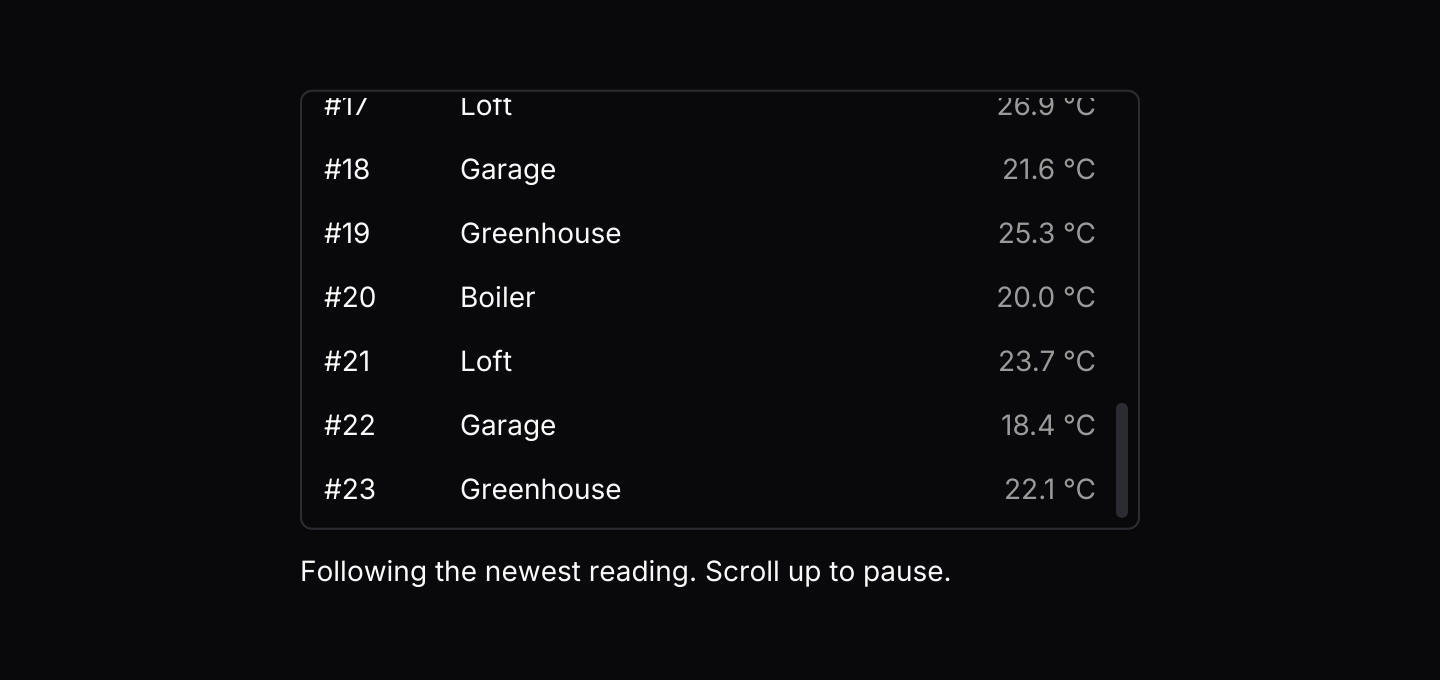
Simulated sensors send readings through the list's channel, using futures-timer so they also run in the browser. The list follows the newest reading until you scroll up, and keeps the newest thousand.
use std::hash::{Hash, Hasher};
use std::time::Duration;

use futures_timer::Delay;
use iced::futures::{SinkExt, Stream, StreamExt, stream};
use iced::widget::{column, row, space, text};
use iced::{Element, Length, Subscription};
use iced_cube::button;
use iced_cube::data::virtual_list::{self, Event, Output, State, virtual_list};
use iced_cube::primitives::button::{Size, Variant};
use iced_cube::theme::{Tokens, text_size};

#[derive(Debug, Clone)]
pub enum Message {
    Feed(Event<Reading>),
}

#[derive(Debug, Clone)]
pub struct Reading {
    sensor: &'static str,
    value: f32,
}

const SENSORS: [&str; 4] = ["Boiler", "Loft", "Garage", "Greenhouse"];

#[derive(Debug)]
pub struct Example {
    feed: State<Reading>,
    sensors: Option<Sensors>,
}

impl Default for Example {
    fn default() -> Self {
        // Keeps the newest thousand readings and sticks to the end.
        let feed = State::new((0..24).map(reading))
            .with_limit(1000)
            .with_follow(true);

        Self {
            feed,
            sensors: None,
        }
    }
}

impl Example {
    pub fn update(&mut self, message: Message) {
        let Message::Feed(event) = message;
        if let Some(Output::Ready(sender)) = self.feed.update(event) {
            self.sensors = Some(Sensors { sender });
        }
    }

    pub fn view(&self) -> Element<'_, Message> {
        let list = virtual_list(&self.feed, |index, reading: &Reading| {
            row![
                text(format!("#{}", self.feed.id(index)))
                    .size(text_size::SM)
                    .width(56),
                text(reading.sensor).size(text_size::SM),
                space::horizontal(),
                text(format!("{:.1} \u{b0}C", reading.value))
                    .size(text_size::SM)
                    .style(|theme| text::Style {
                        color: Some(Tokens::of(theme).muted_foreground),
                    }),
            ]
            .spacing(12)
            .into()
        })
        .height(220)
        .on_event(Message::Feed);

        let status: Element<'_, Message> = if self.feed.is_following() {
            text("Following the newest reading. Scroll up to pause.")
                .size(text_size::SM)
                .into()
        } else {
            row![
                text("Paused while you look back.").size(text_size::SM),
                space::horizontal(),
                button("Jump to latest")
                    .size(Size::Sm)
                    .variant(Variant::Secondary)
                    .on_press(Message::Feed(Event::Last)),
            ]
            .spacing(12)
            .align_y(iced::Alignment::Center)
            .into()
        };

        column![list, status]
            .spacing(12)
            .width(Length::Fill)
            .max_width(420)
            .into()
    }

    pub fn subscription(&self) -> Subscription<Message> {
        let sensors = match &self.sensors {
            Some(sensors) => Subscription::run_with(sensors.clone(), Sensors::run),
            None => Subscription::none(),
        };

        Subscription::batch([virtual_list::subscription().map(Message::Feed), sensors])
    }
}

fn reading(tick: u32) -> Reading {
    Reading {
        sensor: SENSORS[tick as usize % SENSORS.len()],
        value: 18.0 + ((tick * 37) % 90) as f32 / 10.0,
    }
}

/// Simulated sensors that report a few readings every 400 milliseconds.
/// They hold only a sender, as a worker thread would, and wait with
/// futures-timer, so they also run in the browser.
#[derive(Debug, Clone)]
struct Sensors {
    sender: virtual_list::Sender<Reading>,
}

impl Hash for Sensors {
    fn hash<H: Hasher>(&self, state: &mut H) {
        "sensors".hash(state);
    }
}

impl Sensors {
    fn run(&self) -> impl Stream<Item = Message> + use<> {
        let mut sender = self.sender.clone();

        stream::once(async move {
            let mut tick: u32 = 24;
            loop {
                Delay::new(Duration::from_millis(400)).await;
                for _ in 0..3 {
                    if sender.send(reading(tick)).await.is_err() {
                        return;
                    }
                    tick += 1;
                }
            }
        })
        .filter_map(|()| async { None::<Message> })
    }
}Keyboard shortcuts
The default keymap with J and K added, and a context menu on every row. The list resolves keys only while it has focus.
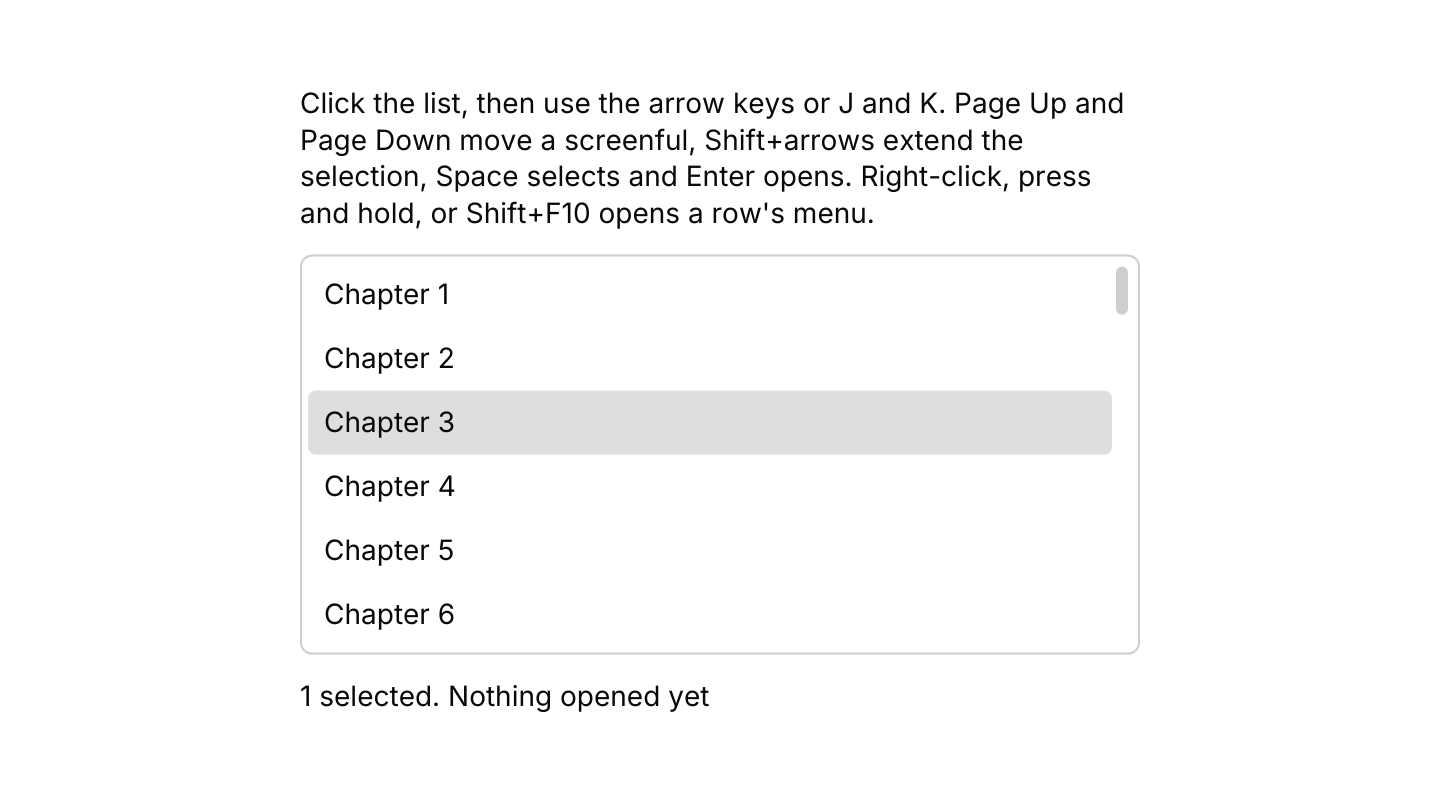
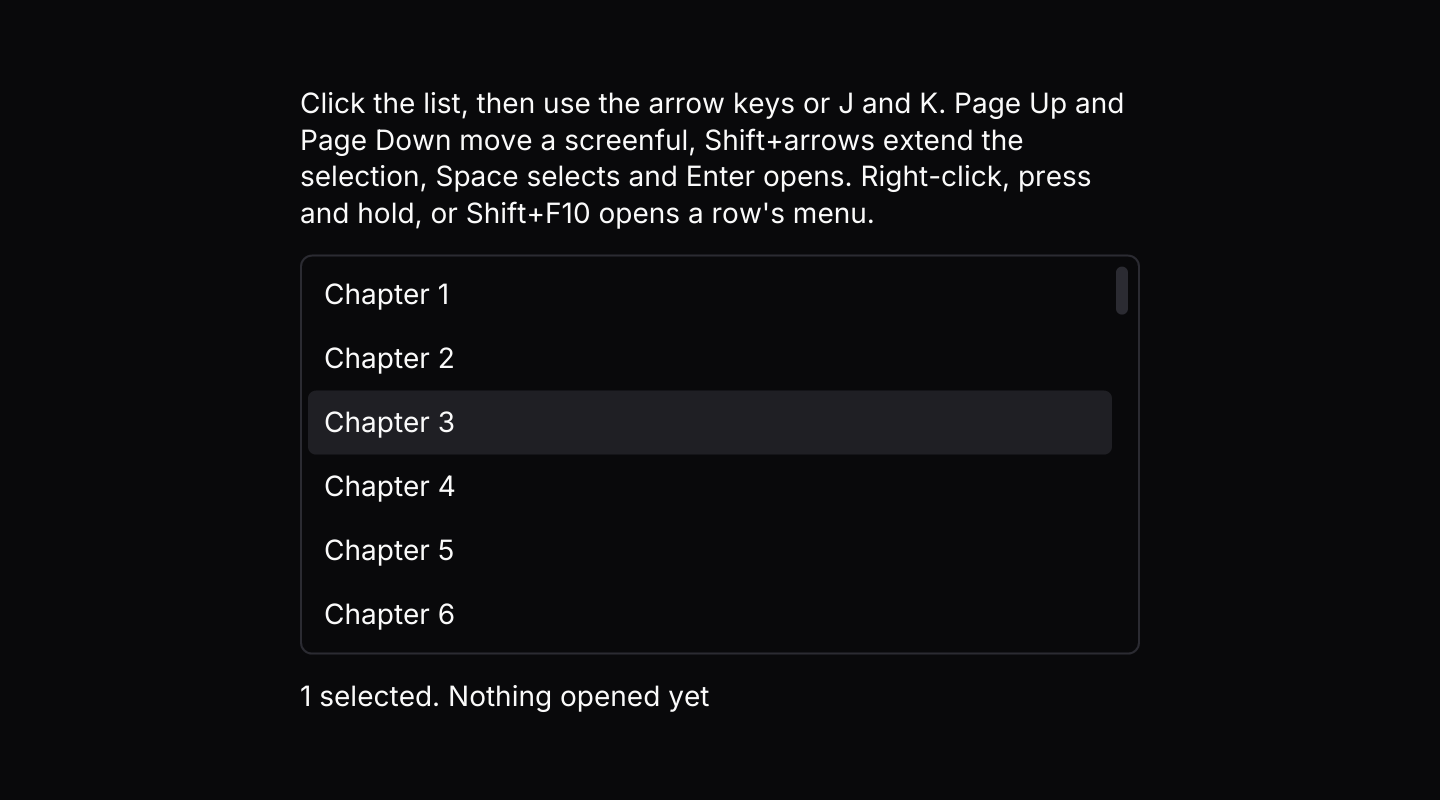
use iced::keyboard::Modifiers;
use iced::widget::{column, text};
use iced::{Element, Length, Task};
use iced_cube::context_menu;
use iced_cube::data::virtual_list::{
    self, Action, Event, Mode, Output, RowId, State, virtual_list,
};
use iced_cube::dropdown_menu::{self, item};
use iced_cube::keys::{Chord, Keymap};
use iced_cube::lucide;
use iced_cube::theme::text_size;

use crate::bridge;

#[derive(Debug, Clone)]
pub enum Message {
    Chapters(Event<String>),
    Menu(context_menu::Event<MenuItem, RowId>),
}

#[derive(Debug, Clone, Copy, PartialEq)]
pub enum MenuItem {
    Open,
    CopyTitle,
}

#[derive(Debug)]
pub struct Example {
    chapters: State<String>,
    menu: context_menu::State<MenuItem, RowId>,
    keymap: Keymap<Action>,
    last: String,
}

impl Default for Example {
    fn default() -> Self {
        let chapters = (1..=500).map(|n| format!("Chapter {n}"));

        // The defaults, plus J and K.
        let keymap = virtual_list::default_keymap()
            .bind(Chord::character('j'), Action::Next)
            .bind(Chord::character('k'), Action::Previous);

        let mut chapters = State::new(chapters).with_mode(Mode::Multiple);
        let _ = chapters.update(Event::Press(2, Modifiers::empty()));

        let menu = context_menu::State::new([
            item(MenuItem::Open, "Open").icon(lucide!(BookOpen)),
            item(MenuItem::CopyTitle, "Copy title").icon(lucide!(Copy)),
        ]);

        Self {
            chapters,
            menu,
            keymap,
            last: "Nothing opened yet".into(),
        }
    }
}

impl Example {
    pub fn update(&mut self, message: Message) -> Task<Message> {
        match message {
            Message::Chapters(event) => {
                if let Some(Output::Activated(index)) = self.chapters.update(event) {
                    self.last = format!("Opened {}", self.title(index));
                }
                Task::none()
            }
            Message::Menu(event) => {
                let chosen = self.menu.update(event);
                let target = self.menu.target().and_then(|&id| self.chapters.index(id));
                let (Some(dropdown_menu::Output::Activated(item)), Some(index)) = (chosen, target)
                else {
                    return Task::none();
                };
                let title = self.title(index).to_owned();
                match item {
                    MenuItem::Open => {
                        self.last = format!("Opened {title}");
                        Task::none()
                    }
                    MenuItem::CopyTitle => {
                        self.last = format!("Copied {title}");
                        bridge::copy(title)
                    }
                }
            }
        }
    }

    fn title(&self, index: usize) -> &str {
        self.chapters.get(index).map_or("", String::as_str)
    }

    pub fn view(&self) -> Element<'_, Message> {
        let selected = self.chapters.selected().len();

        column![
            text(
                "Click the list, then use the arrow keys or J and K. Page Up and Page Down \
                 move a screenful, Shift+arrows extend the selection, Space selects and \
                 Enter opens. Right-click, press and hold, or Shift+F10 opens a row's menu."
            )
            .size(text_size::SM),
            virtual_list(&self.chapters, |_, title: &String| {
                text(title.as_str()).size(text_size::SM).into()
            })
            .keymap(self.keymap.clone())
            .context_menu(&self.menu, Message::Menu)
            .height(200)
            .on_event(Message::Chapters),
            text(format!("{selected} selected. {}", self.last)).size(text_size::SM),
        ]
        .spacing(12)
        .width(Length::Fill)
        .max_width(420)
        .into()
    }
}API
| Item | Description |
|---|---|
State:: | Holds the items in Mode::Single with nothing selected. State::default() starts empty. |
.with_mode(Mode) / .with_limit(n) / .with_follow(bool) | Mode::Single (the default), Multiple or None; the most items kept, dropping the oldest; and whether the list sticks to its end as items arrive. |
state.update(Event) | Handles presses, keyboard navigation, following and arriving items. Returns Output::Ready(sender) once the channel is open, Activated(index) or Selected(indices). |
state.push(item) / state.extend(items) / state.set_items(items) / state.clear() | Adds or replaces items directly. Replacing clears the selection and highlight. |
state.get(index) / state.len() / state.iter() | Reads the items, oldest first. |
state.selected() / state.highlighted() / state.is_following() | The selected indices in order, the index the keyboard acts on, and whether the list follows its end. |
state.scroll_to(index) | Scrolls an item into view without highlighting it. |
state.id(index) / state.index(id) | Converts between an index and the RowId events carry, which stays the same when older items are dropped. |
virtual_list:: | The channel items arrive on. It sends Event::Ready(sender) first; producers send items through clones of the sender, and they arrive in batches as Event::Received. |
virtual_list(&state, |index, item| row) | Renders the rows, each drawn by the closure. Rows render disabled until .on_event is set. |
.row_height(f32) / .width(length) / .height(length) | Every row's height, 32 by default, and the list's size. A fixed or filling height scrolls the rows. |
.keymap(keymap) | Replaces the default keymap the focused list resolves keys with. |
.context_menu(&menu, on_event) / .context_menu_keymap(keymap) | Gives every row a context menu keyed by its RowId, opened with a right-click, a long press or Shift+F10 on the highlighted row, and replaces the menu's keymap. The row it opened on carries the ring while it is open. |
virtual_list:: | The default shortcuts, and the Event a resolved Action sends. State::key_event does both. |
virtual_list:: | The row colours, as a tree's rows: the accent behind selected rows, a lighter tint under the pointer and a ring around the keyboard highlight while the list has focus, inside a bordered frame. |
Keyboard
Default shortcuts. Every one can be changed or removed with a keymap; see Keyboard shortcuts.
| Keys | Action |
|---|---|
| ArrowDown | Next Highlights the next item. |
| ArrowUp | Previous Highlights the previous item. |
| Home | First Highlights the first item. |
| End | Last Highlights the last item, and follows the end in a list that follows. |
| PageDown | NextPage Moves the highlight down by a page of rows. |
| PageUp | PreviousPage Moves the highlight up by a page of rows. |
| Shift+ArrowDown | ExtendNext Moves down and extends the selection, in a multiple selection. |
| Shift+ArrowUp | ExtendPrevious Moves up and extends the selection, in a multiple selection. |
| Enter | Activate Activates the highlighted item. |
| Space | Select Selects or toggles the highlighted item. |
| Ctrl+A | SelectAll Selects every item, in a multiple selection. |