Built-in themes
iced_cube::theme::light() and iced_cube::theme::dark() return ordinary iced::Theme values with a neutral palette. Switch between them from your application’s theme function. To use your own colours, see Custom palettes below.
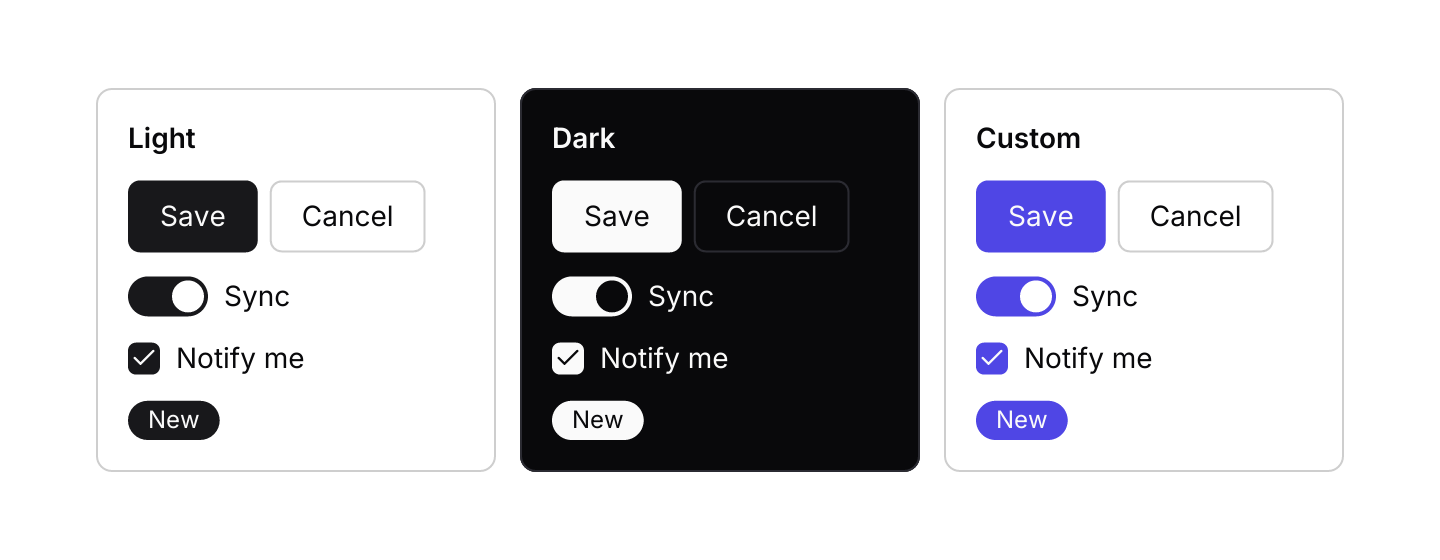
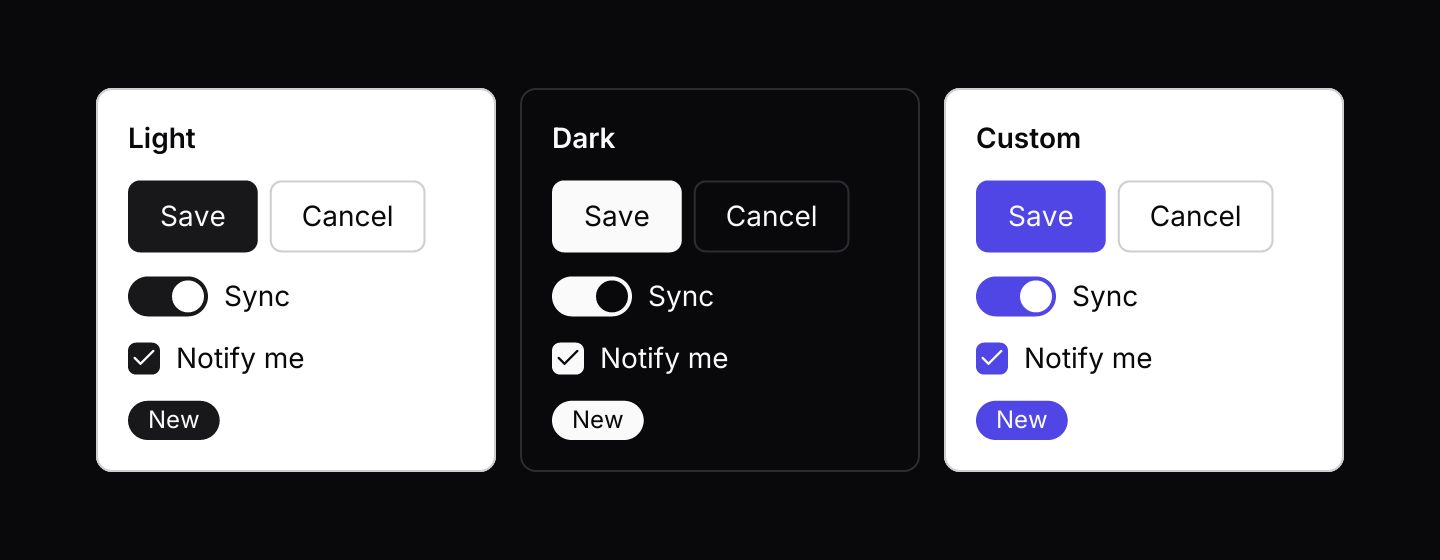
These are the same controls under each built-in theme and a custom palette. Each panel sets its own theme with iced’s themer widget, so the panels keep their colours whatever the site theme is:
use iced::widget::{column, container, row, text, themer};
use iced::{Background, Element, Length, Theme, color};
use iced_cube::primitives::button::Variant;
use iced_cube::theme::{self, Config, Tokens, radius};
use iced_cube::{badge, button, checkbox, switch};

#[derive(Debug, Clone)]
pub enum Message {
    Toggled(bool),
    Checked(bool),
    Pressed,
}

#[derive(Debug)]
pub struct Example {
    on: bool,
    checked: bool,
}

impl Default for Example {
    fn default() -> Self {
        Self {
            on: true,
            checked: true,
        }
    }
}

impl Example {
    pub fn update(&mut self, message: Message) {
        match message {
            Message::Toggled(on) => self.on = on,
            Message::Checked(checked) => self.checked = checked,
            Message::Pressed => {}
        }
    }

    pub fn view(&self) -> Element<'_, Message> {
        let brand = Config::light()
            .name("Brand")
            .primary(color!(0x4f46e5))
            .accent(color!(0xeef2ff))
            .build();

        row![
            self.panel("Light", theme::light()),
            self.panel("Dark", theme::dark()),
            self.panel("Custom", brand),
        ]
        .spacing(12)
        .wrap()
        .into()
    }

    /// The same controls rendered under one theme, whatever the app's theme is.
    fn panel(&self, name: &'static str, theme: Theme) -> Element<'_, Message> {
        let content = column![
            text(name).size(14).font(theme::semibold()),
            row![
                button("Save").on_press(Message::Pressed),
                button("Cancel")
                    .variant(Variant::Outline)
                    .on_press(Message::Pressed),
            ]
            .spacing(6),
            switch(self.on).label("Sync").on_toggle(Message::Toggled),
            checkbox(self.checked)
                .label("Notify me")
                .on_toggle(Message::Checked),
            badge("New"),
        ]
        .spacing(12);

        themer(
            Some(theme),
            container(content)
                .padding(16)
                .width(Length::Fixed(200.0))
                .style(|theme: &Theme| {
                    let tokens = Tokens::of(theme);
                    container::Style {
                        background: Some(Background::Color(tokens.background)),
                        border: iced::Border {
                            color: tokens.border,
                            width: 1.0,
                            radius: radius::LG.into(),
                        },
                        text_color: Some(tokens.foreground),
                        ..container::Style::default()
                    }
                }),
        )
        .into()
    }
}Tokens
Components never hard-code colours. They resolve semantic tokens from the active theme:
use iced_cube::theme::Tokens;

let tokens = Tokens::of(&theme);
let border = tokens.border;
let text = tokens.muted_foreground;
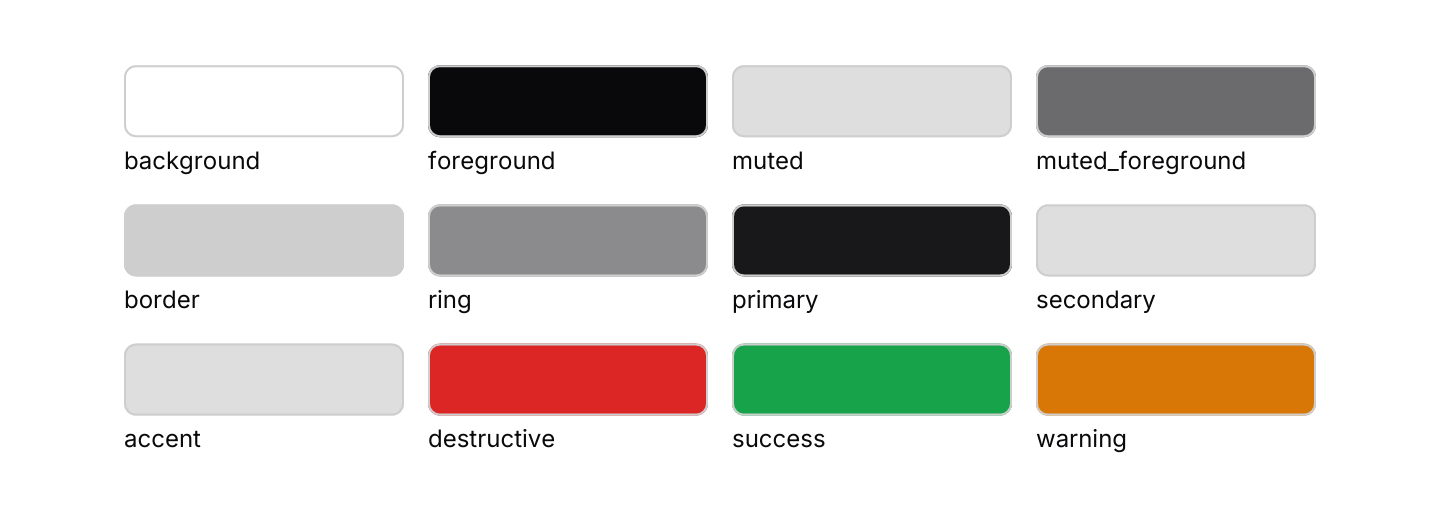
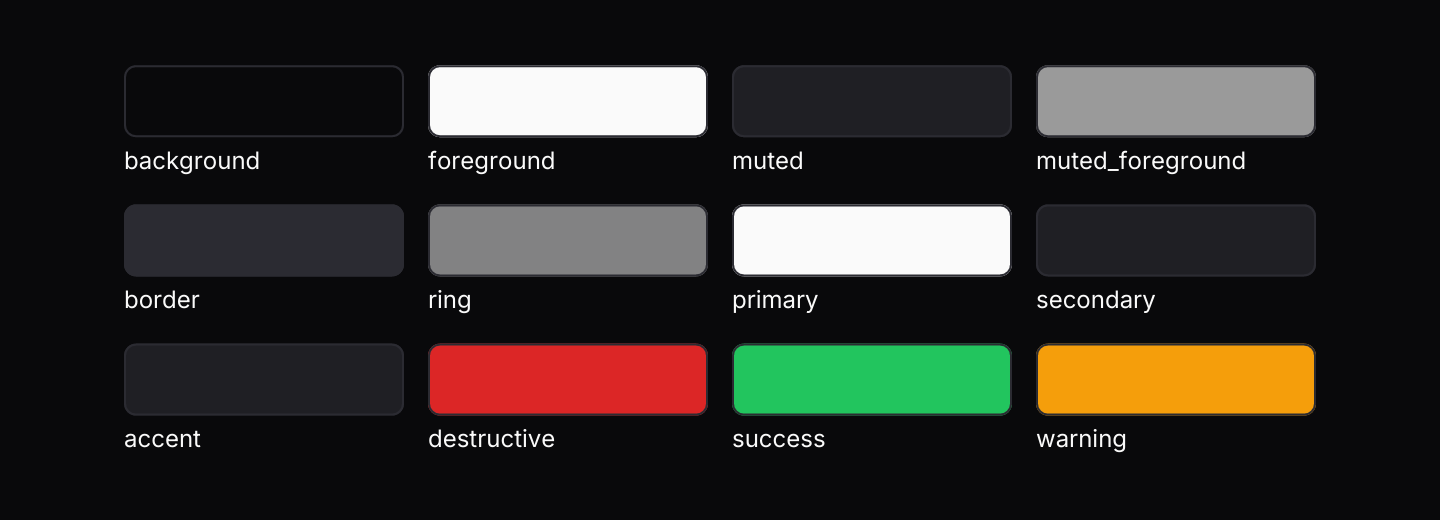
Tokens include background, foreground, popover, muted, muted_foreground, accent, border, ring, primary, secondary, destructive, success and warning, each with a matching foreground where it makes sense. popover is the surface of menus, popovers, lists and dialogs: the background in light themes, lifted a little in dark ones so a menu over a card still looks raised. Here they are as the current theme resolves them; switch the site between light and dark to see both sets:
use iced::widget::{Space, column, container, responsive, row, text};
use iced::{Background, Color, Element, Length, Theme};
use iced_cube::theme::{Tokens, radius};

#[derive(Debug, Clone)]
pub enum Message {}

#[derive(Debug, Default)]
pub struct Example;

/// Reads one colour from the resolved tokens.
type Pick = fn(&Tokens) -> Color;

/// Every token and how to read it from [`Tokens`].
const SWATCHES: [(&str, Pick); 12] = [
    ("background", |t| t.background),
    ("foreground", |t| t.foreground),
    ("muted", |t| t.muted),
    ("muted_foreground", |t| t.muted_foreground),
    ("border", |t| t.border),
    ("ring", |t| t.ring),
    ("primary", |t| t.primary),
    ("secondary", |t| t.secondary),
    ("accent", |t| t.accent),
    ("destructive", |t| t.destructive),
    ("success", |t| t.success),
    ("warning", |t| t.warning),
];

impl Example {
    pub fn update(&mut self, message: Message) {
        match message {}
    }

    pub fn view(&self) -> Element<'_, Message> {
        responsive(|size| {
            let columns = if size.width >= 596.0 {
                4
            } else if size.width >= 252.0 {
                2
            } else {
                1
            };
            let width =
                ((size.width - 12.0 * (columns - 1) as f32) / columns as f32).clamp(0.0, 140.0);
            let rows = SWATCHES.chunks(columns).map(|chunk| {
                row(chunk
                    .iter()
                    .map(|&(name, colour)| swatch(name, colour, width)))
                .spacing(12)
                .into()
            });
            column(rows).spacing(14).into()
        })
        .width(Length::Shrink)
        .height(Length::Shrink)
        .into()
    }
}

fn swatch(name: &'static str, colour: Pick, width: f32) -> Element<'static, Message> {
    let chip = container(Space::new())
        .width(Length::Fixed(width))
        .height(Length::Fixed(36.0))
        .style(move |theme: &Theme| {
            let tokens = Tokens::of(theme);
            container::Style {
                background: Some(Background::Color(colour(&tokens))),
                border: iced::Border {
                    color: tokens.border,
                    width: 1.0,
                    radius: radius::MD.into(),
                },
                ..container::Style::default()
            }
        });

    column![chip, text(name).size(12)].spacing(4).into()
}Because tokens come from iced’s extended palette, any iced theme works, including the built-in ones such as Theme::Dracula or a Theme::custom palette of your own. secondary and accent are read from the extended palette’s secondary colours, which iced derives from the background and text for its own themes.
Spacing, radius and type
Shared constants keep layouts consistent:
theme::space:XS(4),SM(8),MD(12),LG(16),XL(24)theme::radius:SM(4),MD(6),LG(8),FULLtheme::text_size:XS(12),SM(14),MD(16),LG(18)
Fonts
Emphasised text, such as card and toast titles, is drawn at semibold weight. So that it uses your font rather than whatever sans-serif the system picks, register the same font you give iced as its default, before the app starts:
use iced::Font;

const FONT: Font = Font::with_name("Inter");

fn main() -> iced::Result {
    iced_cube::theme::set_font(FONT);

    iced::application(App::default, App::update, App::view)
        .font(include_bytes!("../fonts/Inter-Regular.ttf").as_slice())
        .font(include_bytes!("../fonts/Inter-SemiBold.ttf").as_slice())
        .default_font(FONT)
        .run()
}
Load a semibold face of the font too, or the text renderer will fall back to a synthetic or system bold.
Changing one component
Components have no per-instance style option. Their look comes from the theme alone, so a palette change reaches every one of them at once.
When one spot in your app needs something different, build it from a plain iced widget and start from the component’s own style. Each component module has a pure style function that takes Tokens (and the variant or status where it has one) and returns an ordinary iced style, which you can adjust before returning it:
use iced::widget::{button as iced_button, container, text};
use iced::{Element, Theme};
use iced_cube::card;
use iced_cube::primitives::button::{self, Variant};
use iced_cube::theme::{Tokens, radius};

fn pill_button(label: &str) -> iced::widget::Button<'_, Message> {
    iced_button(text(label).size(14))
        .padding([8, 20])
        .style(|theme: &Theme, status| {
            let mut style = button::style(&Tokens::of(theme), Variant::Primary, status);
            style.border.radius = radius::FULL.into();
            style
        })
}

fn highlighted_panel<'a>(content: impl Into<Element<'a, Message>>) -> Element<'a, Message> {
    container(content)
        .padding(16)
        .style(|theme: &Theme| {
            let tokens = Tokens::of(theme);
            let mut style = card::style(&tokens);
            style.border.color = tokens.primary;
            style
        })
        .into()
}
Because the styles still read from Tokens, these widgets follow light, dark and custom themes like everything else. You lose the component’s builder conveniences, such as sizes and icons, so keep this for the odd exception.
Custom palettes
theme::Config builds a theme from your own colours. Start from Config::light() or Config::dark(), change the colours you care about and call build(). Anything you leave alone keeps the default, so Config::light().build() is exactly theme::light().
use iced::widget::column;
use iced::{Element, Theme, color};
use iced_cube::theme::Config;
use iced_cube::{button, switch};

#[derive(Debug, Clone)]
enum Message {
    Dark(bool),
}

#[derive(Default)]
struct App {
    dark: bool,
}

fn brand(dark: bool) -> Theme {
    let config = if dark {
        Config::dark()
            .primary(color!(0x818cf8))
            .accent(color!(0x1e1b4b))
    } else {
        Config::light()
            .primary(color!(0x4f46e5))
            .accent(color!(0xeef2ff))
    };
    config
        .name("Brand")
        .destructive(color!(0xe11d48))
        .build()
}

impl App {
    fn update(&mut self, message: Message) {
        let Message::Dark(dark) = message;
        self.dark = dark;
    }

    fn view(&self) -> Element<'_, Message> {
        column![
            button("Save"),
            switch(self.dark).label("Dark mode").on_toggle(Message::Dark),
        ]
        .spacing(12)
        .into()
    }

    fn theme(&self) -> Theme {
        brand(self.dark)
    }
}

fn main() -> iced::Result {
    iced::application(App::default, App::update, App::view)
        .theme(App::theme)
        .run()
}
The setters are primary, secondary, accent, destructive, success, warning, background, foreground and border. Text on coloured surfaces, such as a primary button’s label, is picked for you with theme::on, which chooses near-black or near-white for contrast. secondary, accent and border default to shades of the background, so they follow a new background unless you set them.
Whether components use their light or dark styling follows the background colour, so a dark background built from Config::light() still gets dark shadows and hover states.
Here is a brand palette on buttons, badges, a switch and a progress bar. The switch rebuilds the palette from Config::dark():
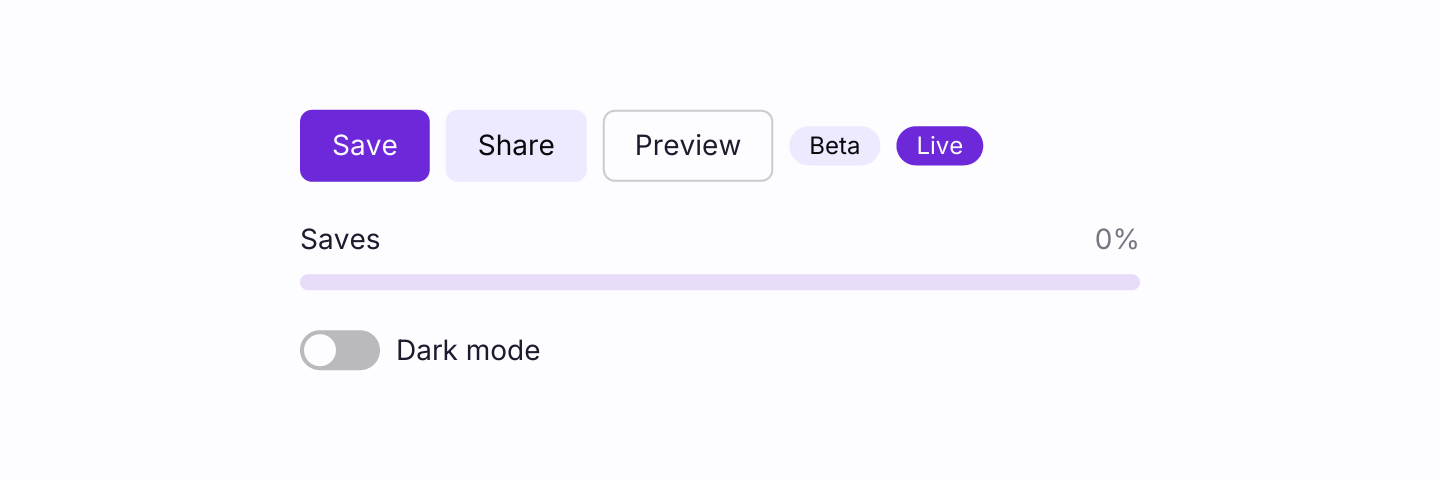
use iced::widget::{column, row};
use iced::{Alignment, Element, Theme, color};
use iced_cube::feedback::badge::Variant as BadgeVariant;
use iced_cube::primitives::button::Variant;
use iced_cube::theme::Config;
use iced_cube::{badge, button, progress, switch};

#[derive(Debug, Clone)]
pub enum Message {
    Dark(bool),
    Save,
}

#[derive(Debug, Default)]
pub struct Example {
    dark: bool,
    saves: u8,
}

impl Example {
    pub fn update(&mut self, message: Message) {
        match message {
            Message::Dark(dark) => self.dark = dark,
            Message::Save => self.saves = self.saves.saturating_add(1).min(10),
        }
    }

    pub fn view(&self) -> Element<'_, Message> {
        let buttons = row![
            button("Save").on_press(Message::Save),
            button("Share")
                .variant(Variant::Secondary)
                .on_press(Message::Save),
            button("Preview")
                .variant(Variant::Outline)
                .on_press(Message::Save),
            badge("Beta").variant(BadgeVariant::Secondary),
            badge("Live"),
        ]
        .spacing(8)
        .align_y(Alignment::Center)
        .wrap();

        column![
            buttons,
            progress(f32::from(self.saves) / 10.0)
                .label("Saves")
                .show_percentage(true),
            switch(self.dark)
                .label("Dark mode")
                .on_toggle(Message::Dark),
        ]
        .spacing(20)
        .width(420)
        .into()
    }

    pub fn theme(&self) -> Option<Theme> {
        let config = if self.dark {
            Config::dark()
                .background(color!(0x1e1b2e))
                .foreground(color!(0xf5f3ff))
                .primary(color!(0xa78bfa))
                .secondary(color!(0x2e2a45))
                .accent(color!(0x3b3558))
        } else {
            Config::light()
                .background(color!(0xfdfcff))
                .foreground(color!(0x1e1b2e))
                .primary(color!(0x6d28d9))
                .secondary(color!(0xede9fe))
                .accent(color!(0xf5f3ff))
        };
        Some(config.name("Violet").build())
    }
}build() fills in iced’s extended palette, so plain iced widgets pick up the same colours. If you need the palettes themselves, config.palette() and config.extended() return them without building a theme.