Data
JSON Viewer
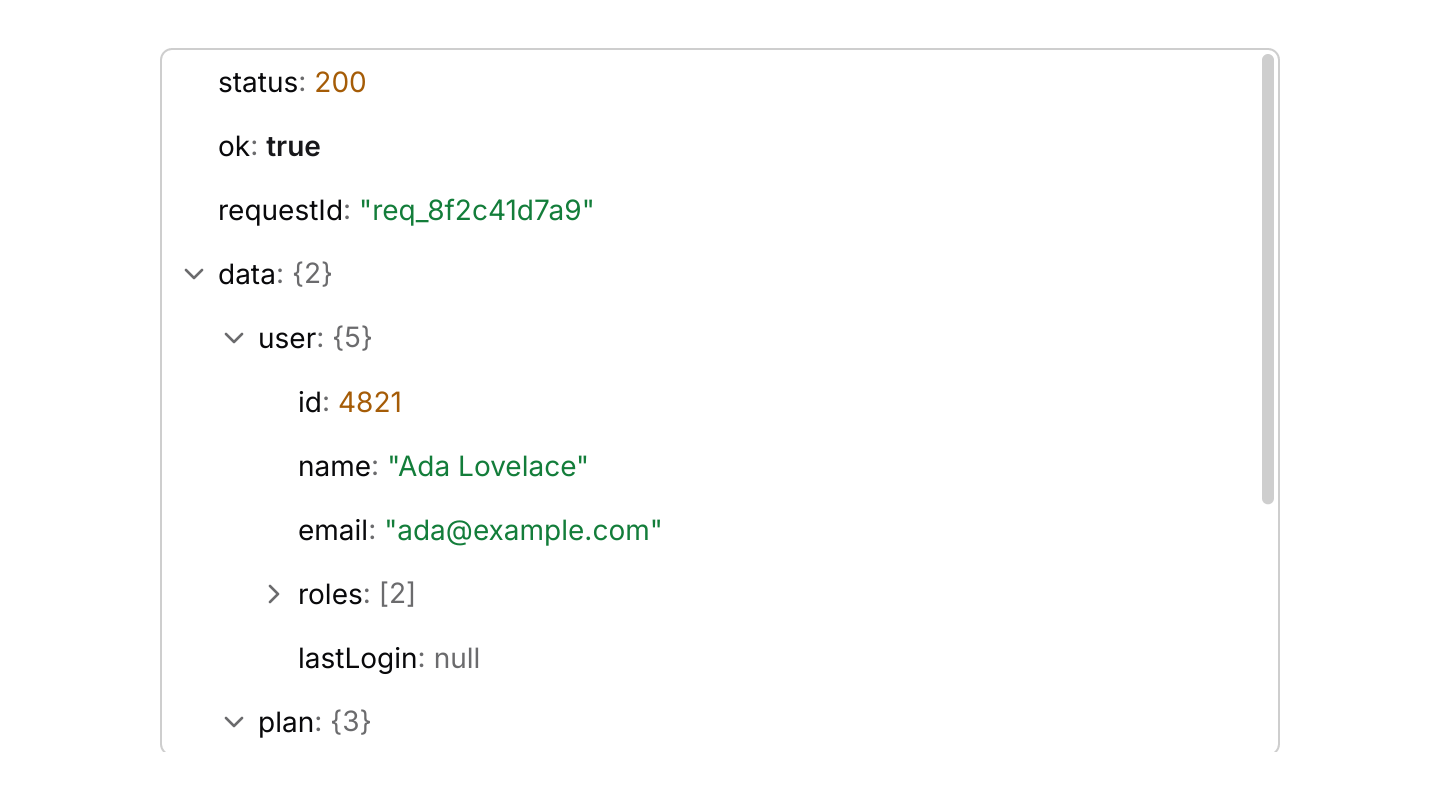
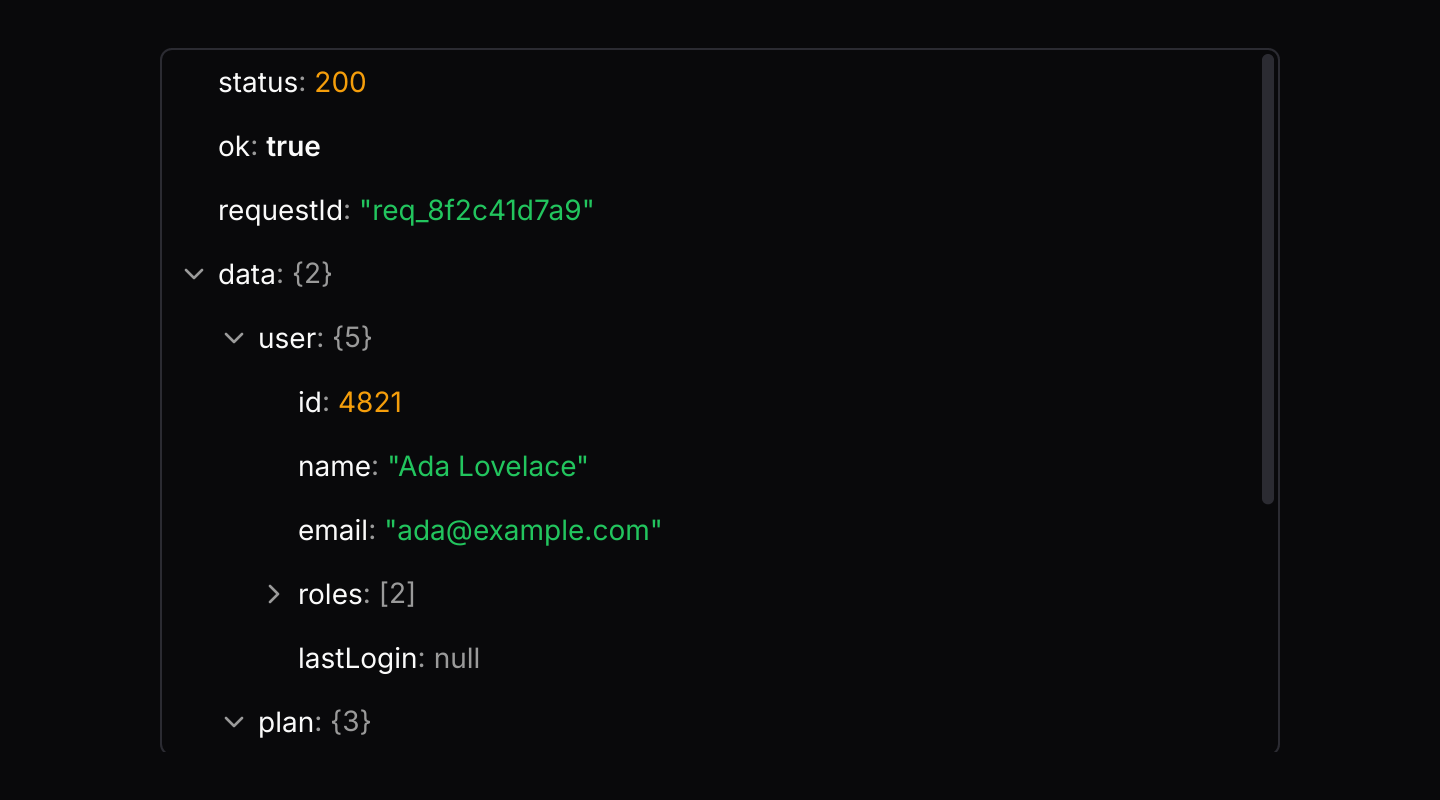
A JSON document as rows that expand and collapse, with values coloured by type, search and copying of values and paths.
use iced::widget::column;
use iced::{Element, Length, Task};
use iced_cube::context_menu;
use iced_cube::data::json_viewer::{self, Event, MenuItem, NodeId, Output, State, json_viewer};
use iced_cube::dropdown_menu;
use serde_json::json;

use crate::bridge;

#[derive(Debug, Clone)]
pub enum Message {
    Viewer(Event),
    Menu(context_menu::Event<MenuItem, NodeId>),
}

#[derive(Debug)]
pub struct Example {
    response: State,
    menu: context_menu::State<MenuItem, NodeId>,
}

impl Default for Example {
    fn default() -> Self {
        let response = State::new(json!({
            "status": 200,
            "ok": true,
            "requestId": "req_8f2c41d7a9",
            "data": {
                "user": {
                    "id": 4821,
                    "name": "Ada Lovelace",
                    "email": "ada@example.com",
                    "roles": ["admin", "billing"],
                    "lastLogin": null
                },
                "plan": { "name": "Team", "seats": 12, "price": 49.5 }
            },
            "links": {
                "self": "https://api.example.com/v2/users/4821?include=plan,roles,preferences",
                "next": null
            }
        }))
        .with_depth(2);

        Self {
            response,
            menu: json_viewer::menu(),
        }
    }
}

impl Example {
    pub fn update(&mut self, message: Message) -> Task<Message> {
        match message {
            Message::Viewer(event) => self.viewer(event),
            Message::Menu(event) => {
                let chosen = self.menu.update(event);
                match (chosen, self.menu.target()) {
                    (Some(dropdown_menu::Output::Activated(item)), Some(&id)) => {
                        self.viewer(item.event(id))
                    }
                    _ => Task::none(),
                }
            }
        }
    }

    fn viewer(&mut self, event: Event) -> Task<Message> {
        match self.response.update(event) {
            Some(Output::CopyValue(text) | Output::CopyPath(text)) => bridge::copy(text),
            _ => Task::none(),
        }
    }

    pub fn view(&self) -> Element<'_, Message> {
        column![
            json_viewer(&self.response)
                .height(352)
                .context_menu(&self.menu, Message::Menu)
                .on_event(Message::Viewer),
        ]
        .width(Length::Fill)
        .max_width(560)
        .into()
    }
}Usage
The JSON viewer shows structured data such as an API response, a configuration file or an event payload. The app owns a json_viewer::State built from a serde_json::Value, or from text with State::parse, and routes the viewer’s events into it.
Objects and arrays show how many members they hold, as {3} or [12], and expand with their chevron, a double click or the keyboard. Strings, numbers, booleans and null each have their own colour, taken from the theme’s tokens so they follow light, dark and custom themes. Booleans use the primary colour in semibold rather than a status colour, so ok: true never reads as an error. A long key or value ends in an ellipsis on one line rather than wrapping; copy it to read it in full.
The rows sit in a 1px rounded frame, like the property grid’s; turn it off with .frame(false) when the viewer is already inside a card. The viewer selects nothing, so the row the keyboard acts on carries only a ring, shown while the viewer has focus, as in the tree.
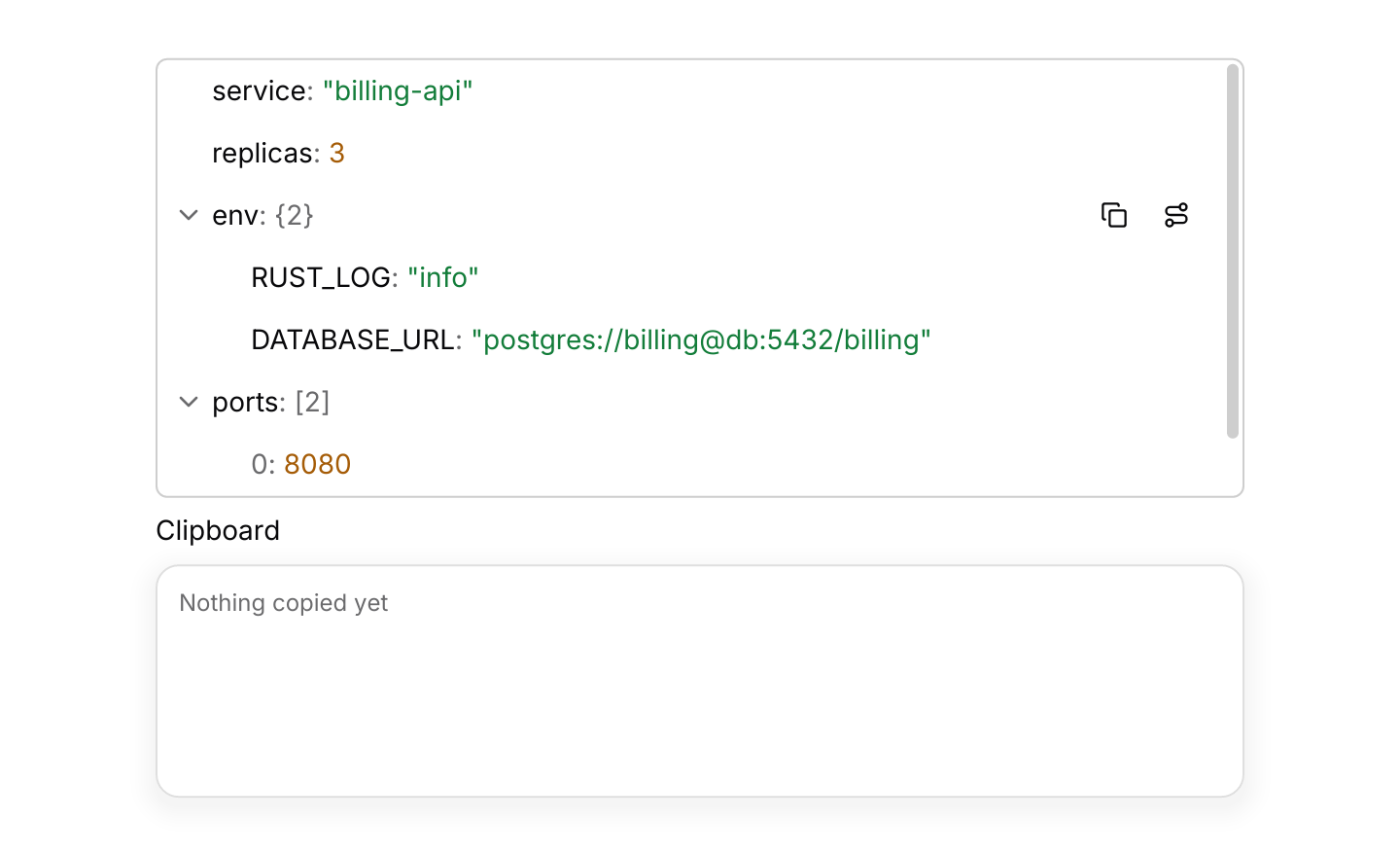
The highlighted row shows two buttons: one copies its value as pretty-printed JSON and the other its path, such as $.users[2].name. The viewer never writes to the clipboard itself. It returns Output::CopyValue or Output::CopyPath, and the app writes the text, for example with iced::clipboard::write. The same outputs come from the context menu and from Ctrl+C and Ctrl+Shift+C.
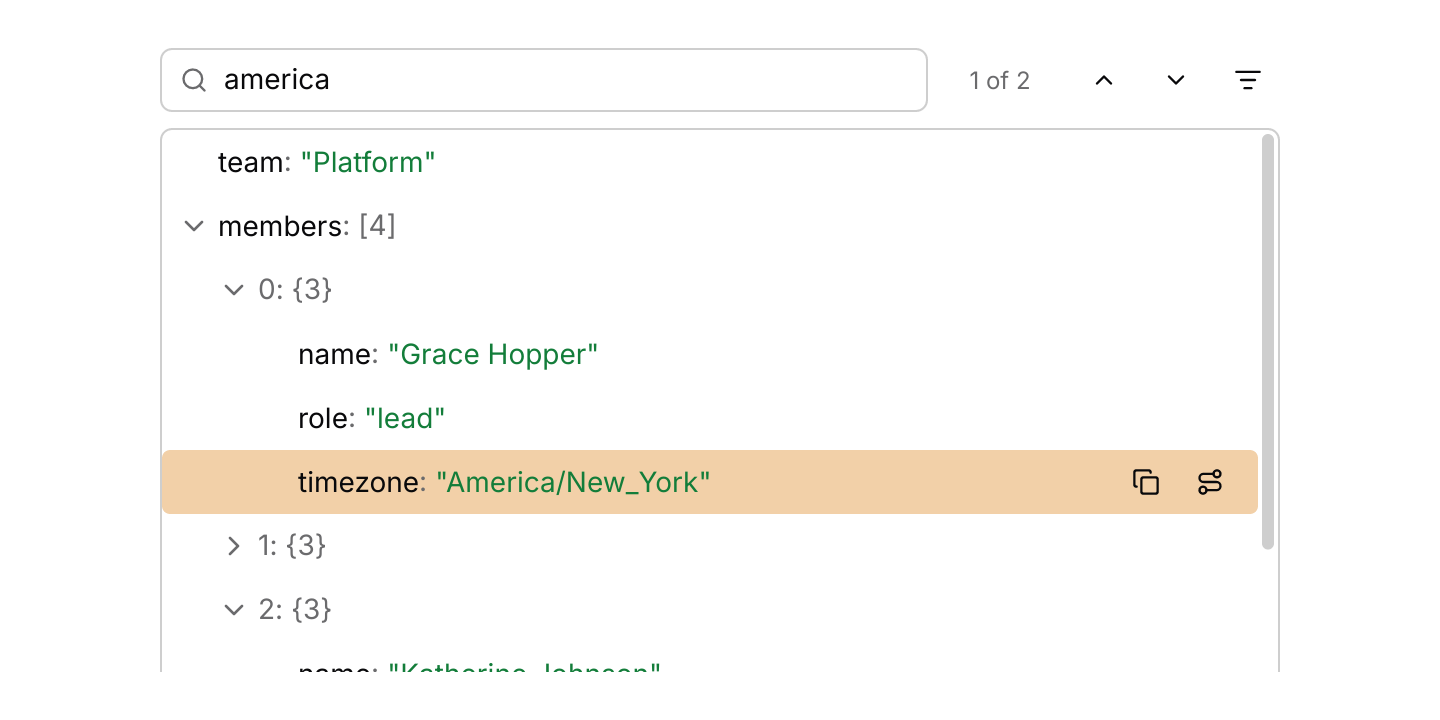
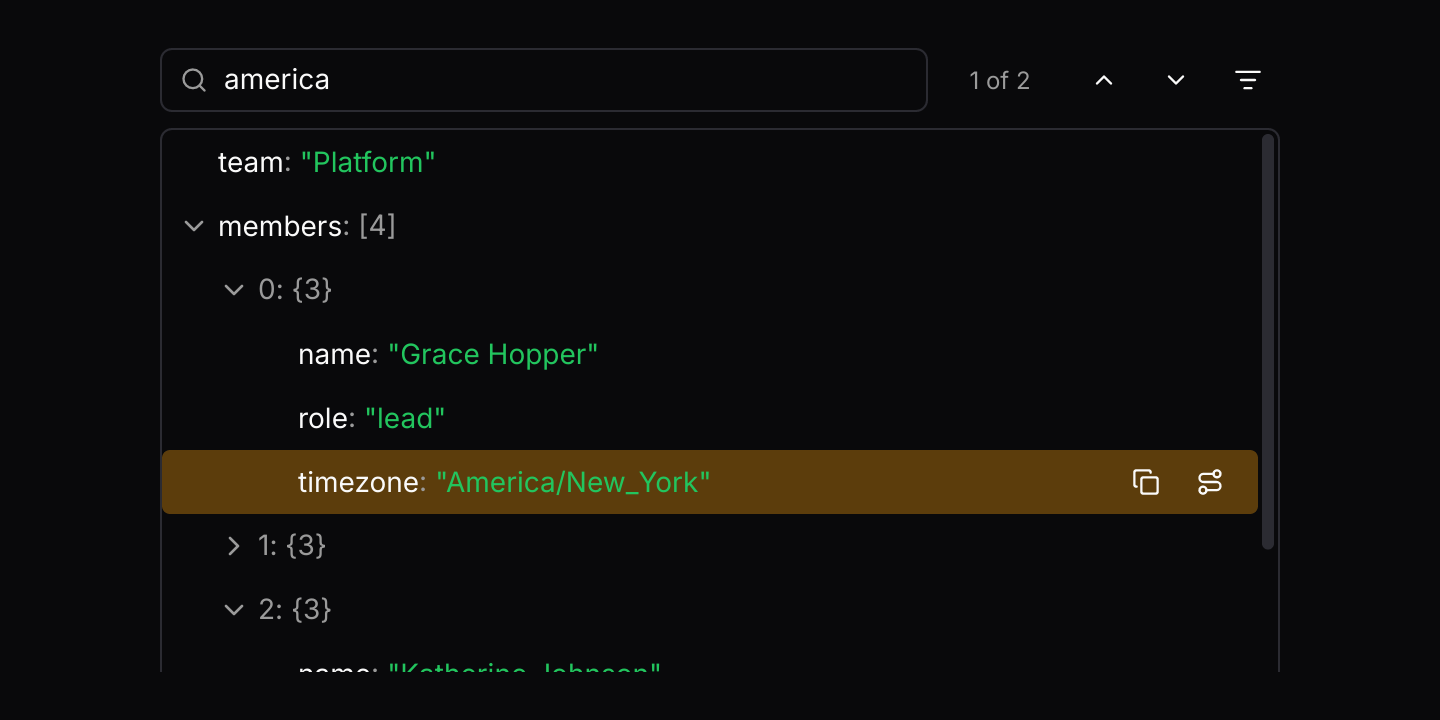
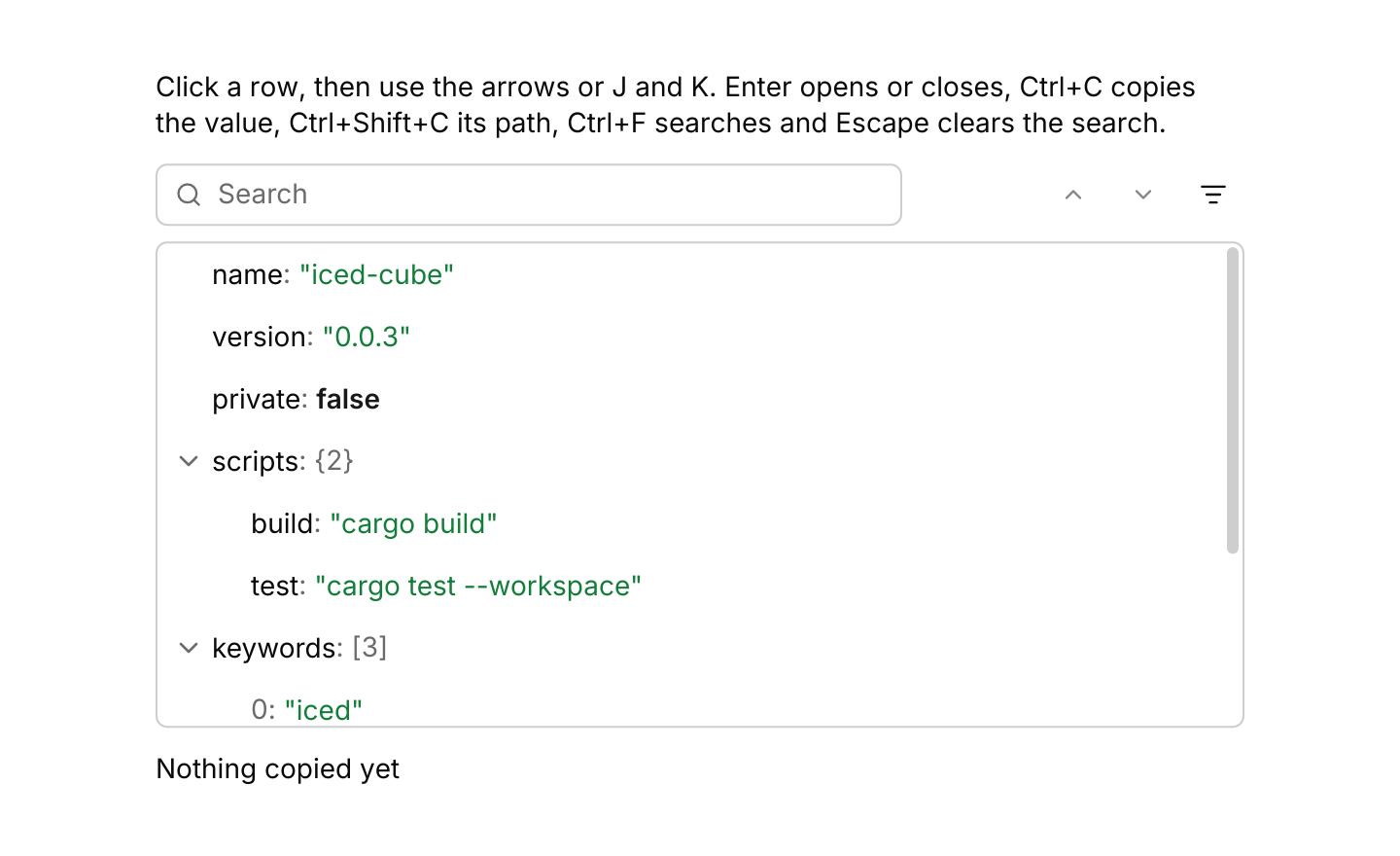
Searching looks in keys and values, ignoring case. Every match is tinted, the parents of each one open, and typing moves to the nearest match at or after the highlighted row and scrolls it into view. Enter or F3 in the search box, the arrow buttons or F3 anywhere move between matches, Shift+Enter and Shift+F3 move back, and the only-matches toggle hides everything that is not a match or a parent of one. The count beside the box reads “3 of 12” for the current match of all matches, “12 found” before one is current, and “None” when nothing matches, in a slot of its own so the box keeps its width. Ctrl+F returns Output::FocusSearch; answer it with json_viewer::focus_search(&state), and Ctrl+F in the box selects its text. Escape in the box clears the search, and a second Escape leaves the box. The log viewer and property grid search the same way.
Ctrl+Shift+Right and Ctrl+Shift+Left (Cmd on macOS) expand and collapse everything. Shift with an arrow is left alone, as the other data views use it to extend a selection.
The viewer resolves its keys itself, and only while it has focus, which it takes when pressed and gives up on a press elsewhere. The arrows move and open or close rows as in the tree. Enter does what a double click does: in the tree it activates a node, and here it opens or closes an object or array. Space is left free, since the viewer has nothing to select. Only the rows in view are built, so a document of tens of thousands of nodes scrolls and expands as quickly as a small one.
Examples
Search
Searching keys and values highlights every match and opens its parents. The arrows step through matches, and the filter shows only them.
use iced::widget::column;
use iced::{Element, Length, Task};
use iced_cube::data::json_viewer::{self, Event, Output, State, json_viewer};
use serde_json::json;

use crate::bridge;

#[derive(Debug, Clone)]
pub enum Message {
    Viewer(Event),
}

#[derive(Debug)]
pub struct Example {
    team: State,
}

impl Default for Example {
    fn default() -> Self {
        let mut team = State::new(json!({
            "team": "Platform",
            "members": [
                { "name": "Grace Hopper", "role": "lead", "timezone": "America/New_York" },
                { "name": "Alan Turing", "role": "engineer", "timezone": "Europe/London" },
                { "name": "Katherine Johnson", "role": "engineer", "timezone": "America/New_York" },
                { "name": "Edsger Dijkstra", "role": "reviewer", "timezone": "Europe/Amsterdam" }
            ],
            "oncall": { "primary": "Alan Turing", "secondary": "Grace Hopper" }
        }));
        let _ = team.update(Event::Search("america".into()));

        Self { team }
    }
}

impl Example {
    pub fn update(&mut self, message: Message) -> Task<Message> {
        let Message::Viewer(event) = message;
        match self.team.update(event) {
            Some(Output::CopyValue(text) | Output::CopyPath(text)) => bridge::copy(text),
            Some(Output::FocusSearch) => json_viewer::focus_search(&self.team),
            None => Task::none(),
        }
    }

    pub fn view(&self) -> Element<'_, Message> {
        column![
            json_viewer(&self.team)
                .search_bar(true)
                .height(296)
                .on_event(Message::Viewer),
        ]
        .width(Length::Fill)
        .max_width(560)
        .into()
    }
}Copy values and paths
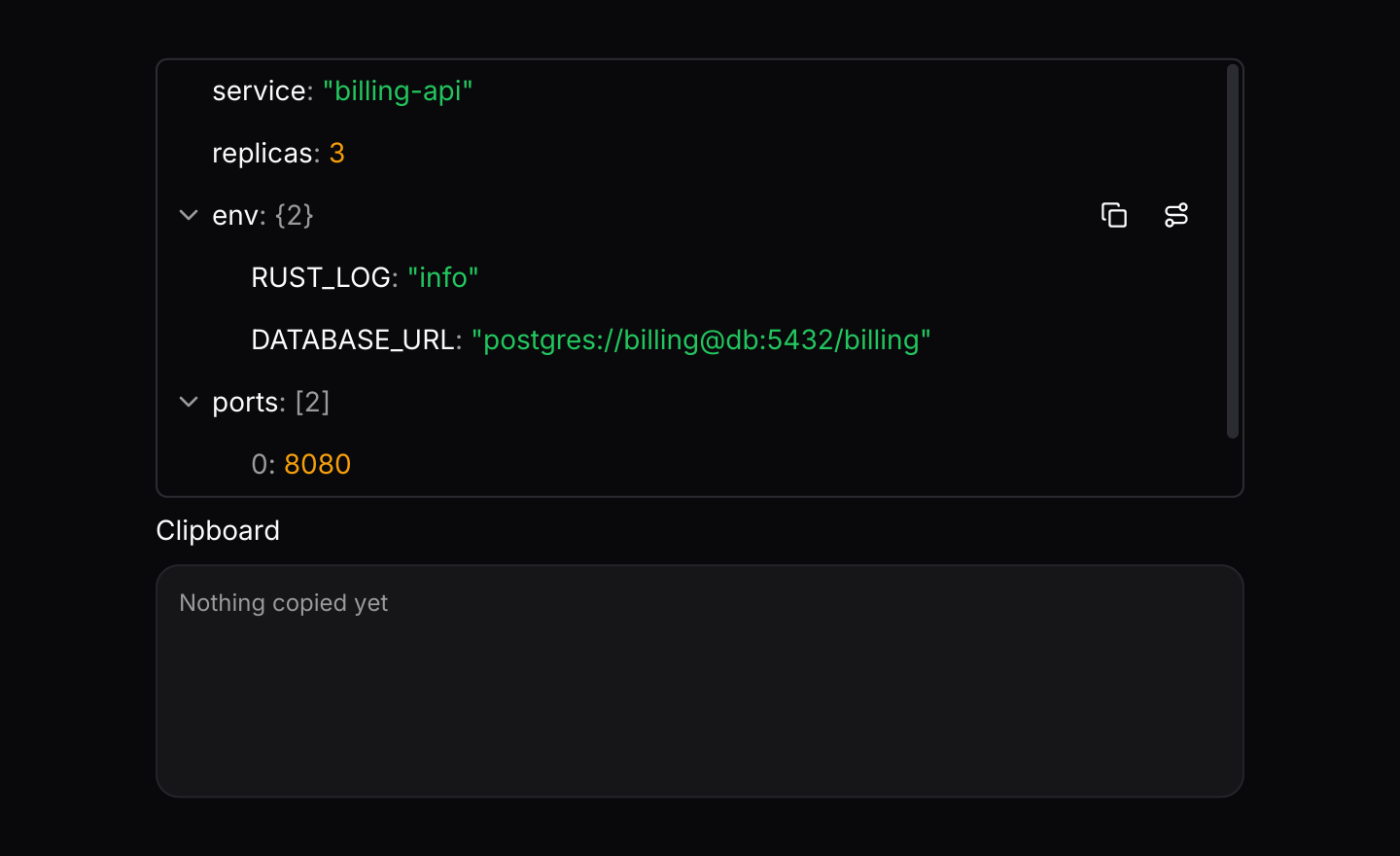
The highlighted row has buttons to copy its value as JSON or its path, and the context menu does the same. The app writes the text to the clipboard.
use iced::widget::{column, container, text};
use iced::{Element, Length, Task};
use iced_cube::context_menu;
use iced_cube::data::json_viewer::{self, Event, MenuItem, NodeId, Output, State, json_viewer};
use iced_cube::dropdown_menu;
use iced_cube::layout::card;
use iced_cube::theme::{Tokens, text_size};
use serde_json::json;

use crate::bridge;

#[derive(Debug, Clone)]
pub enum Message {
    Viewer(Event),
    Menu(context_menu::Event<MenuItem, NodeId>),
}

#[derive(Debug)]
pub struct Example {
    config: State,
    menu: context_menu::State<MenuItem, NodeId>,
    copied: String,
}

impl Default for Example {
    fn default() -> Self {
        let mut config = State::new(json!({
            "service": "billing-api",
            "replicas": 3,
            "env": { "RUST_LOG": "info", "DATABASE_URL": "postgres://billing@db:5432/billing" },
            "ports": [8080, 9090]
        }))
        .with_depth(1);
        if let Some(&env) = config.roots().get(2) {
            let _ = config.update(Event::Press(env));
        }

        Self {
            config,
            menu: json_viewer::menu(),
            copied: "Nothing copied yet".into(),
        }
    }
}

impl Example {
    pub fn update(&mut self, message: Message) -> Task<Message> {
        match message {
            Message::Viewer(event) => self.viewer(event),
            Message::Menu(event) => {
                let chosen = self.menu.update(event);
                match (chosen, self.menu.target()) {
                    (Some(dropdown_menu::Output::Activated(item)), Some(&id)) => {
                        self.viewer(item.event(id))
                    }
                    _ => Task::none(),
                }
            }
        }
    }

    fn viewer(&mut self, event: Event) -> Task<Message> {
        match self.config.update(event) {
            Some(Output::CopyValue(text) | Output::CopyPath(text)) => {
                self.copied = text.clone();
                bridge::copy(text)
            }
            _ => Task::none(),
        }
    }

    pub fn view(&self) -> Element<'_, Message> {
        let clipboard =
            container(
                text(&self.copied)
                    .size(text_size::XS)
                    .style(|theme| text::Style {
                        color: Some(Tokens::of(theme).muted_foreground),
                    }),
            )
            .padding(12)
            .width(Length::Fill)
            .height(120)
            .clip(true)
            .style(|theme| card::style(&Tokens::of(theme)));

        column![
            json_viewer(&self.config)
                .height(224)
                .context_menu(&self.menu, Message::Menu)
                .on_event(Message::Viewer),
            text("Clipboard").size(text_size::SM),
            clipboard,
        ]
        .spacing(8)
        .width(Length::Fill)
        .max_width(560)
        .into()
    }
}Keyboard shortcuts
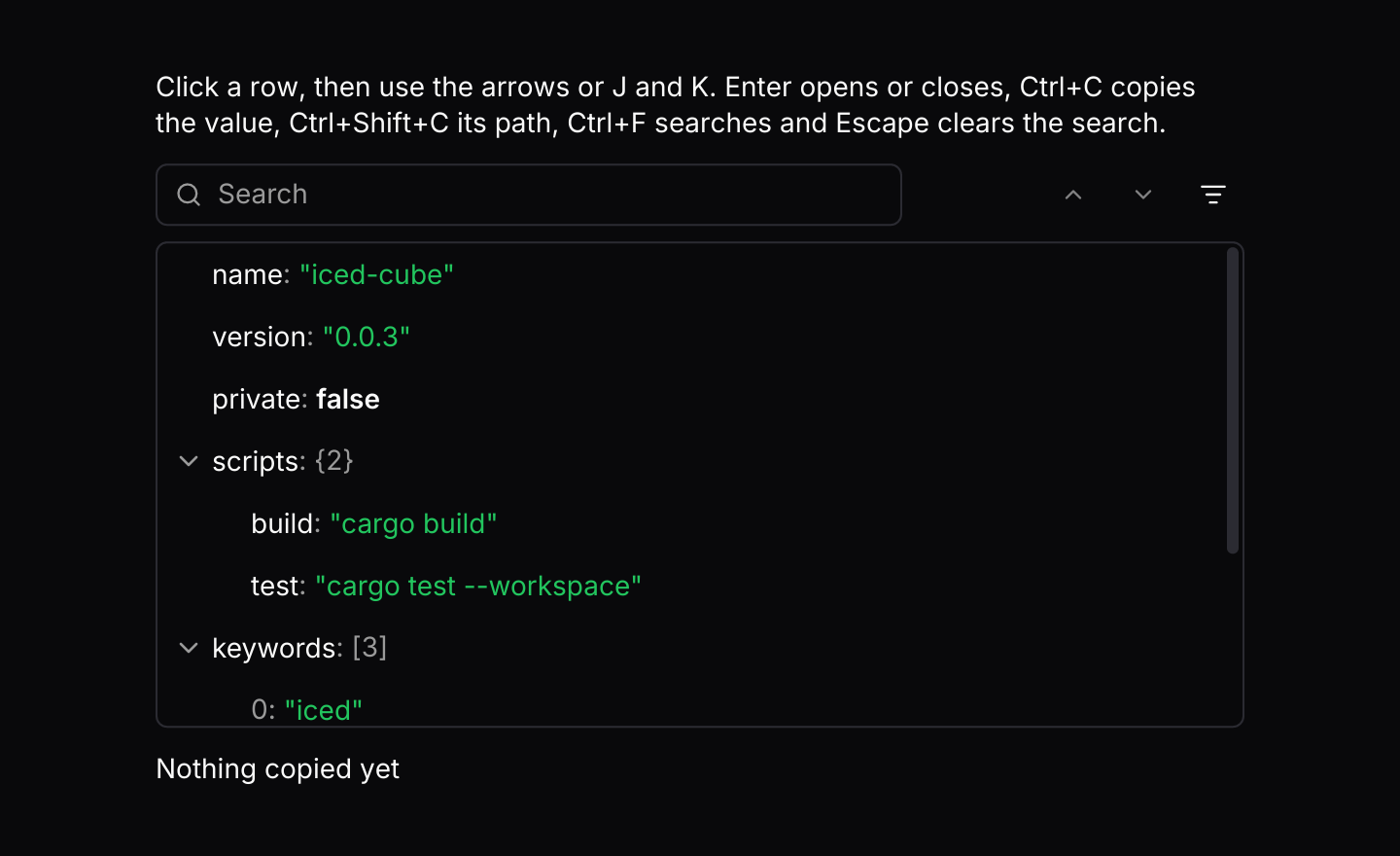
The default keymap with J and K added. The viewer resolves keys only while it has focus.
use iced::widget::{column, text};
use iced::{Element, Length, Task};
use iced_cube::data::json_viewer::{self, Action, Event, Output, State, json_viewer};
use iced_cube::keys::{Chord, Keymap};
use iced_cube::theme::text_size;
use serde_json::json;

use crate::bridge;

#[derive(Debug, Clone)]
pub enum Message {
    Viewer(Event),
}

#[derive(Debug)]
pub struct Example {
    package: State,
    keymap: Keymap<Action>,
    last: String,
}

impl Default for Example {
    fn default() -> Self {
        let package = State::new(json!({
            "name": "iced-cube",
            "version": "0.0.3",
            "private": false,
            "scripts": { "build": "cargo build", "test": "cargo test --workspace" },
            "keywords": ["iced", "gui", "components"],
            "engines": { "rust": ">=1.88" }
        }))
        .with_depth(1);

        // The defaults, plus J and K.
        let keymap = json_viewer::default_keymap()
            .bind(Chord::character('j'), Action::Next)
            .bind(Chord::character('k'), Action::Previous);

        Self {
            package,
            keymap,
            last: "Nothing copied yet".into(),
        }
    }
}

impl Example {
    pub fn update(&mut self, message: Message) -> Task<Message> {
        let Message::Viewer(event) = message;
        match self.package.update(event) {
            Some(Output::CopyValue(value)) => {
                self.last = "Copied the value".into();
                bridge::copy(value)
            }
            Some(Output::CopyPath(path)) => {
                self.last = format!("Copied {path}");
                bridge::copy(path)
            }
            Some(Output::FocusSearch) => json_viewer::focus_search(&self.package),
            None => Task::none(),
        }
    }

    pub fn view(&self) -> Element<'_, Message> {
        column![
            text(
                "Click a row, then use the arrows or J and K. Enter opens or closes, \
                 Ctrl+C copies the value, Ctrl+Shift+C its path, Ctrl+F searches and \
                 Escape clears the search."
            )
            .size(text_size::SM),
            json_viewer(&self.package)
                .search_bar(true)
                .keymap(self.keymap.clone())
                .height(248)
                .on_event(Message::Viewer),
            text(&self.last).size(text_size::SM),
        ]
        .spacing(12)
        .width(Length::Fill)
        .max_width(560)
        .into()
    }
}Large document
1,500 orders, over 15,000 nodes. Only the rows in view are built, so expanding everything stays quick.
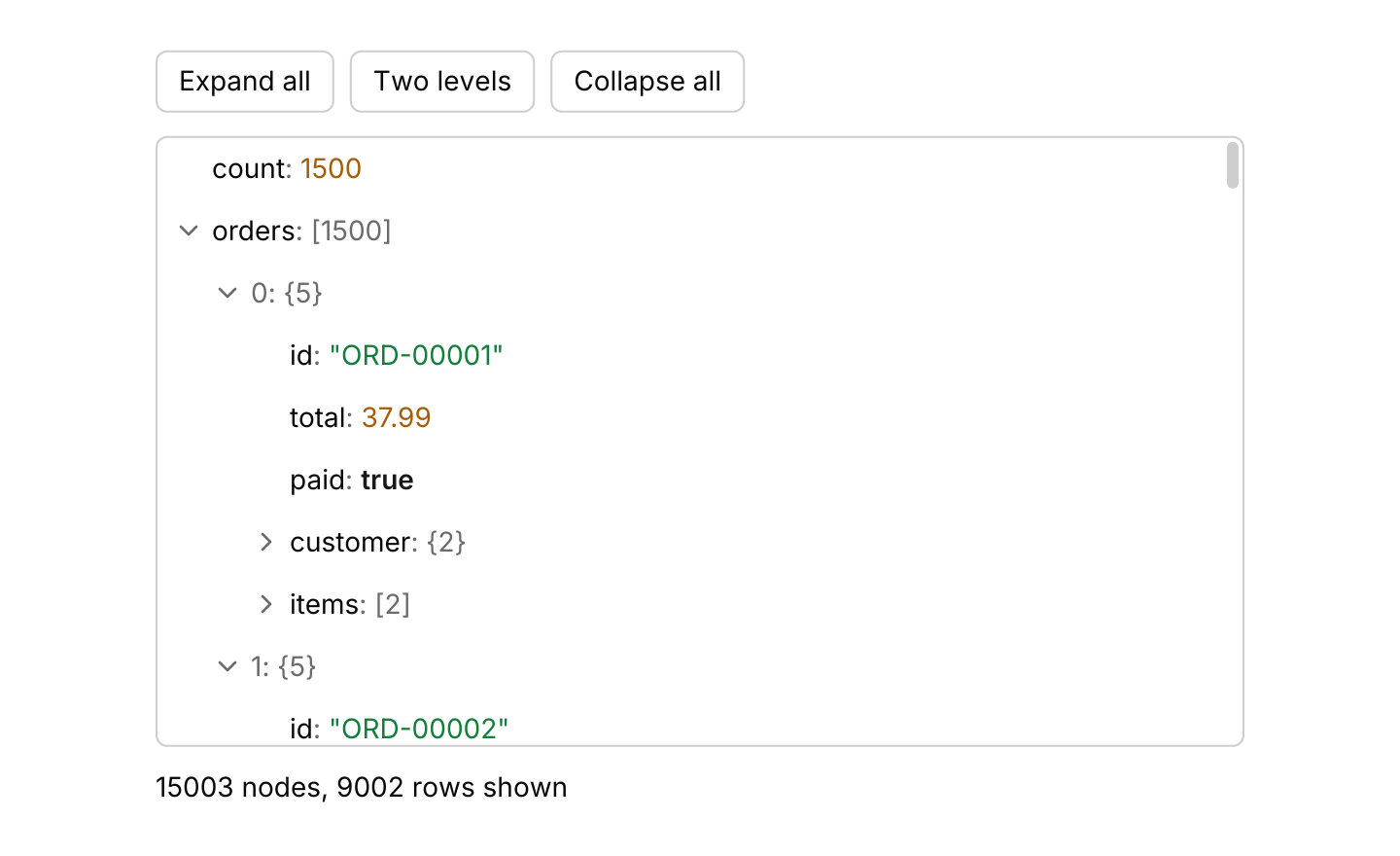
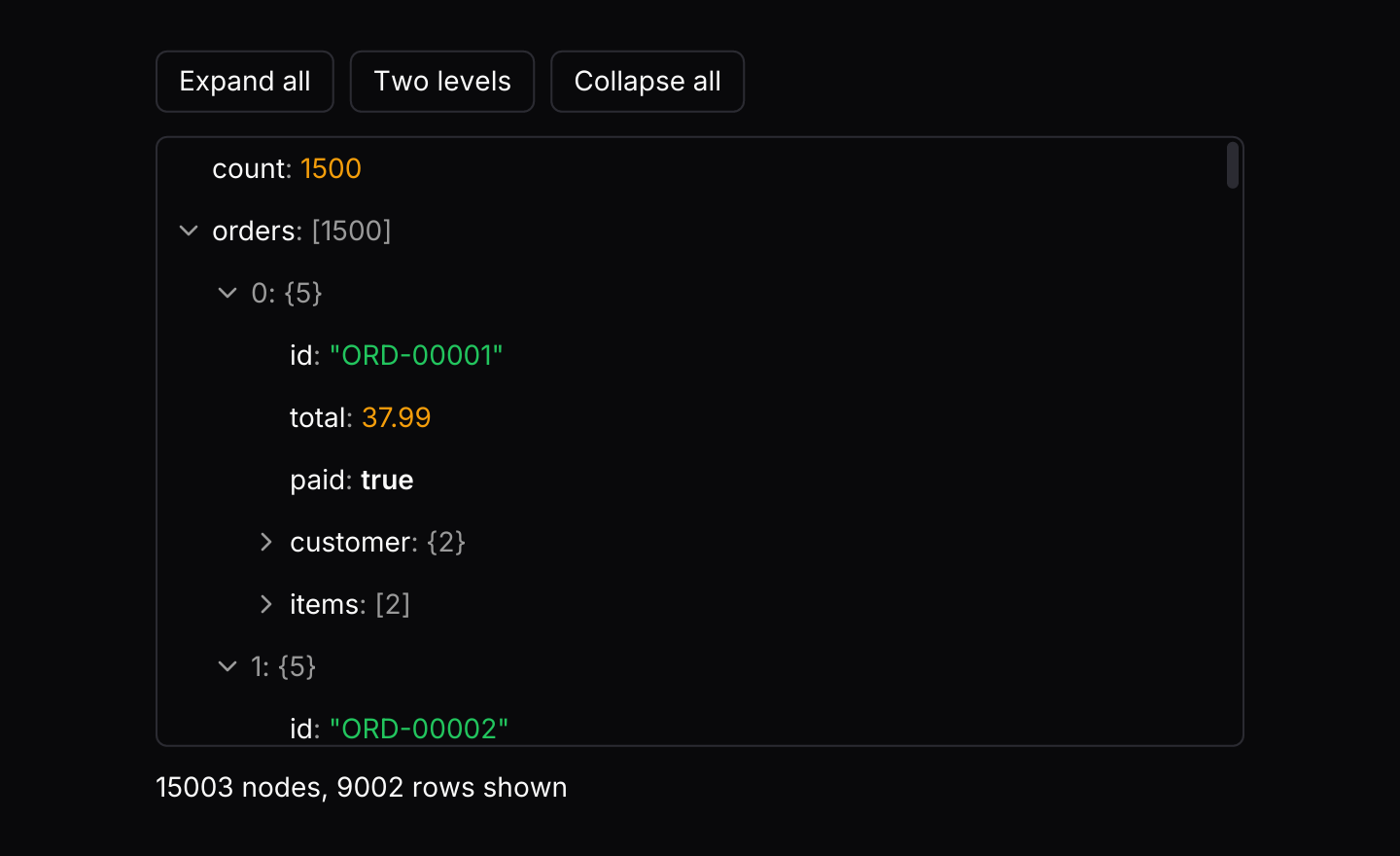
use iced::widget::{column, row, text};
use iced::{Element, Length, Task};
use iced_cube::button;
use iced_cube::data::json_viewer::{Event, Output, State, json_viewer};
use iced_cube::primitives::button::{Size, Variant};
use iced_cube::theme::text_size;
use serde_json::{Value, json};

use crate::bridge;

#[derive(Debug, Clone)]
pub enum Message {
    Viewer(Event),
}

#[derive(Debug)]
pub struct Example {
    orders: State,
}

impl Default for Example {
    fn default() -> Self {
        let orders: Vec<Value> = (1..=1_500)
            .map(|number| {
                let country = ["GB", "DE", "US"][number % 3];
                json!({
                    "id": format!("ORD-{number:05}"),
                    "total": (number * 37 % 900) as f64 + 0.99,
                    "paid": number % 3 != 0,
                    "customer": { "id": number % 120, "country": country },
                    "items": [number % 7 + 1, number % 5 + 1]
                })
            })
            .collect();

        Self {
            orders: State::new(json!({ "count": orders.len(), "orders": orders })).with_depth(2),
        }
    }
}

impl Example {
    pub fn update(&mut self, message: Message) -> Task<Message> {
        let Message::Viewer(event) = message;
        match self.orders.update(event) {
            Some(Output::CopyValue(text) | Output::CopyPath(text)) => bridge::copy(text),
            _ => Task::none(),
        }
    }

    pub fn view(&self) -> Element<'_, Message> {
        let control = |label, event| {
            button(label)
                .variant(Variant::Outline)
                .size(Size::Sm)
                .on_press(Message::Viewer(event))
        };

        column![
            row![
                control("Expand all", Event::ExpandAll),
                control("Two levels", Event::ExpandToDepth(2)),
                control("Collapse all", Event::CollapseAll),
            ]
            .spacing(8)
            .wrap(),
            json_viewer(&self.orders)
                .height(312)
                .on_event(Message::Viewer),
            text(format!(
                "{} nodes, {} rows shown",
                self.orders.len(),
                self.orders.visible().len()
            ))
            .size(text_size::SM),
        ]
        .spacing(12)
        .width(Length::Fill)
        .max_width(560)
        .into()
    }
}Parse errors
JSON text is parsed as it is typed. Invalid text shows the problem and where it is in place of the rows.
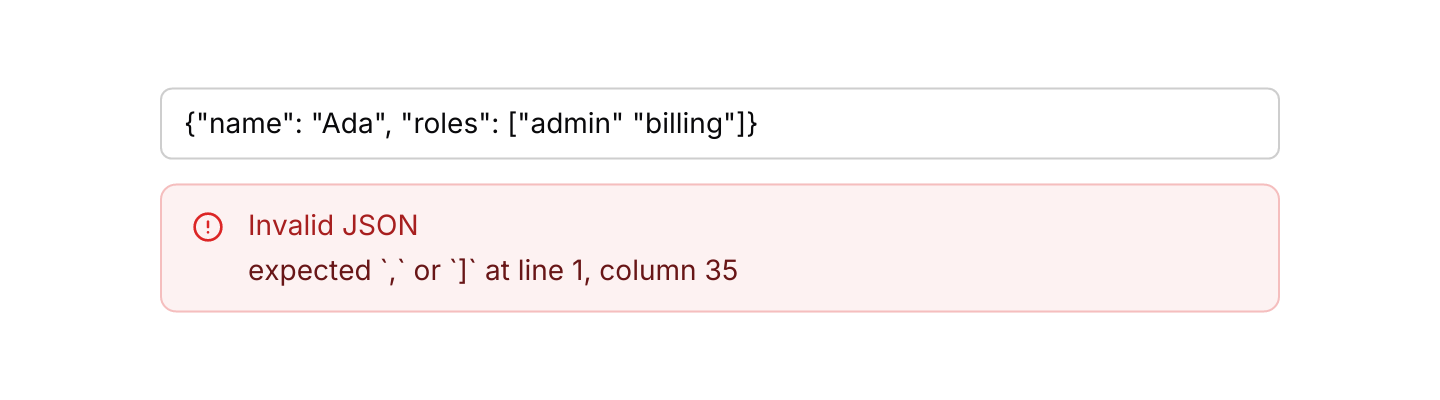
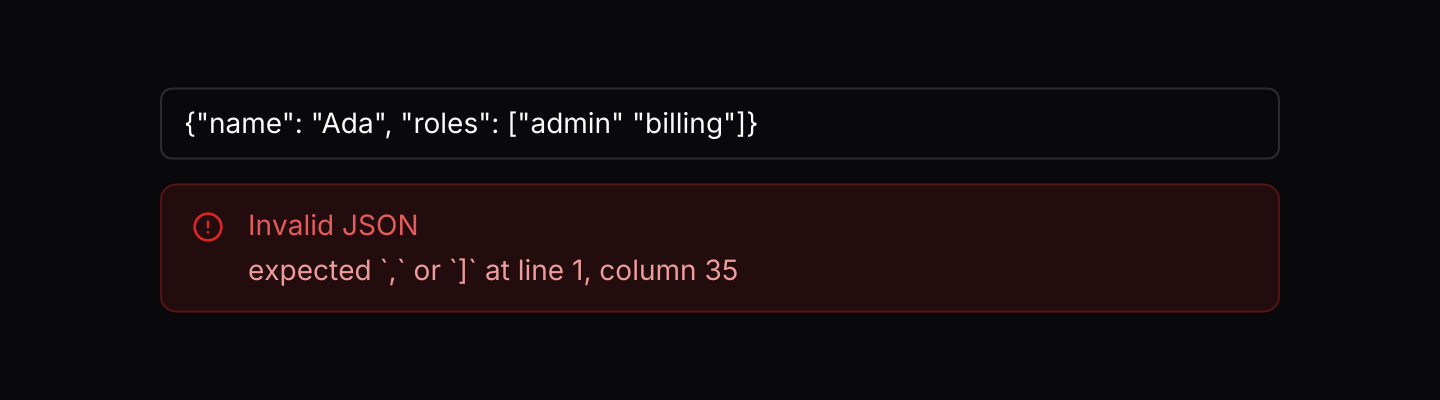
use iced::widget::column;
use iced::{Element, Length, Task};
use iced_cube::data::json_viewer::{Event, Output, State, json_viewer};
use iced_cube::input;

use crate::bridge;

#[derive(Debug, Clone)]
pub enum Message {
    Edit(String),
    Viewer(Event),
}

#[derive(Debug)]
pub struct Example {
    text: String,
    parsed: State,
}

impl Default for Example {
    fn default() -> Self {
        let text = r#"{"name": "Ada", "roles": ["admin" "billing"]}"#.to_owned();
        Self {
            parsed: State::parse(&text),
            text,
        }
    }
}

impl Example {
    pub fn update(&mut self, message: Message) -> Task<Message> {
        match message {
            Message::Edit(text) => {
                self.parsed = State::parse(&text).with_depth(1);
                self.text = text;
                Task::none()
            }
            Message::Viewer(event) => match self.parsed.update(event) {
                Some(Output::CopyValue(text) | Output::CopyPath(text)) => bridge::copy(text),
                _ => Task::none(),
            },
        }
    }

    pub fn view(&self) -> Element<'_, Message> {
        column![
            input("Paste JSON", &self.text).on_input(Message::Edit),
            json_viewer(&self.parsed).on_event(Message::Viewer),
        ]
        .spacing(12)
        .width(Length::Fill)
        .max_width(560)
        .into()
    }
}API
| Item | Description |
|---|---|
State:: | Holds a serde_json::Value with everything collapsed. The members of an object or array are the top rows; any other value is a single row. |
State:: | Parses JSON text. Invalid text gives a viewer that shows the error, with its line and column, in place of the rows; state.error() returns it. |
.with_depth(n) / .with_only_matches(bool) / .with_search_id(id) | Starts with every object and array fewer than n levels deep expanded, and with a search showing only its matches. The search box's id defaults to json_viewer::SEARCH; give each viewer its own when a window has several. |
json_viewer:: | A task that focuses the search box, the answer to Output::FocusSearch. |
state.update(Event) | Handles presses, expanding and collapsing (one node, a subtree, everything or to a depth), keyboard navigation, search and copying. Returns Output::CopyValue(json), CopyPath(path) or FocusSearch. |
Event:: | Searches keys and values ignoring case, opens the parents of every match and highlights the nearest one at or after the highlight. OnlyMatches shows only matches, their parents and what is inside them; state.only_matches() and state.is_filtering() read it back. |
Event:: | Expands or collapses every object and array, or opens those fewer than n levels deep. |
state.path(id) / state.pretty(id) / state.value_at(id) | A node's path such as $.users[2].name, with ["key"] for keys that are not plain identifiers; its value as pretty-printed JSON; and the value itself. |
state.visible() / state.highlighted() / state.matches() / state.current_match() | The rows on screen in order, the node the keyboard acts on, every match and the one the search moved to last. |
json_viewer(&state) | Renders the rows. Without .on_event it renders disabled. |
.search_bar(bool) / .placeholder(text) | Shows a search box above the rows with the match count, previous and next buttons and an only-matches toggle. The placeholder defaults to "Search". |
.frame(bool) | Draws a 1px rounded border around the rows, as the property grid and data table have. On by default; turn it off when the viewer already sits in a card or panel. |
.height(length) / .width(length) / .key_width(px) | A fixed or filling height scrolls the rows, and only the rows in view are built. Keys longer than key_width end in an ellipsis. |
.context_menu(&menu, f) | Gives every row the same context menu, keyed by node, opened by a right-click, a press and hold or Shift+F10; the row it opened on carries the ring while it is open. json_viewer::menu() builds one with Copy value, Copy path, Expand all and Collapse all; MenuItem::event(id) turns the chosen entry into an Event. |
.keymap(keymap) / .context_menu_keymap(keymap) | Replaces the viewer's or the context menu's default keymap. |
json_viewer:: | The default shortcuts, and the Event a resolved Action sends. State::key_event does both. |
json_viewer:: | The colours of keys and of each kind of value, taken from the theme's success, warning and primary tokens, and the row colours for the keyboard ring and search matches. |
Keyboard
Default shortcuts. Every one can be changed or removed with a keymap; see Keyboard shortcuts.
| Keys | Action |
|---|---|
| ArrowDown | Next Highlights the next row. |
| ArrowUp | Previous Highlights the previous row. |
| Home | First Highlights the first row. |
| End | Last Highlights the last row. |
| ArrowRight | Expand Expands the highlighted object or array, or moves to its first member when it is open. |
| ArrowLeft | Collapse Collapses the highlighted object or array, or moves to its parent when it is closed. |
| Enter | Toggle Expands or collapses the highlighted object or array. |
| * | ExpandSiblings Expands the highlighted node and all of its siblings. |
| Ctrl+Shift+ArrowRight | ExpandAll Expands every object and array. |
| Ctrl+Shift+ArrowLeft | CollapseAll Collapses every object and array. |
| Ctrl+C | CopyValue Copies the highlighted value as pretty-printed JSON. |
| Ctrl+Shift+C | CopyPath Copies the path of the highlighted value. |
| Ctrl+F | FocusSearch Moves to the search box. |
| Escape | ClearSearch Clears the search. |
| F3 | NextMatch Highlights the next search match. |
| Shift+F3 | PreviousMatch Highlights the previous search match. |