Application
Menubar
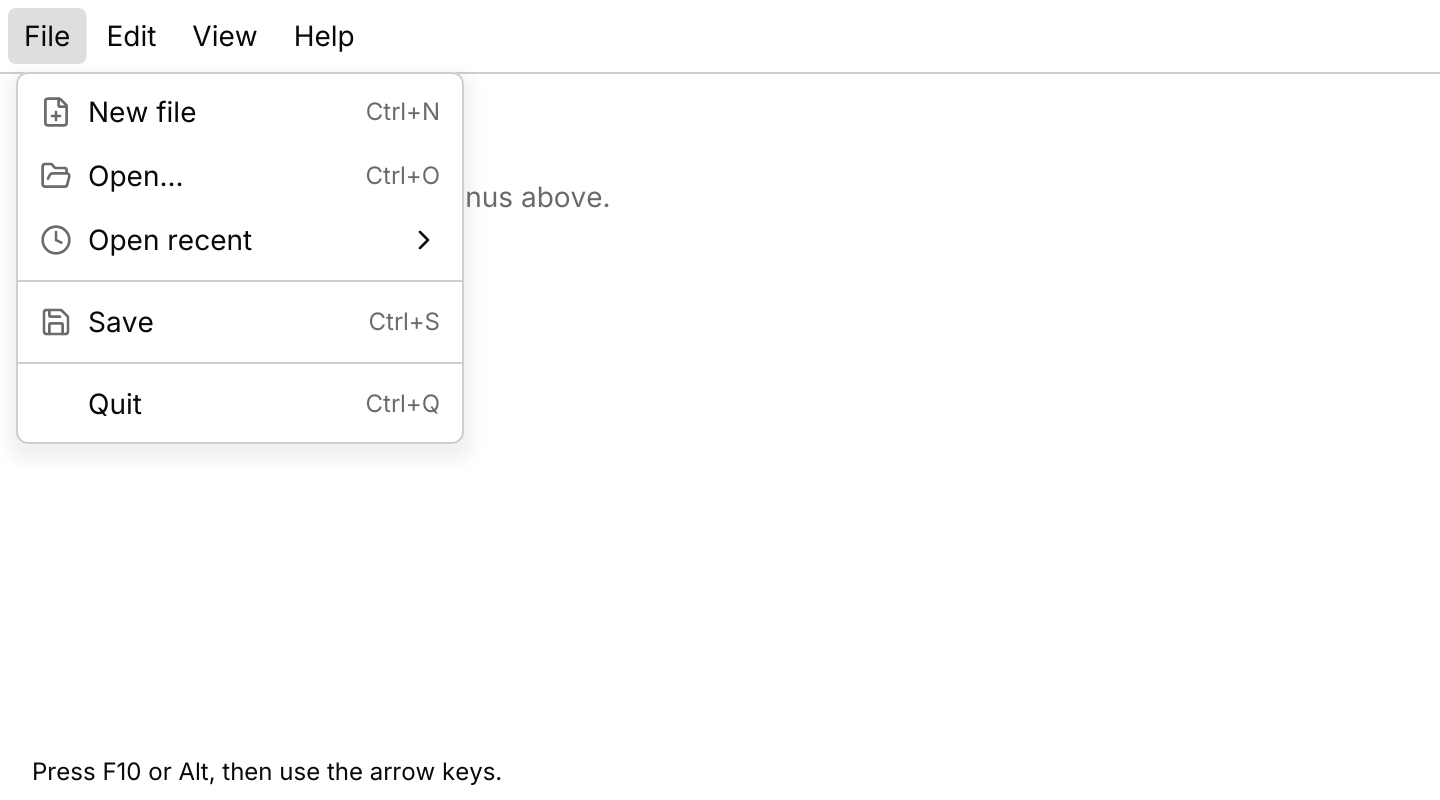
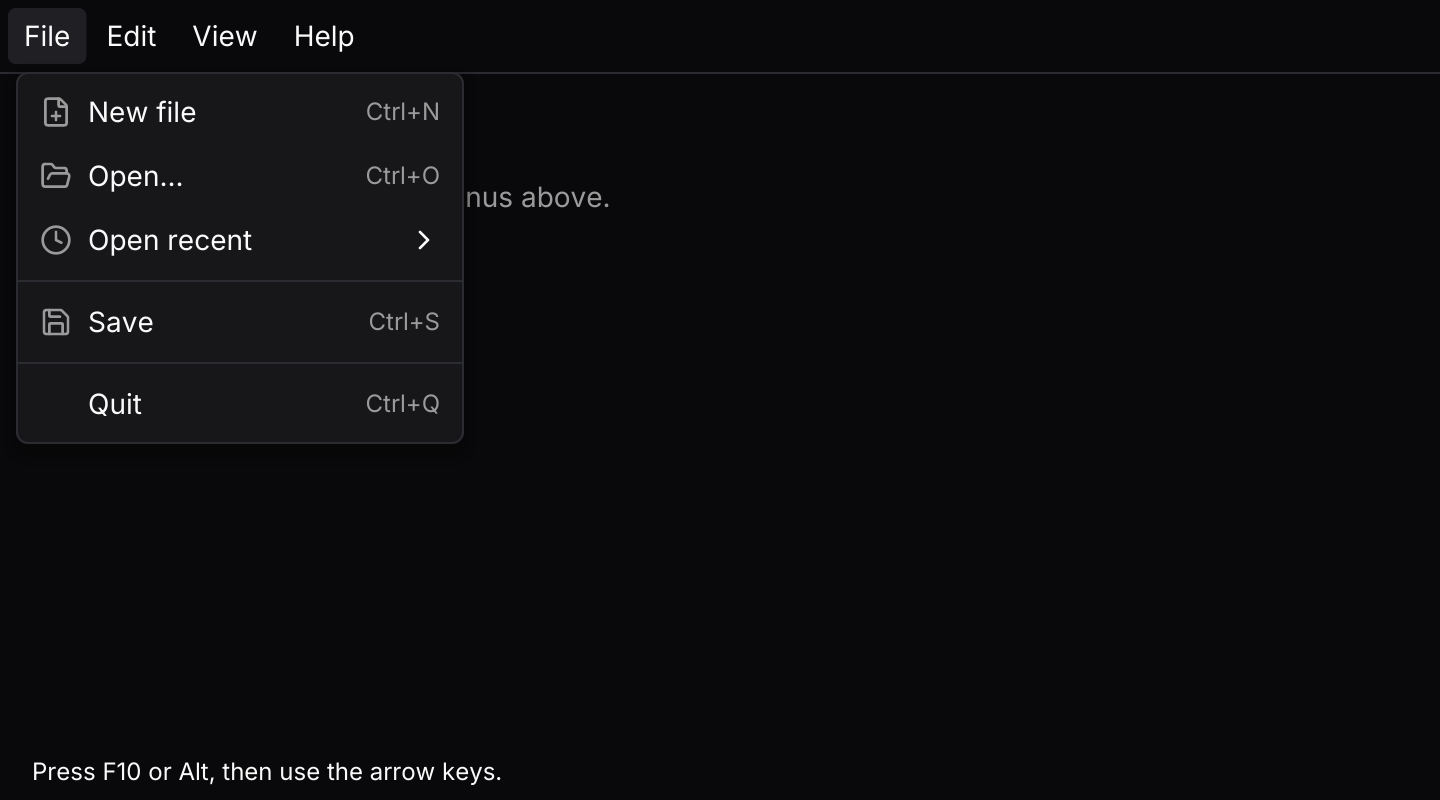
File, Edit, View and Help menus in a strip along the top of a desktop window.
Usage
A menubar is a row of dropdown menus that behave as one. Each menu takes the same entries, so shortcut hints, checkbox and radio items and submenus work exactly as they do there, drawn in the same rows. The app owns a menubar::State, routes its events into it and acts on the Output, which has already updated the menu’s own check marks.
Clicking a title opens its menu. Once one menu is open, moving the pointer onto another title switches to that menu, as desktop menus do, and clicking the open title closes it. A click anywhere else closes the menu and goes no further. On a touch screen there is no pointer to move, so the first tap outside closes the open menu and a second tap opens the next.
While a menu is open it resolves its own keys: Left and Right move to the neighbouring menu, or open and close a submenu when the highlight is on one, and the arrows, Enter, Escape and typeahead work inside the menu. A closed bar claims no keys by itself. Route presses from keys::subscription() through state.key_event, and F10, or Alt pressed and released on its own, focuses the first title (Alt used in a chord such as Alt+ArrowUp leaves the bar alone); the arrows then move along the bar, Down opens a menu and Escape leaves. While the bar has focus from the keyboard, each title underlines its mnemonic, and that letter opens the menu. Alt with the letter works at any time. The keyboard guide explains how keys reach each layer.
Bare Alt focuses the bar on the key press, so a chord such as Alt+Z in another component also leaves the bar focused. Unbind Alt from the keymap if that clashes with your app, and keep F10.
API
| Item | Description |
|---|---|
State:: | Holds the menus, all closed. Item ids must be unique across every menu. |
menu(title, entries) | One menu, built from dropdown menu entries: items with icons and shortcut hints, checkbox and radio items, submenus, labels and separators. |
.mnemonic(letter) | The letter that opens the menu with Alt, or on its own while the bar has focus. Defaults to the first letter of the title. |
state.update(Event) | Handles Toggle, Hover, Menu, Focus, Next, Previous, Open, OpenMenu, Close and Dismiss. Returns Output::Activated, Toggled or Selected when an item is chosen, then closes the menu and leaves the bar. |
state.open() / state.focused() / state.highlighted() | The open menu's position, the title with the keyboard focus, and the highlighted item in the open menu. |
state.is_checked(id) / state.set_checked(id, bool) / state.set_disabled(id, bool) | Reads and changes items in whichever menu holds them. |
state.key_event(&keymap, &menu_keymap, &key) | Resolves a key press from keys::subscription. A closed bar claims only Focus and Alt with a mnemonic until it has focus. |
menubar(&state) | Renders the titles, with the open menu below its title. Titles render disabled until .on_event is set. |
.on_event(f) / .width(f32) | Maps menubar events to your message, and sets the width of each menu (224 by default). |
.keymap(keymap) / .menu_keymap(keymap) | Replace the bar's keys and the keys inside an open menu. The open menu resolves both itself. |
menubar:: | The default shortcuts as a Keymap<Action>. |
action.event(&state) | Turns a resolved Action into the Event to pass to state.update, or None when it does nothing in the bar's current state. |
trigger_style(tokens, TriggerStatus) | The colours of a title at rest, under the pointer, open or disabled. |
Keyboard
Default shortcuts. Every one can be changed or removed with a keymap; see Keyboard shortcuts.
| Keys | Action |
|---|---|
| F10 or Alt | Focus Focuses the first menu title, or leaves the bar and closes its menu. |
| ArrowRight | NextMenu Moves to the next menu, or opens the highlighted submenu inside an open menu. |
| ArrowLeft | PreviousMenu Moves to the previous menu, or closes the open submenu inside an open menu. |
| ArrowDown or Enter or Space | Open Opens the focused title's menu on its first item. |
| Escape | Close Closes the open submenu or menu, or leaves the bar. |