Data
Tree
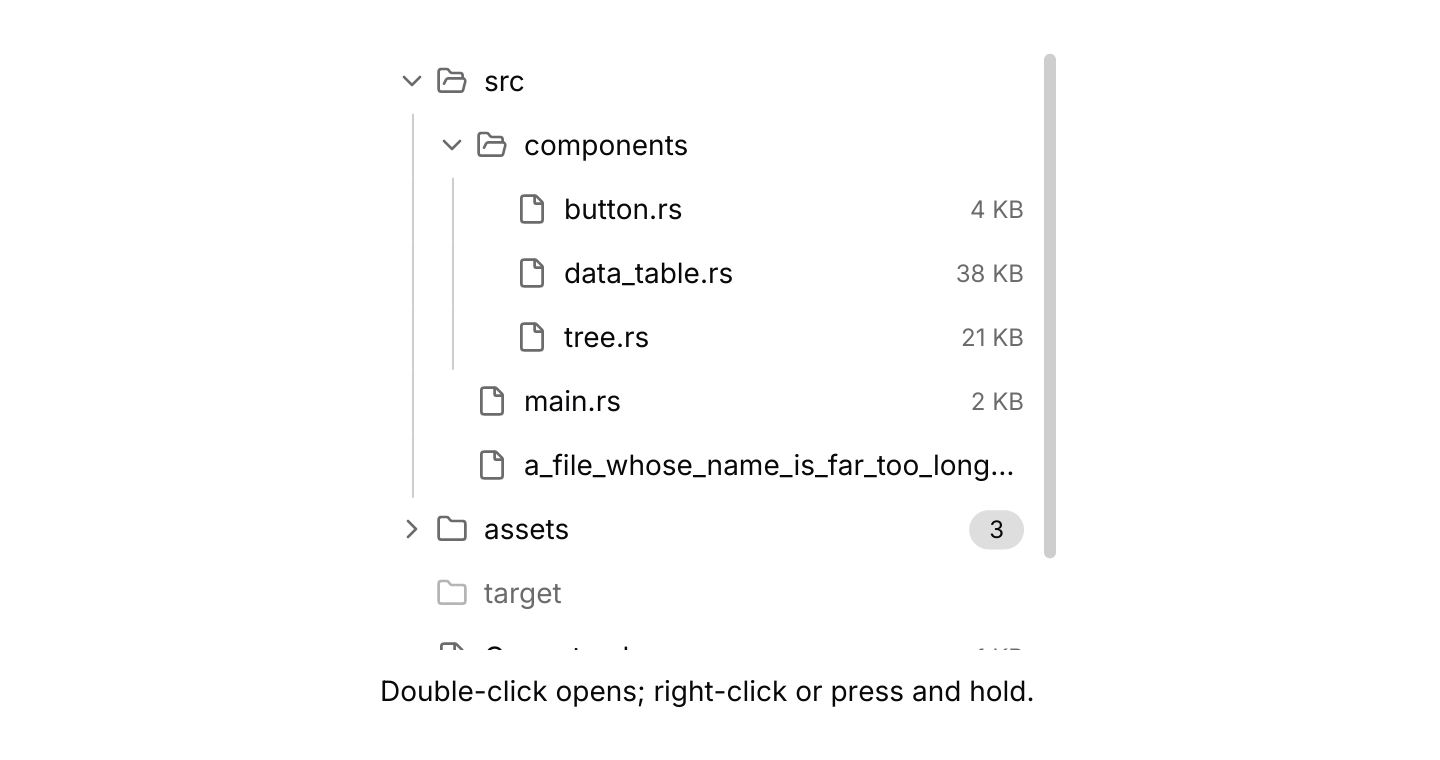
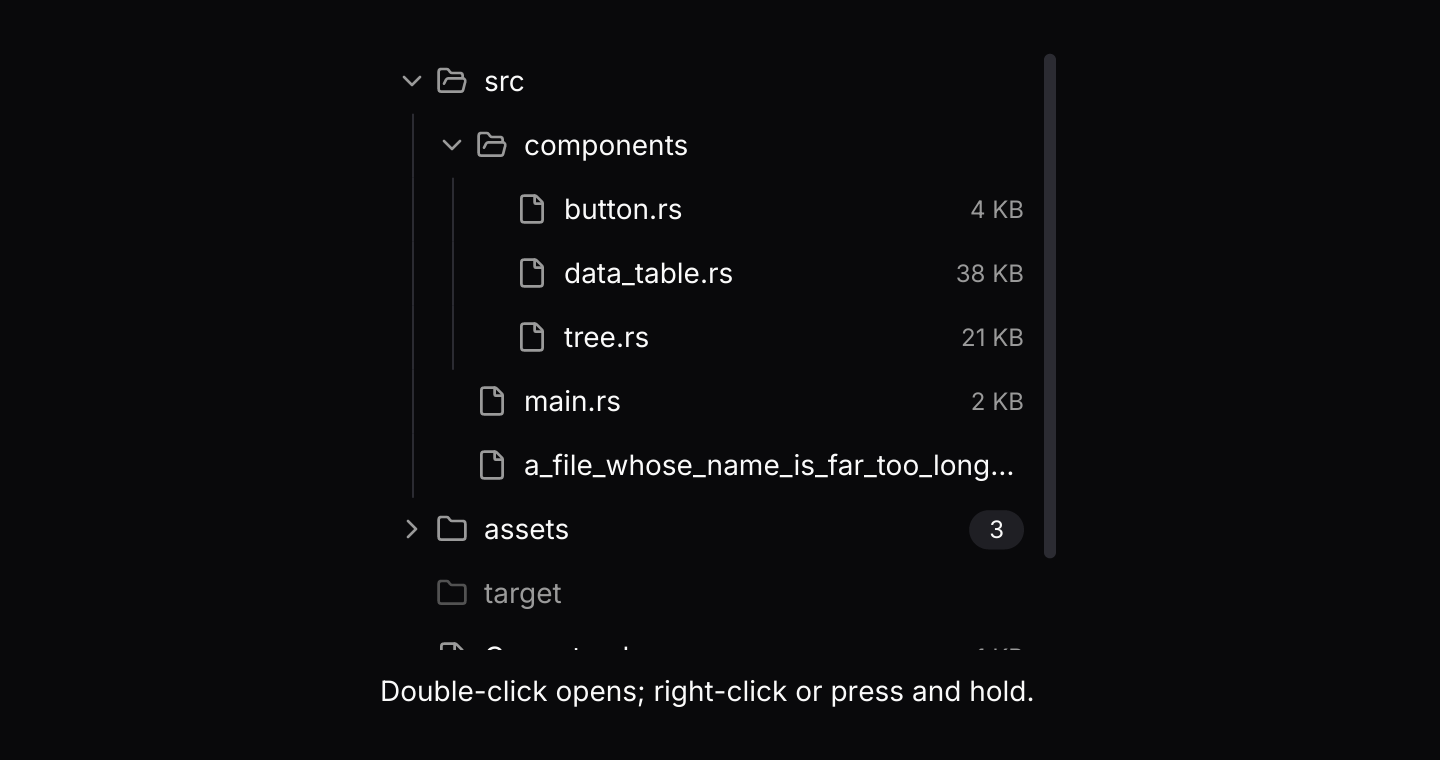
Nested items that expand and collapse, such as folders and files, with selection, checkboxes and children that load later.
use iced::widget::{column, text};
use iced::{Element, Length};
use iced_cube::context_menu;
use iced_cube::data::tree::{Event, Output, State, node, tree};
use iced_cube::dropdown_menu::{self, item, separator};
use iced_cube::lucide;

#[derive(Debug, Clone, Copy, PartialEq)]
pub enum Action {
    Open,
    Rename,
    Delete,
}

#[derive(Debug, Clone)]
pub enum Message {
    Files(Event<u32>),
    Menu(context_menu::Event<Action, u32>),
}

#[derive(Debug)]
pub struct Example {
    files: State<u32>,
    menu: context_menu::State<Action, u32>,
    status: String,
}

impl Default for Example {
    fn default() -> Self {
        let files = State::new([
            node(1, "src").folder().children([
                node(2, "components").folder().children([
                    node(3, "button.rs").file().trailing("4 KB"),
                    node(4, "data_table.rs").file().trailing("38 KB"),
                    node(5, "tree.rs").file().trailing("21 KB"),
                ]),
                node(6, "main.rs").file().trailing("2 KB"),
                node(7, "a_file_whose_name_is_far_too_long_for_the_row.rs").file(),
            ]),
            node(8, "assets").folder().badge("3").children([
                node(9, "logo.svg").file(),
                node(10, "fonts")
                    .folder()
                    .children([node(11, "Inter.ttf").file()]),
                node(12, "banner.png").file(),
            ]),
            node(13, "target").folder().disabled(true),
            node(14, "Cargo.toml").file().trailing("1 KB"),
            node(15, "README.md").file(),
        ])
        .with_expanded([1, 2]);

        let menu = context_menu::State::new([
            item(Action::Open, "Open").icon(lucide!(FileText)),
            item(Action::Rename, "Rename")
                .icon(lucide!(Pencil))
                .shortcut("F2"),
            separator(),
            item(Action::Delete, "Delete")
                .icon(lucide!(Trash))
                .destructive(true),
        ]);

        Self {
            files,
            menu,
            status: "Double-click opens; right-click or press and hold.".into(),
        }
    }
}

impl Example {
    pub fn update(&mut self, message: Message) {
        match message {
            Message::Files(event) => match self.files.update(event) {
                Some(Output::Activated(id)) => self.status = format!("Opened {}", self.label(id)),
                Some(Output::Selected(ids)) => {
                    if let Some(&id) = ids.first() {
                        self.status = format!("Selected {}", self.label(id));
                    }
                }
                _ => {}
            },
            Message::Menu(event) => {
                let chosen = self.menu.update(event);
                if let (Some(dropdown_menu::Output::Activated(action)), Some(&id)) =
                    (chosen, self.menu.target())
                {
                    self.status = format!("{action:?} {}", self.label(id));
                }
            }
        }
    }

    fn label(&self, id: u32) -> &str {
        self.files.node(id).map_or("", |node| node.label.as_str())
    }

    pub fn view(&self) -> Element<'_, Message> {
        column![
            tree(&self.files)
                .guides(true)
                .height(300)
                .context_menu(&self.menu, Message::Menu)
                .on_event(Message::Files),
            text(&self.status).size(14),
        ]
        .spacing(12)
        .width(Length::Fill)
        .max_width(340)
        .into()
    }
}Usage
A tree shows data with a parent and child structure: folders and files, an outline, groups of permissions. The app owns a tree::State holding every node by id and routes the tree’s events into it. Nodes are plain data, so the app can read them back with state.node(id) when a node is activated or chosen from its menu.
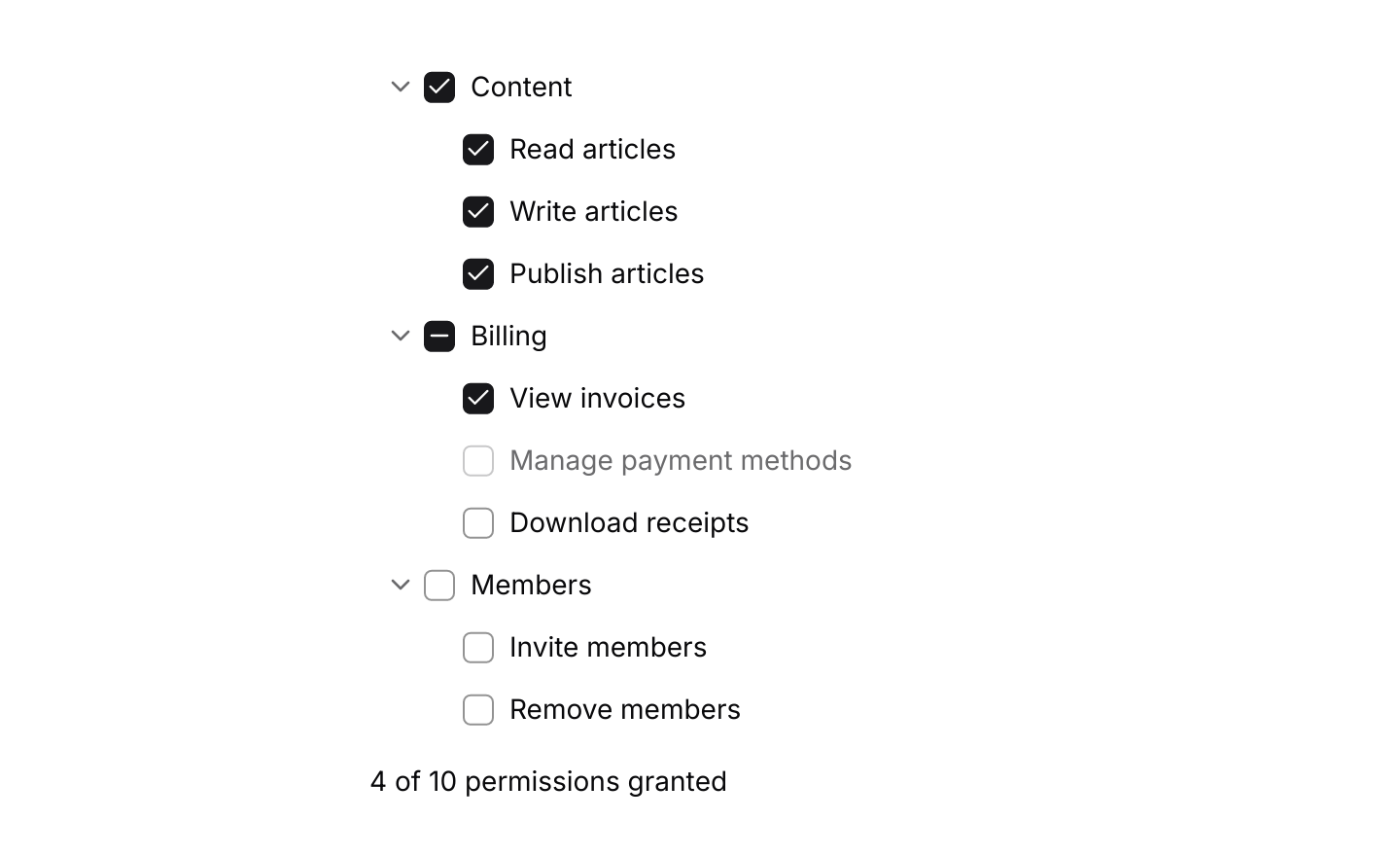
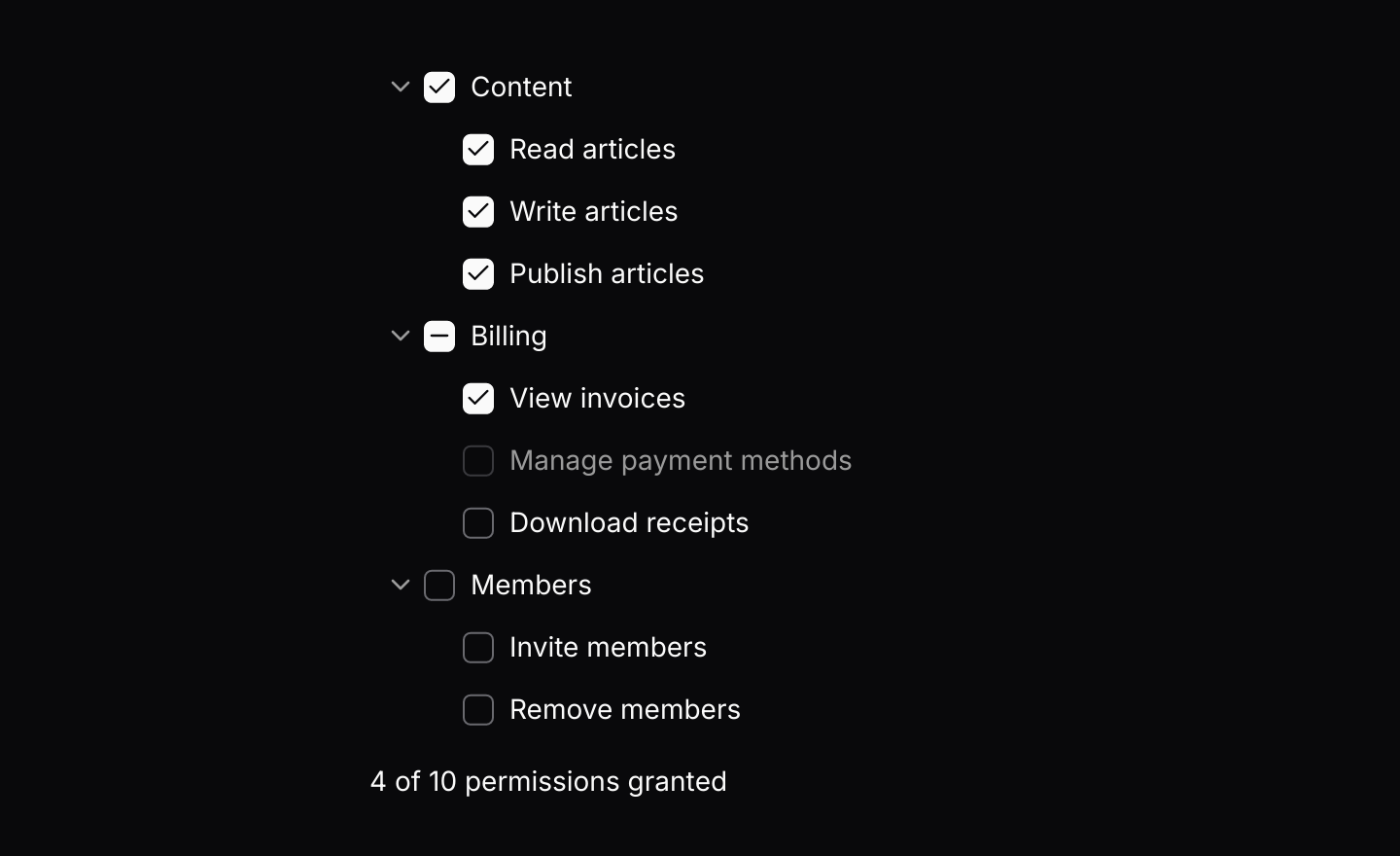
Pressing a row highlights it, and in single or multiple mode selects it. In multiple mode Ctrl or Cmd adds or removes one node and Shift selects the range from the last one pressed. In checkbox mode every row has a checkbox: checking a parent checks its children, and a parent with only some children checked shows a dash. Disabled nodes can be seen but not selected, checked, expanded or activated, and a disabled child keeps its state when its parent changes.
A node made with .lazy() has children that are not known yet. Expanding it shows a loading line and returns Output::Load with its id. Fetch the children however you like, on a thread or a task, and send loaded(id, nodes) through the sender from tree::subscription(). The lazy loading example simulates a server that answers after a short wait.
The tree resolves its keys itself, and only while it has focus, which it takes when pressed and gives up on a press elsewhere. That keeps its arrow keys from clashing with tabs, sliders or anything else on the page. Letters and digits jump to the next node starting with them, and * expands the highlighted node and all of its siblings. When the tree has a fixed height it scrolls the highlighted row into view as the highlight moves.
Rows are 32 pixels tall, as in menus, and long labels end in an ellipsis rather than wrapping, so a narrow sidebar on a phone keeps every row the same height and easy to tap.
Examples
Checkboxes
Checking a group checks its members, and a group with some members checked shows a dash. The disabled permission keeps its state.
use iced::widget::{column, text};
use iced::{Element, Length};
use iced_cube::data::tree::{Event, Mode, State, node, tree};

#[derive(Debug, Clone)]
pub enum Message {
    Permissions(Event<u32>),
}

#[derive(Debug)]
pub struct Example {
    permissions: State<u32>,
}

impl Default for Example {
    fn default() -> Self {
        let mut permissions = State::new([
            node(1, "Content").children([
                node(2, "Read articles"),
                node(3, "Write articles"),
                node(4, "Publish articles"),
            ]),
            node(5, "Billing").children([
                node(6, "View invoices"),
                node(7, "Manage payment methods").disabled(true),
                node(8, "Download receipts"),
            ]),
            node(9, "Members").children([node(10, "Invite members"), node(11, "Remove members")]),
        ])
        .with_mode(Mode::Checkbox)
        .with_expanded([1, 5, 9]);
        let _ = permissions.update(Event::Check(1, true));
        let _ = permissions.update(Event::Check(6, true));

        Self { permissions }
    }
}

impl Example {
    pub fn update(&mut self, message: Message) {
        match message {
            Message::Permissions(event) => {
                let _ = self.permissions.update(event);
            }
        }
    }

    pub fn view(&self) -> Element<'_, Message> {
        let granted = self
            .permissions
            .checked()
            .into_iter()
            .filter(|&id| self.permissions.children(id).is_empty())
            .count();

        column![
            tree(&self.permissions).on_event(Message::Permissions),
            text(format!("{granted} of 10 permissions granted")).size(14),
        ]
        .spacing(12)
        .width(Length::Fill)
        .max_width(340)
        .into()
    }
}Lazy loading
Folders fetch their children when first opened. A simulated server sends them through the tree's channel after a short wait, using futures-timer so it also runs in the browser.
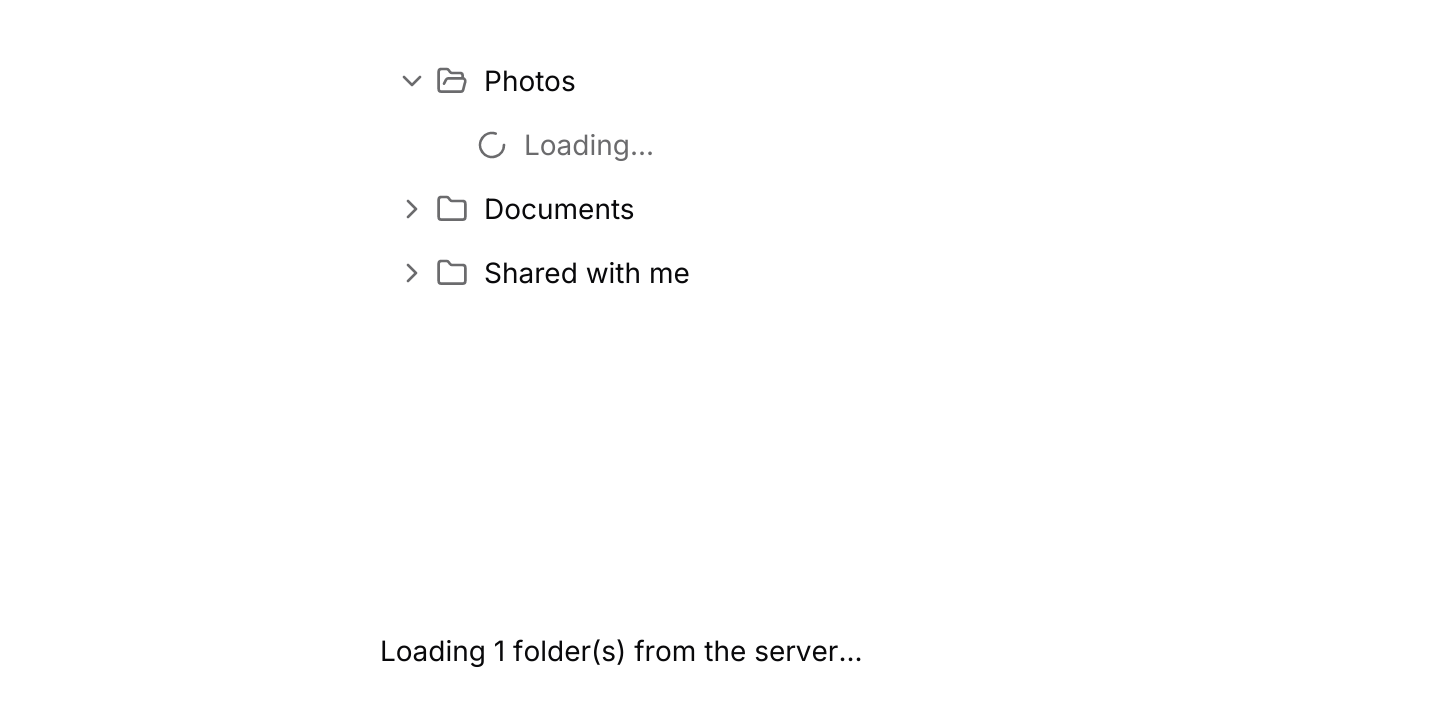

use std::hash::{Hash, Hasher};
use std::time::Duration;

use futures_timer::Delay;
use iced::futures::{SinkExt, Stream, stream};
use iced::widget::{column, text};
use iced::{Element, Length, Subscription};
use iced_cube::data::tree::{self, Event, Node, Output, State, loaded, node, tree};

#[derive(Debug, Clone)]
pub enum Message {
    Folders(Event<u32>),
    Finished(u32),
}

#[derive(Debug)]
pub struct Example {
    folders: State<u32>,
    sender: Option<tree::Sender<u32>>,
    /// Folders whose children are on their way.
    loading: Vec<u32>,
}

impl Default for Example {
    fn default() -> Self {
        let mut folders = State::new([
            node(1, "Photos").folder().lazy(),
            node(2, "Documents").folder().lazy(),
            node(3, "Shared with me").folder().lazy(),
        ]);
        // Start with one folder open, so its children load straight away.
        let loading = match folders.update(Event::Expand(1)) {
            Some(Output::Load(ids)) => ids,
            _ => Vec::new(),
        };

        Self {
            folders,
            sender: None,
            loading,
        }
    }
}

impl Example {
    pub fn update(&mut self, message: Message) {
        match message {
            Message::Folders(event) => match self.folders.update(event) {
                Some(Output::Ready(sender)) => self.sender = Some(sender),
                Some(Output::Load(ids)) => self.loading.extend(ids),
                _ => {}
            },
            Message::Finished(id) => self.loading.retain(|&loading| loading != id),
        }
    }

    pub fn view(&self) -> Element<'_, Message> {
        let status = match self.loading.len() {
            0 => "Every open folder has loaded. Expand another.".to_owned(),
            n => format!("Loading {n} folder(s) from the server..."),
        };

        column![
            tree(&self.folders).height(280).on_event(Message::Folders),
            text(status).size(14),
        ]
        .spacing(12)
        .width(Length::Fill)
        .max_width(340)
        .into()
    }

    pub fn subscription(&self) -> Subscription<Message> {
        let loads = self.sender.iter().flat_map(|sender| {
            self.loading.iter().map(|&parent| {
                let load = Load {
                    parent,
                    sender: sender.clone(),
                };
                Subscription::run_with(load, Load::run)
            })
        });

        Subscription::batch(
            std::iter::once(tree::subscription().map(Message::Folders)).chain(loads),
        )
    }
}

/// A simulated request for one folder's children. It only holds a sender,
/// as a worker thread or a network task would.
#[derive(Debug, Clone)]
struct Load {
    parent: u32,
    sender: tree::Sender<u32>,
}

impl Hash for Load {
    fn hash<H: Hasher>(&self, state: &mut H) {
        self.parent.hash(state);
    }
}

impl Load {
    fn run(&self) -> impl Stream<Item = Message> + use<> {
        let parent = self.parent;
        let mut sender = self.sender.clone();

        stream::once(async move {
            Delay::new(Duration::from_millis(900)).await;
            let _ = sender.send(loaded(parent, children(parent))).await;
            Message::Finished(parent)
        })
    }
}

/// Two subfolders and a file, down to three levels.
fn children(parent: u32) -> Vec<Node<u32>> {
    let depth = parent.ilog10();
    let file = node(parent * 10 + 3, format!("notes-{parent}.txt")).file();
    if depth >= 2 {
        return vec![file];
    }
    vec![
        node(parent * 10 + 1, "2025").folder().lazy(),
        node(parent * 10 + 2, "Archive").folder().lazy(),
        file,
    ]
}Keyboard shortcuts
A multiple selection driven by the default keymap with J and K added. The tree resolves keys only while it has focus.
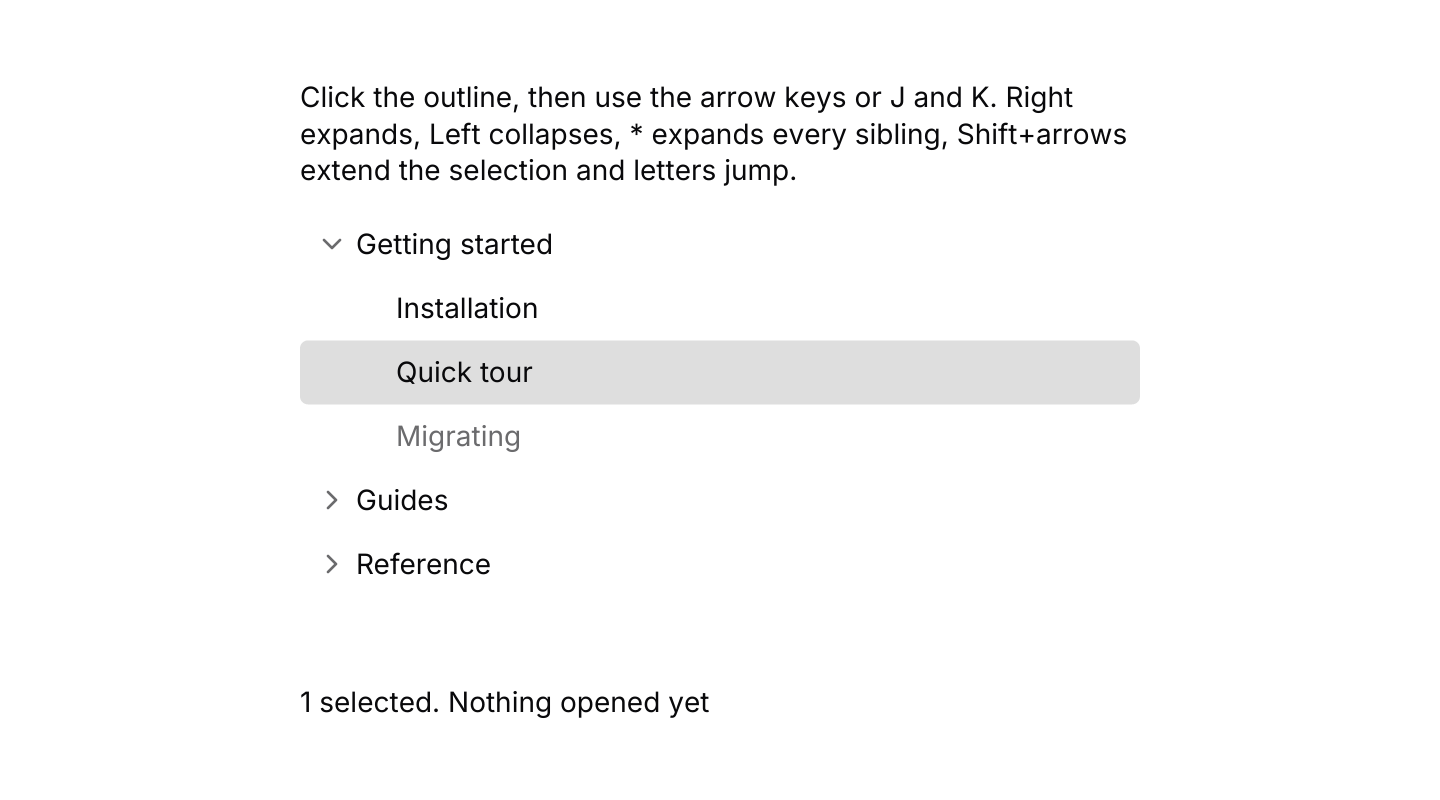
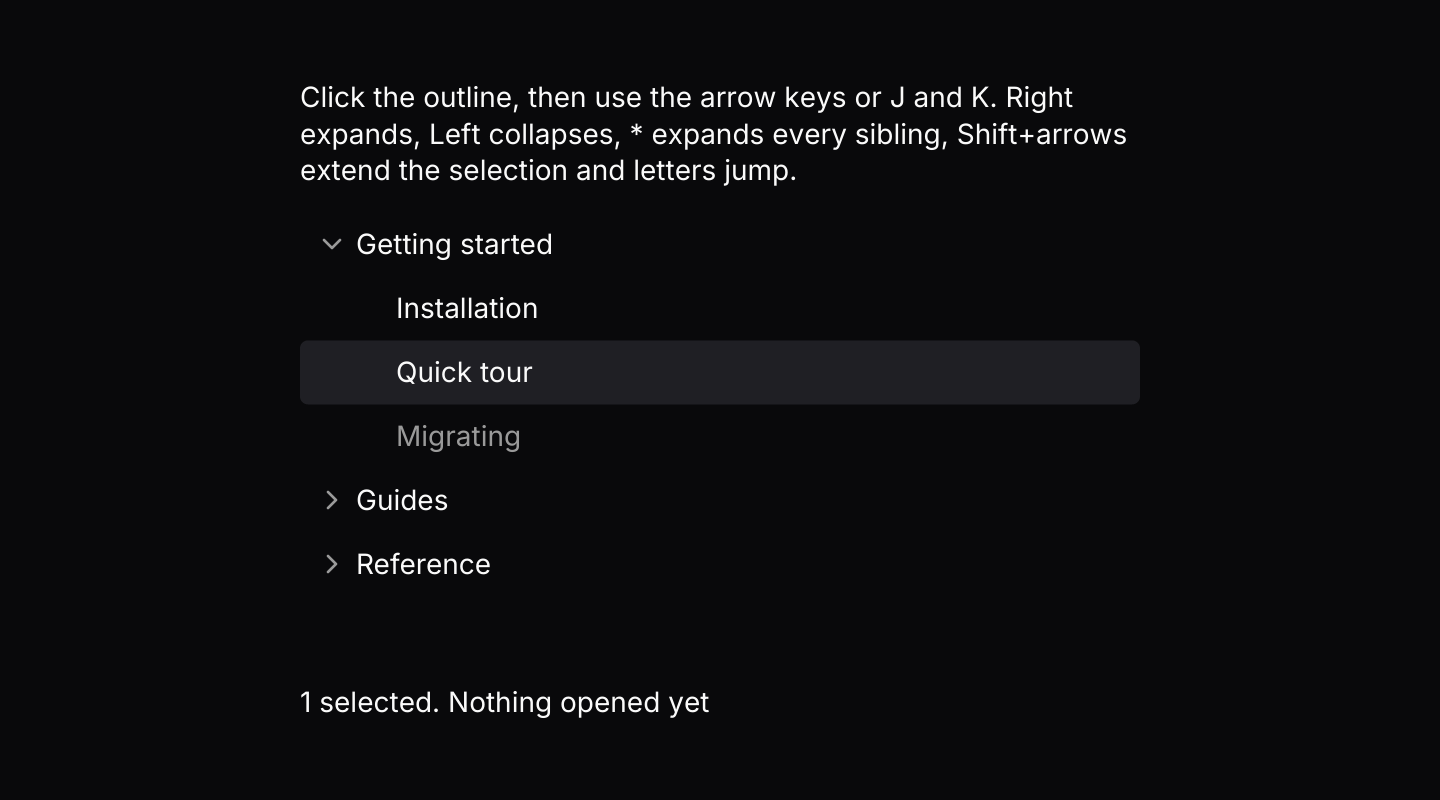
use iced::keyboard::Modifiers;
use iced::widget::{column, text};
use iced::{Element, Length};
use iced_cube::data::tree::{self, Action, Event, Mode, Output, State, node, tree};
use iced_cube::keys::{Chord, Keymap};

#[derive(Debug, Clone)]
pub enum Message {
    Outline(Event<u32>),
}

#[derive(Debug)]
pub struct Example {
    outline: State<u32>,
    keymap: Keymap<Action>,
    last: String,
}

impl Default for Example {
    fn default() -> Self {
        let mut outline = State::new([
            node(1, "Getting started").children([
                node(2, "Installation"),
                node(3, "Quick tour"),
                node(4, "Migrating").disabled(true),
            ]),
            node(5, "Guides").children([
                node(6, "Theming"),
                node(7, "Keyboard shortcuts"),
                node(8, "Streaming data"),
            ]),
            node(9, "Reference").children([
                node(10, "Components").children([node(11, "Tree"), node(12, "Data table")]),
                node(13, "Changelog"),
            ]),
        ])
        .with_mode(Mode::Multiple)
        .with_expanded([1]);
        let _ = outline.update(Event::Press(3, Modifiers::empty()));

        // The defaults, plus J and K, which take precedence over typeahead.
        let keymap = tree::default_keymap()
            .bind(Chord::character('j'), Action::Next)
            .bind(Chord::character('k'), Action::Previous);

        Self {
            outline,
            keymap,
            last: "Nothing opened yet".into(),
        }
    }
}

impl Example {
    pub fn update(&mut self, message: Message) {
        match message {
            Message::Outline(event) => {
                if let Some(Output::Activated(id)) = self.outline.update(event) {
                    let label = self.outline.node(id).map_or("", |node| node.label.as_str());
                    self.last = format!("Opened \"{label}\"");
                }
            }
        }
    }

    pub fn view(&self) -> Element<'_, Message> {
        let selected = self.outline.selected().len();

        column![
            text(
                "Click the outline, then use the arrow keys or J and K. Right expands, Left \
                 collapses, * expands every sibling, Shift+arrows extend the selection and \
                 letters jump."
            )
            .size(14),
            tree(&self.outline)
                .keymap(self.keymap.clone())
                .height(224)
                .on_event(Message::Outline),
            text(format!("{selected} selected. {}", self.last)).size(14),
        ]
        .spacing(12)
        .width(Length::Fill)
        .max_width(420)
        .into()
    }
}API
| Item | Description |
|---|---|
State:: | Holds the nodes, keyed by id, all collapsed. Ids must be unique across the whole tree. |
node(id, label) | A leaf. Add .children(nodes), .lazy() for children that load later, .folder() or .file() for the usual icons, .icon(glyph) or .icons(closed, open), .badge(text) or .trailing(text) at the end of the row, and .disabled(true). |
.with_mode(Mode) / .with_expanded(ids) | Mode::Single (the default), Multiple, Checkbox or None, and the nodes to start expanded. |
state.update(Event) | Handles presses, expanding, keyboard navigation, checkboxes and arriving children. Returns Output::Load(ids) when lazy nodes need their children, Activated(id), Selected(ids) or Checked(ids). |
state.selected() / state.checked() / state.check_state(id) | The selected or checked nodes in tree order, and whether a node's box is checked, unchecked or indeterminate. |
state.visible() / state.highlighted() / state.is_expanded(id) | The nodes on screen in order, the node the keyboard acts on, and whether a node is open. |
state.node(id) / state.children(id) / state.parent(id) | Reads the nodes and their structure. |
tree:: | The channel lazy children arrive on. It sends Event::Ready(sender) first; producers send loaded(parent, nodes) through clones of the sender, and batches arrive as Event::Received. |
state.set_loading(id) | Shows a node as loading, such as while the app refreshes it. |
tree(&state) | Renders the rows. Rows render disabled until .on_event is set. |
.guides(bool) | Draws a vertical line at each level of indentation. |
.width(length) / .height(length) | A fixed or filling height scrolls the rows. Only the rows in view are built. |
.context_menu(&menu, f) | Gives every node the same context menu, keyed by node id, opened by a right-click, a long press or Shift+F10 on the highlighted node. The node it opened on carries the ring while it is open. |
.keymap(keymap) / .context_menu_keymap(keymap) | Replaces the tree's or the context menu's default keymap. |
tree:: | The default shortcuts, and the Event a resolved Action sends. State::key_event does both, with typeahead. |
tree:: | The row colours, taken from the shared menu rows: selected rows use the accent, the keyboard highlight a ring. |
Keyboard
Default shortcuts. Every one can be changed or removed with a keymap; see Keyboard shortcuts.
| Keys | Action |
|---|---|
| ArrowDown | Next Highlights the next visible node. |
| ArrowUp | Previous Highlights the previous visible node. |
| Home | First Highlights the first node. |
| End | Last Highlights the last visible node. |
| ArrowRight | Expand Expands the highlighted node, or moves to its first child when it is open. |
| ArrowLeft | Collapse Collapses the highlighted node, or moves to its parent when it is closed. |
| Enter | Activate Activates the highlighted node. |
| Space | Select Selects, toggles or checks the highlighted node. |
| * | ExpandSiblings Expands the highlighted node and all of its siblings. |
| Shift+ArrowDown | ExtendNext Moves down and extends the selection, in a multiple selection. |
| Shift+ArrowUp | ExtendPrevious Moves up and extends the selection, in a multiple selection. |
| Ctrl+A | SelectAll Selects every visible node, in a multiple selection. |