Data
Property grid
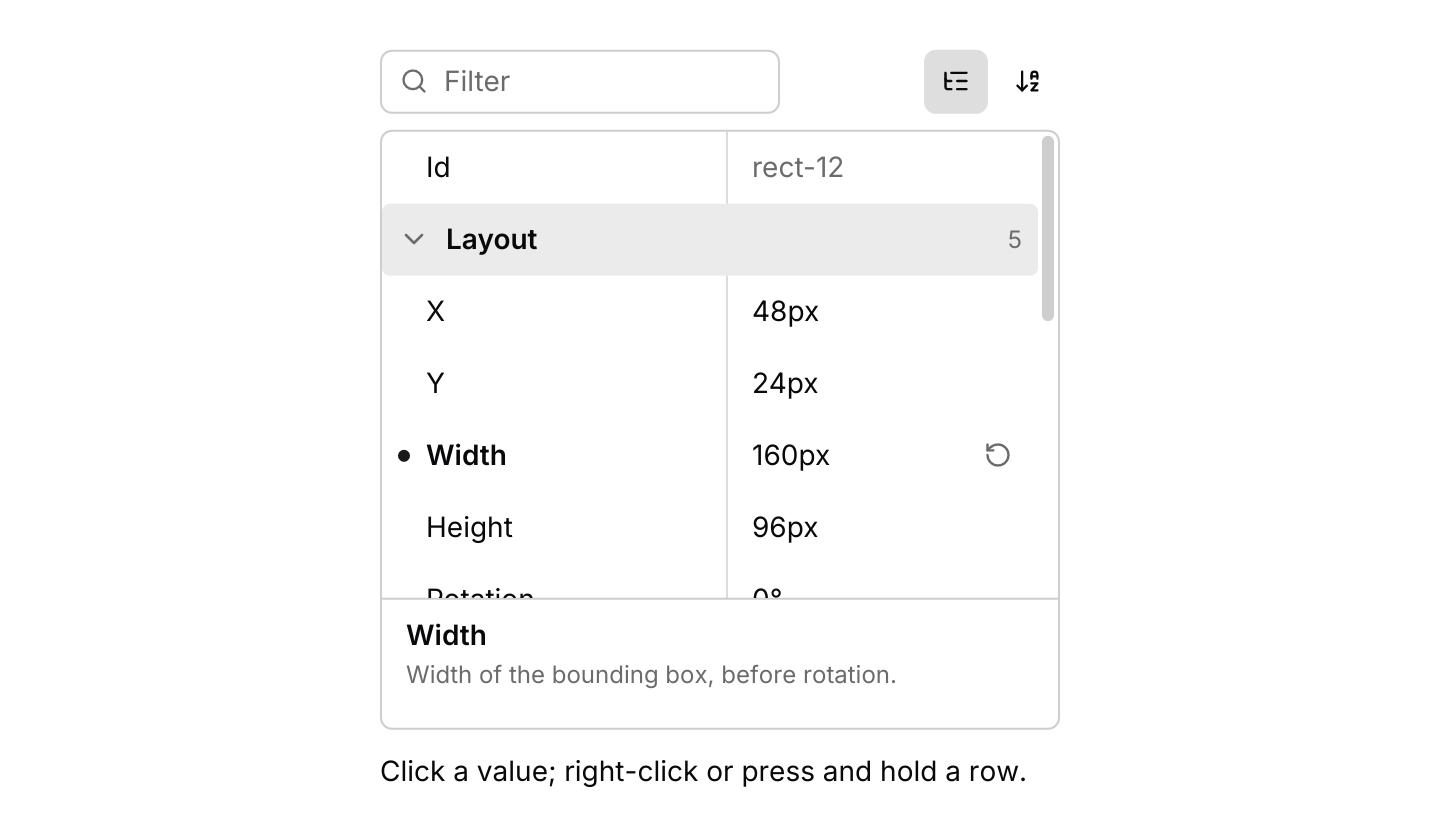
A compact two-column inspector for editing named properties, grouped into categories, with validation, reset to default and a description of the highlighted property.
use iced::widget::{column, text};
use iced::{Color, Element, Length, Task};
use iced_cube::context_menu;
use iced_cube::data::property_grid::{
    self, Entry, Event, MenuItem, Output, Property, State, choice, colour, custom, number,
    property_grid, read_only, toggle,
};
use iced_cube::dropdown_menu;
use iced_cube::primitives::slider;

use crate::bridge;

#[derive(Debug, Clone, Copy, PartialEq, Eq, Hash)]
pub enum Field {
    Id,
    X,
    Y,
    Width,
    Height,
    Rotation,
    Fill,
    Stroke,
    Opacity,
    Radius,
    Blend,
    Visible,
    Locked,
}

#[derive(Debug, Clone)]
pub enum Message {
    Shape(Event<Field>),
    Menu(context_menu::Event<MenuItem, Field>),
    Opacity(u8),
}

#[derive(Debug)]
pub struct Example {
    shape: State<Field>,
    menu: context_menu::State<MenuItem, Field>,
    last: String,
}

impl Default for Example {
    fn default() -> Self {
        let mut shape = State::new([
            read_only(Field::Id, "Id", "rect-12")
                .description("Given to the shape when it was drawn."),
            number(Field::X, "X", 48.0)
                .category("Layout")
                .step(1.0)
                .unit("px"),
            number(Field::Y, "Y", 24.0)
                .category("Layout")
                .step(1.0)
                .unit("px"),
            number(Field::Width, "Width", 160.0)
                .category("Layout")
                .min(1.0)
                .step(1.0)
                .unit("px")
                .default(120.0)
                .description("Width of the bounding box, before rotation."),
            number(Field::Height, "Height", 96.0)
                .category("Layout")
                .min(1.0)
                .step(1.0)
                .unit("px")
                .default(96.0),
            number(Field::Rotation, "Rotation", 0.0)
                .category("Layout")
                .range(-180.0, 180.0)
                .step(1.0)
                .unit("°")
                .default(0.0),
            colour(Field::Fill, "Fill", Color::from_rgb8(0x3b, 0x82, 0xf6))
                .category("Appearance")
                .default(Color::WHITE),
            colour(Field::Stroke, "Stroke", Color::from_rgb8(0x1e, 0x29, 0x3b))
                .category("Appearance"),
            custom(Field::Opacity, "Opacity", 80.0)
                .category("Appearance")
                .default(100.0)
                .description("Drawn by the app with a slider."),
            number(Field::Radius, "Corner radius", 8.0)
                .category("Appearance")
                .range(0.0, 64.0)
                .step(1.0)
                .unit("px")
                .default(0.0),
            choice(
                Field::Blend,
                "Blend mode",
                ["Normal", "Multiply", "Screen", "Overlay"],
                "Normal",
            )
            .category("Appearance")
            .default("Normal"),
            toggle(Field::Visible, "Visible", true)
                .switch()
                .category("Behaviour")
                .default(true),
            toggle(Field::Locked, "Locked", false)
                .category("Behaviour")
                .default(false),
        ]);
        let _ = shape.update(Event::Press(Entry::Property(Field::Width)));

        Self {
            shape,
            menu: property_grid::menu(),
            last: "Click a value; right-click or press and hold a row.".into(),
        }
    }
}

impl Example {
    pub fn update(&mut self, message: Message) -> Task<Message> {
        match message {
            Message::Shape(event) => self.shape(event),
            Message::Menu(event) => {
                let chosen = self.menu.update(event);
                property_grid::sync_menu(&mut self.menu, &self.shape);
                match (chosen, self.menu.target()) {
                    (Some(dropdown_menu::Output::Activated(item)), Some(&id)) => {
                        self.shape(item.event(id))
                    }
                    _ => Task::none(),
                }
            }
            Message::Opacity(opacity) => {
                let _ = self.shape.set(Field::Opacity, f64::from(opacity));
                self.describe(Field::Opacity);
                Task::none()
            }
        }
    }

    fn shape(&mut self, event: Event<Field>) -> Task<Message> {
        match self.shape.update(event) {
            Some(Output::Changed { id, .. } | Output::Reset { id, .. }) => {
                self.describe(id);
                Task::none()
            }
            Some(Output::CopyValue(value)) => {
                self.last = format!("Copied {value}");
                bridge::copy(value)
            }
            None => Task::none(),
        }
    }

    fn describe(&mut self, id: Field) {
        if let Some(property) = self.shape.property(id) {
            self.last = format!("{} is now {}", property.name, property.display());
        }
    }

    pub fn view(&self) -> Element<'_, Message> {
        column![
            property_grid(&self.shape)
                .custom(Field::Opacity, opacity)
                .context_menu(&self.menu, Message::Menu)
                .height(340)
                .on_event(Message::Shape),
            text(&self.last).size(14),
        ]
        .spacing(12)
        .width(Length::Fill)
        .max_width(340)
        .into()
    }
}

fn opacity(property: &Property<Field>) -> Element<'_, Message> {
    let value = property.value.as_number().unwrap_or(100.0) as u8;
    slider(0..=100, value).on_change(Message::Opacity).into()
}Usage
A property grid edits the settings of one thing at a time, such as the shape selected on a canvas or a widget in a form designer. The app owns a property_grid::State holding every property by id and routes the grid’s events into it. Whenever update returns Output::Changed, copy the new value into your own model.
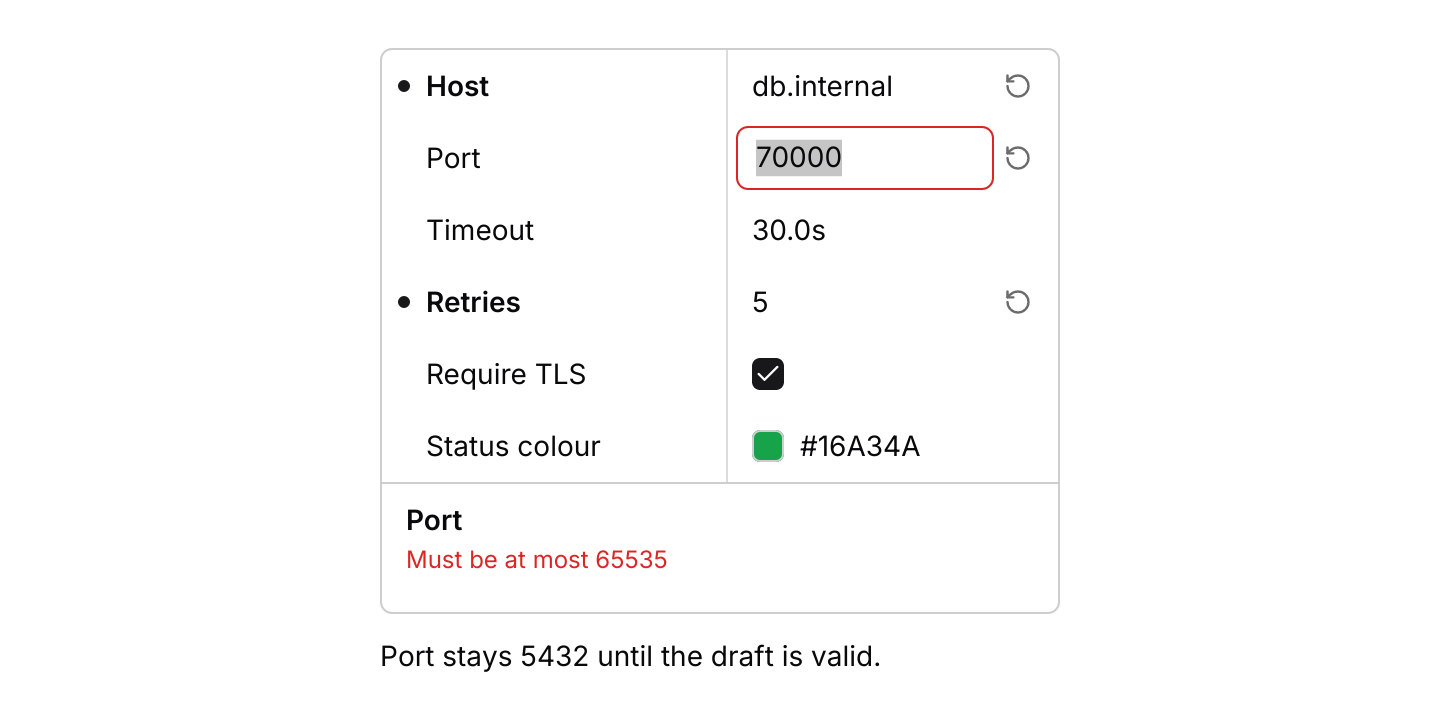
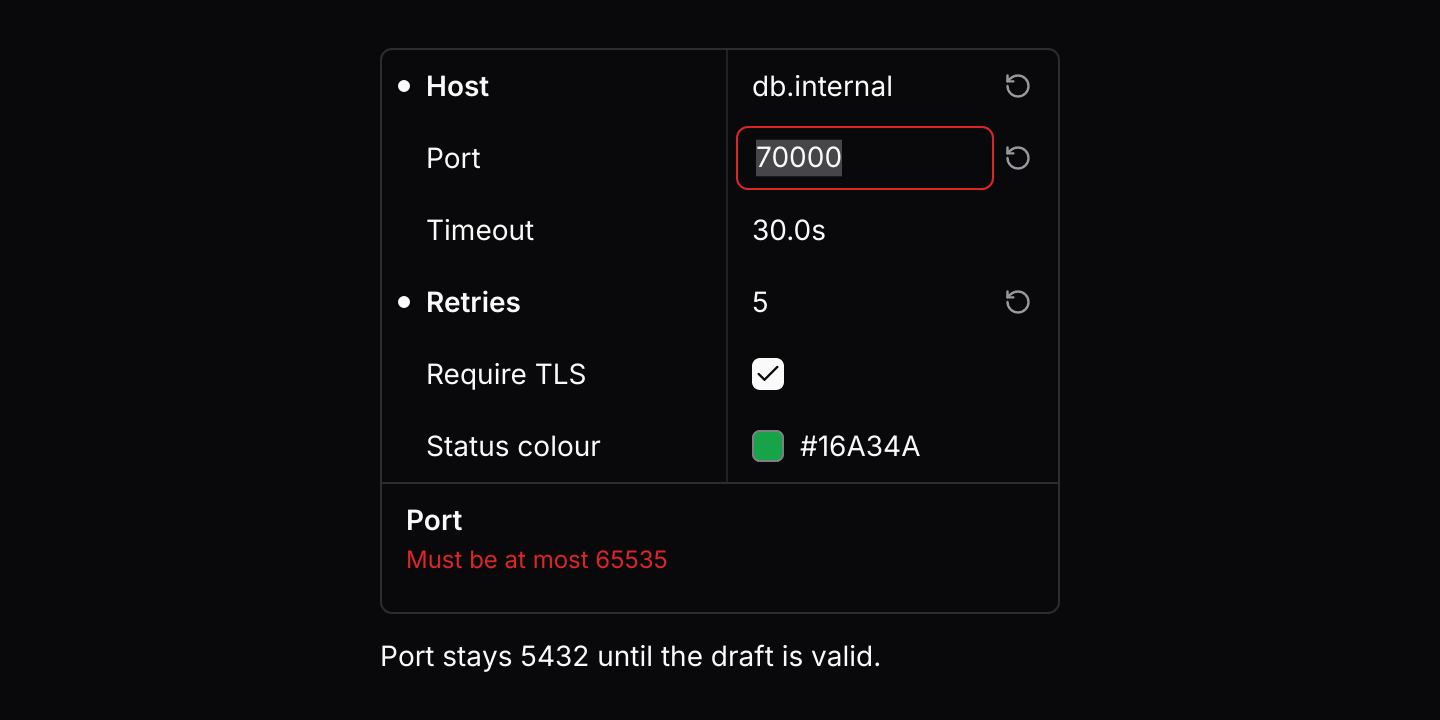
Text, numbers and colours show as plain text until clicked, or until Enter or F2 is pressed on the highlighted row. They then become a text field with their text selected. A valid edit changes the value as it is typed. An invalid one, such as a number above its maximum or a colour that is not hex, keeps what was typed, draws the field with a destructive border and explains the problem under the rows, without changing the value. Enter ends the edit once it is valid, and Escape puts back the value from before it. Leaving an invalid edit keeps its text in place until it is fixed or reset.
Toggles and choices change straight away: a checkbox or switch flips, a select picks an option, and Enter on the row does the same from the keyboard. A property with a default shows a dot and a bold name while its value differs, and a reset button at the end of its row.
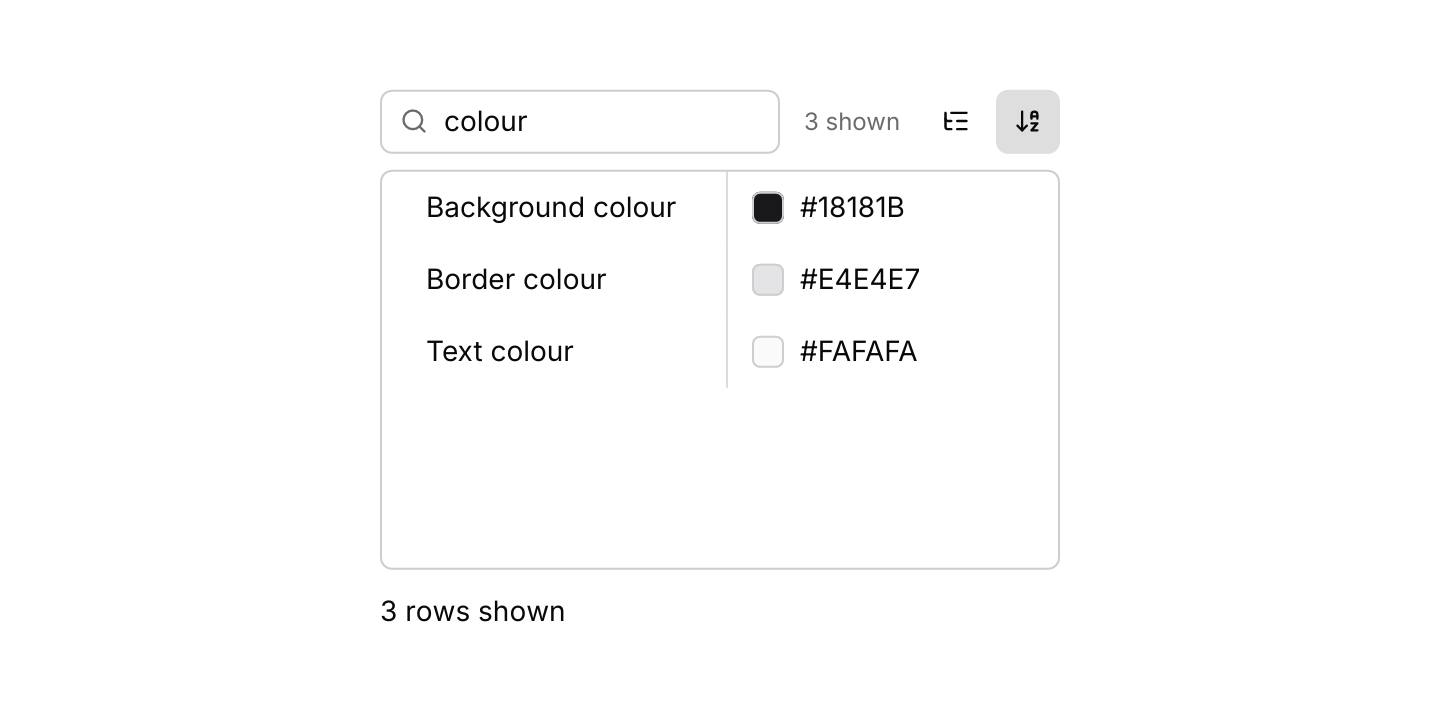
The box above the rows filters properties by name, with a count beside it that reads like the log and JSON viewers’ counts: “2 of 5” for the highlighted property of those shown, “5 found” while none of them is highlighted, and “None” when nothing passes, and the two buttons switch between categories and one alphabetical list. Typing keeps the highlight on the nearest shown property at or after it. Enter or F3 in the box moves the highlight to the next shown property and Shift+Enter or Shift+F3 to the previous, skipping headings and wrapping at the ends, so Enter steps rather than edits while the box has text. Escape in the box clears it, a second Escape leaves it, and Ctrl+F in the box selects its text, as in the log viewer and the JSON viewer. In a narrow panel the value column gives up its room first, down to a minimum, so names stay readable; drag the line between the columns to change the split, and a dragged width is kept. Names that still do not fit end in an ellipsis rather than wrapping, so every row keeps the same height. The description under the rows wraps and grows to fit.
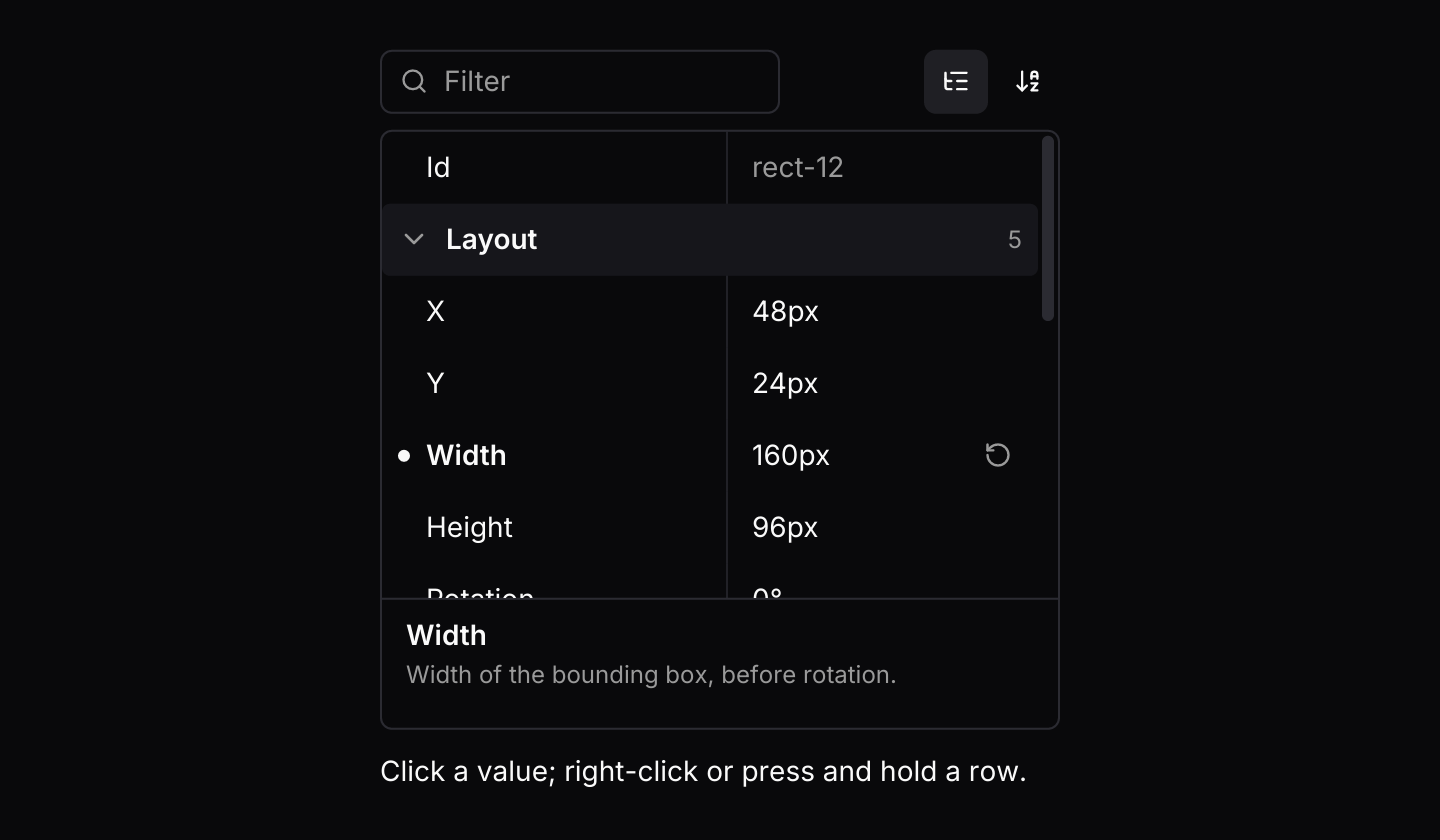
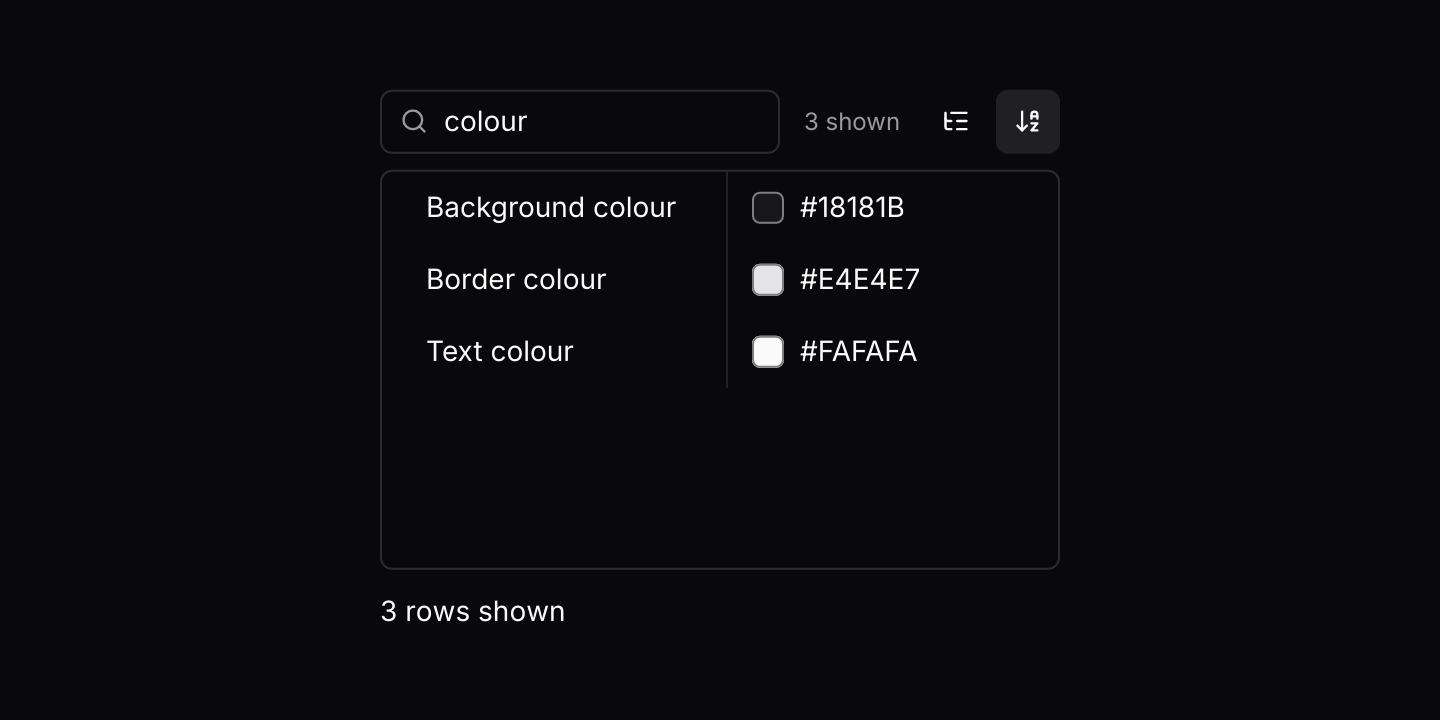
Right-click a property, press and hold it or press Shift+F10 to open its context menu when the grid has one; the property carries the ring while the menu is open. Ctrl+C copies the highlighted value as it is shown. Colour swatches keep a lighter ring in dark themes, so a near-black colour still shows its edge. The grid selects nothing, so the row the keyboard acts on carries only a ring, shown while the grid has focus, as in the tree and the JSON viewer.
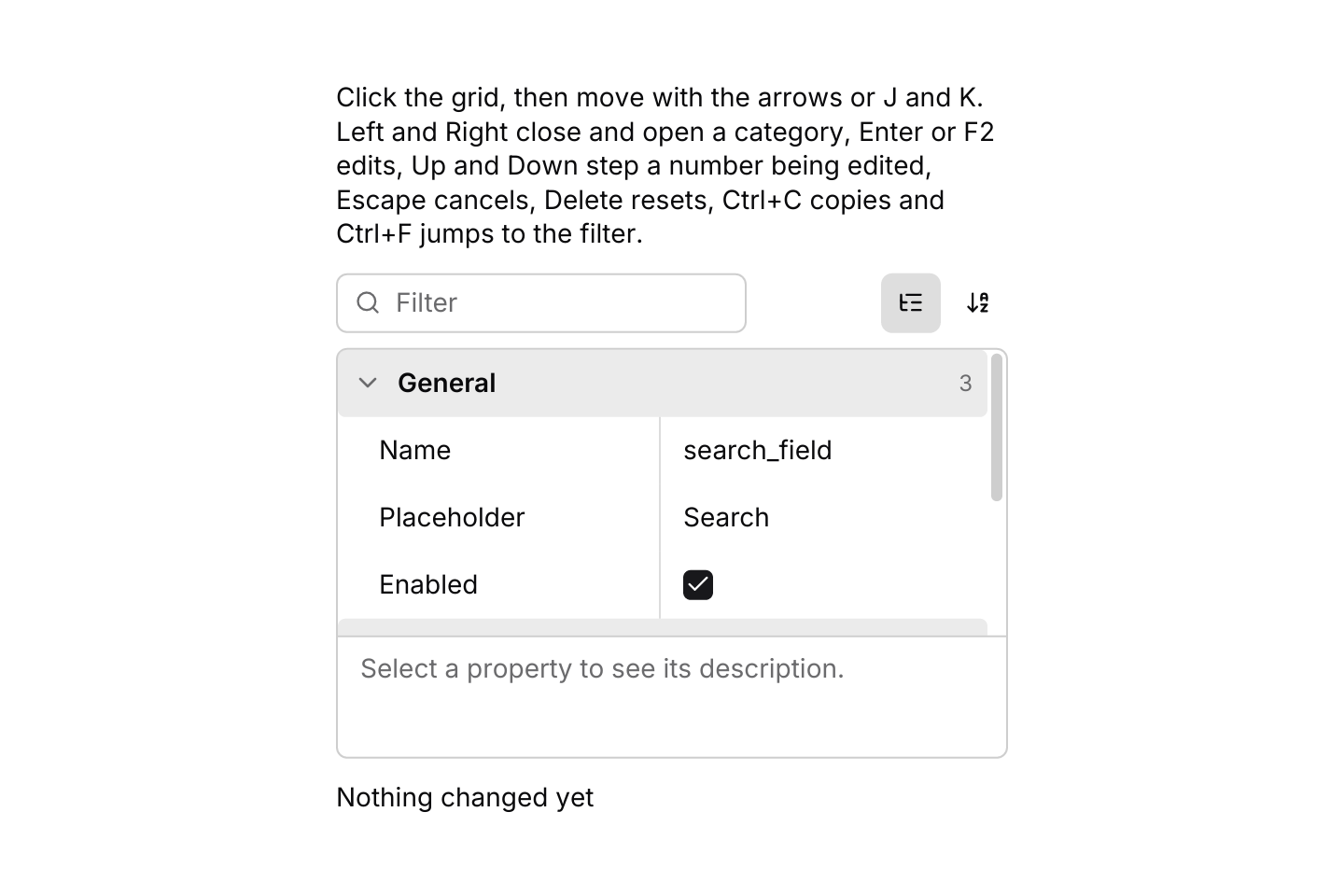
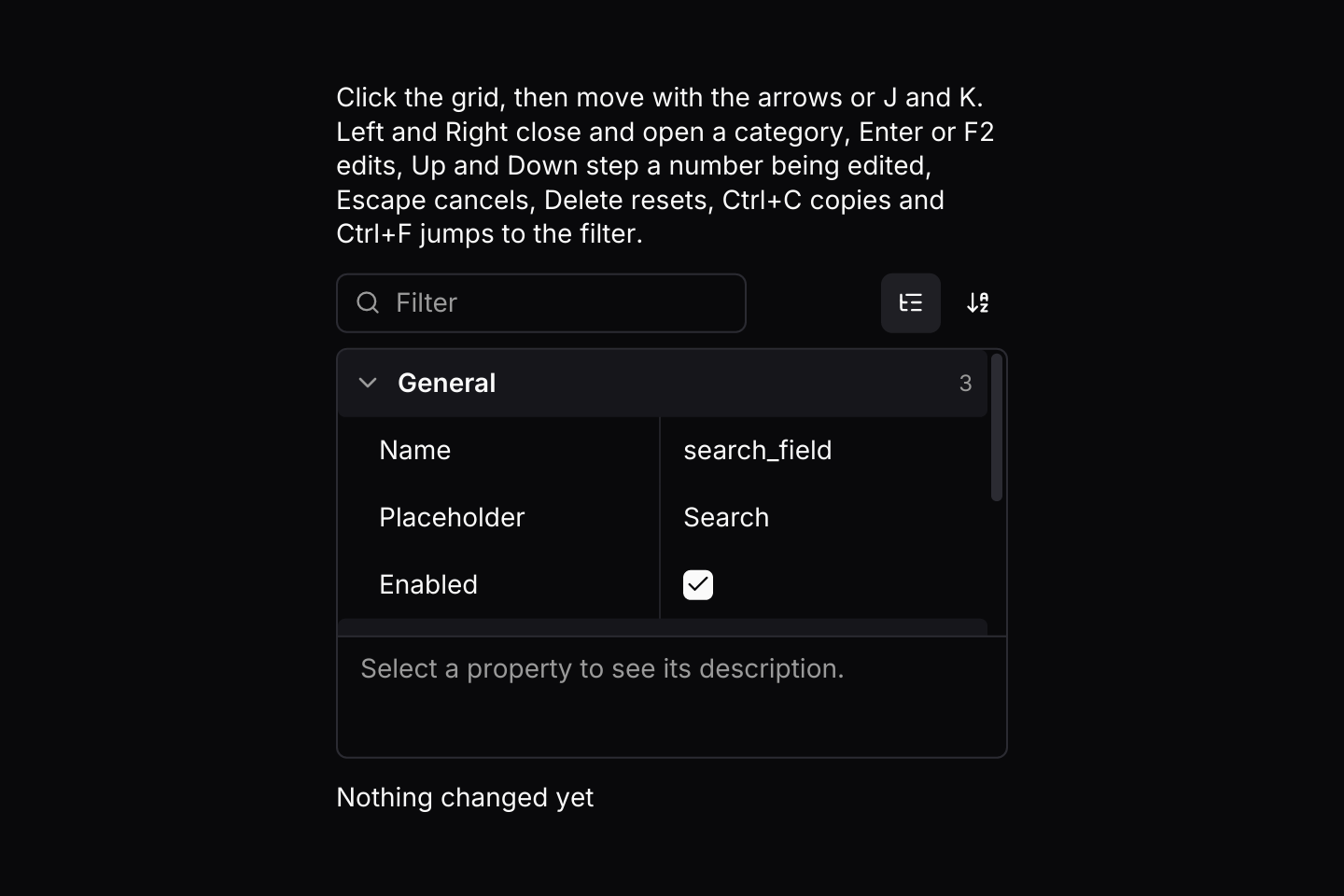
The grid resolves its keys itself, and only while it has focus, which it takes when pressed. While a field is being typed into it keeps the keys it uses, such as the arrows that move its cursor, but Up and Down step a number up or down.
Examples
Filter and sort
The box filters properties by name and the buttons switch between categories and one alphabetical list. This one starts sorted by name and filtered to colours.
use iced::widget::{column, text};
use iced::{Color, Element, Length};
use iced_cube::data::property_grid::{
    Event, Sort, State, choice, colour, number, property_grid, text as text_property, toggle,
};

#[derive(Debug, Clone)]
pub enum Message {
    Button(Event<u8>),
}

#[derive(Debug)]
pub struct Example {
    button: State<u8>,
}

impl Default for Example {
    fn default() -> Self {
        let mut button = State::new([
            text_property(1, "Label", "Save changes").category("Content"),
            text_property(2, "Tooltip", "Saves the draft").category("Content"),
            choice(3, "Variant", ["Primary", "Outline", "Ghost"], "Primary").category("Style"),
            colour(4, "Background colour", Color::from_rgb8(0x18, 0x18, 0x1b)).category("Style"),
            colour(5, "Text colour", Color::from_rgb8(0xfa, 0xfa, 0xfa)).category("Style"),
            colour(6, "Border colour", Color::from_rgb8(0xe4, 0xe4, 0xe7)).category("Style"),
            number(7, "Corner radius", 6.0)
                .category("Style")
                .step(1.0)
                .unit("px"),
            number(8, "Width", 120.0)
                .category("Size")
                .step(1.0)
                .unit("px"),
            number(9, "Height", 36.0)
                .category("Size")
                .step(1.0)
                .unit("px"),
            number(10, "Padding", 16.0)
                .category("Size")
                .step(1.0)
                .unit("px"),
            toggle(11, "Enabled", true).category("State"),
            toggle(12, "Visible", true).category("State"),
        ])
        .with_sort(Sort::Alphabetical);
        let _ = button.update(Event::Search("colour".into()));

        Self { button }
    }
}

impl Example {
    pub fn update(&mut self, message: Message) {
        let Message::Button(event) = message;
        let _ = self.button.update(event);
    }

    pub fn view(&self) -> Element<'_, Message> {
        let shown = self.button.entries().len();
        column![
            property_grid(&self.button)
                .description(false)
                .height(240)
                .on_event(Message::Button),
            text(format!("{shown} rows shown")).size(14),
        ]
        .spacing(12)
        .width(Length::Fill)
        .max_width(340)
        .into()
    }
}Validation and reset
An invalid port keeps its draft and shows why under the rows, without changing the value. Escape puts back the old value, and the reset buttons go back to the defaults.
use iced::widget::{column, text};
use iced::{Color, Element, Length};
use iced_cube::data::property_grid::{
    Event, Output, State, colour, number, property_grid, text as text_property, toggle,
};

#[derive(Debug, Clone, Copy, PartialEq, Eq, Hash)]
pub enum Setting {
    Host,
    Port,
    Timeout,
    Retries,
    Secure,
    Accent,
}

#[derive(Debug, Clone)]
pub enum Message {
    Settings(Event<Setting>),
}

#[derive(Debug)]
pub struct Example {
    settings: State<Setting>,
    last: String,
}

fn host(value: &str) -> Result<(), String> {
    if value.trim().is_empty() {
        return Err("Enter a host name".into());
    }
    if value.contains(' ') {
        return Err("Host names have no spaces".into());
    }
    Ok(())
}

impl Default for Example {
    fn default() -> Self {
        let mut settings = State::new([
            text_property(Setting::Host, "Host", "db.internal")
                .validate(host)
                .default("localhost"),
            number(Setting::Port, "Port", 5432.0)
                .range(1.0, 65535.0)
                .step(1.0)
                .default(5432.0),
            number(Setting::Timeout, "Timeout", 30.0)
                .range(0.5, 120.0)
                .step(0.5)
                .decimals(1)
                .unit("s")
                .default(30.0),
            number(Setting::Retries, "Retries", 5.0)
                .range(0.0, 10.0)
                .step(1.0)
                .default(3.0),
            toggle(Setting::Secure, "Require TLS", true).default(true),
            colour(
                Setting::Accent,
                "Status colour",
                Color::from_rgb8(0x16, 0xa3, 0x4a),
            )
            .default(Color::from_rgb8(0x16, 0xa3, 0x4a)),
        ]);
        let _ = settings.update(Event::Edit(Setting::Port));
        let _ = settings.update(Event::Input(Setting::Port, "70000".into()));

        Self {
            settings,
            last: "Port stays 5432 until the draft is valid.".into(),
        }
    }
}

impl Example {
    pub fn update(&mut self, message: Message) {
        let Message::Settings(event) = message;
        let (id, verb) = match self.settings.update(event) {
            Some(Output::Changed { id, .. }) => (id, "changed to"),
            Some(Output::Reset { id, .. }) => (id, "reset to"),
            Some(Output::CopyValue(_)) | None => return,
        };
        if let Some(property) = self.settings.property(id) {
            self.last = format!("{} {verb} {}", property.name, property.display());
        }
    }

    pub fn view(&self) -> Element<'_, Message> {
        column![
            property_grid(&self.settings)
                .toolbar(false)
                .on_event(Message::Settings),
            text(&self.last).size(14),
        ]
        .spacing(12)
        .width(Length::Fill)
        .max_width(340)
        .into()
    }
}Keyboard shortcuts
The default keymap with J and K added. The grid resolves keys only while it has focus.
use iced::widget::{column, text};
use iced::{Element, Length};
use iced_cube::data::property_grid::{
    self, Action, Event, Output, State, choice, number, property_grid, text as text_property,
    toggle,
};
use iced_cube::keys::{Chord, Keymap};

#[derive(Debug, Clone)]
pub enum Message {
    Widget(Event<u8>),
}

#[derive(Debug)]
pub struct Example {
    widget: State<u8>,
    keymap: Keymap<Action>,
    last: String,
}

impl Default for Example {
    fn default() -> Self {
        let widget = State::new([
            text_property(1, "Name", "search_field").category("General"),
            text_property(2, "Placeholder", "Search").category("General"),
            toggle(3, "Enabled", true).category("General").default(true),
            number(4, "Width", 240.0)
                .category("Layout")
                .range(40.0, 800.0)
                .step(8.0)
                .unit("px")
                .default(200.0),
            number(5, "Margin", 8.0)
                .category("Layout")
                .range(0.0, 64.0)
                .step(1.0)
                .unit("px"),
            choice(6, "Align", ["Start", "Centre", "End"], "Start").category("Layout"),
        ]);

        // The defaults, plus J and K to move between rows.
        let keymap = property_grid::default_keymap()
            .bind(Chord::character('j'), Action::Next)
            .bind(Chord::character('k'), Action::Previous);

        Self {
            widget,
            keymap,
            last: "Nothing changed yet".into(),
        }
    }
}

impl Example {
    pub fn update(&mut self, message: Message) {
        let Message::Widget(event) = message;
        if let Some(Output::Changed { id, .. } | Output::Reset { id, .. }) =
            self.widget.update(event)
            && let Some(property) = self.widget.property(id)
        {
            self.last = format!("{} is now {}", property.name, property.display());
        }
    }

    pub fn view(&self) -> Element<'_, Message> {
        column![
            text(
                "Click the grid, then move with the arrows or J and K. Left and Right close \
                 and open a category, Enter or F2 edits, Up and Down step a number being \
                 edited, Escape cancels, Delete resets, Ctrl+C copies and Ctrl+F jumps to \
                 the filter."
            )
            .size(14),
            property_grid(&self.widget)
                .keymap(self.keymap.clone())
                .height(260)
                .on_event(Message::Widget),
            text(&self.last).size(14),
        ]
        .spacing(12)
        .width(Length::Fill)
        .max_width(360)
        .into()
    }
}API
| Item | Description |
|---|---|
State:: | Holds the properties by id with their values, categorised with every category open. Ids must be unique. |
text(id, name, value) / number(id, name, value) / toggle(id, name, value) | Free text, a number and a true or false value. Numbers take .min, .max, .range, .step, .decimals and .unit; a whole step also rejects values between steps. Toggles show a checkbox, or a switch with .switch(). |
choice(id, name, options, selected) / colour(id, name, colour) | One of a list of options, chosen with a select, and a colour shown as a swatch and edited as hex. |
read_only(id, name, value) / custom(id, name, value) | Text that cannot be edited, and a value the app draws itself with .custom on the grid. |
.category(name) / .description(text) / .default(value) / .disabled(true) | Group a property, describe it under the rows, give it a default to reset to, or show it without letting it change. Text properties also take .validate(fn). |
.with_sort(Sort) / .with_collapsed(categories) / .with_name_width(px) | Sort::Categorised (the default) or Alphabetical, categories to start closed, and a fixed starting width for the name column. |
state.update(Event) | Handles presses, editing, typing, keyboard navigation, the search (Event::Search, and Event::NextMatch and Event::PreviousMatch to step through what it shows), sorting and resizing. Returns Output::Changed { id, value } whenever a value changes, Output::Reset { id, value } when one goes back to its default and Output::CopyValue(text) for the app to write to the clipboard. |
state.value(id) / state.property(id) / state.set(id, value) | Reads a value or property, and sets one from the app, such as from a custom editor or after an undo. |
state.editing() / state.draft(id) / state.error(id) / state.can_reset(id) | The property being typed into, its text, why that text is not valid yet, and whether a reset would change anything. |
state.entries() / state.highlighted() / state.query() / state.sort() | The rows on screen in order, the row the keyboard acts on, the search text and the sort. |
property_grid(&state) | Renders the filter box, the rows and the description area. Editors render disabled until .on_event is set. |
.custom(id, render) | Draws the value of one property with your own element, such as a slider. Store the result with state.set. |
.toolbar(bool) / .description(bool) / .placeholder(text) | Show or hide the filter and sort buttons and the description area, and change the filter's placeholder, "Filter" by default. Errors show under the rows either way. |
property_grid:: | A task that focuses the filter box from the app. Ctrl+F inside the grid does the same on its own. |
.context_menu(&menu, f) / .context_menu_keymap(keymap) | Gives every property row the same context menu, keyed by property id. property_grid::menu() builds one with Copy value and Reset to default; MenuItem::event(id) turns the chosen entry into an Event, and property_grid::sync_menu(&mut menu, &state) after each menu event disables Reset on a property already at its default. |
.width(length) / .height(length) | A fixed or filling height scrolls the rows, and only the rows in view are built. |
.keymap(keymap) / property_grid:: | Replaces the default shortcuts, and the Event a resolved Action sends. State::key_event does both. |
property_grid:: | The row colours, and the width the name column gets in a row of a given width. |
Keyboard
Default shortcuts. Every one can be changed or removed with a keymap; see Keyboard shortcuts.
| Keys | Action |
|---|---|
| ArrowDown | Next Highlights the next row, or steps a number being edited down. |
| ArrowUp | Previous Highlights the previous row, or steps a number being edited up. |
| Home | First Highlights the first row. |
| End | Last Highlights the last row. |
| ArrowRight | Expand Opens the highlighted category, or moves to its first property when it is open. |
| ArrowLeft | Collapse Closes the highlighted category, or moves from a property to its category. |
| Enter or F2 | Edit Edits the highlighted property: types into text, flips a toggle or picks the next option. |
| Escape | Cancel Cancels the edit and puts back the old value, or clears the filter. |
| Delete | Reset Puts the highlighted property back to its default. |
| Ctrl+C | CopyValue Copies the highlighted value as it is shown. |
| Ctrl+F | FocusSearch Moves the keyboard to the filter box. |