Data
Log viewer
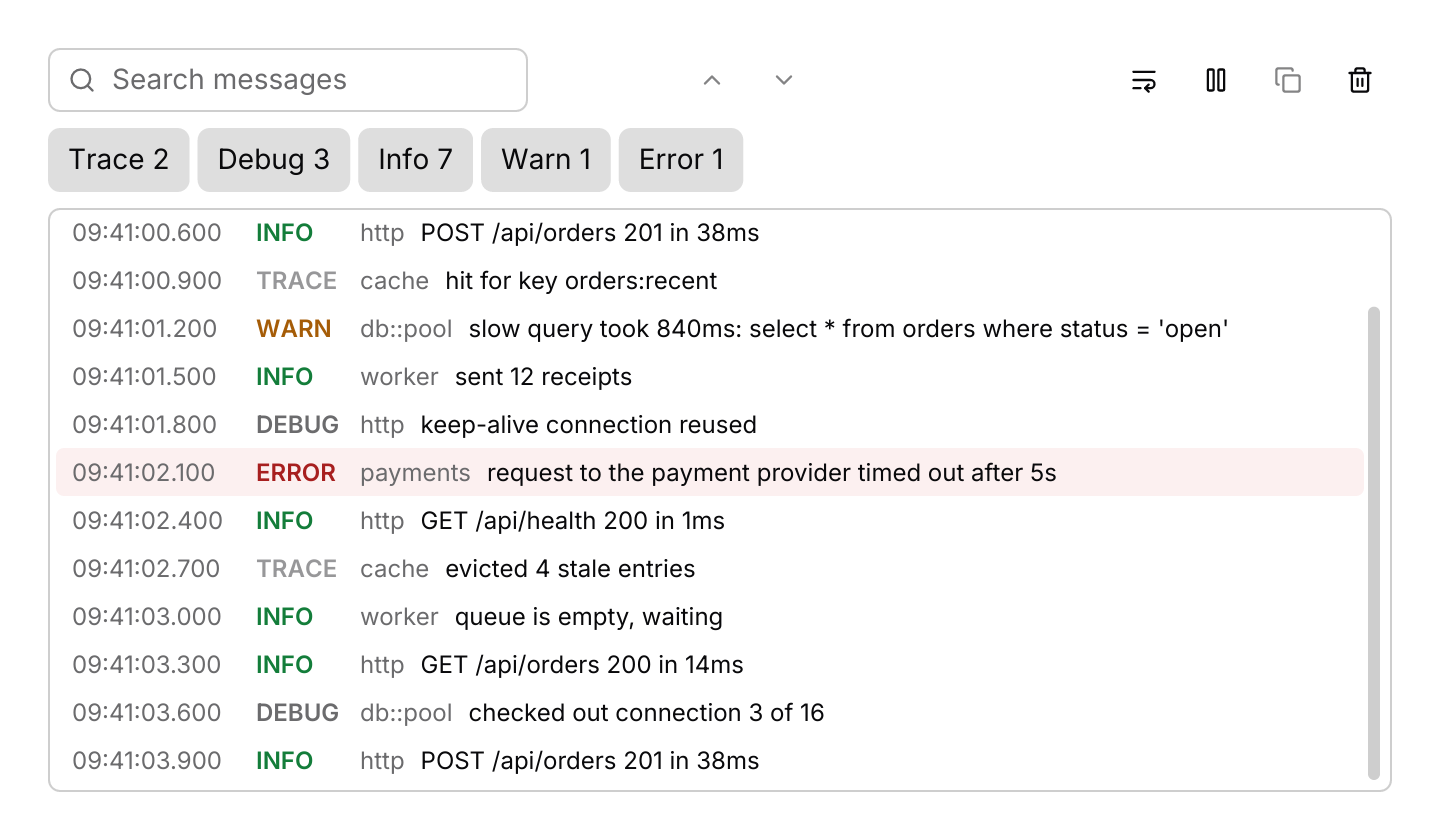
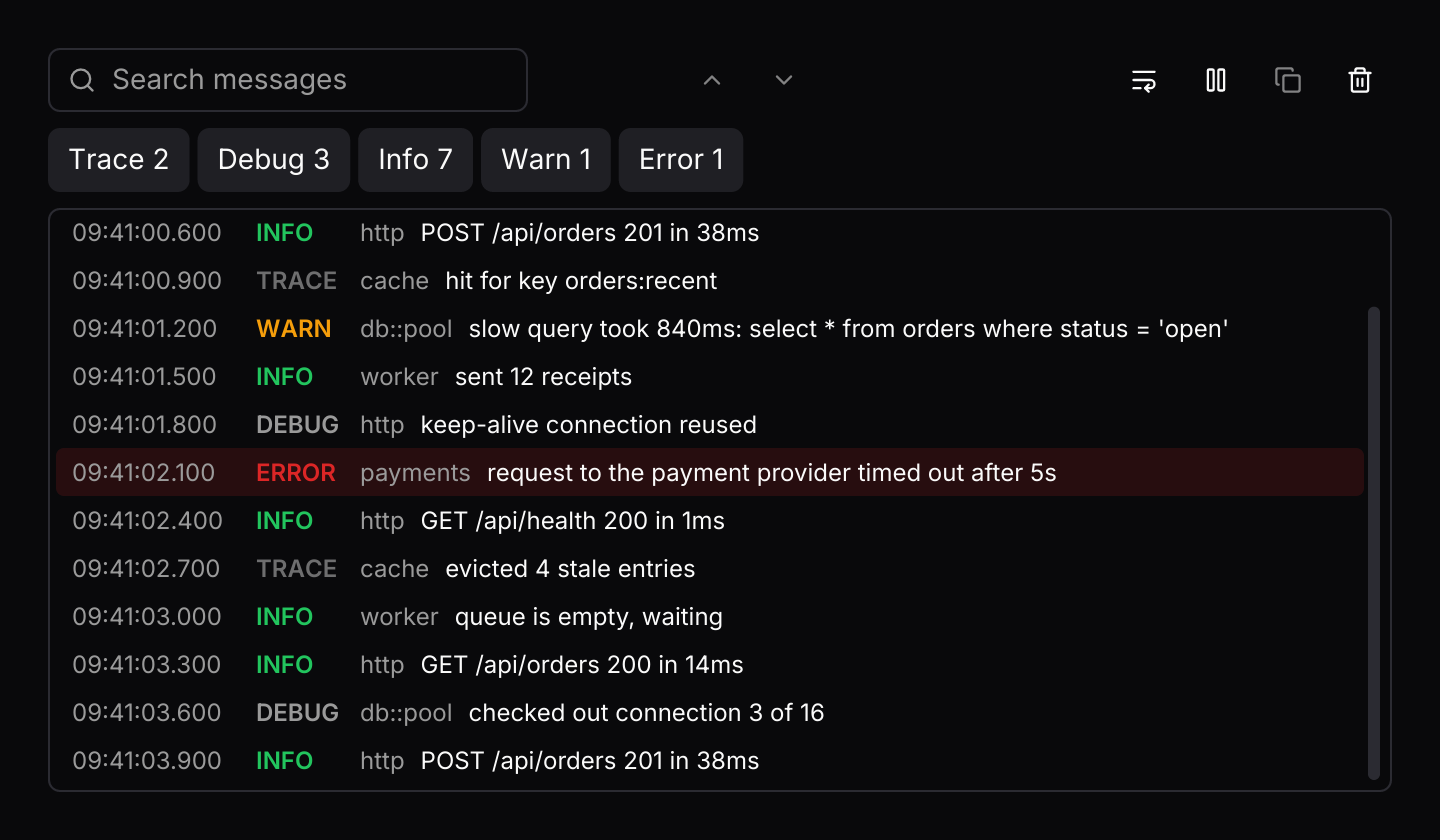
A live log that streams entries from threads or tasks, with level filters, search, follow, pause and copy, and a cap on how many lines it keeps.
use std::hash::{Hash, Hasher};
use std::time::Duration;

use futures_timer::Delay;
use iced::futures::{SinkExt, Stream, StreamExt, stream};
use iced::{Element, Subscription, Task};
use iced_cube::data::log_viewer::{self, Entry, Event, Level, Output, State, entry, log_viewer};

use crate::bridge;

#[derive(Debug, Clone)]
pub enum Message {
    Logs(Event),
}

#[derive(Debug)]
pub struct Example {
    logs: State,
    server: Option<Server>,
}

impl Default for Example {
    fn default() -> Self {
        // Keeps the newest 2,000 lines, so the log never grows without bound.
        let mut logs = State::new().with_limit(2000);
        logs.extend((0..14).map(line));

        Self { logs, server: None }
    }
}

impl Example {
    pub fn update(&mut self, message: Message) -> Task<Message> {
        let Message::Logs(event) = message;
        match self.logs.update(event) {
            Some(Output::Ready(sender)) => {
                self.server = Some(Server { sender });
                Task::none()
            }
            Some(Output::Copy(text)) => bridge::copy(text),
            Some(Output::FocusSearch) => log_viewer::focus_search(&self.logs),
            None => Task::none(),
        }
    }

    pub fn view(&self) -> Element<'_, Message> {
        log_viewer(&self.logs)
            .height(380)
            .on_event(Message::Logs)
            .into()
    }

    pub fn subscription(&self) -> Subscription<Message> {
        let server = match &self.server {
            Some(server) => Subscription::run_with(server.clone(), Server::run),
            None => Subscription::none(),
        };

        Subscription::batch([log_viewer::subscription().map(Message::Logs), server])
    }
}

/// A simulated server writing a few lines every 300 milliseconds. It holds
/// only a sender, as a worker thread would, and waits with futures-timer,
/// so it also runs in the browser.
#[derive(Debug, Clone)]
struct Server {
    sender: log_viewer::Sender,
}

impl Hash for Server {
    fn hash<H: Hasher>(&self, state: &mut H) {
        "server".hash(state);
    }
}

impl Server {
    fn run(&self) -> impl Stream<Item = Message> + use<> {
        let mut sender = self.sender.clone();

        stream::once(async move {
            let mut tick: u32 = 14;
            loop {
                Delay::new(Duration::from_millis(300)).await;
                for _ in 0..1 + tick % 3 {
                    if sender.send(line(tick)).await.is_err() {
                        return;
                    }
                    tick += 1;
                }
            }
        })
        .filter_map(|()| async { None::<Message> })
    }
}

/// The line written at `tick`, with a clock that starts at 09:41.
fn line(tick: u32) -> Entry {
    let (level, target, message) = match tick % 11 {
        0 => (Level::Info, "http", "GET /api/orders 200 in 14ms"),
        1 => (Level::Debug, "db::pool", "checked out connection 3 of 16"),
        2 => (Level::Info, "http", "POST /api/orders 201 in 38ms"),
        3 => (Level::Trace, "cache", "hit for key orders:recent"),
        4 => (
            Level::Warn,
            "db::pool",
            "slow query took 840ms: select * from orders where status = 'open'",
        ),
        5 => (Level::Info, "worker", "sent 12 receipts"),
        6 => (Level::Debug, "http", "keep-alive connection reused"),
        7 => (
            Level::Error,
            "payments",
            "request to the payment provider timed out after 5s",
        ),
        8 => (Level::Info, "http", "GET /api/health 200 in 1ms"),
        9 => (Level::Trace, "cache", "evicted 4 stale entries"),
        _ => (Level::Info, "worker", "queue is empty, waiting"),
    };
    let millis = 41 * 60_000 + tick * 300;
    let timestamp = format!(
        "09:{:02}:{:02}.{:03}",
        millis / 60_000,
        millis / 1000 % 60,
        millis % 1000
    );

    entry(level, message).timestamp(timestamp).target(target)
}Usage
A log viewer shows output from a running program as it happens. The app owns a log_viewer::State and routes the viewer’s events into it. log_viewer::subscription() owns a bounded channel and sends Event::Ready with its sender first; hand clones of the sender to threads or tasks and send entry(level, message) values through them. Entries arrive in batches, so a burst of lines costs one update rather than one per line.
The log keeps the newest 10,000 lines by default and drops the oldest after that, so memory stays bounded however long the program runs. Only the lines in view are built. It follows the newest line until you scroll up, then shows a button under the lines to jump back, with a count of the lines that arrived since. Pausing holds new lines back, bounded by the same limit, until you resume.
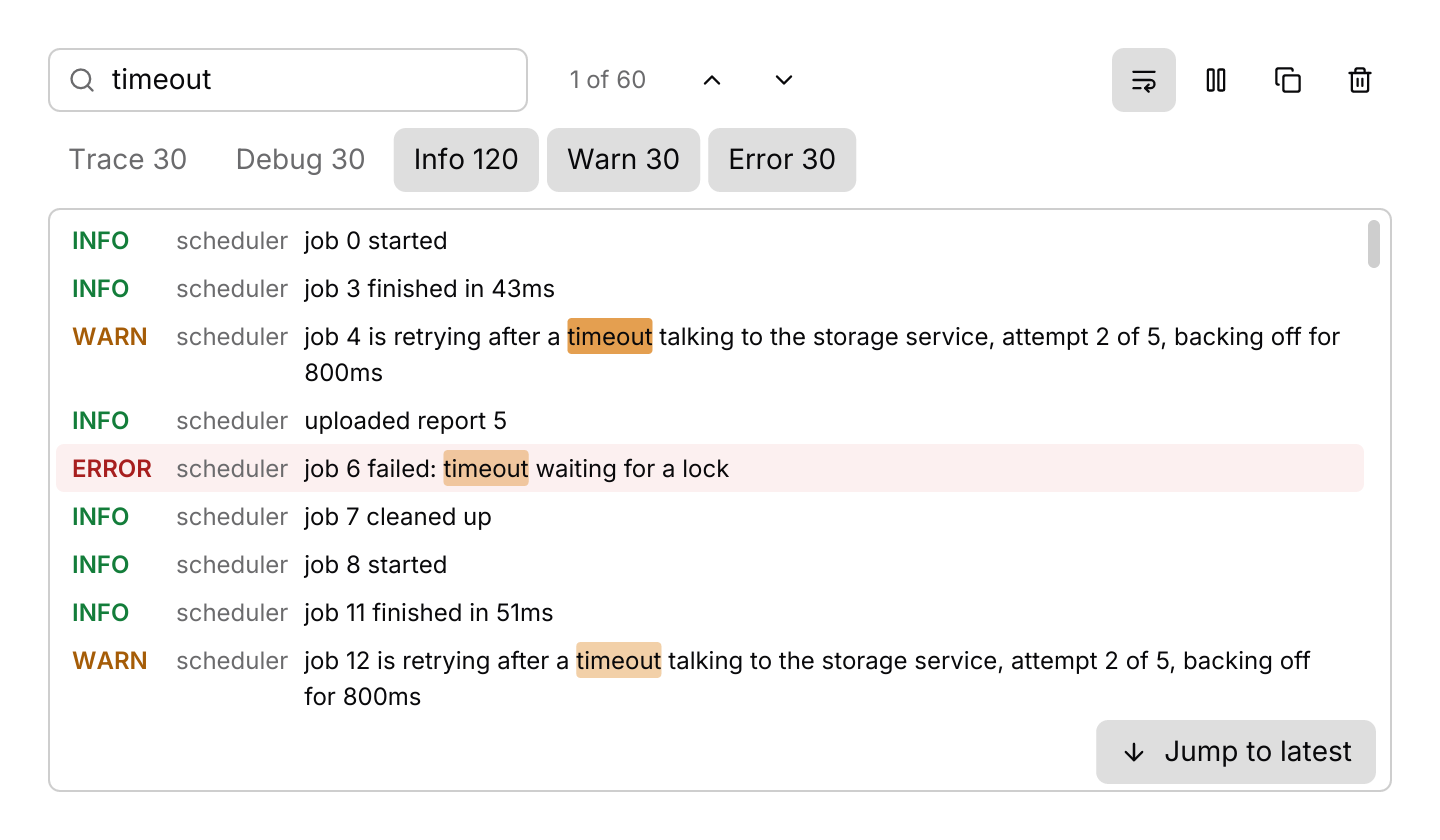
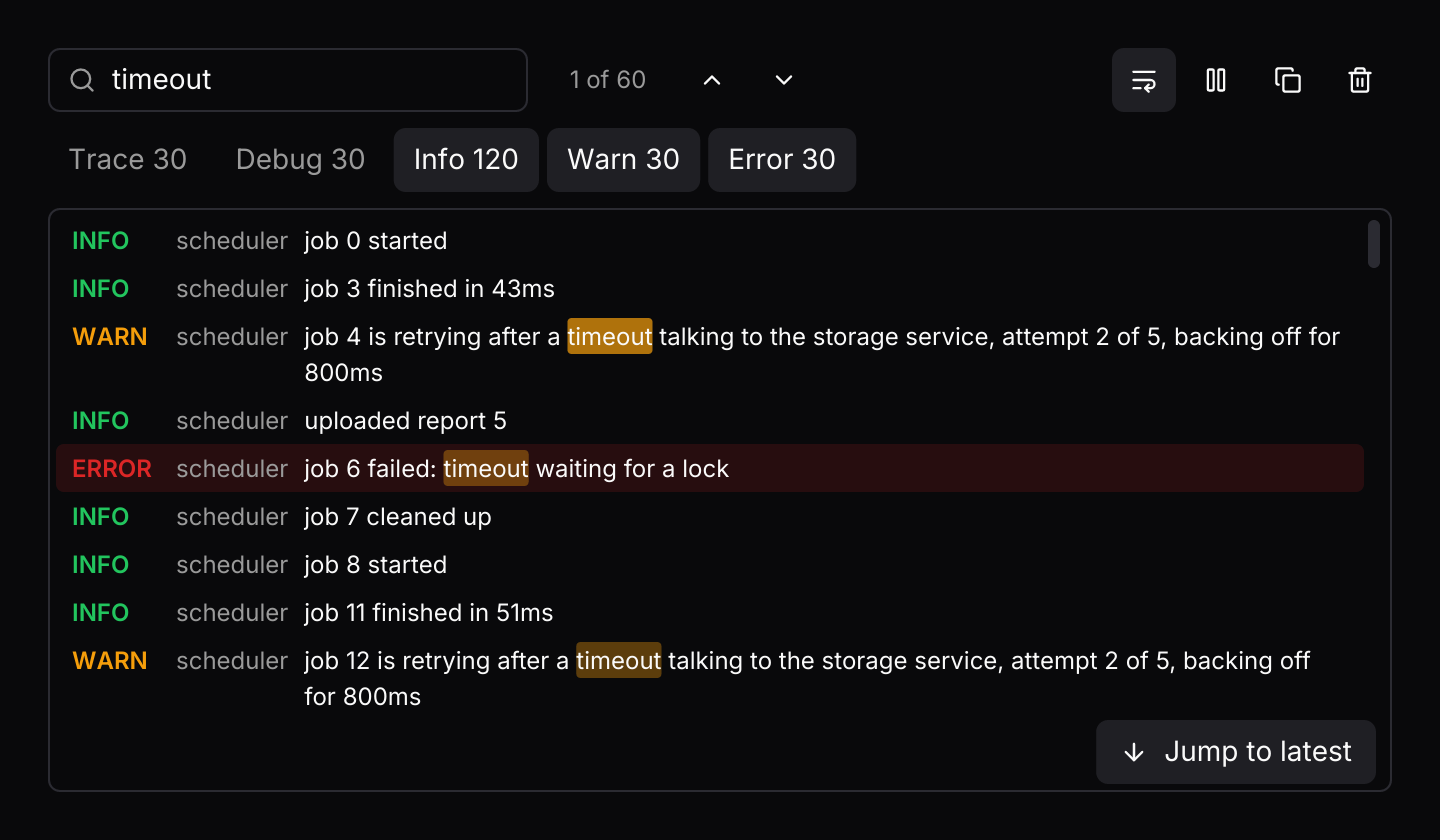
The level filters are a multiple-choice toggle group: each shows how many kept lines have its level, and is on while that level is shown. The search matches messages, ignoring the case of Latin letters, and marks every match. Typing moves to the nearest match at or after the highlighted line and scrolls it into view; with nothing highlighted it takes the newest match while following. The count beside the field reads “3 of 12” for the current match of all matches, “12 found” before one is current, and “None” when nothing matches, as in the JSON viewer. In the search field Enter or F3 moves to the next match and Shift+Enter or Shift+F3 to the previous, and F3 and Shift+F3 do the same anywhere in the log, wrapping at the ends. Ctrl+F in the field selects its text. Escape in the field clears the search, and a second Escape leaves the field. Long lines end in an ellipsis unless wrapping is on. Below 560 pixels the toolbar stacks and each message sits under its timestamp, level and target, so it keeps the full width.
Click, Shift and Ctrl select lines, as do Space and Shift with the arrows, and Ctrl+C or the copy button returns Output::Copy with them as plain text, one per line. The library never touches the clipboard itself: write the text with iced::clipboard::write or your own platform code. Ctrl+F returns Output::FocusSearch; answer it with log_viewer::focus_search(&state). Pause and wrap are toolbar buttons with no default shortcut; bind Action::TogglePause or Action::ToggleWrap in the keymap to add one.
.context_menu(&menu, on_event) gives every line a menu, keyed by its LineId, opened by a right-click, a press and hold or Shift+F10. The line it opened on carries the ring while the menu is open. log_viewer::menu() builds one that copies the line or its message and shows only the line’s level; turn the chosen entry into an event with MenuItem::event(id). A finger swipe scrolls the lines, and scrolling away from the newest line stops following.
The log resolves its keys while any part of it has focus, the search field included, which keeps the keys typing needs. Timestamps and levels sit in fixed columns so lines line up, and every part uses the font the app registers with theme::set_font.
Examples
Levels and search
Trace and debug lines are hidden and long lines wrap. The search marks every match, and Enter in the field, F3 or the arrows move between them.
use iced::{Element, Task};
use iced_cube::data::log_viewer::{self, Event, Level, Output, State, entry, log_viewer};

use crate::bridge;

#[derive(Debug, Clone)]
pub enum Message {
    Logs(Event),
}

#[derive(Debug)]
pub struct Example {
    logs: State,
}

impl Default for Example {
    fn default() -> Self {
        // Trace and debug lines are hidden, and the search marks every
        // line that mentions a timeout, starting at the first.
        let mut logs = State::new()
            .with_levels([Level::Info, Level::Warn, Level::Error])
            .with_wrap(true);
        logs.extend((0..240).map(|n| {
            let (level, message) = match n % 8 {
                0 => (Level::Info, format!("job {n} started")),
                1 => (Level::Debug, format!("job {n} read 3 inputs")),
                2 => (Level::Trace, format!("job {n} polled the queue")),
                3 => (
                    Level::Info,
                    format!("job {n} finished in {}ms", 40 + n % 50),
                ),
                4 => (
                    Level::Warn,
                    format!(
                        "job {n} is retrying after a timeout talking to the storage \
                         service, attempt 2 of 5, backing off for 800ms"
                    ),
                ),
                5 => (Level::Info, format!("uploaded report {n}")),
                6 => (
                    Level::Error,
                    format!("job {n} failed: timeout waiting for a lock"),
                ),
                _ => (Level::Info, format!("job {n} cleaned up")),
            };
            entry(level, message).target("scheduler")
        }));
        let _ = logs.update(Event::Search("timeout".into()));
        let _ = logs.update(Event::NextMatch);

        Self { logs }
    }
}

impl Example {
    pub fn update(&mut self, message: Message) -> Task<Message> {
        let Message::Logs(event) = message;
        match self.logs.update(event) {
            Some(Output::Copy(text)) => bridge::copy(text),
            Some(Output::FocusSearch) => log_viewer::focus_search(&self.logs),
            _ => Task::none(),
        }
    }

    pub fn view(&self) -> Element<'_, Message> {
        log_viewer(&self.logs)
            .height(380)
            .on_event(Message::Logs)
            .into()
    }
}Keyboard shortcuts
The default keymap with J and K added, and a context menu on every line. The log resolves keys while any part of it has focus, and copying hands the text to the app.
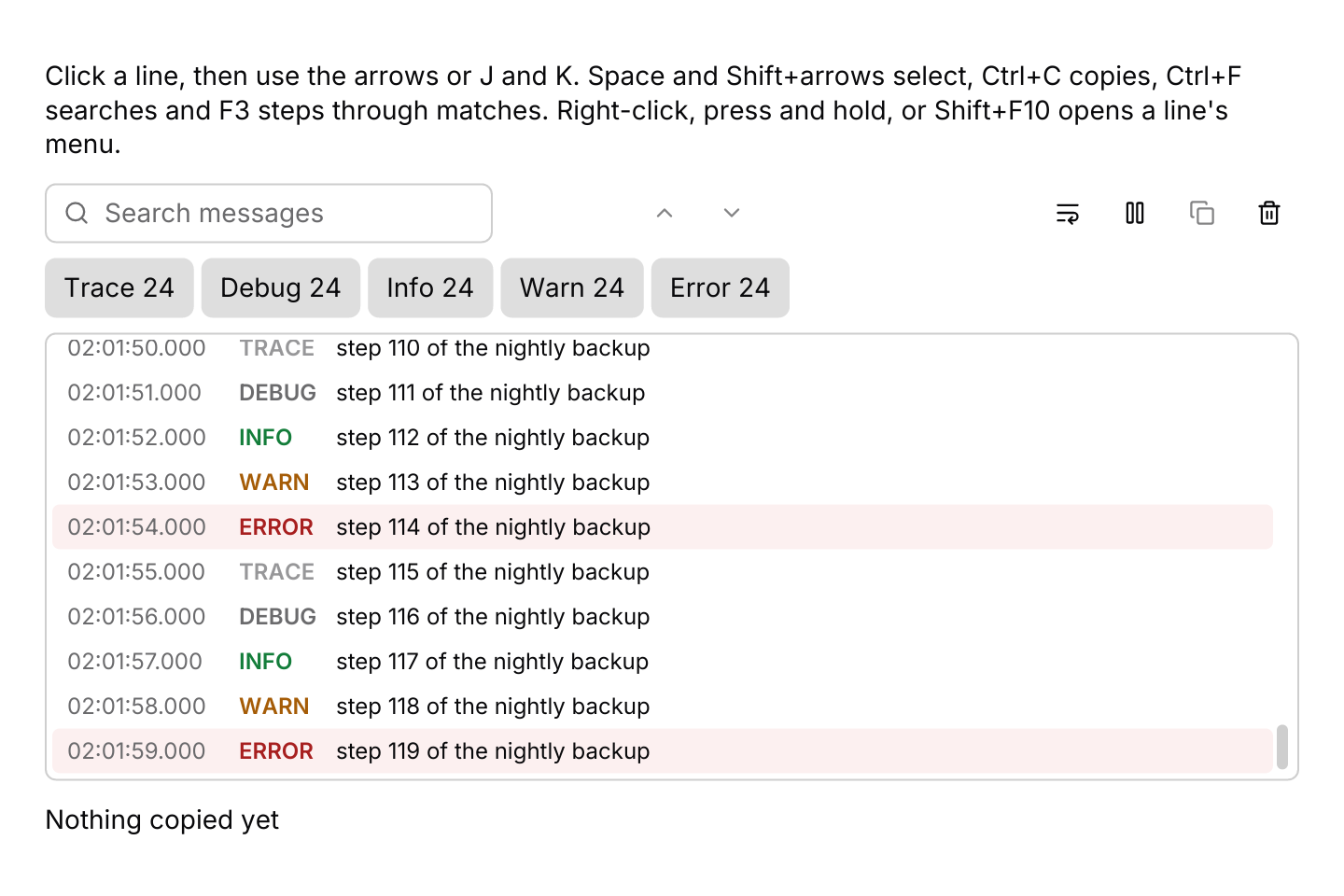
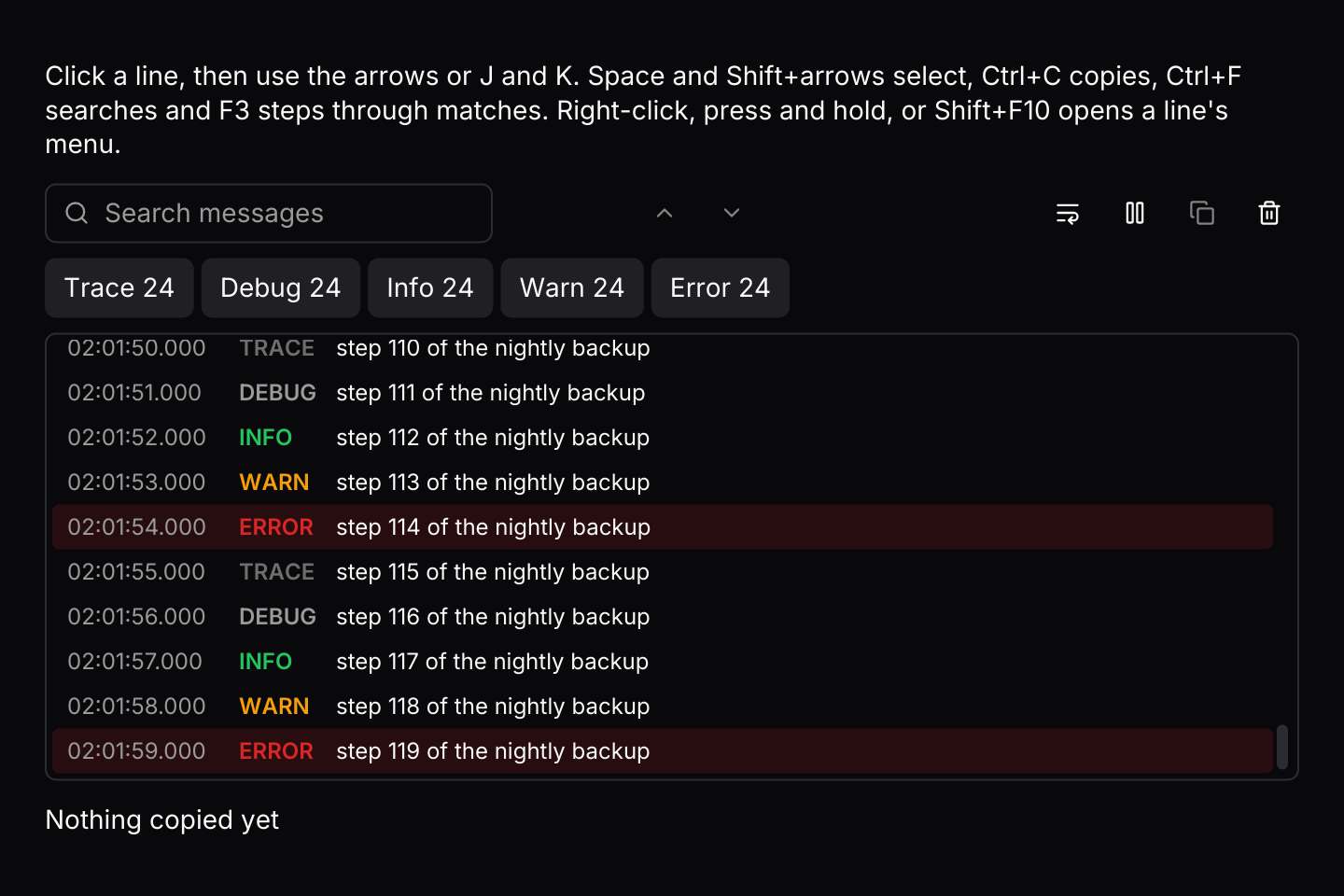
use iced::widget::{column, text};
use iced::{Element, Task};
use iced_cube::context_menu;
use iced_cube::data::log_viewer::{
    self, Action, Event, Level, LineId, MenuItem, Output, State, entry, log_viewer,
};
use iced_cube::dropdown_menu;
use iced_cube::keys::{Chord, Keymap};
use iced_cube::theme::text_size;

use crate::bridge;

#[derive(Debug, Clone)]
pub enum Message {
    Logs(Event),
    Menu(context_menu::Event<MenuItem, LineId>),
}

#[derive(Debug)]
pub struct Example {
    logs: State,
    menu: context_menu::State<MenuItem, LineId>,
    keymap: Keymap<Action>,
    copied: String,
}

impl Default for Example {
    fn default() -> Self {
        let mut logs = State::new();
        logs.extend((0..120).map(|n| {
            let level = Level::ALL[n % Level::ALL.len()];
            entry(level, format!("step {n} of the nightly backup")).timestamp(format!(
                "02:{:02}:{:02}.000",
                n / 60,
                n % 60
            ))
        }));

        // The defaults, plus J and K.
        let keymap = log_viewer::default_keymap()
            .bind(Chord::character('j'), Action::Next)
            .bind(Chord::character('k'), Action::Previous);

        Self {
            logs,
            menu: log_viewer::menu(),
            keymap,
            copied: "Nothing copied yet".into(),
        }
    }
}

impl Example {
    pub fn update(&mut self, message: Message) -> Task<Message> {
        match message {
            Message::Logs(event) => self.logs(event),
            Message::Menu(event) => {
                let chosen = self.menu.update(event);
                match (chosen, self.menu.target()) {
                    (Some(dropdown_menu::Output::Activated(item)), Some(&id)) => {
                        self.logs(item.event(id))
                    }
                    _ => Task::none(),
                }
            }
        }
    }

    fn logs(&mut self, event: Event) -> Task<Message> {
        match self.logs.update(event) {
            Some(Output::Copy(lines)) => {
                self.copied = format!("Copied {} line(s)", lines.lines().count());
                bridge::copy(lines)
            }
            Some(Output::FocusSearch) => log_viewer::focus_search(&self.logs),
            _ => Task::none(),
        }
    }

    pub fn view(&self) -> Element<'_, Message> {
        column![
            text(
                "Click a line, then use the arrows or J and K. Space and Shift+arrows select, \
                 Ctrl+C copies, Ctrl+F searches and F3 steps through matches. Right-click, \
                 press and hold, or Shift+F10 opens a line's menu."
            )
            .size(text_size::SM),
            log_viewer(&self.logs)
                .keymap(self.keymap.clone())
                .context_menu(&self.menu, Message::Menu)
                .height(320)
                .on_event(Message::Logs),
            text(&self.copied).size(text_size::SM),
        ]
        .spacing(12)
        .into()
    }
}API
| Item | Description |
|---|---|
State:: | An empty log that keeps 10,000 lines, shows every level and follows the newest line. |
.with_limit(n) / .with_levels(levels) / .with_wrap(bool) / .with_search_id(id) | The most lines kept, the levels shown, whether long lines wrap, and the search field's widget id when several logs share a screen. |
entry(level, message) | One line. Add .timestamp(text) and .target(text); the timestamp is shown as given, so the app picks the format. |
state.update(Event) | Handles arriving entries, presses, the search, filters, follow, pause, wrap, clear and the keyboard. Returns Output::Ready(sender) once the channel is open, Copy(text) for the clipboard and FocusSearch. |
state.extend(entries) | Appends entries directly, as the channel does. While paused they are held back. |
log_viewer:: | The channel entries arrive on. It sends Event::Ready(sender) first; producers send entries through clones of the sender, and they arrive in batches as Event::Received. |
log_viewer:: | The task that focuses the search field, for answering Output::FocusSearch. |
log_viewer:: | The text beside the search field: "3 of 12" for the current match of all matches, "12 found" before one is current, or "None". |
state.levels() | The level filters as a multiple-choice toggle group, each labelled with its count. |
state.entries() / state.visible() / state.entry(id) | Every kept entry, the ids of the lines shown, and one entry by id. |
state.count(level) / state.matches() / state.current_match() | How many kept lines have a level, the lines matching the search, and the match the search last moved to with its position. |
state.selected() / state.can_copy() / state.copy_text() | The selected lines, whether there is anything to copy, and the text Event::CopySelection returns: the selection, or the highlighted line. |
state.is_following() / state.is_paused() / state.pending() / state.unseen() | Whether the log follows its newest line, whether it is paused, how many lines are held back, and how many arrived since it stopped following. |
log_viewer(&state) | Renders the toolbar and the lines. Everything renders disabled until .on_event is set. |
.width(length) / .height(length) | The log's size, toolbar included. It fills by default. |
.toolbar(bool) / .placeholder(text) / .empty(text) | Hides the toolbar, which leaves its actions on the keyboard, and sets the search placeholder and what shows with no lines. |
.keymap(keymap) | Replaces the default keymap the focused log resolves keys with. |
.context_menu(&menu, on_event) / .context_menu_keymap(keymap) | Gives every line a context menu keyed by its LineId, opened with a right-click, a long press or Shift+F10 on the highlighted line, and replaces the menu's keymap. |
log_viewer:: | A ready-made menu (Copy line, Copy message, Show only this level), and the Event the chosen entry sends for the line it opened on. |
log_viewer:: | The default shortcuts, and the Event a resolved Action sends. State::key_event does both. |
log_viewer:: | The colour of each level's tag, and a line's colours: list row colours, a tint on error lines and the search marks, stronger on the current match. |
Keyboard
Default shortcuts. Every one can be changed or removed with a keymap; see Keyboard shortcuts.
| Keys | Action |
|---|---|
| ArrowDown | Next Highlights the next line. |
| ArrowUp | Previous Highlights the previous line. |
| Home | First Highlights the oldest line. |
| End | Last Jumps to the newest line and follows new ones. |
| PageDown | NextPage Moves the highlight down by a page of lines. |
| PageUp | PreviousPage Moves the highlight up by a page of lines. |
| Shift+ArrowDown | ExtendNext Moves down and extends the selection. |
| Shift+ArrowUp | ExtendPrevious Moves up and extends the selection. |
| Space | Select Selects or deselects the highlighted line. |
| Ctrl+A | SelectAll Selects every shown line. |
| Ctrl+C | CopySelection Copies the selected lines, or the highlighted one. |
| Ctrl+F | FocusSearch Focuses the search field. |
| F3 | NextMatch Moves to the next line matching the search. |
| Shift+F3 | PreviousMatch Moves to the previous line matching the search. |
| Escape | ClearSearch Clears the search. |
| Ctrl+L | Clear Removes every line. |
| Enter / Shift+Enter, F3 / Shift+F3 | In the search field, moves to the next or previous match. |
| Ctrl+F (Cmd+F on macOS) | In the search field, selects its text. |
| Escape | In the search field, clears the text; a second Escape leaves the field. |