Navigation
Pagination
Moves through a long list one page at a time.


use iced::widget::{column, text};
use iced::{Alignment, Element};
use iced_cube::navigation::pagination::{self, State, pagination};

const RESULTS: usize = 386;
const PER_PAGE: usize = 20;

#[derive(Debug, Clone)]
pub enum Message {
    Page(pagination::Event),
}

#[derive(Debug)]
pub struct Example {
    pages: State,
}

impl Default for Example {
    fn default() -> Self {
        Self {
            pages: State::for_items(RESULTS, PER_PAGE).with_page(6),
        }
    }
}

impl Example {
    pub fn update(&mut self, message: Message) {
        let Message::Page(event) = message;
        let _ = self.pages.update(event);
    }

    pub fn view(&self) -> Element<'_, Message> {
        let shown = self.pages.range(RESULTS, PER_PAGE);
        let summary = format!("Results {} to {} of {RESULTS}", shown.start + 1, shown.end);

        column![
            pagination(&self.pages).on_event(Message::Page),
            text(summary).size(14),
        ]
        .spacing(12)
        .align_x(Alignment::Center)
        .into()
    }
}Usage
The app owns a pagination::State and routes events into it, then shows the slice of its list that state.range(items, per_page) returns. The control only moves the page, so the list can be anything from table rows to search results.
The numbered layout always shows the first and last pages and the ones next to the current page, with a gap for the rest. Once there are enough pages for a gap, it always shows the same number of slots, so the buttons stay put under the pointer as the page changes. Page numbers of three or more digits widen their buttons a little. When the space is too narrow, as on a phone, it drops the neighbouring pages and then falls back to the compact layout.
Use the compact layout under short lists, in panels and in dialogs, where the page count matters more than jumping to a particular page.
Examples
Compact
A position label between first, previous, next and last buttons, paging a short list.
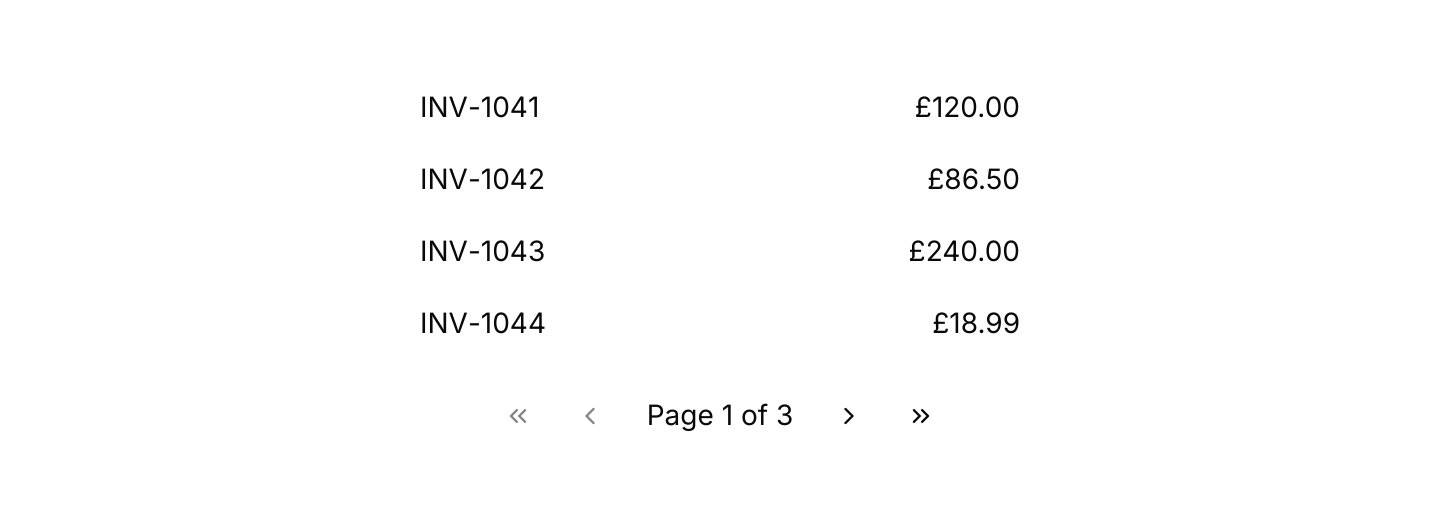
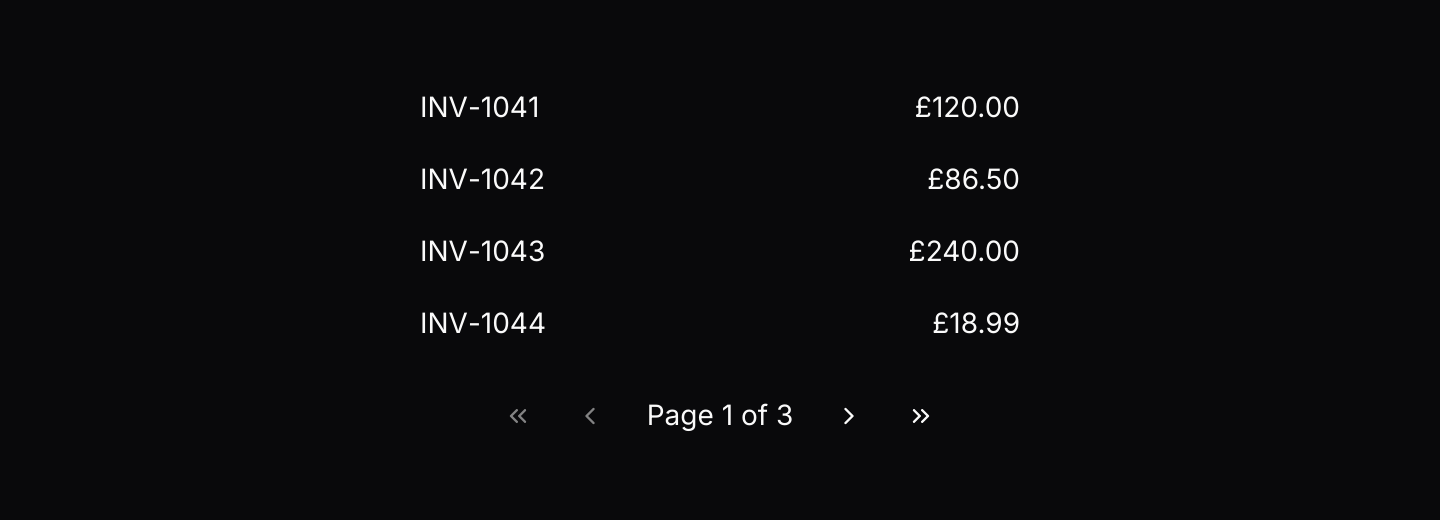
use iced::widget::{column, row, space, text};
use iced::{Alignment, Element, Length};
use iced_cube::navigation::pagination::{self, State, Variant, pagination};
use iced_cube::primitives::button::Size;

const INVOICES: [(&str, &str); 11] = [
    ("INV-1041", "£120.00"),
    ("INV-1042", "£86.50"),
    ("INV-1043", "£240.00"),
    ("INV-1044", "£18.99"),
    ("INV-1045", "£302.10"),
    ("INV-1046", "£75.00"),
    ("INV-1047", "£64.20"),
    ("INV-1048", "£150.00"),
    ("INV-1049", "£9.99"),
    ("INV-1050", "£410.00"),
    ("INV-1051", "£33.40"),
];
const PER_PAGE: usize = 4;

#[derive(Debug, Clone)]
pub enum Message {
    Page(pagination::Event),
}

#[derive(Debug)]
pub struct Example {
    pages: State,
}

impl Default for Example {
    fn default() -> Self {
        Self {
            pages: State::for_items(INVOICES.len(), PER_PAGE),
        }
    }
}

impl Example {
    pub fn update(&mut self, message: Message) {
        let Message::Page(event) = message;
        let _ = self.pages.update(event);
    }

    pub fn view(&self) -> Element<'_, Message> {
        let rows = INVOICES[self.pages.range(INVOICES.len(), PER_PAGE)]
            .iter()
            .map(|(number, amount)| {
                row![
                    text(*number).size(14),
                    space::horizontal(),
                    text(*amount).size(14),
                ]
                .height(36)
                .align_y(Alignment::Center)
                .into()
            });

        column![
            column(rows).height(Length::Fixed(4.0 * 36.0)),
            pagination(&self.pages)
                .variant(Variant::Compact)
                .size(Size::Sm)
                .on_event(Message::Page),
        ]
        .spacing(12)
        .align_x(Alignment::Center)
        .width(Length::Fill)
        .max_width(300)
        .into()
    }
}Keyboard shortcuts
Page Up, Page Down, Ctrl+Home and Ctrl+End through the default keymap.


use iced::widget::{column, text};
use iced::{Alignment, Element, Subscription};
use iced_cube::keys::{self, Keymap};
use iced_cube::navigation::pagination::{self, Action, Event, State, pagination};

#[derive(Debug, Clone)]
pub enum Message {
    Page(Event),
    Key(keys::Event),
}

#[derive(Debug)]
pub struct Example {
    pages: State,
    keymap: Keymap<Action>,
}

impl Default for Example {
    fn default() -> Self {
        Self {
            pages: State::new(12).with_page(4),
            keymap: pagination::default_keymap(),
        }
    }
}

impl Example {
    pub fn update(&mut self, message: Message) {
        let event = match message {
            Message::Page(event) => Some(event),
            Message::Key(key) => self
                .keymap
                .resolve_event(&key)
                .and_then(|action| action.event(&self.pages)),
        };
        if let Some(event) = event {
            let _ = self.pages.update(event);
        }
    }

    pub fn view(&self) -> Element<'_, Message> {
        column![
            pagination(&self.pages).on_event(Message::Page),
            text("Page Up and Page Down step a page.").size(14),
            text("Ctrl+Home and Ctrl+End jump.").size(14),
        ]
        .spacing(8)
        .align_x(Alignment::Center)
        .into()
    }

    pub fn subscription(&self) -> Subscription<Message> {
        keys::subscription().map(Message::Key)
    }
}API
| Item | Description |
|---|---|
State:: | Starts on page 1. Pages count from 1 and there is always at least one. |
.with_page(page) | Starts on a given page, kept within range. |
state.update(Event) | Select(page), Next, Previous, First or Last. Returns the new page when it changed. |
state.page() / state.pages() | The current page and the page count. |
state.range(items, per_page) | The indices of the items on the current page, for slicing your list. |
state.set_pages(pages) | Changes the page count, such as after a filter, and moves the current page back into range. |
pagination(&state) | Renders the controls. They render disabled until .on_event is set. |
.variant(Variant) | Numbers, page numbers between previous and next buttons, or Compact, "Page 3 of 12" between first, previous, next and last buttons. Defaults to Numbers. |
.siblings(n) | How many pages to show on each side of the current one. Defaults to 1. |
.size(Size) | The button Size: Sm, Md or Lg. Defaults to Md. |
.on_event(f) | Maps pagination events to your message, such as Message::Page. |
pagination:: | The page numbers and gaps the numbered layout shows, for custom layouts. |
pagination:: | The default shortcuts as a Keymap<Action>. Bind, unbind or clear chords to change them. |
action.event(&state) | Turns a resolved Action (Next, Previous, First or Last) into the Event to pass to state.update, or None at that end already. |
Keyboard
Default shortcuts. Every one can be changed or removed with a keymap; see Keyboard shortcuts.
| Keys | Action |
|---|---|
| PageDown | Next Goes to the next page. |
| PageUp | Previous Goes to the previous page. |
| Ctrl+Home | First Goes to the first page. |
| Ctrl+End | Last Goes to the last page. |