Overlays
Toast
Short notifications that stack in a corner and close by themselves.
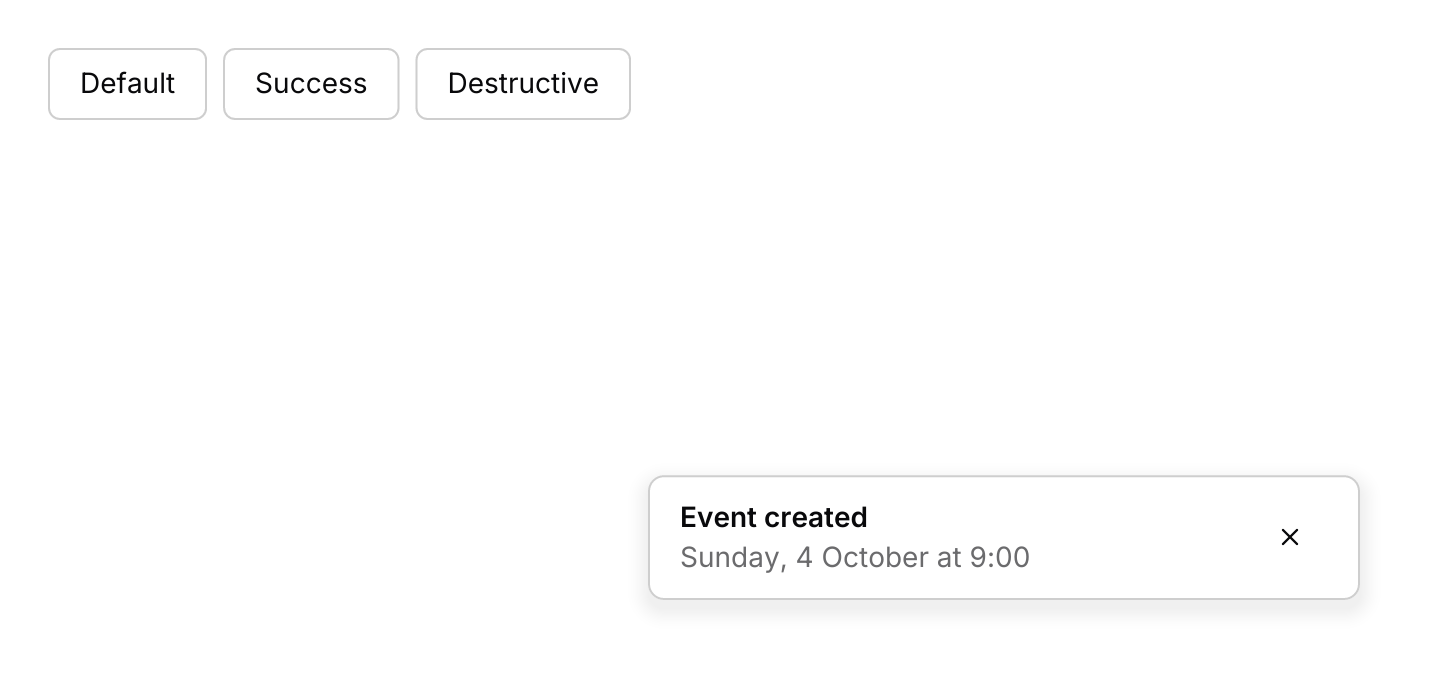
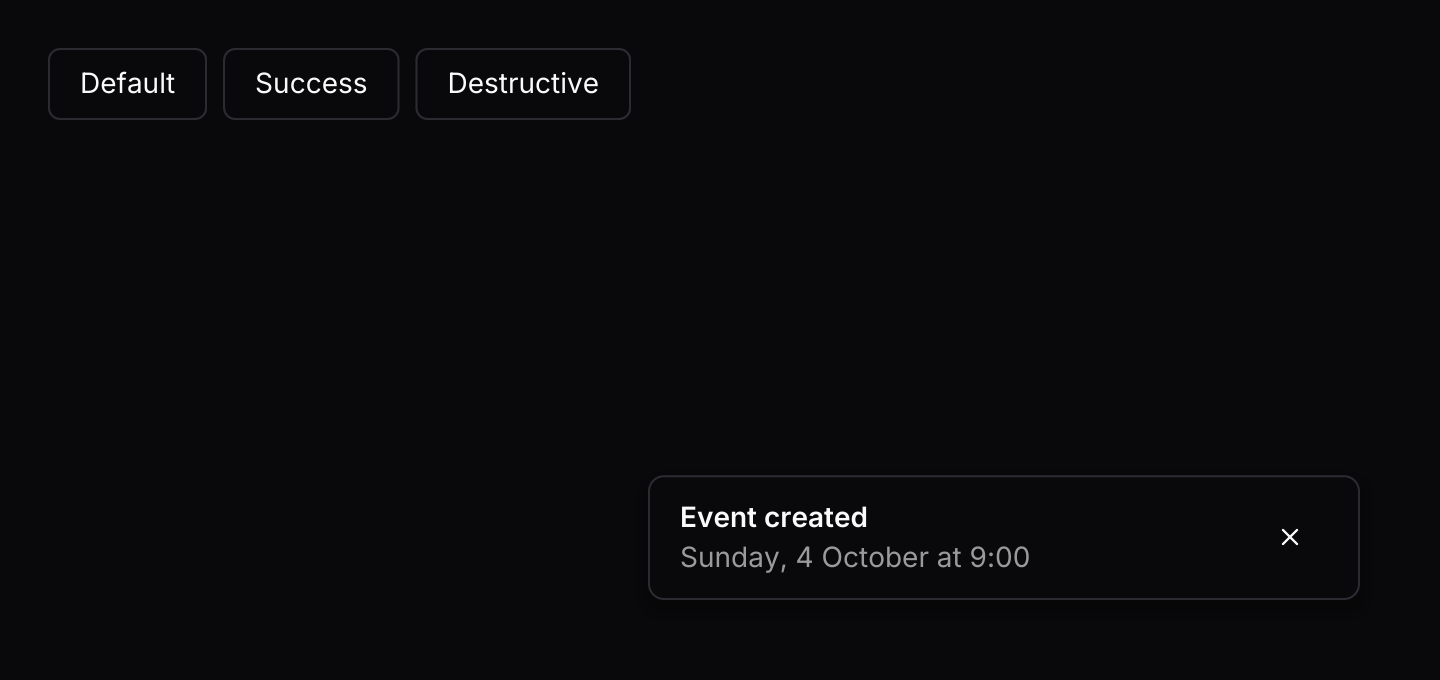
use iced::widget::row;
use iced::{Element, Subscription};
use iced_cube::button;
use iced_cube::overlay::toast::{self, Variant, toast, toasts};
use iced_cube::primitives::button::Variant as ButtonVariant;

#[derive(Debug, Clone)]
pub enum Message {
    Show(Variant),
    Toast(toast::Event),
}

#[derive(Debug)]
pub struct Example {
    toasts: toast::State,
}

impl Default for Example {
    fn default() -> Self {
        let mut toasts = toast::State::new();
        toasts.push(toast("Event created").description("Sunday, 4 October at 9:00"));
        Self { toasts }
    }
}

impl Example {
    pub fn update(&mut self, message: Message) {
        match message {
            Message::Show(variant) => {
                let toast = match variant {
                    Variant::Default => {
                        toast("Event created").description("Sunday, 4 October at 9:00")
                    }
                    Variant::Success => {
                        toast("Profile saved").description("Your changes are live.")
                    }
                    Variant::Destructive => {
                        toast("Payment declined").description("Check your card details.")
                    }
                };
                self.toasts.push(toast.variant(variant));
            }
            Message::Toast(event) => {
                let _ = self.toasts.update(event);
            }
        }
    }

    pub fn view(&self) -> Element<'_, Message> {
        let buttons = row(Variant::ALL.map(|variant| {
            button(format!("{variant:?}"))
                .variant(ButtonVariant::Outline)
                .on_press(Message::Show(variant))
                .into()
        }))
        .spacing(8)
        .wrap();

        toasts(&self.toasts, buttons)
            .on_event(Message::Toast)
            .into()
    }

    pub fn subscription(&self) -> Subscription<Message> {
        toast::timer(&self.toasts).map(Message::Toast)
    }
}Usage
Toasts often come from work running off the UI thread, such as a download or a sync. They reach the app through a bounded channel rather than shared state:
toast::subscription()creates the channel and owns the receiver. Its first event isReadywith the sender.- The app keeps the sender and gives a clone to each producer.
- The subscription delivers whatever is waiting in the channel in batches of up to 16, so a burst causes a handful of redraws rather than one per toast.
toast::timeronly runs while a toast is counting down.
A whole app that raises a toast from a worker thread:
use iced::{Element, Subscription};
use iced_cube::button;
use iced_cube::overlay::toast::{self, toast, toasts};

#[derive(Debug, Clone)]
enum Message {
    Toast(toast::Event),
    Export,
}

#[derive(Default)]
struct App {
    toasts: toast::State,
    sender: Option<toast::Sender>,
}

impl App {
    fn update(&mut self, message: Message) {
        match message {
            Message::Toast(event) => {
                if let Some(toast::Output::Ready(sender)) = self.toasts.update(event) {
                    self.sender = Some(sender);
                }
            }
            Message::Export => {
                let Some(mut sender) = self.sender.clone() else {
                    return;
                };
                std::thread::spawn(move || {
                    // Do the work, then report back. try_send drops the
                    // toast if the channel is full.
                    let _ = sender.try_send(toast("Export finished"));
                });
            }
        }
    }

    fn view(&self) -> Element<'_, Message> {
        toasts(&self.toasts, button("Export").on_press(Message::Export))
            .on_event(Message::Toast)
            .into()
    }

    fn subscription(&self) -> Subscription<Message> {
        Subscription::batch([toast::subscription(), toast::timer(&self.toasts)])
            .map(Message::Toast)
    }
}

fn main() -> iced::Result {
    iced::application(App::default, App::update, App::view)
        .subscription(App::subscription)
        .run()
}
Subscriptions covers sending from async code, waiting for room instead of dropping, and how the timer stays idle.
An Undo button needs to know what to undo. Rather than keeping toast ids and matching them, queue the toast with state.push_with(toast, message) on a toast::State<Message>. When the button is pressed, update returns Output::Payload(message), and you handle it like any other message, as the action example does. If the toast is dismissed or times out, the message is dropped with it. Payloads only go through push_with on the UI thread; toasts from the channel have none.
Undo is easy to miss, so a toast with an action gets more room than the rest. It stays at least ten seconds, it goes ahead of any toasts waiting their turn (taking the place of the newest plain toast if all three slots are full), and Alt+Z presses its button through the keymap. Every countdown pauses while the pointer is over the toasts, so nothing closes as you reach for it.
Time only enters the queue through Tick, so the queue is easy to test: push toasts, call state.tick(now) with any instant, and check what is left. A toast starts counting down when it becomes visible, not when it arrives.
The background job example uses an async stream that waits with futures-timer instead of a thread, so it also runs in the browser.
Examples
Background job
A producer sends toasts through the channel. It waits with futures-timer rather than a thread, so it also runs in the browser.
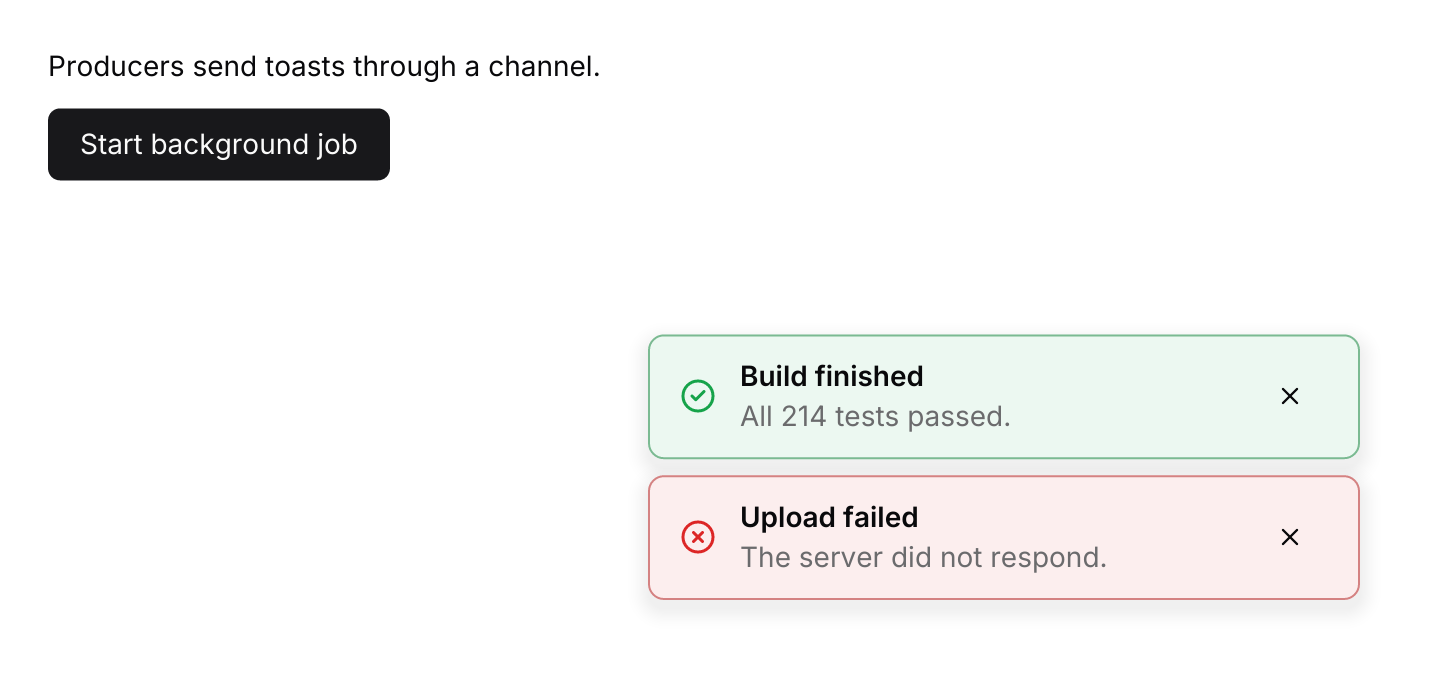
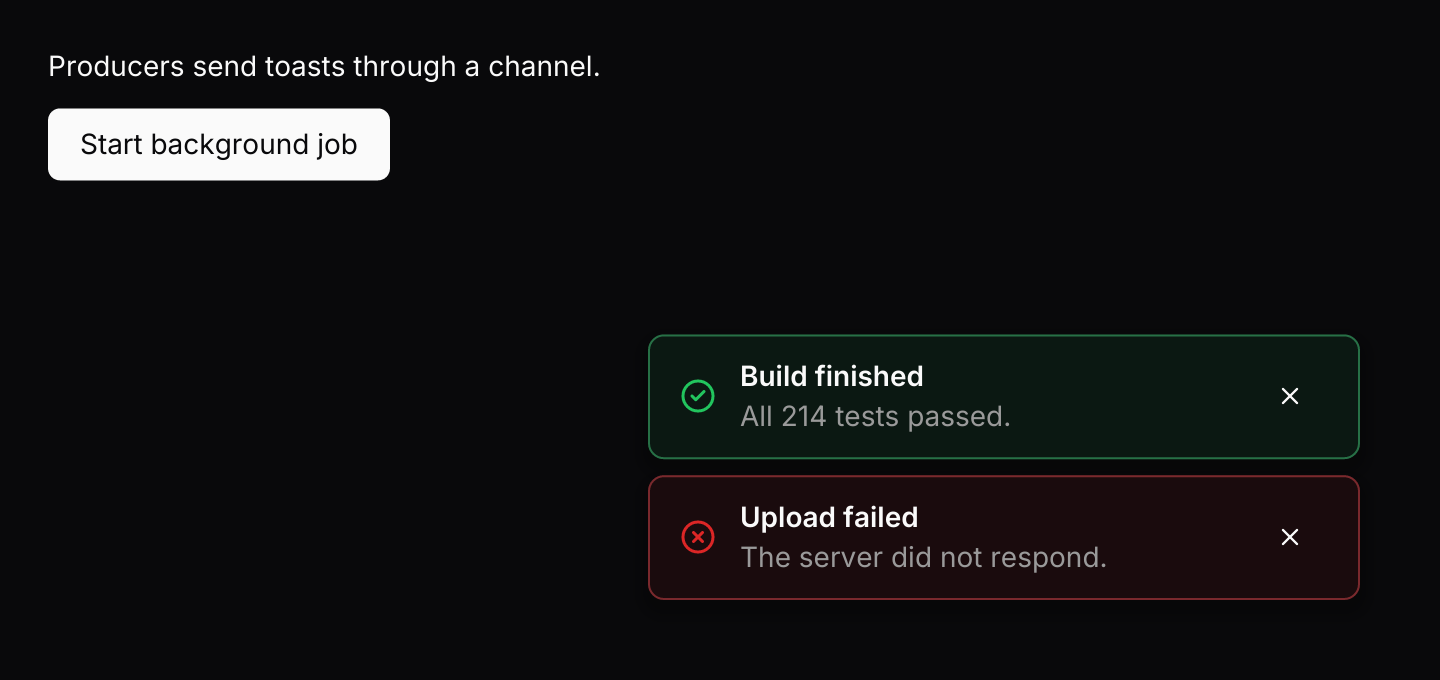
use std::hash::{Hash, Hasher};
use std::time::Duration;

use futures_timer::Delay;
use iced::futures::{SinkExt, Stream, stream};
use iced::widget::{column, text};
use iced::{Element, Subscription};
use iced_cube::button;
use iced_cube::overlay::toast::{self, Variant, toast, toasts};

#[derive(Debug, Clone)]
pub enum Message {
    Toast(toast::Event),
    StartJob,
    JobFinished,
}

#[derive(Debug)]
pub struct Example {
    toasts: toast::State,
    sender: Option<toast::Sender>,
    job: Option<Job>,
    runs: u64,
}

impl Default for Example {
    fn default() -> Self {
        let mut toasts = toast::State::new();
        toasts.push(
            toast("Build finished")
                .description("All 214 tests passed.")
                .variant(Variant::Success),
        );
        toasts.push(
            toast("Upload failed")
                .description("The server did not respond.")
                .variant(Variant::Destructive),
        );

        Self {
            toasts,
            sender: None,
            job: None,
            runs: 0,
        }
    }
}

impl Example {
    pub fn update(&mut self, message: Message) {
        match message {
            Message::Toast(event) => {
                if let Some(toast::Output::Ready(sender)) = self.toasts.update(event) {
                    self.sender = Some(sender);
                }
            }
            Message::StartJob => {
                let Some(sender) = self.sender.clone() else {
                    return;
                };
                self.runs += 1;
                self.job = Some(Job {
                    run: self.runs,
                    sender,
                });
            }
            Message::JobFinished => self.job = None,
        }
    }

    pub fn view(&self) -> Element<'_, Message> {
        let status = if self.job.is_some() {
            "The job is sending progress through the channel."
        } else {
            "Producers send toasts through a channel."
        };
        let start = self.job.is_none().then_some(Message::StartJob);

        let content = column![
            text(status).size(14),
            button("Start background job").on_press_maybe(start),
        ]
        .spacing(12);

        toasts(&self.toasts, content)
            .on_event(Message::Toast)
            .into()
    }

    pub fn subscription(&self) -> Subscription<Message> {
        let job = match &self.job {
            Some(job) => Subscription::run_with(job.clone(), Job::run),
            None => Subscription::none(),
        };

        Subscription::batch([
            toast::subscription().map(Message::Toast),
            toast::timer(&self.toasts).map(Message::Toast),
            job,
        ])
    }
}

/// Simulated work that only holds a sender, like a worker thread would.
#[derive(Debug, Clone)]
struct Job {
    run: u64,
    sender: toast::Sender,
}

impl Hash for Job {
    fn hash<H: Hasher>(&self, state: &mut H) {
        self.run.hash(state);
    }
}

impl Job {
    fn run(&self) -> impl Stream<Item = Message> + use<> {
        let mut sender = self.sender.clone();

        stream::once(async move {
            for step in 1..=3 {
                Delay::new(Duration::from_millis(900)).await;
                let _ = sender
                    .send(toast(format!("Step {step} of 3 complete")))
                    .await;
            }
            let _ = sender
                .send(toast("Job finished").variant(Variant::Success))
                .await;
            Message::JobFinished
        })
    }
}With action
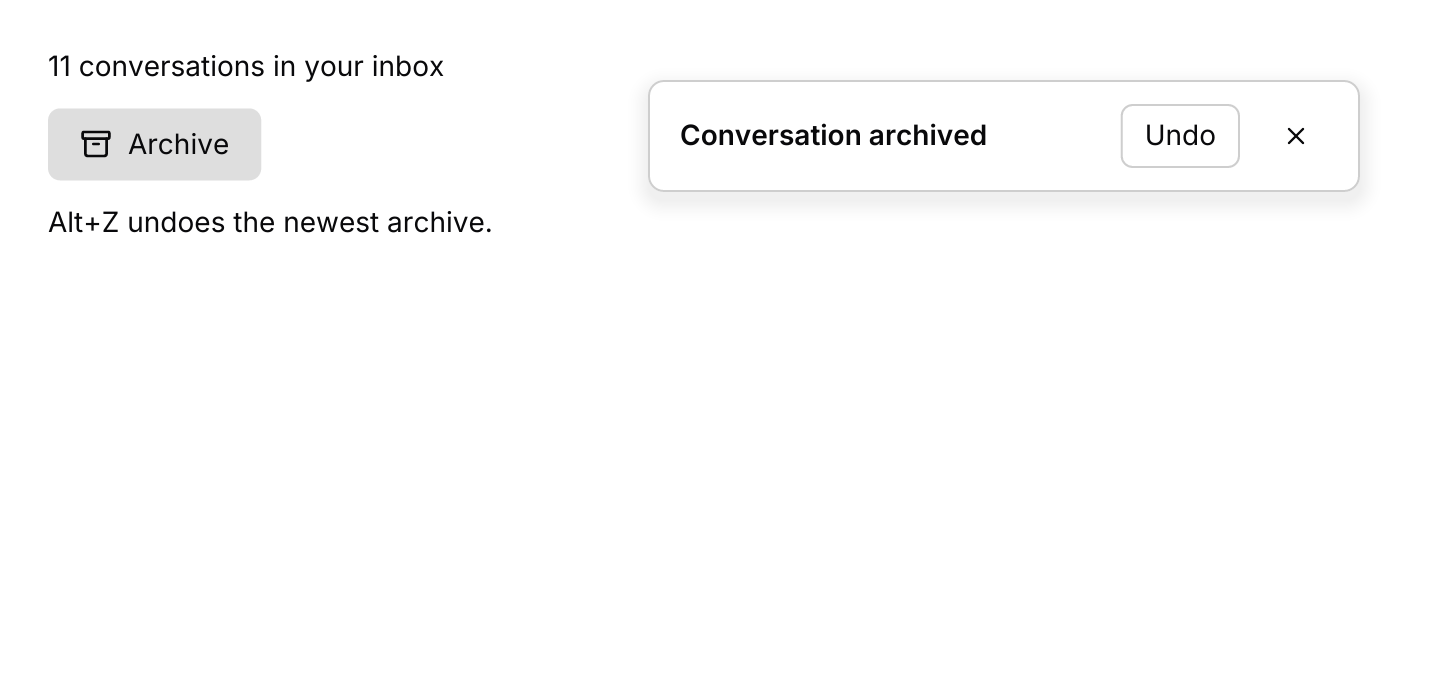
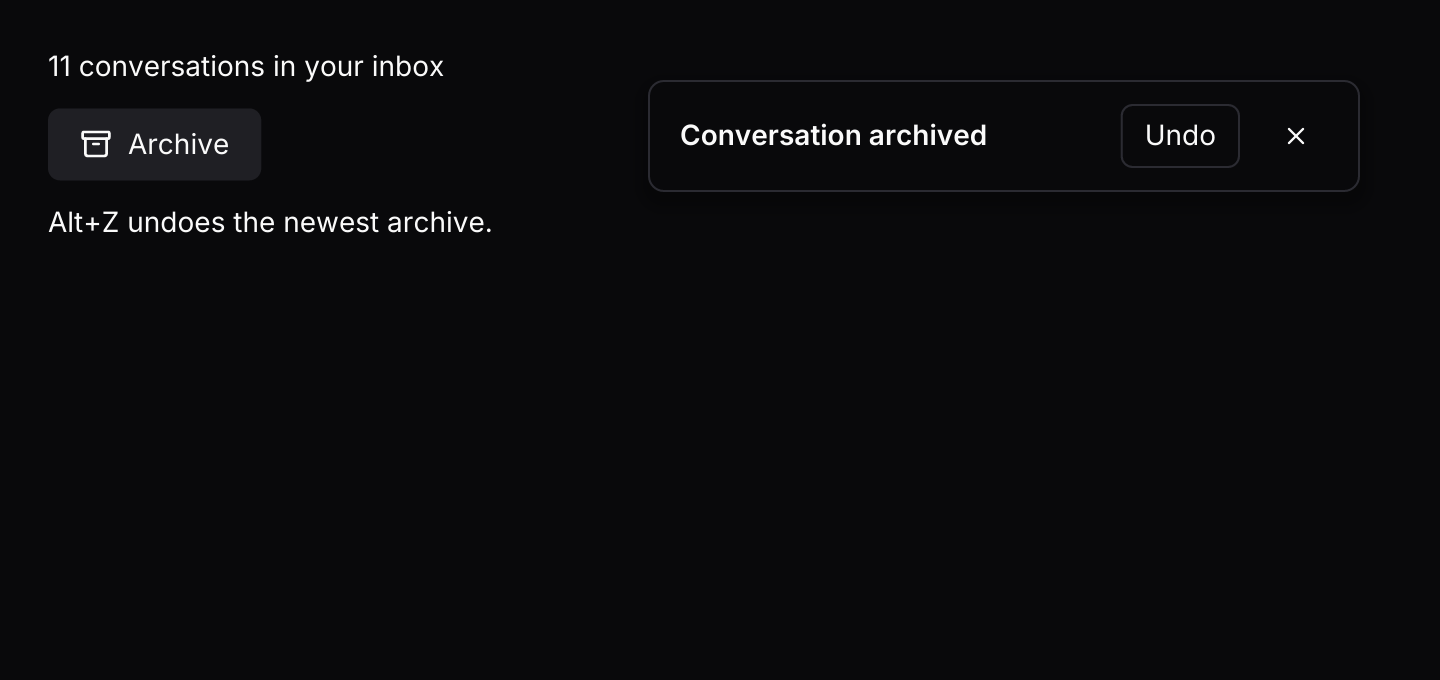
An undo action in the top right corner that hands back the message which reverses the archive. It stays at least ten seconds, pauses under the pointer, and Alt+Z presses it.
use iced::widget::{column, text};
use iced::{Element, Subscription};
use iced_cube::keys::{self, Keymap};
use iced_cube::overlay::toast::{self, Action, Position, toast, toasts};
use iced_cube::primitives::button::Variant;
use iced_cube::{button, lucide};

#[derive(Debug, Clone)]
pub enum Message {
    Archive,
    Unarchive,
    Toast(toast::Event),
    Key(keys::Event),
}

#[derive(Debug)]
pub struct Example {
    inbox: u32,
    // Undo buttons hand back the message that reverses the archive.
    toasts: toast::State<Message>,
    keymap: Keymap<Action>,
}

impl Default for Example {
    fn default() -> Self {
        let mut toasts = toast::State::default();
        toasts.push_with(archived().persistent(), Message::Unarchive);
        Self {
            inbox: 11,
            toasts,
            keymap: toast::default_keymap(),
        }
    }
}

// A toast with an action stays at least ten seconds, and pauses while the
// pointer is over it.
fn archived() -> toast::Toast {
    toast("Conversation archived").action("Undo")
}

impl Example {
    pub fn update(&mut self, message: Message) {
        match message {
            Message::Archive => {
                self.inbox -= 1;
                self.toasts.push_with(archived(), Message::Unarchive);
            }
            Message::Unarchive => self.inbox += 1,
            Message::Toast(event) => {
                if let Some(toast::Output::Payload(message)) = self.toasts.update(event) {
                    self.update(message);
                }
            }
            // Alt+Z presses Undo on the newest toast.
            Message::Key(key) => {
                let Some(action) = self.keymap.resolve_event(&key) else {
                    return;
                };
                for event in action.events(&self.toasts) {
                    self.update(Message::Toast(event));
                }
            }
        }
    }

    pub fn view(&self) -> Element<'_, Message> {
        let archive = (self.inbox > 0).then_some(Message::Archive);

        let content = column![
            text(format!("{} conversations in your inbox", self.inbox)).size(14),
            button("Archive")
                .icon(lucide!(Archive))
                .variant(Variant::Secondary)
                .on_press_maybe(archive),
            text("Alt+Z undoes the newest archive.").size(14),
        ]
        .spacing(12);

        toasts(&self.toasts, content)
            .position(Position::TopRight)
            .on_event(Message::Toast)
            .into()
    }

    pub fn subscription(&self) -> Subscription<Message> {
        Subscription::batch([
            toast::timer(&self.toasts).map(Message::Toast),
            keys::subscription().map(Message::Key),
        ])
    }
}Keyboard shortcuts
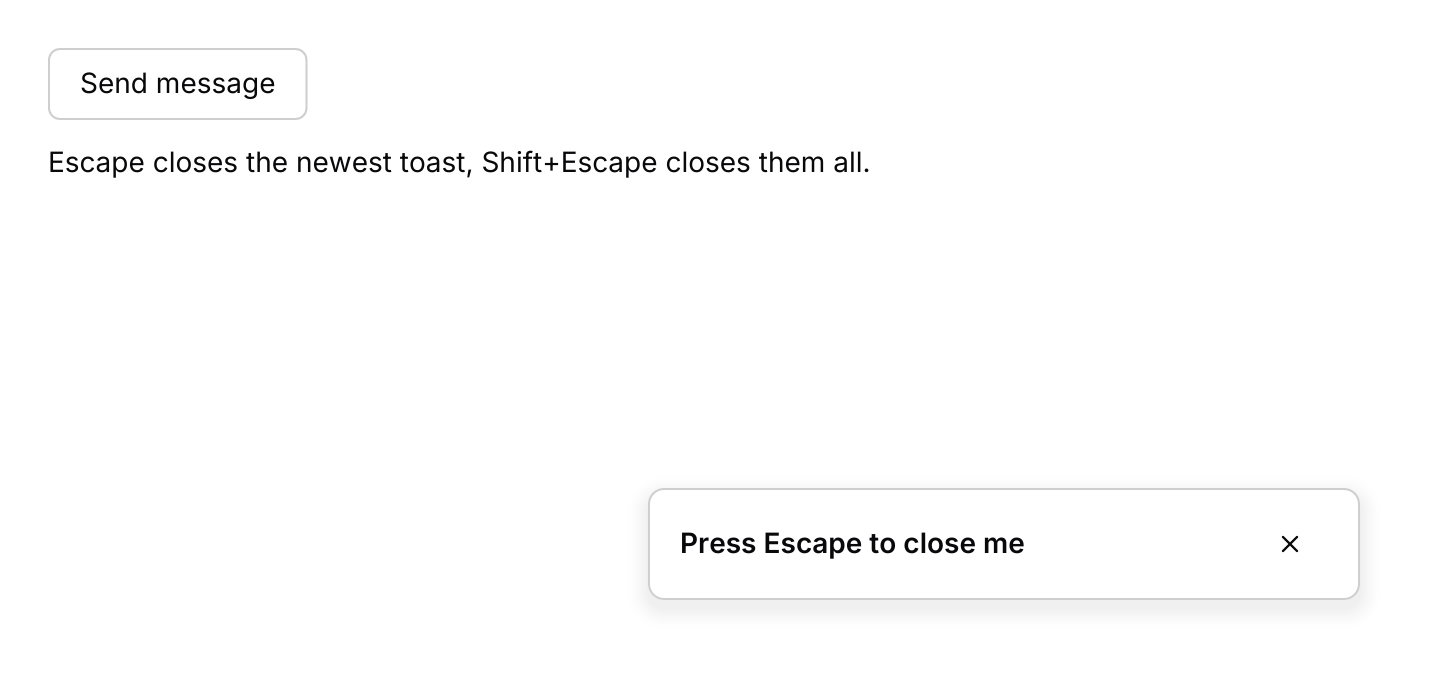
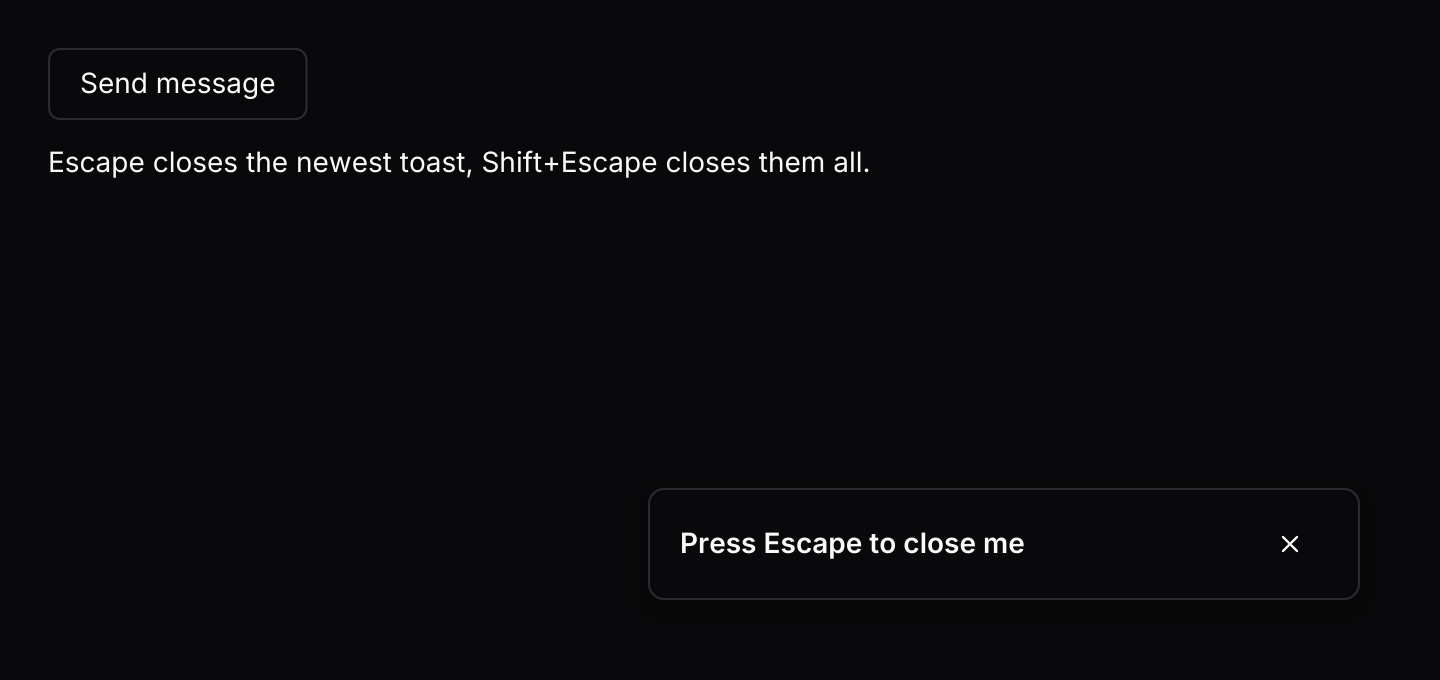
Escape closes the newest toast and Shift+Escape closes them all, through the default keymap.
use iced::widget::{column, text};
use iced::{Element, Subscription};
use iced_cube::button;
use iced_cube::keys::{self, Keymap};
use iced_cube::overlay::toast::{self, Action, toast, toasts};
use iced_cube::primitives::button::Variant;

#[derive(Debug, Clone)]
pub enum Message {
    Notify,
    Toast(toast::Event),
    Key(keys::Event),
}

#[derive(Debug)]
pub struct Example {
    toasts: toast::State,
    keymap: Keymap<Action>,
    sent: u32,
}

impl Default for Example {
    fn default() -> Self {
        let mut toasts = toast::State::new();
        toasts.push(toast("Press Escape to close me").persistent());
        Self {
            toasts,
            keymap: toast::default_keymap(),
            sent: 0,
        }
    }
}

impl Example {
    pub fn update(&mut self, message: Message) {
        match message {
            Message::Notify => {
                self.sent += 1;
                self.toasts
                    .push(toast(format!("Message {} sent", self.sent)).persistent());
            }
            Message::Toast(event) => {
                let _ = self.toasts.update(event);
            }
            Message::Key(key) => {
                let Some(action) = self.keymap.resolve_event(&key) else {
                    return;
                };
                for event in action.events(&self.toasts) {
                    let _ = self.toasts.update(event);
                }
            }
        }
    }

    pub fn view(&self) -> Element<'_, Message> {
        let content = column![
            button("Send message")
                .variant(Variant::Outline)
                .on_press(Message::Notify),
            text("Escape closes the newest toast, Shift+Escape closes them all.").size(14),
        ]
        .spacing(12);

        toasts(&self.toasts, content)
            .on_event(Message::Toast)
            .into()
    }

    pub fn subscription(&self) -> Subscription<Message> {
        Subscription::batch([
            toast::timer(&self.toasts).map(Message::Toast),
            keys::subscription().map(Message::Key),
        ])
    }
}API
| Item | Description |
|---|---|
toast(title) | Creates a toast that closes five seconds after it becomes visible. |
.description(text) / .variant(Variant) | Adds a second line. Variants are Default, Success and Destructive. |
.action(label) | Adds a button. Pressing it closes the toast and returns Output::Action. A toast with an action stays at least ACTION_DURATION (10 seconds) and shows ahead of toasts waiting their turn. |
.duration(duration) / .persistent() | Changes how long the toast stays, or keeps it until it is closed. |
toast:: | The queue. At most three toasts show at once by default; change it with .with_limit(n). State::new() makes a queue without payloads; State::<Message>::default() makes one whose action buttons can hand back your messages. |
state.update(Event) | Handles Ready, Received, Dismiss, Action, Tick, Pause and Resume. Returns Output::Ready(sender), Output::Payload(value) for a toast queued with push_with, or Output::Action(id, toast) for any other action. |
state.push(toast) | Queues a toast from the UI thread without the channel, and returns its Id. |
state.push_with(toast, payload) | Queues a toast whose action button hands back payload, such as the message that undoes what it reports. Dismissing or expiring drops the payload. |
state.dismiss(id) | Removes a toast, visible or waiting, and returns it. |
state.tick(now) | Closes toasts whose time is up at now and starts the countdown of newly visible ones. While paused it adds the time since the last tick back to every countdown. Returns the ids that closed. |
state.is_paused() | Whether the pointer is over the toasts, which stops every countdown until it leaves. |
toast.lifetime() | How long the toast stays once shown, after the action minimum is applied, or None for a persistent toast. |
state.visible() / state.waiting() / state.len() | The visible toasts with their ids, how many are queued behind them, and the total. |
toast:: | Owns the channel. Emits Ready(sender) once, then batches of up to BATCH_SIZE (16) toasts. |
toast:: | The sending half of the channel, which holds CHANNEL_CAPACITY (32) toasts. Clone it for each producer. |
toast:: | Ticks every TICK (250 ms) while a visible toast is counting down, and is idle otherwise. |
toasts(&state, content) | Renders the toasts over your content. Toast buttons render disabled until .on_event(f) is set. |
.position(Position) | TopLeft, TopCenter, TopRight, BottomLeft, BottomCenter or BottomRight. Defaults to BottomRight. |
toast:: | The widget id of a toast's close button, for focusing it or clicking it in tests. |
toast:: | The default shortcuts as a Keymap<Action>. Bind, unbind or clear chords to change them. |
action.events(&state) | The events for a resolved Action: Dismiss for DismissLatest or DismissAll, and Action for ActivateLatest, which presses the button of the newest visible toast that has one. Pass each one to state.update. |
state.ids() | Every queued toast id, visible first. |
Keyboard
Default shortcuts. Every one can be changed or removed with a keymap; see Keyboard shortcuts.
| Keys | Action |
|---|---|
| Escape | DismissLatest Closes the newest visible toast. |
| Shift+Escape | DismissAll Closes every toast, including those waiting their turn. |
| Alt+Z | ActivateLatest Presses the action button, such as Undo, of the newest visible toast that has one. |