Navigation
Command
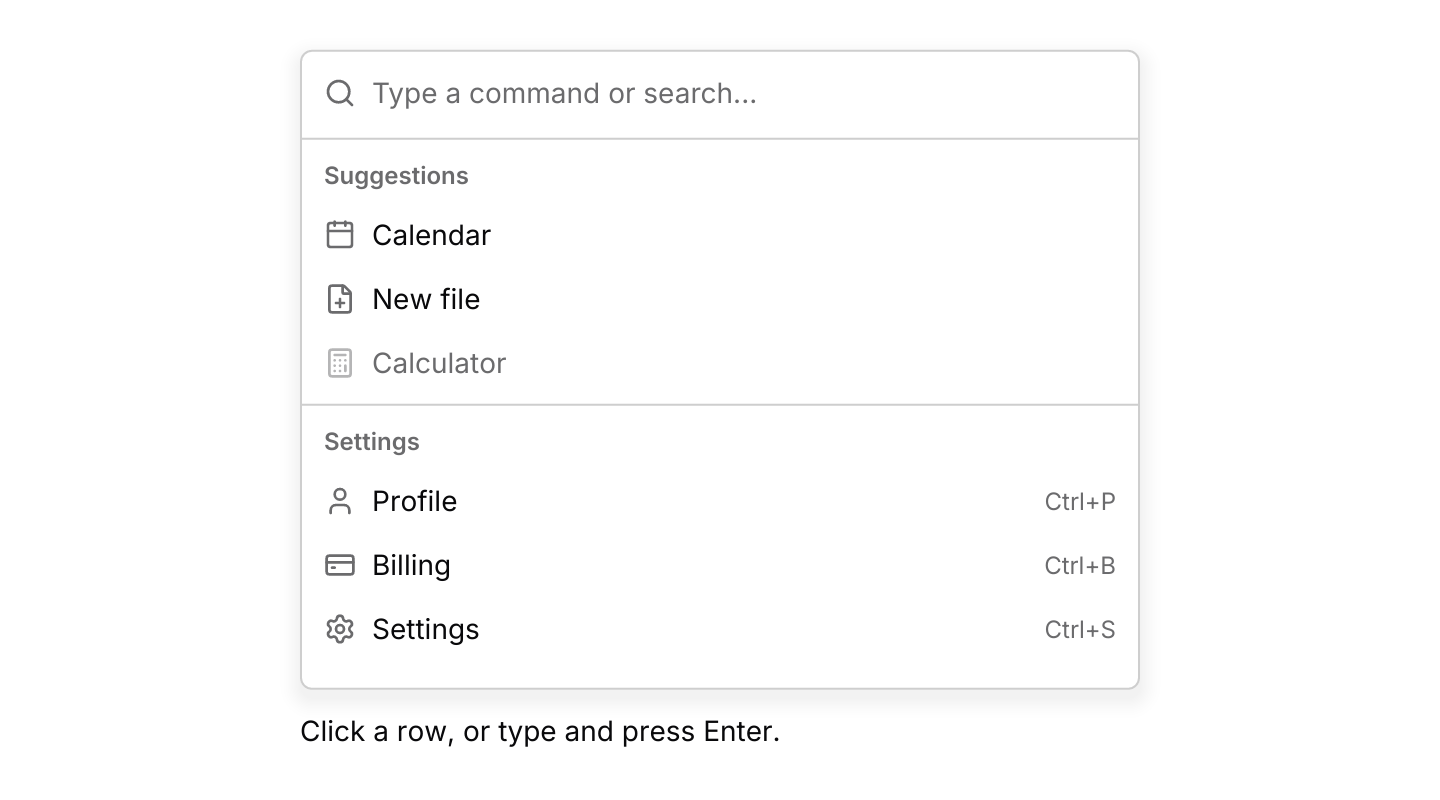
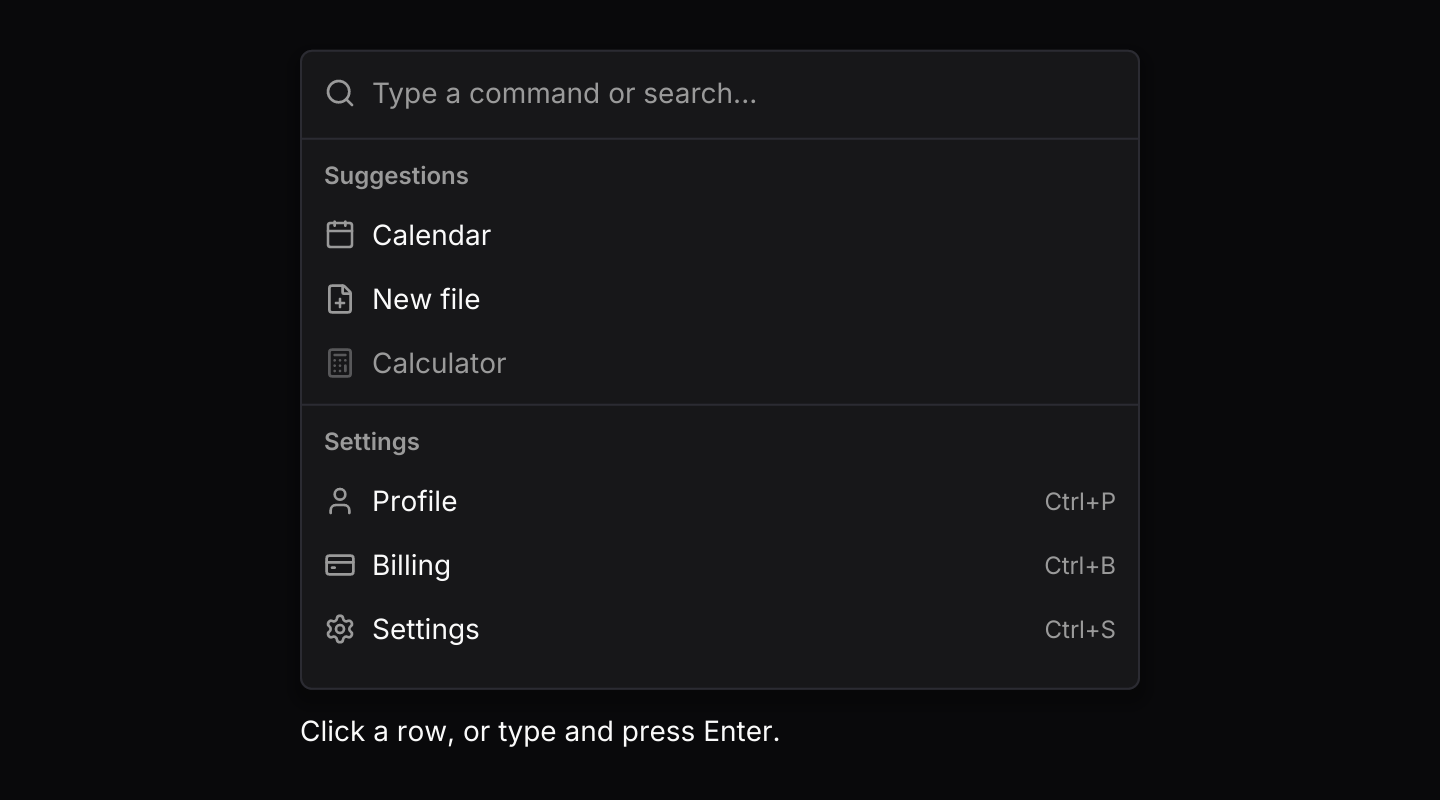
A searchable list of actions, grouped, with icons and shortcut hints.
use iced::widget::{column, text};
use iced::{Element, Length};
use iced_cube::lucide;
use iced_cube::navigation::command::{self, Output, State, command, group, item};

#[derive(Debug, Clone)]
pub enum Message {
    Command(command::Event<&'static str>),
}

#[derive(Debug)]
pub struct Example {
    command: State<&'static str>,
    last_run: Option<&'static str>,
}

impl Default for Example {
    fn default() -> Self {
        let command = State::new([
            group(
                "Suggestions",
                [
                    item("calendar", "Calendar").icon(lucide!(Calendar)),
                    item("new-file", "New file")
                        .icon(lucide!(FilePlus))
                        .keywords(["create", "document"]),
                    item("calculator", "Calculator")
                        .icon(lucide!(Calculator))
                        .disabled(true),
                ],
            ),
            group(
                "Settings",
                [
                    item("profile", "Profile")
                        .icon(lucide!(User))
                        .shortcut("Ctrl+P"),
                    item("billing", "Billing")
                        .icon(lucide!(CreditCard))
                        .shortcut("Ctrl+B"),
                    item("settings", "Settings")
                        .icon(lucide!(Settings))
                        .shortcut("Ctrl+S")
                        .keywords(["preferences", "options"]),
                ],
            ),
        ]);

        Self {
            command,
            last_run: None,
        }
    }
}

impl Example {
    pub fn update(&mut self, message: Message) {
        let Message::Command(event) = message;
        if let Some(Output::Activated(id)) = self.command.update(event) {
            self.last_run = Some(id);
        }
    }

    pub fn view(&self) -> Element<'_, Message> {
        let status = match self.last_run {
            Some(id) => format!("Ran \"{id}\""),
            None => "Click a row, or type and press Enter.".to_owned(),
        };

        column![
            command(&self.command)
                .height(320)
                .on_event(Message::Command),
            text(status).size(14),
        ]
        .spacing(12)
        .width(Length::Fixed(420.0))
        .into()
    }
}Usage
A command list puts every action behind one search field. Typing ranks the items within each group: an exact match comes first, then prefixes, then matches at the start of a word, then anywhere, then letters in order. Groups keep their order, and the highlight goes to the best match in any group, so Enter runs what was typed for. Keywords let an item be found by other names, such as “preferences” for Settings. Disabled items stay visible but are skipped by the keyboard.
The list is embedded where you place it. For an app-wide launcher, use the command palette, which builds this list into a dialog with the Ctrl+K and Ctrl+Shift+P chords, recent commands and nested pages. To compose one yourself, put the list in a dialog and open it from a button or a shortcut such as Ctrl+K, as the palette example does. Let that shortcut through the dialog with .pass_through(...) so it closes the palette too, and close the dialog when update returns Output::Activated or Output::Closed. Give a palette .max_height(...) rather than a fixed height, so it shrinks around a handful of matches instead of leaving an empty panel.
Results can also come from background work, such as a file index or a server. When update returns Output::Search(query), start a producer with that query and a clone of the sender. It sends command::results(query, group, items) as matches arrive; anything tagged with an older query is dropped, so slow searches never overwrite newer ones. The async example waits with futures-timer rather than a thread, so it runs in the browser too.
While the search field has focus, the list handles its keys itself, before a surrounding dialog or popover sees them. Home and End then move the highlight rather than the text cursor. Escape clears the query, and a second press returns Output::Closed.
The highlighted row is always the target of Enter, but it is only drawn highlighted while the field has focus or after the user moves the highlight with the keys or the pointer. An inline list in a sidebar therefore sits quietly until someone uses it. The widget reports focus changes with Event::Focus, so route every event to update.
Examples
Keyboard shortcuts
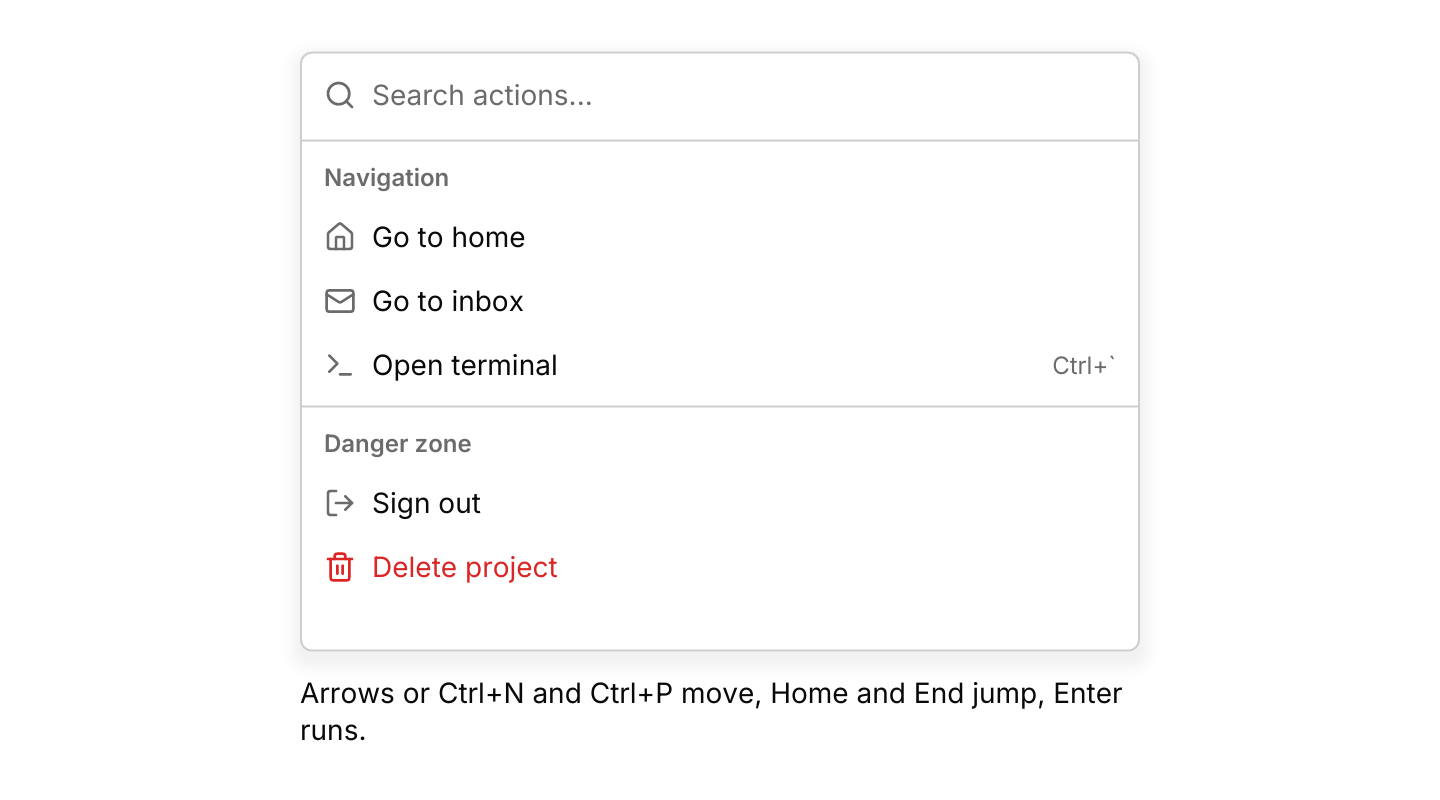
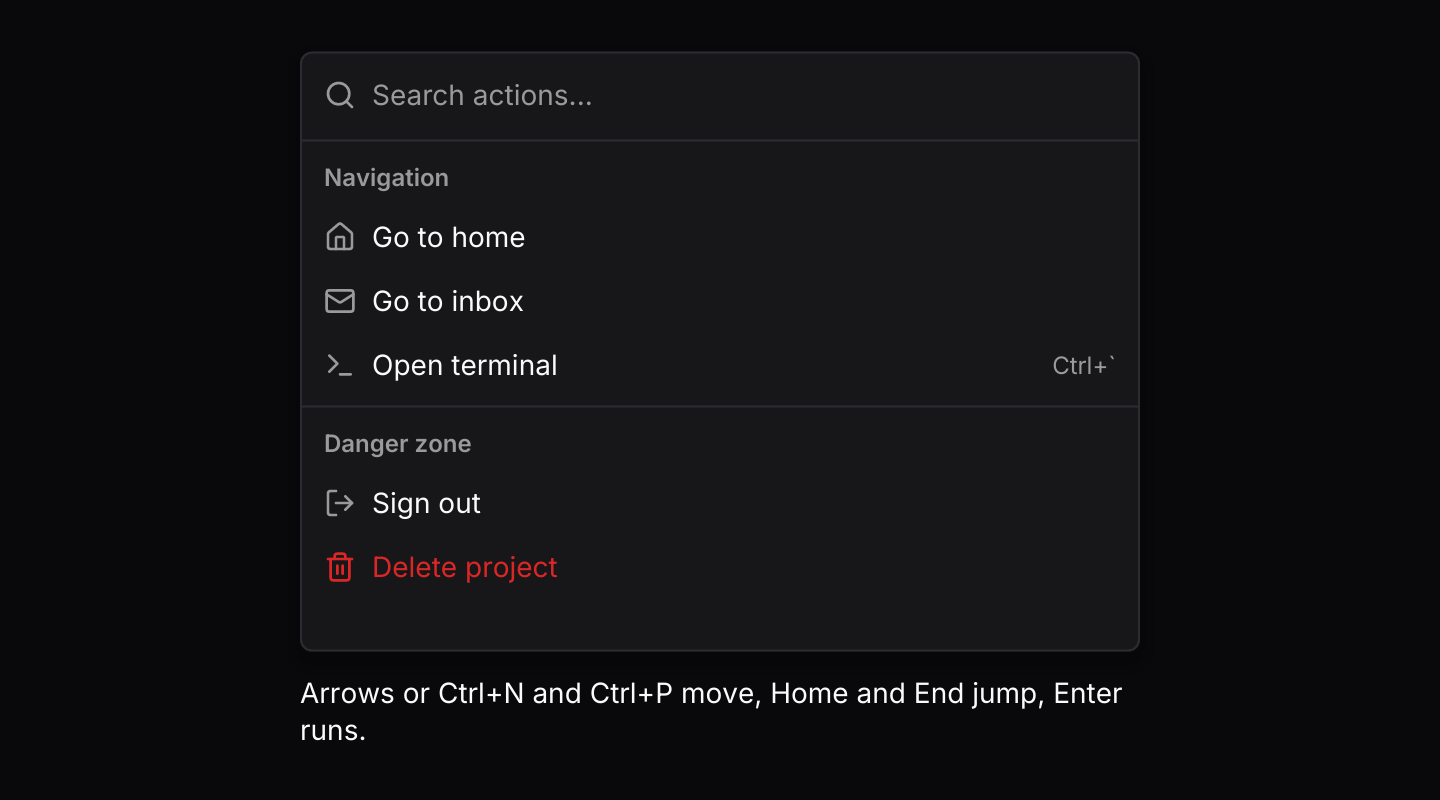
The default keymap with Ctrl+N and Ctrl+P added. The list handles keys while its field has focus; the app routes the rest through keys::subscription.
use iced::widget::{column, text};
use iced::{Element, Length, Subscription};
use iced_cube::keys::{self, Chord, Keymap};
use iced_cube::lucide;
use iced_cube::navigation::command::{self, Action, Output, State, command, group, item};

#[derive(Debug, Clone)]
pub enum Message {
    Command(command::Event<&'static str>),
    Key(keys::Event),
}

#[derive(Debug)]
pub struct Example {
    command: State<&'static str>,
    keymap: Keymap<Action>,
    last_run: Option<&'static str>,
}

impl Default for Example {
    fn default() -> Self {
        let command = State::new([
            group(
                "Navigation",
                [
                    item("home", "Go to home").icon(lucide!(House)),
                    item("inbox", "Go to inbox").icon(lucide!(Mail)),
                    item("terminal", "Open terminal")
                        .icon(lucide!(Terminal))
                        .shortcut("Ctrl+`"),
                ],
            ),
            group(
                "Danger zone",
                [
                    item("sign-out", "Sign out").icon(lucide!(LogOut)),
                    item("delete", "Delete project")
                        .icon(lucide!(Trash))
                        .destructive(true),
                ],
            ),
        ]);
        let keymap = command::default_keymap()
            .bind(Chord::character('n').ctrl(), Action::Next)
            .bind(Chord::character('p').ctrl(), Action::Previous);

        Self {
            command,
            keymap,
            last_run: None,
        }
    }
}

impl Example {
    pub fn update(&mut self, message: Message) {
        let event = match message {
            Message::Command(event) => Some(event),
            // Presses the focused search field did not handle.
            Message::Key(key) => self
                .keymap
                .resolve_event(&key)
                .and_then(|action| action.event(&self.command)),
        };
        let Some(event) = event else {
            return;
        };
        if let Some(Output::Activated(id)) = self.command.update(event) {
            self.last_run = Some(id);
        }
    }

    pub fn view(&self) -> Element<'_, Message> {
        let status = match self.last_run {
            Some(id) => format!("Ran \"{id}\""),
            None => "Arrows or Ctrl+N and Ctrl+P move, Home and End jump, Enter runs.".to_owned(),
        };

        column![
            command(&self.command)
                .placeholder("Search actions...")
                .keymap(self.keymap.clone())
                .height(300)
                .on_event(Message::Command),
            text(status).size(14),
        ]
        .spacing(12)
        .width(Length::Fixed(420.0))
        .into()
    }

    pub fn subscription(&self) -> Subscription<Message> {
        keys::subscription().map(Message::Key)
    }
}Async results
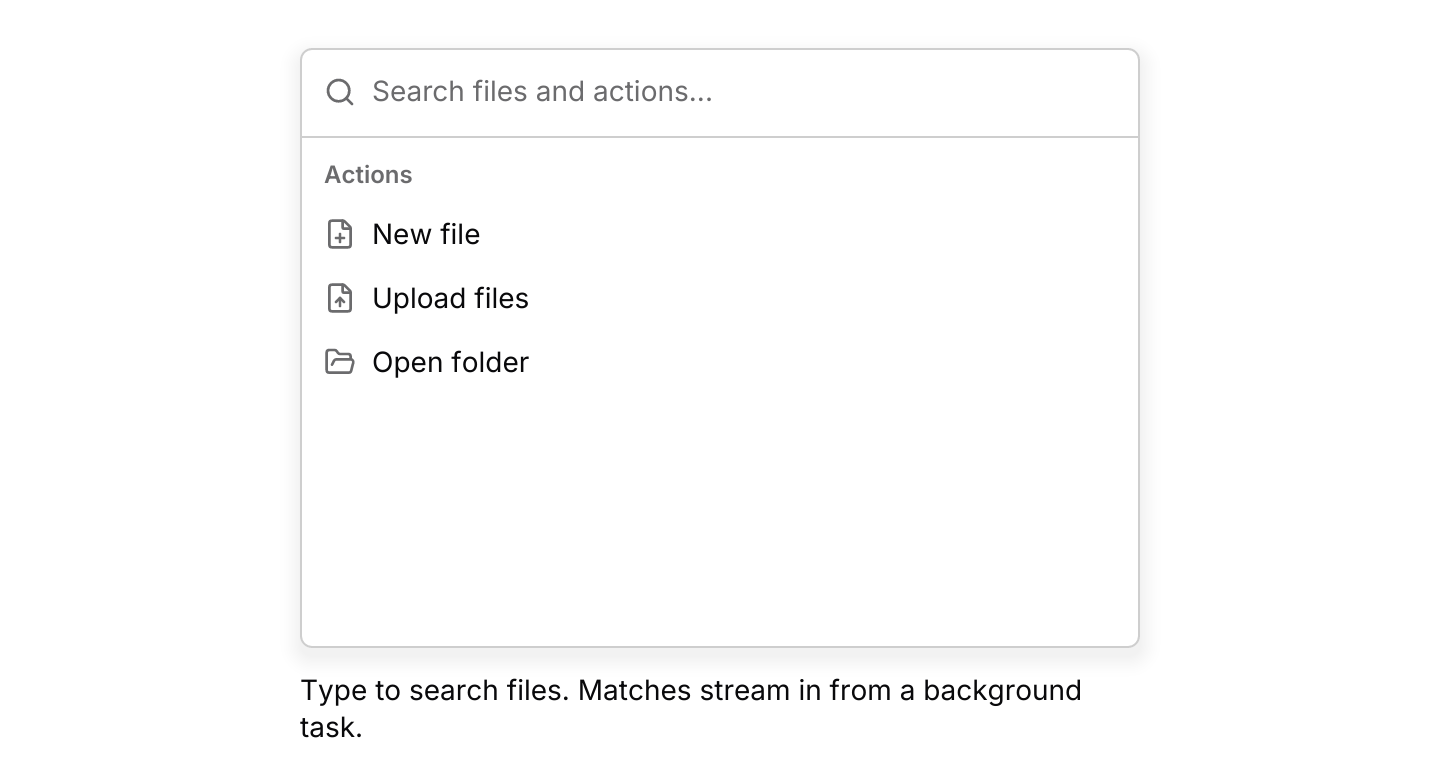
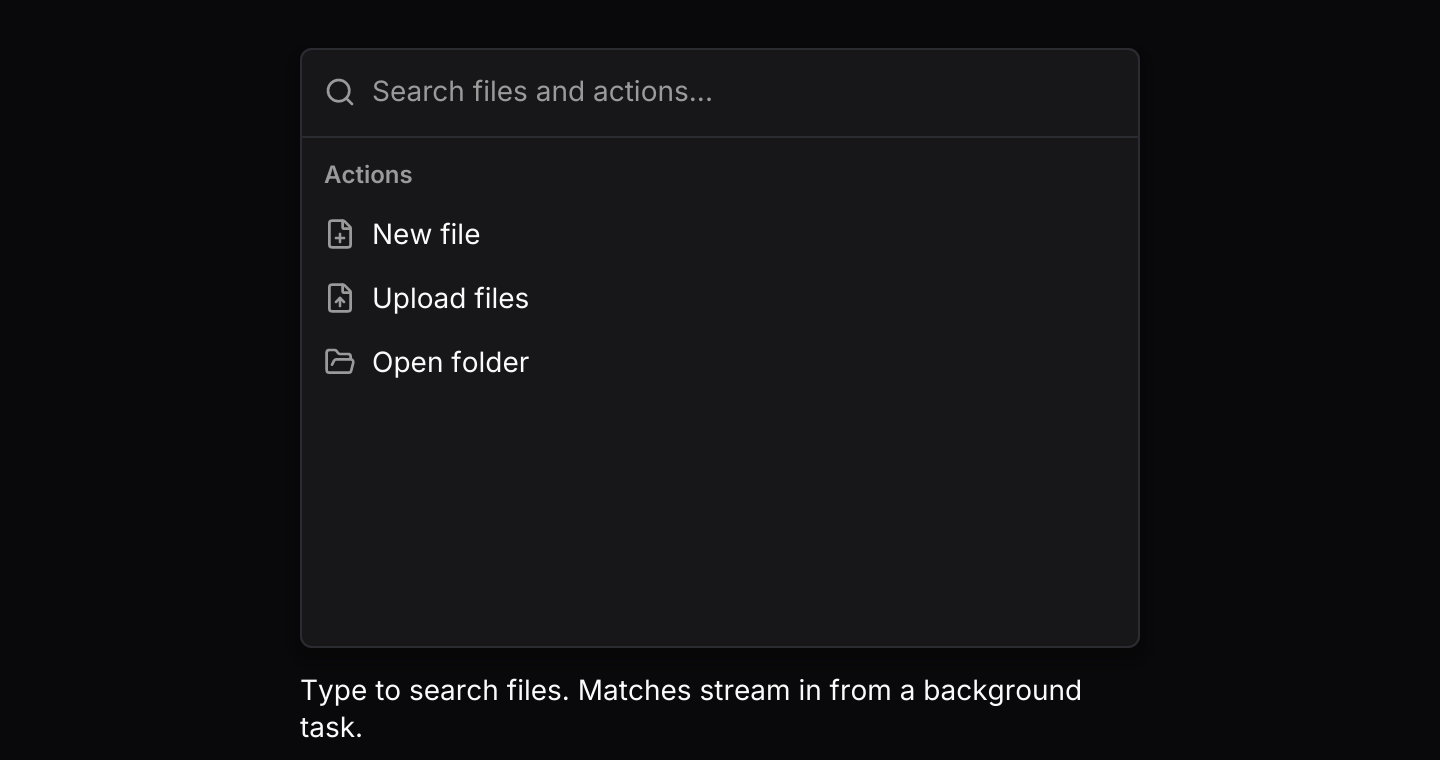
A background task streams file matches through the channel, tagged with their query. It waits with futures-timer, so it also runs in the browser.
use std::hash::{Hash, Hasher};
use std::time::Duration;

use futures_timer::Delay;
use iced::futures::{SinkExt, Stream, stream};
use iced::widget::{column, text};
use iced::{Element, Length, Subscription};
use iced_cube::lucide;
use iced_cube::navigation::command::{self, Output, State, command, group, item, results, score};

const FILES: &[&str] = &[
    "budget-2026.xlsx",
    "design-review.pdf",
    "invoice-0142.pdf",
    "meeting-notes.md",
    "readme.md",
    "release-plan.md",
    "report-q3.pdf",
    "roadmap.png",
    "team-photo.jpg",
    "wireframes.fig",
];

#[derive(Debug, Clone)]
pub enum Message {
    Command(command::Event<&'static str>),
    SearchFinished(String),
}

#[derive(Debug)]
pub struct Example {
    command: State<&'static str>,
    sender: Option<command::Sender<&'static str>>,
    search: Option<Search>,
    last_run: Option<&'static str>,
}

impl Default for Example {
    fn default() -> Self {
        let command = State::new([group(
            "Actions",
            [
                item("new-file", "New file").icon(lucide!(FilePlus)),
                item("upload", "Upload files").icon(lucide!(FileUp)),
                item("open-folder", "Open folder").icon(lucide!(FolderOpen)),
            ],
        )])
        .with_visible_rows(6);

        Self {
            command,
            sender: None,
            search: None,
            last_run: None,
        }
    }
}

impl Example {
    pub fn update(&mut self, message: Message) {
        match message {
            Message::Command(event) => match self.command.update(event) {
                Some(Output::Ready(sender)) => self.sender = Some(sender),
                Some(Output::Search(query)) => {
                    self.search = self
                        .sender
                        .clone()
                        .filter(|_| !query.trim().is_empty())
                        .map(|sender| Search { query, sender });
                }
                Some(Output::Activated(id)) => self.last_run = Some(id),
                Some(Output::Closed) | None => {}
            },
            Message::SearchFinished(query) => {
                if self
                    .search
                    .as_ref()
                    .is_some_and(|search| search.query == query)
                {
                    self.search = None;
                }
            }
        }
    }

    pub fn view(&self) -> Element<'_, Message> {
        let status = match self.last_run {
            Some(id) => format!("Opened \"{id}\""),
            None => "Type to search files. Matches stream in from a background task.".to_owned(),
        };

        column![
            command(&self.command)
                .placeholder("Search files and actions...")
                .loading(self.search.is_some())
                .height(300)
                .on_event(Message::Command),
            text(status).size(14),
        ]
        .spacing(12)
        .width(Length::Fixed(420.0))
        .into()
    }

    pub fn subscription(&self) -> Subscription<Message> {
        let search = match &self.search {
            Some(search) => Subscription::run_with(search.clone(), Search::run),
            None => Subscription::none(),
        };

        Subscription::batch([command::subscription().map(Message::Command), search])
    }
}

/// A simulated remote search that only holds a sender, like a worker would.
/// A new query replaces the subscription, which stops the old search.
#[derive(Debug, Clone)]
struct Search {
    query: String,
    sender: command::Sender<&'static str>,
}

impl Hash for Search {
    fn hash<H: Hasher>(&self, state: &mut H) {
        self.query.hash(state);
    }
}

impl Search {
    fn run(&self) -> impl Stream<Item = Message> + use<> {
        let query = self.query.clone();
        let mut sender = self.sender.clone();

        stream::once(async move {
            let found: Vec<&'static str> = FILES
                .iter()
                .copied()
                .filter(|file| score(&query, file).is_some())
                .collect();

            for chunk in found.chunks(2) {
                Delay::new(Duration::from_millis(400)).await;
                let files = chunk
                    .iter()
                    .map(|&file| item(file, file).icon(lucide!(File)));
                let _ = sender.send(results(query.as_str(), "Files", files)).await;
            }
            Message::SearchFinished(query)
        })
    }
}Command palette
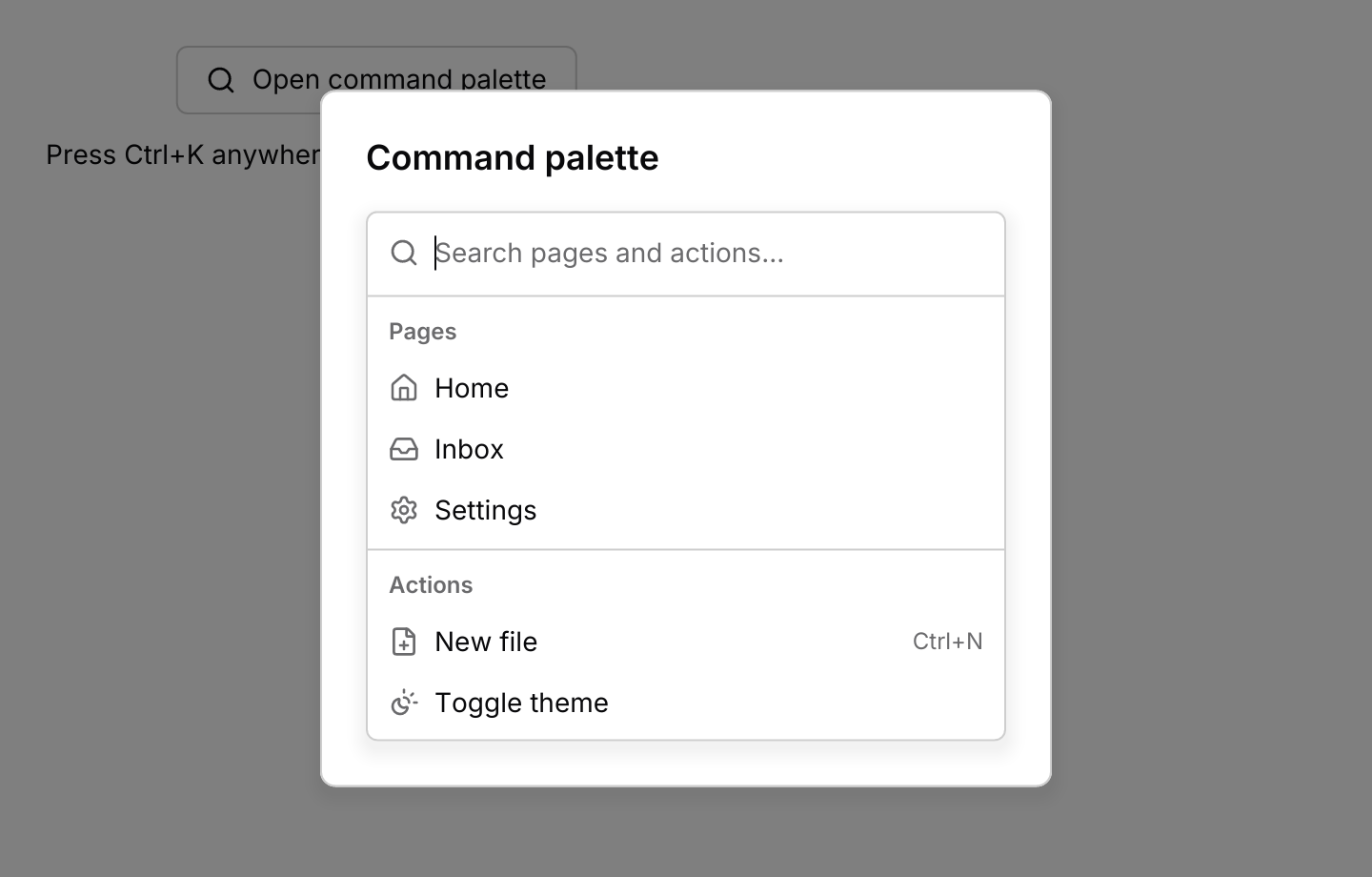
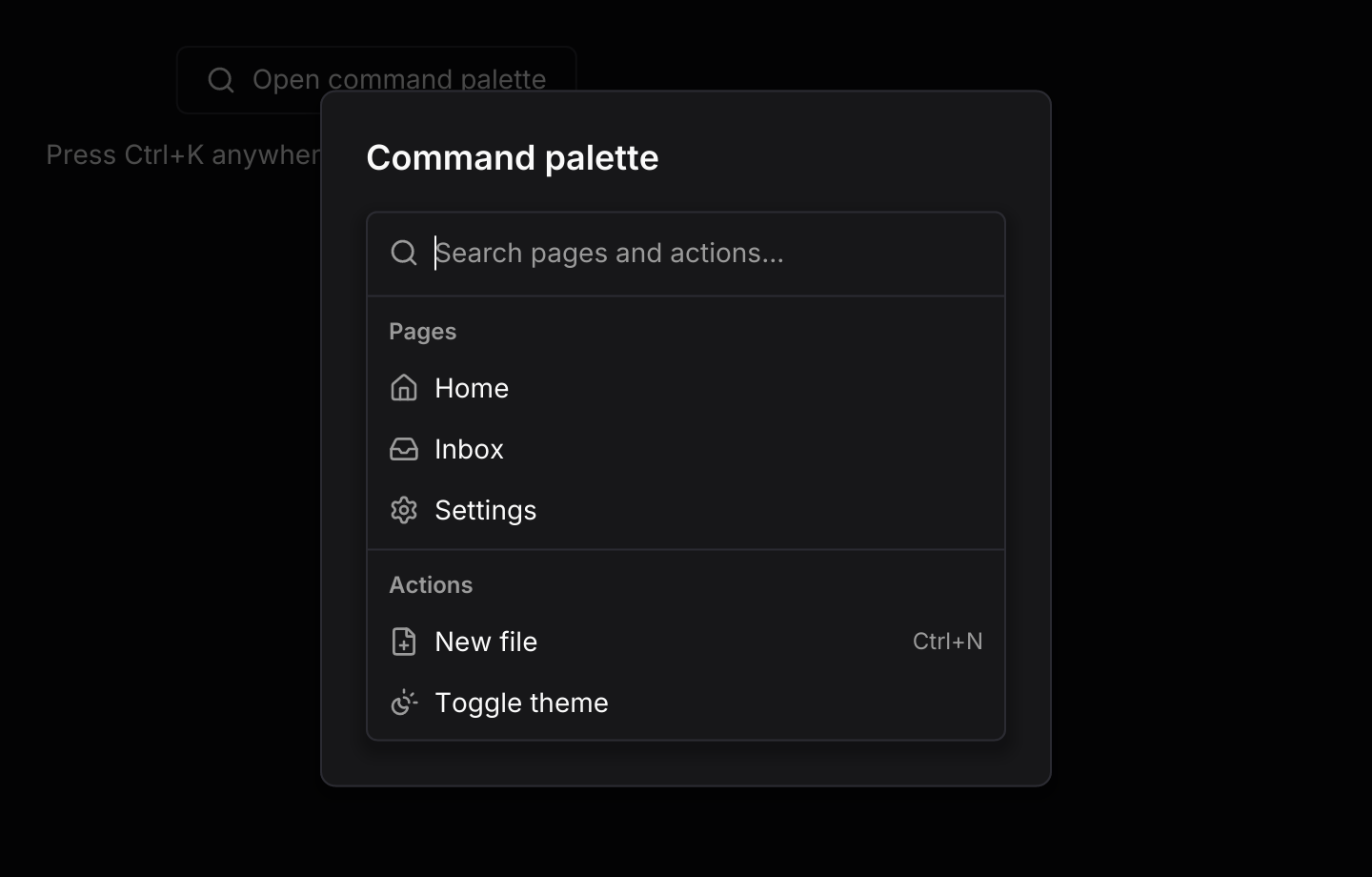
The list in a dialog, opened by a button or Ctrl+K. Escape clears the query, then closes the palette; Ctrl+K passes through the dialog to close it too.
use iced::widget::{column, container, text};
use iced::{Alignment, Element, Subscription};
use iced_cube::keys::{self, Chord};
use iced_cube::navigation::command::{self, Event, Output, State, command, group, item};
use iced_cube::overlay::dialog::{self, dialog};
use iced_cube::primitives::button::Variant;
use iced_cube::{button, lucide};

#[derive(Debug, Clone)]
pub enum Message {
    Open,
    Close,
    Command(command::Event<&'static str>),
    Key(keys::Event),
}

#[derive(Debug)]
pub struct Example {
    open: bool,
    command: State<&'static str>,
    last_run: Option<&'static str>,
}

impl Default for Example {
    fn default() -> Self {
        Self {
            open: true,
            command: palette(),
            last_run: None,
        }
    }
}

fn palette() -> State<&'static str> {
    State::new([
        group(
            "Pages",
            [
                item("home", "Home").icon(lucide!(House)),
                item("inbox", "Inbox").icon(lucide!(Inbox)),
                item("settings", "Settings")
                    .icon(lucide!(Settings))
                    .keywords(["preferences"]),
            ],
        ),
        group(
            "Actions",
            [
                item("new-file", "New file")
                    .icon(lucide!(FilePlus))
                    .shortcut("Ctrl+N"),
                item("theme", "Toggle theme").icon(lucide!(SunMoon)),
            ],
        ),
    ])
    .with_visible_rows(5)
}

/// Opens the palette from anywhere, and closes it again while it is open.
fn toggle() -> Chord {
    Chord::character('k').command()
}

impl Example {
    pub fn update(&mut self, message: Message) {
        match message {
            Message::Open => self.show(),
            Message::Close => self.open = false,
            Message::Key(key) if toggle().matches(&key.key, key.modifiers) => {
                if self.open {
                    self.open = false;
                } else {
                    self.show();
                }
            }
            Message::Key(_) => {}
            Message::Command(event) => match self.command.update(event) {
                Some(Output::Activated(id)) => {
                    self.last_run = Some(id);
                    self.open = false;
                }
                Some(Output::Closed) => self.open = false,
                _ => {}
            },
        }
    }

    fn show(&mut self) {
        self.open = true;
        let _ = self.command.update(Event::Input(String::new()));
    }

    pub fn view(&self) -> Element<'_, Message> {
        let status = match self.last_run {
            Some(id) => format!("Ran \"{id}\""),
            None => "Press Ctrl+K anywhere to search pages and actions.".to_owned(),
        };
        let base = column![
            button("Open command palette")
                .icon(lucide!(Search))
                .variant(Variant::Outline)
                .on_press(Message::Open),
            text(status).size(14),
        ]
        .spacing(12)
        .align_x(Alignment::Center);

        dialog(container(base).padding(24))
            .open(self.open)
            .title("Command palette")
            .body(
                command(&self.command)
                    .placeholder("Search pages and actions...")
                    .max_height(280.0)
                    .on_event(Message::Command),
            )
            .size(dialog::Size::Sm)
            .close_button(false)
            .pass_through([toggle()])
            .on_dismiss(Message::Close)
            .into()
    }

    pub fn subscription(&self) -> Subscription<Message> {
        keys::subscription().map(Message::Key)
    }
}API
| Item | Description |
|---|---|
State:: | Holds the groups of items and highlights the first enabled one. |
group(label, items) | Items under a heading. An empty label shows no heading. |
item(id, label) | Creates an item. Add .icon(glyph), .shortcut(text), .keywords([...]), .disabled(true) or .destructive(true). |
.with_visible_rows(n) | How many rows show at once (eight by default). The window follows the highlight and scrolls with the wheel. |
state.update(Event) | Handles typing, moving, activating, closing and results from the channel. Returns an Output. |
Output | Ready(sender) once the channel is open, Search(query) when the query changes, Activated(id) when an item is chosen, and Closed on Escape with an empty query. |
state.results() / state.highlighted() / state.query() | The ranked results with their group labels, the highlighted item and the current query. |
state.shows_highlight() / state.is_focused() | Whether the highlighted row is drawn highlighted, which it is while the field has focus or once the user has moved the highlight, and whether the field has focus. |
command:: | The matcher: case-insensitive, in-order letters, preferring exact matches, prefixes and word starts. None when there is no match. |
command:: | Owns the results channel. Emits Ready(sender) once, then batches of up to BATCH_SIZE (32). |
command:: | What a producer sends. Results for any query but the current one are dropped, and the rest are shown in arrival order under their group. |
command(&state) | Renders the search field and results. It renders disabled until .on_event is set. |
.on_event(f) / .placeholder(text) / .empty(text) | Maps events to your message, and sets the field and empty-state text. |
.loading(bool) | Shows "Searching..." while a background search is running. |
.width(length) / .height(length) / .id(id) | The width fills by default. A fixed height stops the list resizing as results change. |
.max_height(f32) | Caps the height while the list still shrinks to fit a few results, as a palette should. Keep with_visible_rows within the cap, since rows past it are clipped. |
.keymap(keymap) | Replaces the default keymap. The list resolves its own key presses while its search field has focus. |
command:: | The default shortcuts as a Keymap<Action>. Bind, unbind or clear chords to change them. |
action.event(&state) | Turns an Action into the Event it sends, or None when it would do nothing, for keys the app routes itself. |
Keyboard
Default shortcuts. Every one can be changed or removed with a keymap; see Keyboard shortcuts.
| Keys | Action |
|---|---|
| ArrowDown | Next Highlights the next enabled result, wrapping at the end. |
| ArrowUp | Previous Highlights the previous enabled result, wrapping at the start. |
| Home | First Highlights the first enabled result. |
| End | Last Highlights the last enabled result. |
| Enter | Activate Activates the highlighted result. |
| Escape | Close Clears the query, or closes the list when the query is empty. |