Application
Toolbar
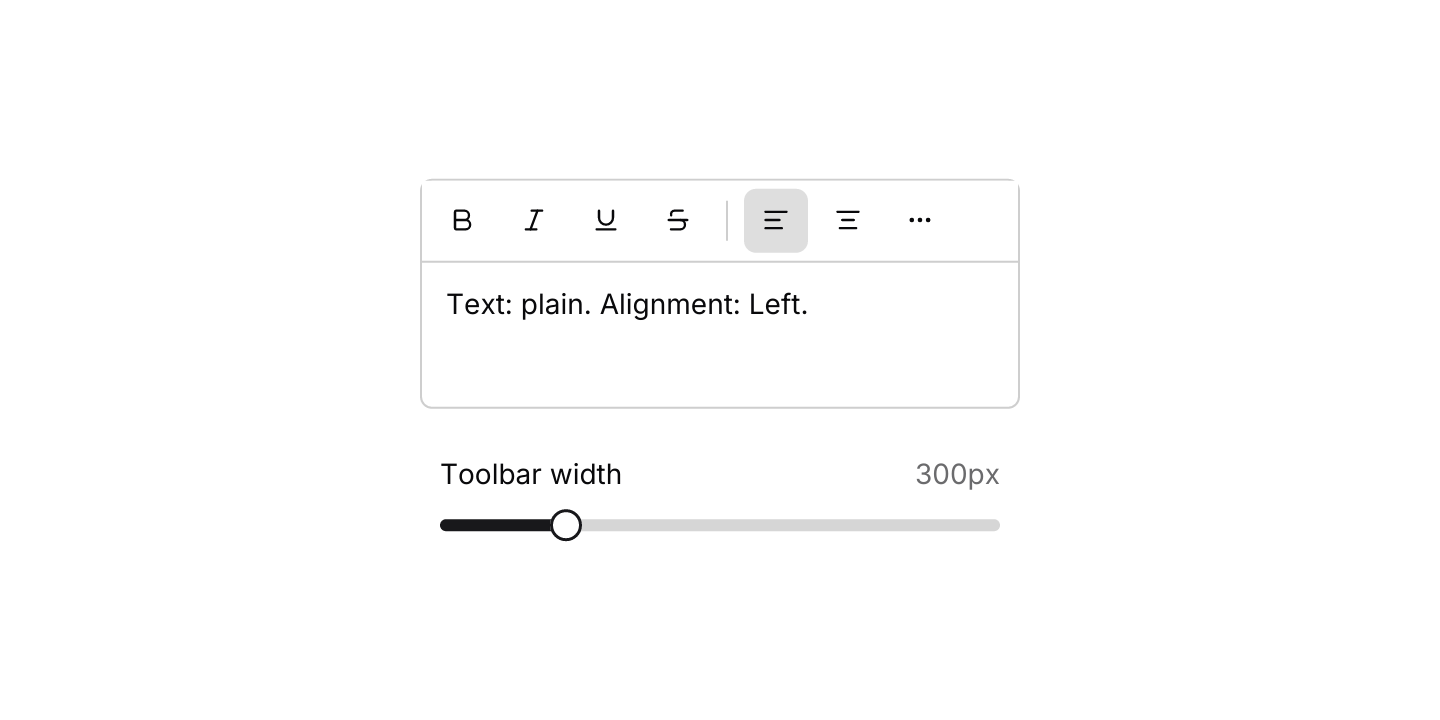
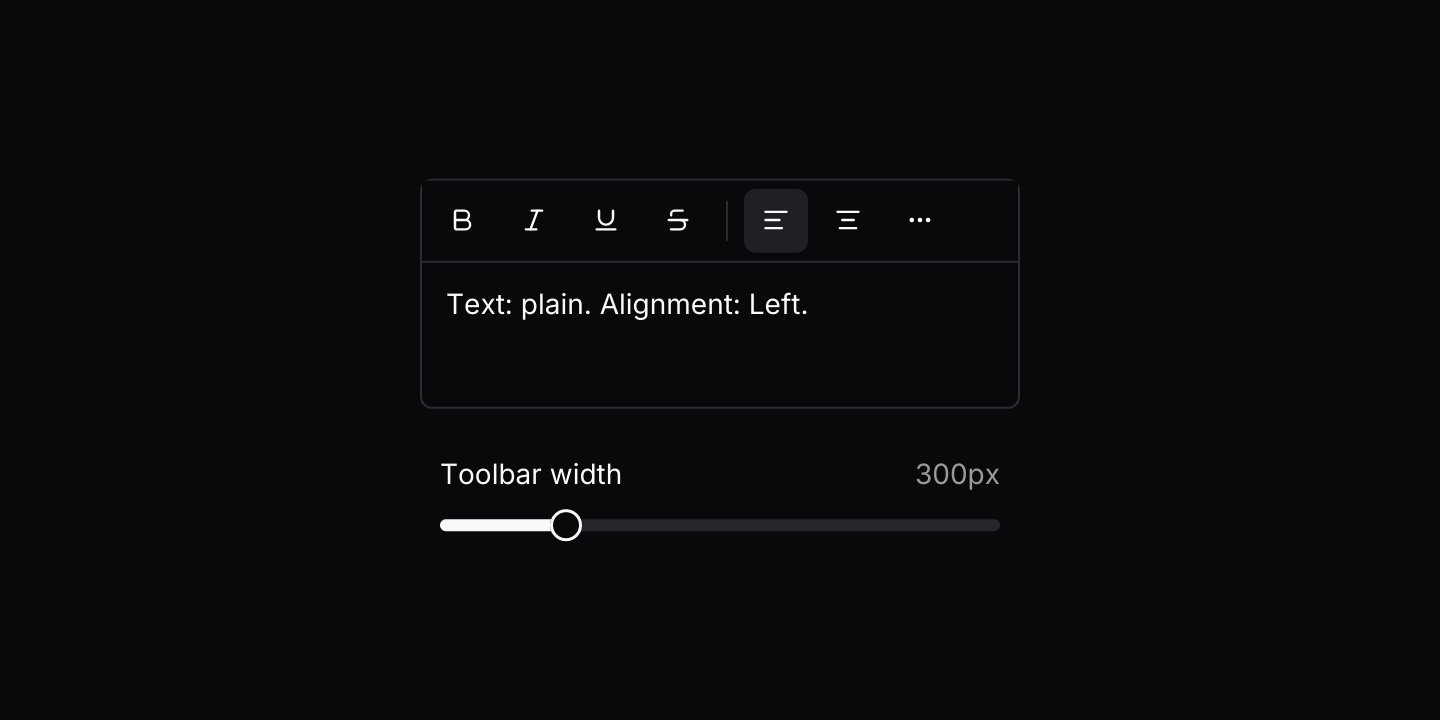
A compact strip of icon buttons that moves whatever does not fit into a More menu.
use iced::keyboard::{Key, Modifiers};
use iced::widget::{column, container, text};
use iced::{Border, Element, Length, Subscription};
use iced_cube::keys::{self, Keymap};
use iced_cube::lucide;
use iced_cube::primitives::slider;
use iced_cube::theme::{Tokens, radius, text_size};
use iced_cube::toolbar::{
    self, Action, Output, State, button, choice, separator, spacer, toggle, toolbar,
};

#[derive(Debug, Clone, Copy, PartialEq)]
pub enum Tool {
    Bold,
    Italic,
    Underline,
    Strikethrough,
    Left,
    Centre,
    Right,
    Justify,
    Link,
    Undo,
    Redo,
}

const TOGGLES: [Tool; 4] = [
    Tool::Bold,
    Tool::Italic,
    Tool::Underline,
    Tool::Strikethrough,
];

#[derive(Debug, Clone, Copy, PartialEq)]
struct Format {
    on: [bool; 4],
    align: Tool,
}

#[derive(Debug, Clone)]
pub enum Message {
    Toolbar(toolbar::Event<Tool>),
    Width(f32),
    Key(keys::Event),
}

#[derive(Debug)]
pub struct Example {
    toolbar: State<Tool>,
    keymap: Keymap<Action>,
    format: Format,
    undo: Vec<Format>,
    redo: Vec<Format>,
    width: f32,
}

impl Default for Example {
    fn default() -> Self {
        let toolbar = State::new([
            toggle(Tool::Bold, lucide!(Bold), "Bold", false).shortcut("Ctrl+B"),
            toggle(Tool::Italic, lucide!(Italic), "Italic", false).shortcut("Ctrl+I"),
            toggle(Tool::Underline, lucide!(Underline), "Underline", false).shortcut("Ctrl+U"),
            toggle(
                Tool::Strikethrough,
                lucide!(Strikethrough),
                "Strikethrough",
                false,
            ),
            separator(),
            choice(Tool::Left, lucide!(TextAlignStart), "Align left", true),
            choice(
                Tool::Centre,
                lucide!(TextAlignCenter),
                "Align centre",
                false,
            ),
            choice(Tool::Right, lucide!(TextAlignEnd), "Align right", false),
            choice(Tool::Justify, lucide!(TextAlignJustify), "Justify", false),
            separator(),
            button(Tool::Link, lucide!(Link), "Insert link"),
            spacer(),
            button(Tool::Undo, lucide!(Undo2), "Undo").disabled(true),
            button(Tool::Redo, lucide!(Redo2), "Redo").disabled(true),
        ]);

        Self {
            toolbar,
            keymap: toolbar::default_keymap(),
            format: Format {
                on: [false; 4],
                align: Tool::Left,
            },
            undo: Vec::new(),
            redo: Vec::new(),
            width: 300.0,
        }
    }
}

impl Example {
    pub fn update(&mut self, message: Message) {
        match message {
            Message::Toolbar(event) => {
                if let Some(output) = self.toolbar.update(event) {
                    self.apply(output);
                }
            }
            Message::Width(width) => self.width = width,
            Message::Key(key) => {
                if let Some(tool) = shortcut(&key) {
                    let on = !self.toolbar.is_on(tool);
                    self.toolbar.set_on(tool, on);
                    self.apply(Output::Toggled(tool, on));
                    return;
                }
                let event = self.toolbar.key_event(&self.keymap, &key);
                if let Some(output) = event.and_then(|event| self.toolbar.update(event)) {
                    self.apply(output);
                }
            }
        }
    }

    fn apply(&mut self, output: Output<Tool>) {
        match output {
            Output::Toggled(tool, on) => {
                let before = self.format;
                if let Some(index) = TOGGLES.iter().position(|toggle| *toggle == tool) {
                    self.format.on[index] = on;
                }
                self.record(before);
            }
            Output::Selected(align) => {
                let before = self.format;
                self.format.align = align;
                self.record(before);
            }
            Output::Activated(Tool::Undo) => {
                if let Some(format) = self.undo.pop() {
                    self.redo.push(self.format);
                    self.restore(format);
                }
            }
            Output::Activated(Tool::Redo) => {
                if let Some(format) = self.redo.pop() {
                    self.undo.push(self.format);
                    self.restore(format);
                }
            }
            Output::Activated(_) => {}
        }
        self.toolbar.set_disabled(Tool::Undo, self.undo.is_empty());
        self.toolbar.set_disabled(Tool::Redo, self.redo.is_empty());
    }

    fn record(&mut self, before: Format) {
        self.undo.push(before);
        self.redo.clear();
    }

    fn restore(&mut self, format: Format) {
        self.format = format;
        for (tool, on) in TOGGLES.into_iter().zip(format.on) {
            self.toolbar.set_on(tool, on);
        }
        self.toolbar.set_on(format.align, true);
    }

    pub fn view(&self) -> Element<'_, Message> {
        let on: Vec<String> = TOGGLES
            .into_iter()
            .zip(self.format.on)
            .filter(|(_, on)| *on)
            .map(|(tool, _)| format!("{tool:?}").to_lowercase())
            .collect();
        let styles = if on.is_empty() {
            String::from("plain")
        } else {
            on.join(", ")
        };
        let status = format!("Text: {styles}. Alignment: {:?}.", self.format.align);

        let editor = container(column![
            toolbar(&self.toolbar).on_event(Message::Toolbar),
            container(text(status).size(text_size::SM))
                .padding(12)
                .height(72),
        ])
        .padding(1)
        .max_width(self.width)
        .style(|theme| {
            let tokens = Tokens::of(theme);
            container::Style {
                border: Border {
                    color: tokens.border,
                    width: 1.0,
                    radius: radius::MD.into(),
                },
                ..container::Style::default()
            }
        });

        column![
            editor,
            slider(200.0..=680.0, self.width)
                .step(10.0)
                .label("Toolbar width")
                .format_value(|width| format!("{width:.0}px"))
                .width(Length::Fixed(280.0))
                .on_change(Message::Width),
        ]
        .spacing(24)
        .width(Length::Fill)
        .align_x(iced::Alignment::Center)
        .into()
    }

    pub fn subscription(&self) -> Subscription<Message> {
        keys::subscription().map(Message::Key)
    }
}

/// Ctrl+B, Ctrl+I and Ctrl+U toggle their format from anywhere.
fn shortcut(key: &keys::Event) -> Option<Tool> {
    if key.modifiers != Modifiers::COMMAND {
        return None;
    }
    let Key::Character(letter) = &key.key else {
        return None;
    };
    match letter.as_str() {
        "b" => Some(Tool::Bold),
        "i" => Some(Tool::Italic),
        "u" => Some(Tool::Underline),
        _ => None,
    }
}Usage
A toolbar measures itself as it lays out. The entries that fit stay in the strip, in order, and the rest move into a More dropdown menu at its end, so the same toolbar works in a wide window and on a phone. In the menu, toggles become checkbox items and choices become radio items, so a format that has overflowed still shows whether it is on. Drag the slider in the example to watch buttons move in and out.
The app owns a toolbar::State. When update returns Output::Toggled or Output::Selected, the toolbar has already updated the button, so the app only changes its own model. When the model changes elsewhere, such as after undo or a Ctrl+B shortcut, call set_on and set_disabled to match.
iced has no focus for a strip of buttons, so the toolbar keeps a keyboard highlight in its state and draws it as a ring. Route presses from keys::subscription() through state.key_event: Ctrl+F10 focuses the toolbar, Left and Right move through the buttons in view and then More, Enter or Space presses the highlighted one and Escape leaves. More opens its menu on the first item, which handles its own keys. A click on a button ends the keyboard focus. Each button’s label shows as a tooltip below it, with its shortcut hint.
API
| Item | Description |
|---|---|
State:: | Holds the entries and whether each toggle and choice is on. Buttons are small by default. |
button(id, icon, label) / toggle(id, icon, label, on) / choice(id, icon, label, selected) | An action, a button that stays pressed while on, and one of a single-choice group. Adjacent choices form a group. The label is the tooltip and the overflow row. |
separator() / spacer() | A short line between groups, and a gap that pushes the entries after it to the far end while everything fits. |
.shortcut(hint) / .disabled(bool) | A hint added to the tooltip and the overflow row, and a disabled button. |
.with_size(Size) | The button size: Sm (32 pixels) by default, or Md and Lg. |
state.update(Event) | Handles presses, the overflow menu and the keyboard highlight. Returns Output::Activated, Toggled or Selected, and updates its own toggles and choices. |
state.is_on(id) / state.set_on(id, bool) / state.set_disabled(id, bool) | Reads and changes buttons from your own state, such as after undo. |
state.visible() / state.highlighted() | How many entries fit at the last measured width, and where the keyboard highlight is. |
toolbar:: | The pure measuring rule: how many entries fit before the rest move into More. |
state.key_event(&keymap, &key) | Resolves a key press from keys::subscription. Only Focus claims a key until the toolbar has focus. |
toolbar(&state) | Renders the entries that fit and a More menu with the rest. Buttons render disabled until .on_event is set. |
.on_event(f) / .tooltip(Option<Position>) / .more_label(text) | Maps toolbar events to your message, moves or hides the tooltips (below by default), and names the More button. |
.menu_keymap(keymap) | Replaces the keys the open overflow menu resolves. |
toolbar:: | The default shortcuts as a Keymap<Action>. |
Keyboard
Default shortcuts. Every one can be changed or removed with a keymap; see Keyboard shortcuts.
| Keys | Action |
|---|---|
| Ctrl+F10 | Focus Highlights the first button, or leaves the toolbar. |
| ArrowRight | Next Highlights the next button, wrapping, with More last. |
| ArrowLeft | Previous Highlights the previous button, wrapping. |
| Home | First Highlights the first button. |
| End | Last Highlights the last button, or More when anything overflows. |
| Enter or Space | Activate Presses the highlighted button, or opens the overflow menu. |
| Escape | Close Leaves the toolbar. |