Feedback
Avatar
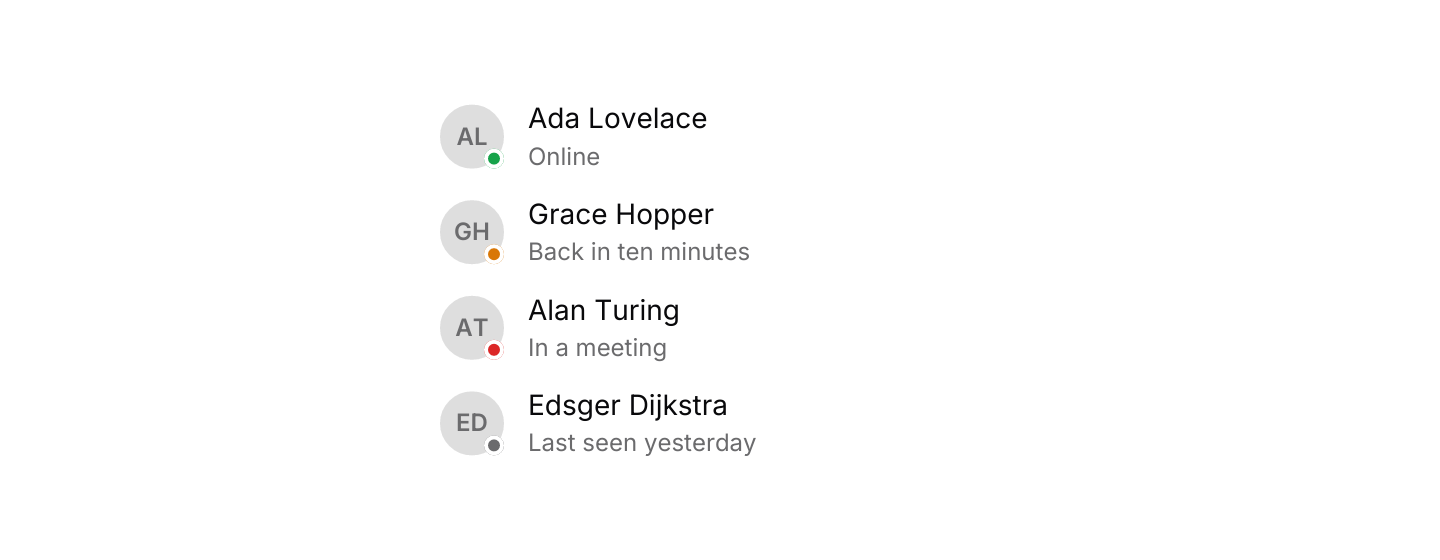
A small picture of a person or team, with initials when there is no image.

use iced::widget::{column, row, text};
use iced::{Alignment, Element, Length};
use iced_cube::avatar;
use iced_cube::feedback::avatar::Presence;
use iced_cube::theme::Tokens;

const TEAM: [(&str, &str, Presence); 4] = [
    ("Ada Lovelace", "Online", Presence::Online),
    ("Grace Hopper", "Back in ten minutes", Presence::Away),
    ("Alan Turing", "In a meeting", Presence::Busy),
    ("Edsger Dijkstra", "Last seen yesterday", Presence::Offline),
];

#[derive(Debug, Clone)]
pub enum Message {}

#[derive(Debug, Default)]
pub struct Example;

impl Example {
    pub fn update(&mut self, _message: Message) {}

    pub fn view(&self) -> Element<'_, Message> {
        let members = TEAM.map(|(name, status, presence)| {
            row![
                avatar(name).presence(presence),
                column![
                    text(name).size(14),
                    text(status).size(12).style(|theme| text::Style {
                        color: Some(Tokens::of(theme).muted_foreground),
                    }),
                ]
                .spacing(2),
            ]
            .spacing(12)
            .align_y(Alignment::Center)
            .into()
        });

        column(members)
            .spacing(12)
            .width(Length::Fill)
            .max_width(280)
            .into()
    }
}Usage
An avatar shows the first thing it has of an image, an icon and the name’s initials, so the same code covers people who have uploaded a picture and those who have not. Initials and icons sit on the muted surface.
Images come from an iced image::Handle. The avatar feature turns on iced’s image widget without any decoders, which is enough for pixels you already have, such as a picture fetched and decoded elsewhere. To load PNG or JPEG files directly, enable iced’s image feature in your app. The GPU renderer crops images to the avatar’s shape; iced’s software fallback draws them with square corners.
The rings around grouped avatars and presence dots are drawn in the page background colour, so they read best on the page itself rather than on a raised card.
Presence colours come from the theme’s status tokens: success for online, warning for away, destructive for busy and the muted foreground for offline. Pair the dot with text, as the presence example does, since colour alone does not say which state it is.
Examples
Image, initials and icon
An image when there is one, otherwise the name's initials, an icon, or a person icon when there is no name.


use iced::widget::{column, image, row, text};
use iced::{Alignment, Element};
use iced_cube::feedback::avatar::Size;
use iced_cube::{avatar, lucide};

#[derive(Debug, Clone)]
pub enum Message {}

#[derive(Debug)]
pub struct Example {
    photo: image::Handle,
}

impl Default for Example {
    fn default() -> Self {
        Self {
            photo: gradient([236, 72, 153], [99, 102, 241]),
        }
    }
}

impl Example {
    pub fn update(&mut self, _message: Message) {}

    pub fn view(&self) -> Element<'_, Message> {
        let labelled = |avatar: Element<'static, Message>, label: &'static str| {
            column![avatar, text(label).size(12)]
                .spacing(6)
                .align_x(Alignment::Center)
        };

        row![
            labelled(
                avatar("Ada Lovelace")
                    .image(self.photo.clone())
                    .size(Size::Lg)
                    .into(),
                "Image",
            ),
            labelled(avatar("Ada Lovelace").size(Size::Lg).into(), "Initials"),
            labelled(
                avatar("Release bot")
                    .icon(lucide!(Bot))
                    .size(Size::Lg)
                    .into(),
                "Icon",
            ),
            labelled(avatar("").size(Size::Lg).into(), "No name"),
        ]
        .spacing(24)
        .wrap()
        .into()
    }
}

/// A diagonal blend between two colours, standing in for a profile photo.
fn gradient(from: [u8; 3], to: [u8; 3]) -> image::Handle {
    const SIDE: u32 = 64;
    let mut pixels = Vec::with_capacity((SIDE * SIDE * 4) as usize);
    for y in 0..SIDE {
        for x in 0..SIDE {
            let t = (x + y) as f32 / (2 * SIDE - 2) as f32;
            for channel in 0..3 {
                let blend = f32::from(from[channel]) * (1.0 - t) + f32::from(to[channel]) * t;
                pixels.push(blend.round() as u8);
            }
            pixels.push(255);
        }
    }
    image::Handle::from_rgba(SIDE, SIDE, pixels)
}Sizes and shapes
Small to extra large, as circles for people and rounded squares for teams.


use iced::widget::{column, row};
use iced::{Alignment, Element};
use iced_cube::avatar;
use iced_cube::feedback::avatar::{Shape, Size};

#[derive(Debug, Clone)]
pub enum Message {}

#[derive(Debug, Default)]
pub struct Example;

impl Example {
    pub fn update(&mut self, _message: Message) {}

    pub fn view(&self) -> Element<'_, Message> {
        let line = |shape: Shape, name: &str| {
            row(Size::ALL.map(|size| avatar(name).size(size).shape(shape).into()))
                .spacing(12)
                .align_y(Alignment::Center)
        };

        column![
            line(Shape::Circle, "Ada Lovelace"),
            line(Shape::Square, "Platform team"),
        ]
        .spacing(16)
        .into()
    }
}Group
Overlapping avatars, with a count for the ones that do not fit.


use iced::widget::{column, row, text};
use iced::{Alignment, Element};
use iced_cube::feedback::avatar::Size;
use iced_cube::{avatar, avatar_group};

const REVIEWERS: [&str; 7] = [
    "Ada Lovelace",
    "Grace Hopper",
    "Alan Turing",
    "Edsger Dijkstra",
    "Barbara Liskov",
    "Ken Thompson",
    "Frances Allen",
];

#[derive(Debug, Clone)]
pub enum Message {}

#[derive(Debug, Default)]
pub struct Example;

impl Example {
    pub fn update(&mut self, _message: Message) {}

    pub fn view(&self) -> Element<'_, Message> {
        let line = |size: Size, max: usize, label: &'static str| {
            row![
                avatar_group(REVIEWERS.map(avatar))
                    .size(size)
                    .max_items(max),
                text(label).size(14),
            ]
            .spacing(12)
            .align_y(Alignment::Center)
        };

        column![
            line(Size::Sm, 5, "Seven reviewers, four shown"),
            line(Size::Md, 4, "Three shown and a count"),
        ]
        .spacing(16)
        .into()
    }
}API
| Item | Description |
|---|---|
avatar(name) | Creates an avatar showing the name's initials. A name with no letters shows a person icon. |
.image(handle) | Shows a picture instead of the initials, cropped to fill the shape. |
.icon(glyph) | Shows a Lucide icon instead of the initials, such as a bot for an automated account. |
.size(Size) | Sm, Md, Lg or Xl: 24, 32, 40 or 56 pixels across. Defaults to Md. |
.shape(Shape) | Circle for people or Square, with rounded corners, for teams and organisations. Defaults to Circle. |
.presence(Presence) | Adds a dot for Online, Away, Busy or Offline on the bottom right corner. |
avatar_group(avatars) | Overlaps avatars from left to right, each ringed in the background colour. |
.size(Size) / .max_items(n) | Sets the size of every avatar in a group, and shows at most n places, the last one counting the rest. |
avatar:: | The initials an avatar shows: the first letters of the first and last words. |