Forms
Slider
Chooses a number within a range by dragging a handle.


use iced::Element;
use iced_cube::primitives::slider;

#[derive(Debug, Clone)]
pub enum Message {
    Volume(u8),
}

#[derive(Debug)]
pub struct Example {
    volume: u8,
}

impl Default for Example {
    fn default() -> Self {
        Self { volume: 40 }
    }
}

impl Example {
    pub fn update(&mut self, message: Message) {
        let Message::Volume(volume) = message;
        self.volume = volume;
    }

    pub fn view(&self) -> Element<'_, Message> {
        slider(0..=100, self.volume)
            .label("Volume")
            .show_value()
            .width(320)
            .on_change(Message::Volume)
            .into()
    }
}Usage
Sliders work with f32, f64, u8, u16, u32, i16 and i32: any Copy number that converts from u8 and into f64 without loss. That rules out i8, 64-bit integers and usize.
Use sliders where an approximate value is fine, such as volume or opacity. When the exact number matters, show the value with .show_value() or .format_value(f).
iced sliders do not take keyboard focus, so shortcuts are app-wide. With several sliders on screen, the app decides which one is current and applies the resolved action to that value.
Examples
Steps
Snapping to a step, with a custom value format.
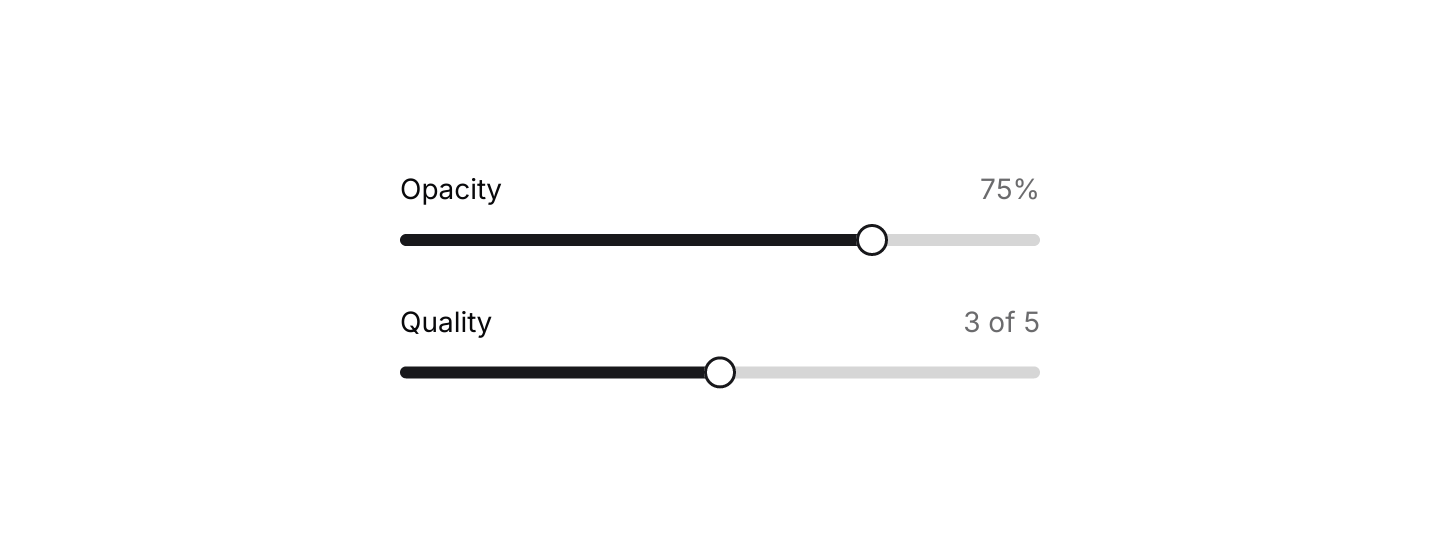
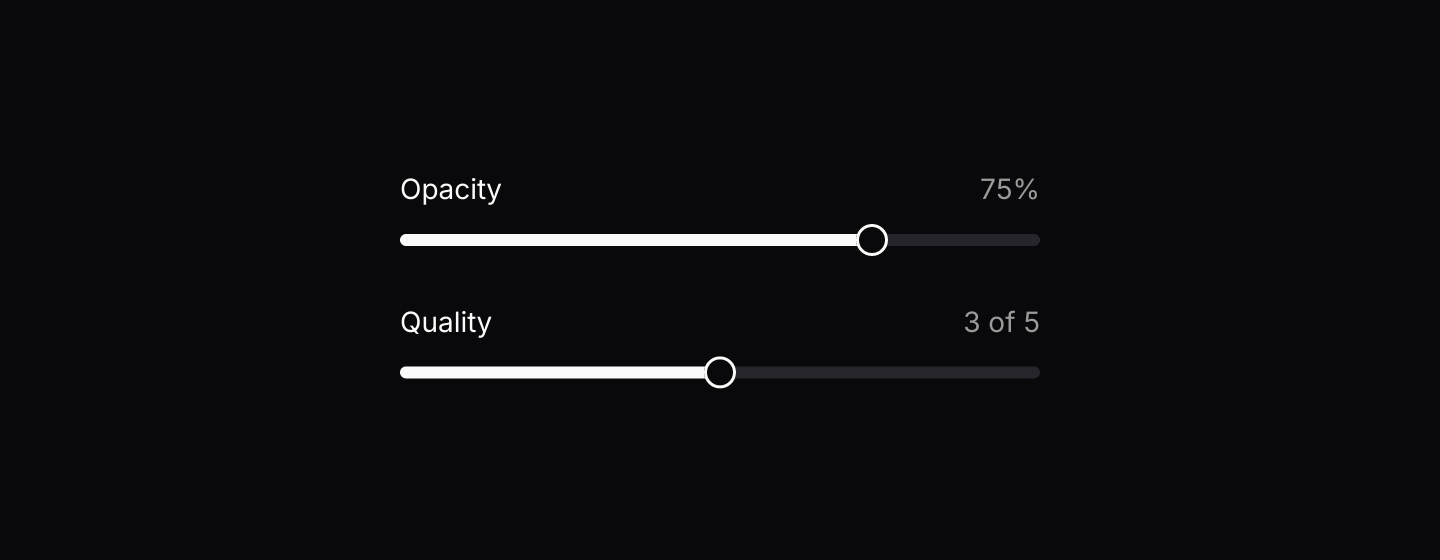
use iced::Element;
use iced::widget::column;
use iced_cube::primitives::slider;

#[derive(Debug, Clone)]
pub enum Message {
    Opacity(f32),
    Quality(f32),
}

#[derive(Debug)]
pub struct Example {
    opacity: f32,
    quality: f32,
}

impl Default for Example {
    fn default() -> Self {
        Self {
            opacity: 0.75,
            quality: 3.0,
        }
    }
}

impl Example {
    pub fn update(&mut self, message: Message) {
        match message {
            Message::Opacity(opacity) => self.opacity = opacity,
            Message::Quality(quality) => self.quality = quality,
        }
    }

    pub fn view(&self) -> Element<'_, Message> {
        column![
            slider(0.0..=1.0, self.opacity)
                .step(0.25)
                .label("Opacity")
                .format_value(|value| format!("{:.0}%", value * 100.0))
                .on_change(Message::Opacity),
            slider(1.0..=5.0, self.quality)
                .step(1.0)
                .label("Quality")
                .format_value(|value| format!("{value:.0} of 5"))
                .on_change(Message::Quality),
        ]
        .spacing(24)
        .width(320)
        .into()
    }
}Keyboard shortcuts
Arrow keys, Home and End through the default keymap, plus an added binding.


use iced::widget::{column, text};
use iced::{Element, Subscription};
use iced_cube::keys::{self, Chord, Keymap};
use iced_cube::primitives::slider::{self, Action};

const RANGE: std::ops::RangeInclusive<u8> = 0..=100;
const STEP: u8 = 5;

#[derive(Debug, Clone)]
pub enum Message {
    Volume(u8),
    Key(keys::Event),
}

#[derive(Debug)]
pub struct Example {
    volume: u8,
    keymap: Keymap<Action>,
}

impl Default for Example {
    fn default() -> Self {
        Self {
            volume: 40,
            keymap: slider::default_keymap().bind(Chord::character('m'), Action::Min),
        }
    }
}

impl Example {
    pub fn update(&mut self, message: Message) {
        match message {
            Message::Volume(volume) => self.volume = volume,
            Message::Key(key) => {
                if let Some(action) = self.keymap.resolve_event(&key) {
                    self.volume = action.apply(self.volume, RANGE, Some(STEP));
                }
            }
        }
    }

    pub fn view(&self) -> Element<'_, Message> {
        column![
            slider::slider(RANGE, self.volume)
                .step(STEP)
                .label("Volume")
                .show_value()
                .width(320)
                .on_change(Message::Volume),
            text("Arrow keys step by 5, Home and End jump to the ends, and M mutes.").size(14),
        ]
        .spacing(16)
        .width(320)
        .into()
    }

    pub fn subscription(&self) -> Subscription<Message> {
        keys::subscription().map(Message::Key)
    }
}Disabled
A slider without a message renders disabled.
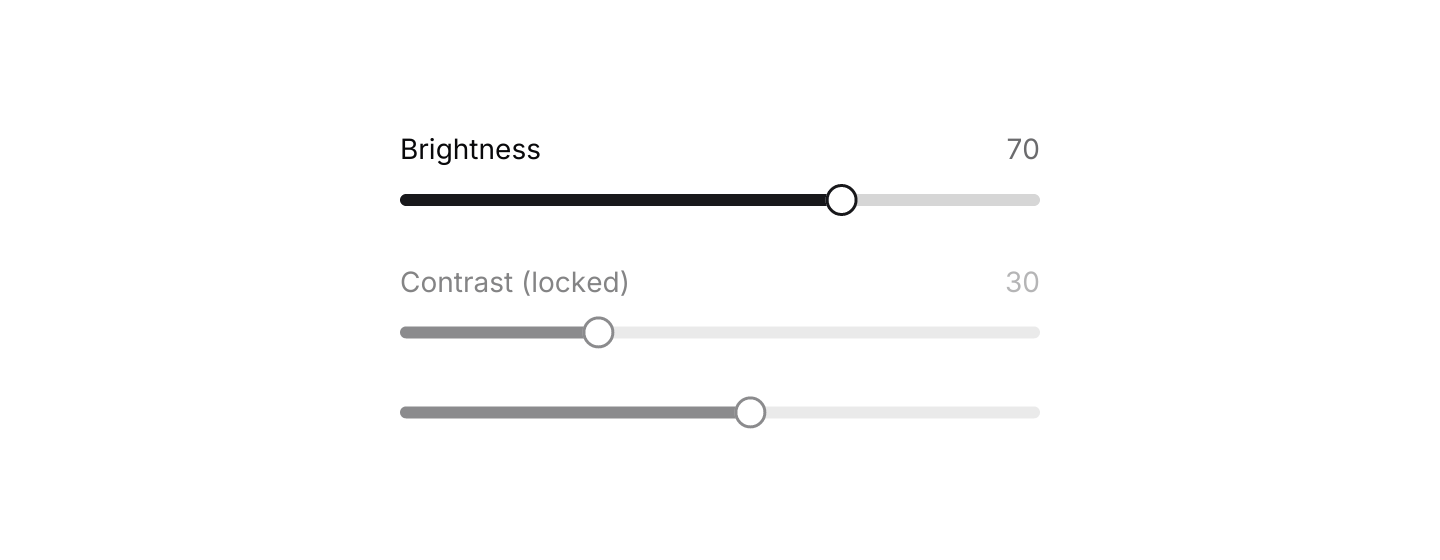
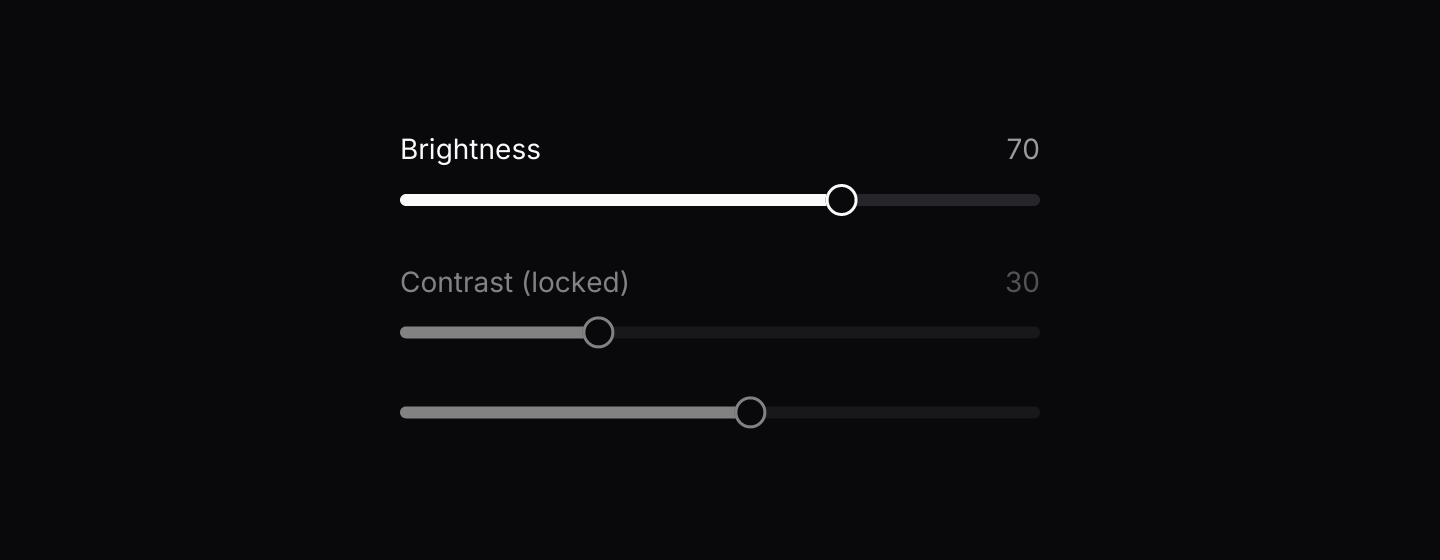
use iced::Element;
use iced::widget::column;
use iced_cube::primitives::slider;

#[derive(Debug, Clone)]
pub enum Message {
    Brightness(u8),
}

#[derive(Debug)]
pub struct Example {
    brightness: u8,
}

impl Default for Example {
    fn default() -> Self {
        Self { brightness: 70 }
    }
}

impl Example {
    pub fn update(&mut self, message: Message) {
        let Message::Brightness(brightness) = message;
        self.brightness = brightness;
    }

    pub fn view(&self) -> Element<'_, Message> {
        column![
            slider(0..=100, self.brightness)
                .label("Brightness")
                .show_value()
                .on_change(Message::Brightness),
            slider(0..=100, 30_u8)
                .label("Contrast (locked)")
                .show_value(),
            slider(0..=100, 55_u8),
        ]
        .spacing(24)
        .width(320)
        .into()
    }
}API
| Item | Description |
|---|---|
slider(range, value) | Creates a slider over an inclusive range. The value is clamped to the range. It renders disabled until it has a message. |
.on_change(f) | Sets the message emitted with the new value while dragging. |
.on_release(message) | Sets a message emitted once the handle is released, useful for saving the final value. |
.step(value) | Snaps the value to multiples of the step. Zero or negative steps are ignored. |
.label(text) | Shows a label above the slider. |
.show_value() / .format_value(f) | Shows the current value above the slider, as plain text or formatted by a closure. |
.width(length) | Overrides the width. Sliders fill the available width by default. |
slider:: | The default shortcuts as a Keymap<Action>. Bind, unbind or clear chords to change them. |
action.apply(value, range, step) | The value after an Action (Increase, Decrease, Min or Max), snapped to the step grid. Send it through your on_change message. |
slider:: | Moves a value by whole steps within a range. Without a valid step it moves by 1, as dragging does. |
Keyboard
Default shortcuts. Every one can be changed or removed with a keymap; see Keyboard shortcuts.
| Keys | Action |
|---|---|
| ArrowRight or ArrowUp | Increase Raises the value by one step. |
| ArrowLeft or ArrowDown | Decrease Lowers the value by one step. |
| Home | Min Sets the value to the start of the range. |
| End | Max Sets the value to the end of the range. |