Application
Command palette
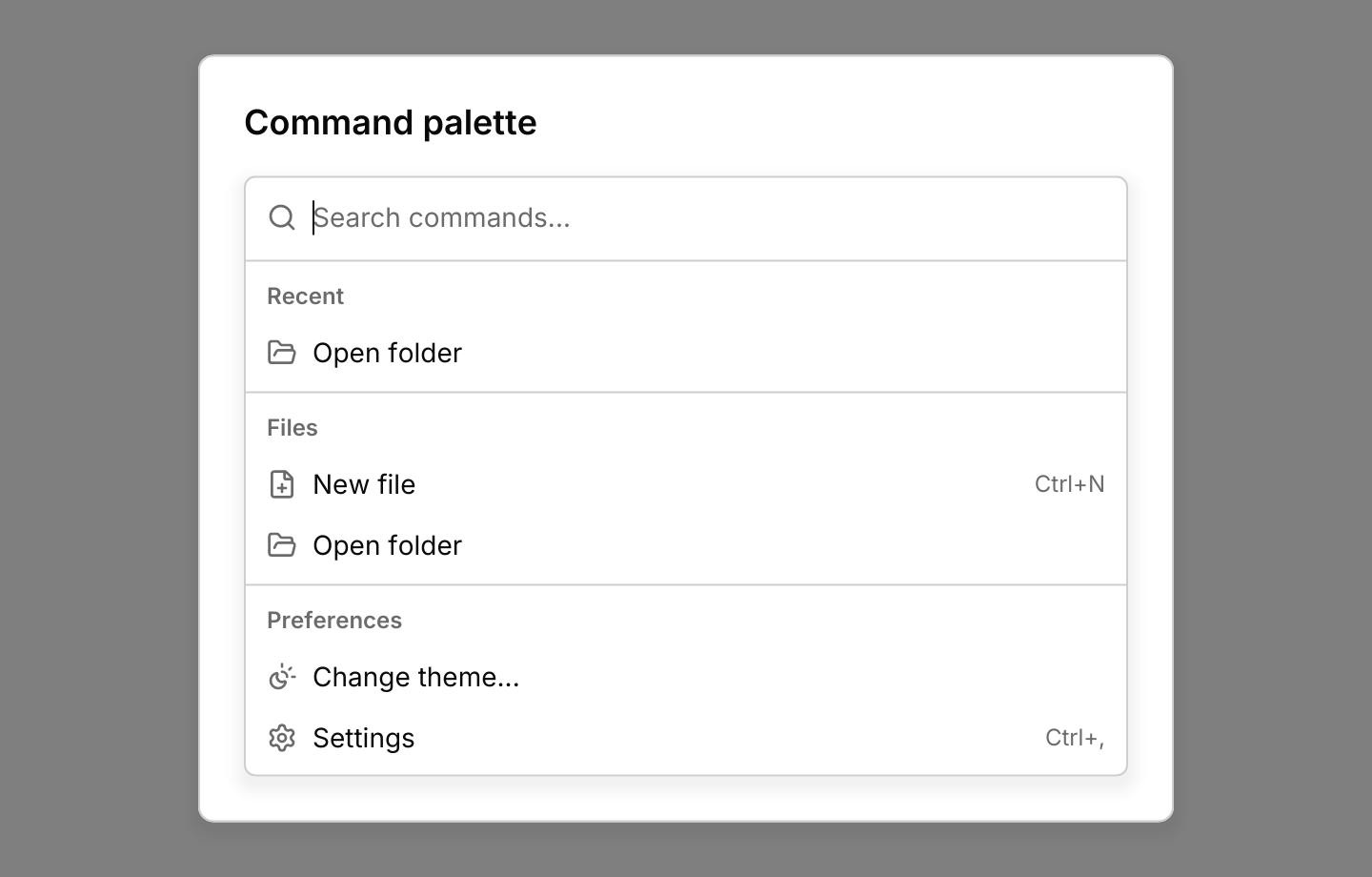
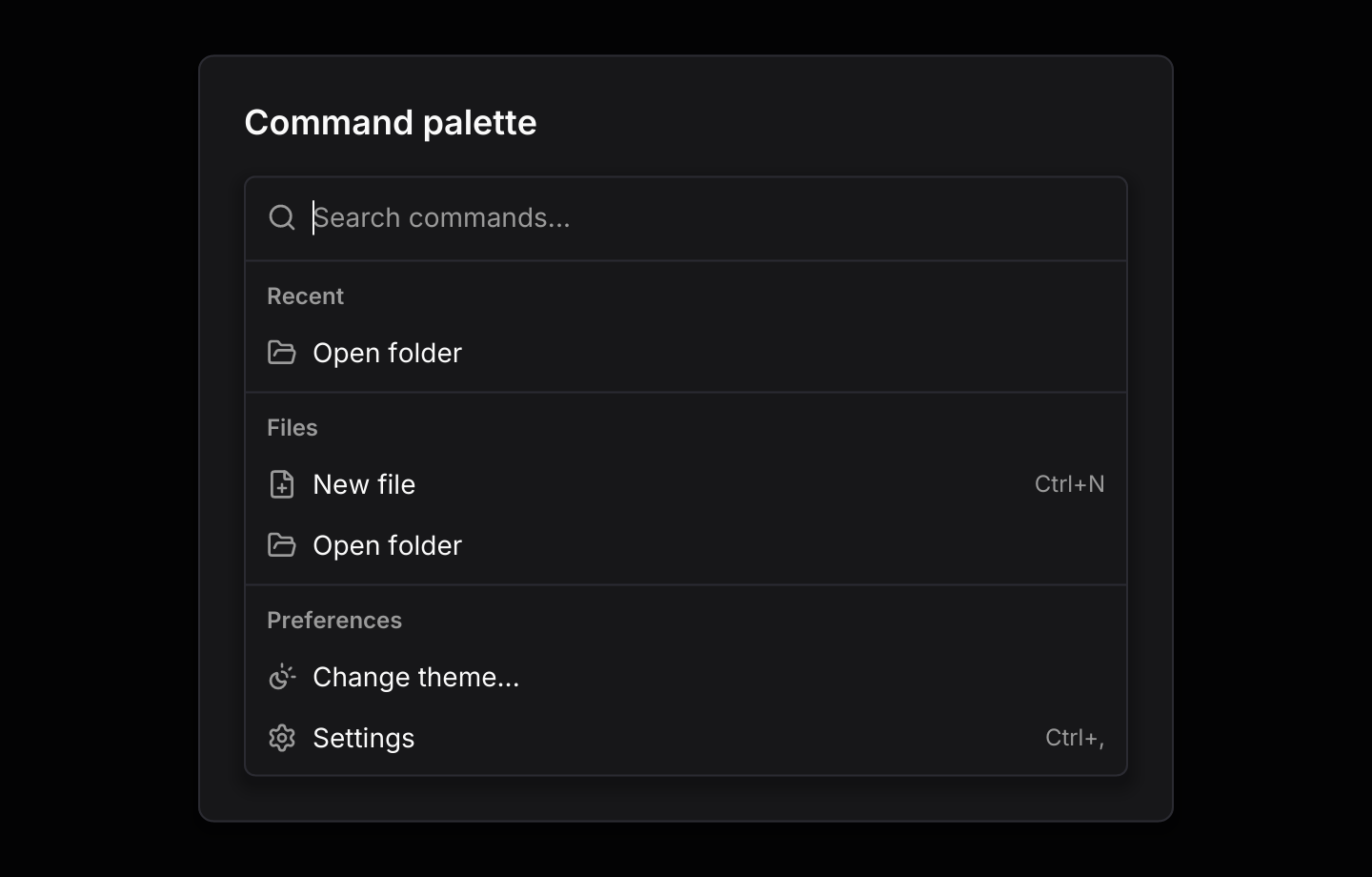
The app-wide launcher, opened with Ctrl+K, with recent commands and nested pages.
use iced::widget::{column, container, text};
use iced::{Alignment, Element, Length, Subscription};
use iced_cube::command_palette::{self, Action, Event, Output, State, command_palette, page};
use iced_cube::keys::{self, Keymap};
use iced_cube::navigation::command::{group, item};
use iced_cube::primitives::button::Variant;
use iced_cube::{button, lucide};

#[derive(Debug, Clone, Copy, PartialEq)]
pub enum Command {
    NewFile,
    OpenFolder,
    Theme,
    Light,
    Dark,
    System,
    Settings,
    Shortcuts,
}

#[derive(Debug, Clone)]
pub enum Message {
    Palette(command_palette::Event<Command>),
    Key(keys::Event),
}

#[derive(Debug)]
pub struct Example {
    palette: State<Command>,
    keymap: Keymap<Action>,
    last_run: Option<Command>,
}

impl Default for Example {
    fn default() -> Self {
        let mut palette = State::new([
            group(
                "Files",
                [
                    item(Command::NewFile, "New file")
                        .icon(lucide!(FilePlus))
                        .shortcut("Ctrl+N"),
                    item(Command::OpenFolder, "Open folder").icon(lucide!(FolderOpen)),
                ],
            ),
            group(
                "Preferences",
                [
                    item(Command::Theme, "Change theme...")
                        .icon(lucide!(SunMoon))
                        .keywords(["dark", "light", "appearance"]),
                    item(Command::Settings, "Settings")
                        .icon(lucide!(Settings))
                        .shortcut("Ctrl+,"),
                    item(Command::Shortcuts, "Keyboard shortcuts").icon(lucide!(Keyboard)),
                ],
            ),
        ])
        .with_page(
            page(
                Command::Theme,
                "Change theme",
                [group(
                    "Theme",
                    [
                        item(Command::Light, "Light").icon(lucide!(Sun)),
                        item(Command::Dark, "Dark").icon(lucide!(Moon)),
                        item(Command::System, "Match system").icon(lucide!(Monitor)),
                    ],
                )],
            )
            .placeholder("Pick a theme..."),
        )
        .with_recent([Command::OpenFolder])
        .with_visible_rows(5);
        let _ = palette.update(Event::Open);

        Self {
            palette,
            keymap: command_palette::default_keymap(),
            last_run: None,
        }
    }
}

impl Example {
    pub fn update(&mut self, message: Message) {
        let event = match message {
            Message::Palette(event) => Some(event),
            Message::Key(key) => self.palette.key_event(&self.keymap, &key),
        };
        if let Some(Output::Activated(command)) = event.and_then(|event| self.palette.update(event))
        {
            self.last_run = Some(command);
        }
    }

    pub fn view(&self) -> Element<'_, Message> {
        let status = match self.last_run {
            Some(command) => format!("Ran {command:?}"),
            None => "Press Ctrl+K or Ctrl+Shift+P anywhere.".to_owned(),
        };
        let base = column![
            button("Open command palette")
                .icon(lucide!(Search))
                .variant(Variant::Outline)
                .on_press(Message::Palette(Event::Open)),
            text(status).size(14),
        ]
        .spacing(12)
        .align_x(Alignment::Center);

        command_palette(
            &self.palette,
            container(base).center(Length::Fill).padding(24),
        )
        .placeholder("Search commands...")
        .max_height(320.0)
        .keymap(self.keymap.clone())
        .on_event(Message::Palette)
        .into()
    }

    pub fn subscription(&self) -> Subscription<Message> {
        keys::subscription().map(Message::Key)
    }
}Usage
The command palette puts a command list inside a dialog and adds what an app-wide launcher needs. The app owns a command_palette::State, routes presses from keys::subscription() through state.key_event so Ctrl+K or Ctrl+Shift+P opens it from anywhere, and runs whatever update returns as Output::Activated. The palette closes itself when a command runs, on Escape with an empty query, or on a click outside.
Commands you run are remembered, newest first, and listed under Recent at the top while the query is empty. Typing hides that group so nothing shows twice. Choosing an item whose id names a page, such as “Change theme…”, opens that page’s list with its own title and placeholder instead of running anything. Backspace on an empty query, Escape or the Back button returns to the page before, and the search field keeps its focus throughout.
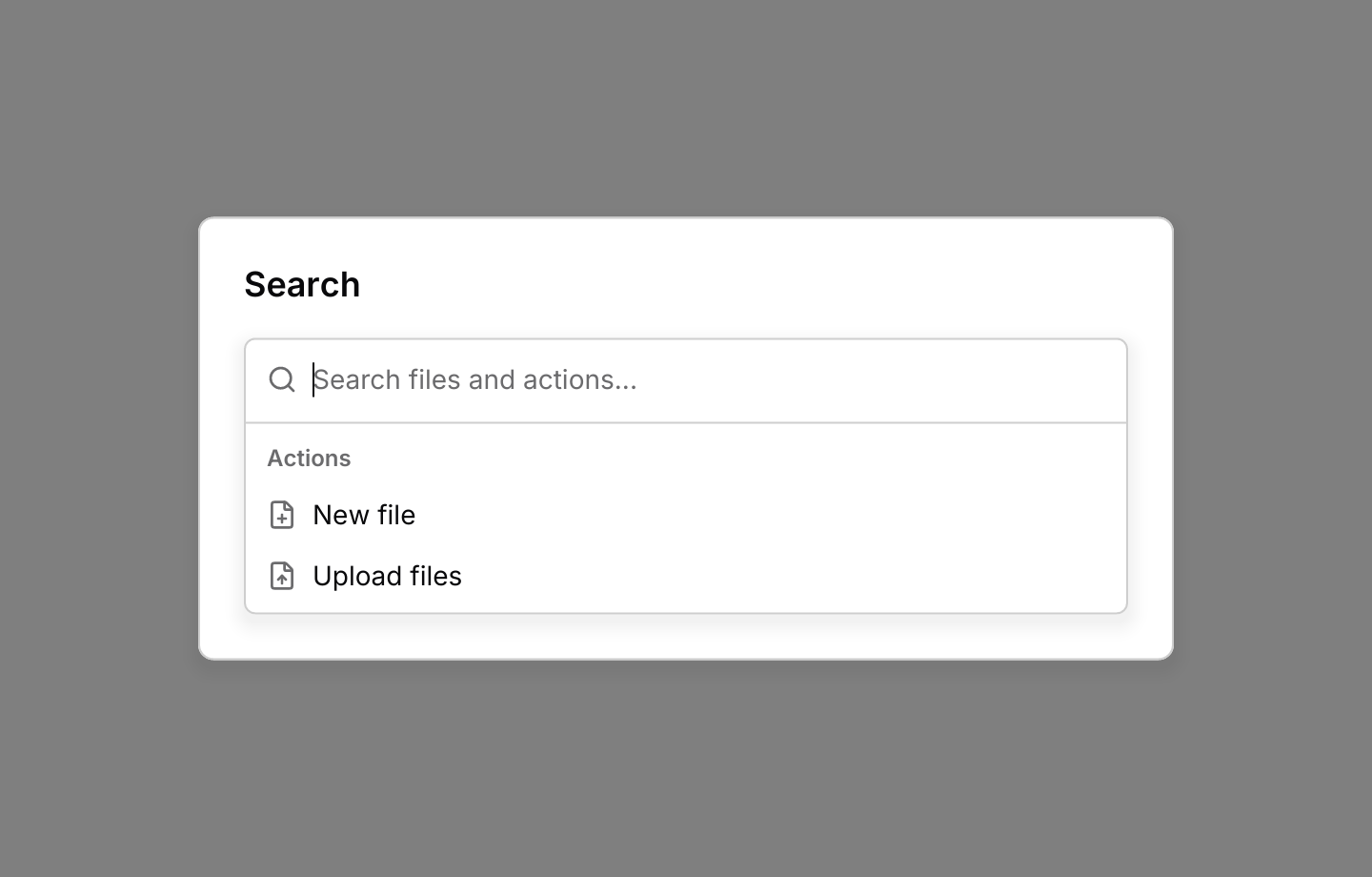
Results can also come from background work through the command list’s channel. Subscribe to command_palette::subscription(), keep the sender from Output::Ready, and when update returns Output::Search(query), search state.page_id() for it and send command::results(query, group, items). Results for an older query are dropped. Set .loading(true) while a search runs.
While the search field has focus, the list keeps its own keys, then the palette’s Back and toggle chords, then the dialog’s, so arrows, Enter and Escape work as they do in the list on its own.
Examples
Async results
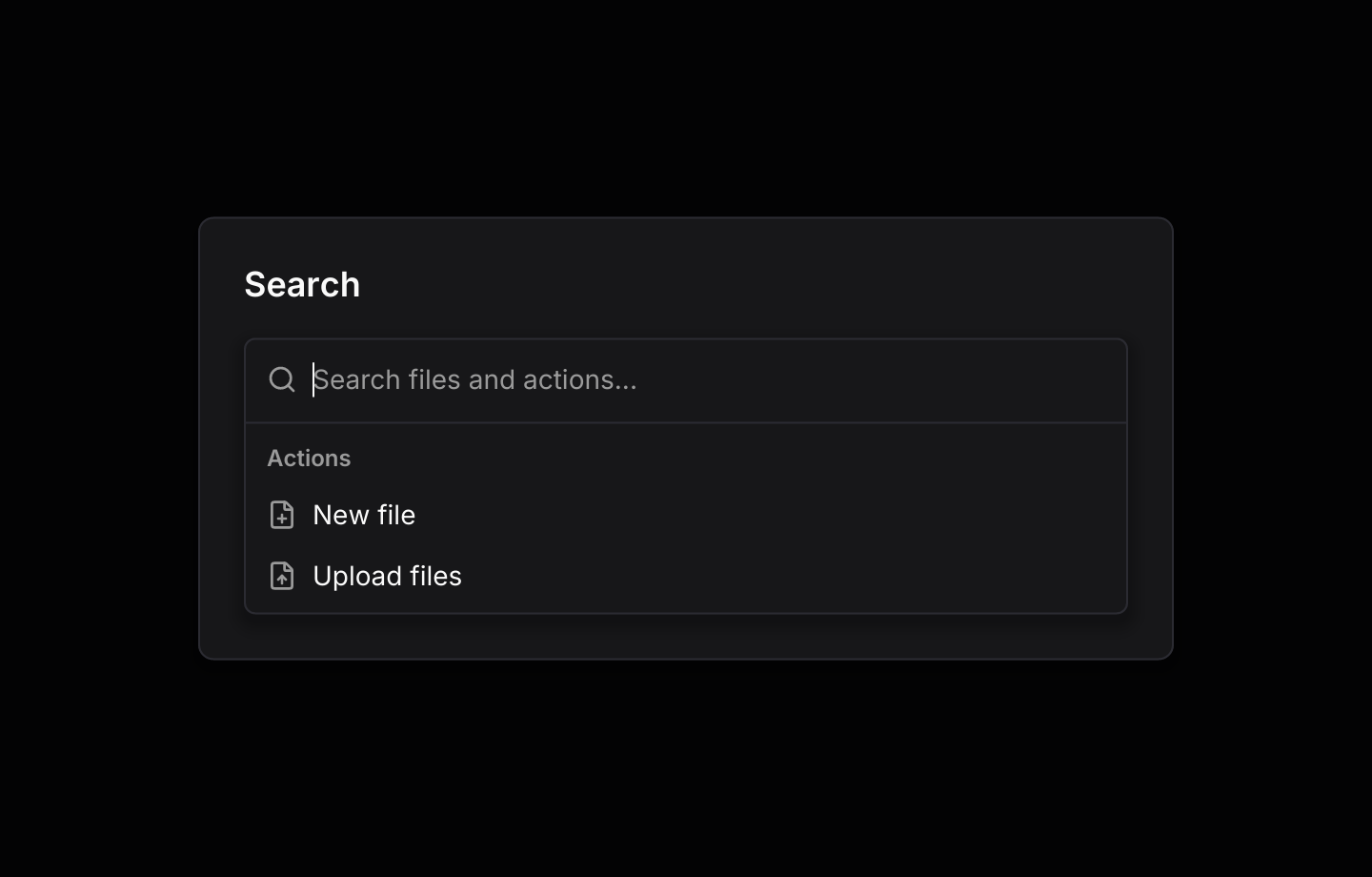
Typing asks the app to search, and a background task streams file matches through the command list's channel.
use std::hash::{Hash, Hasher};
use std::time::Duration;

use futures_timer::Delay;
use iced::futures::{SinkExt, Stream, stream};
use iced::widget::{column, container, text};
use iced::{Alignment, Element, Length, Subscription};
use iced_cube::command_palette::{self, Event, Output, State, command_palette};
use iced_cube::keys::{self, Keymap};
use iced_cube::navigation::command::{self, group, item, results, score};
use iced_cube::primitives::button::Variant;
use iced_cube::{button, lucide};

const FILES: &[&str] = &[
    "budget-2026.xlsx",
    "design-review.pdf",
    "invoice-0142.pdf",
    "meeting-notes.md",
    "release-plan.md",
    "report-q3.pdf",
    "roadmap.png",
];

#[derive(Debug, Clone)]
pub enum Message {
    Palette(command_palette::Event<&'static str>),
    Key(keys::Event),
    SearchFinished(String),
}

#[derive(Debug)]
pub struct Example {
    palette: State<&'static str>,
    keymap: Keymap<command_palette::Action>,
    sender: Option<command::Sender<&'static str>>,
    search: Option<Search>,
    opened: Option<&'static str>,
}

impl Default for Example {
    fn default() -> Self {
        let mut palette = State::new([group(
            "Actions",
            [
                item("new-file", "New file").icon(lucide!(FilePlus)),
                item("upload", "Upload files").icon(lucide!(FileUp)),
            ],
        )])
        .with_visible_rows(6);
        let _ = palette.update(Event::Open);

        Self {
            palette,
            keymap: command_palette::default_keymap(),
            sender: None,
            search: None,
            opened: None,
        }
    }
}

impl Example {
    pub fn update(&mut self, message: Message) {
        let event = match message {
            Message::Palette(event) => Some(event),
            Message::Key(key) => self.palette.key_event(&self.keymap, &key),
            Message::SearchFinished(query) => {
                if self
                    .search
                    .as_ref()
                    .is_some_and(|search| search.query == query)
                {
                    self.search = None;
                }
                None
            }
        };
        match event.and_then(|event| self.palette.update(event)) {
            Some(Output::Ready(sender)) => self.sender = Some(sender),
            // A new query replaces the search, which stops the old one.
            Some(Output::Search(query)) => {
                self.search = self
                    .sender
                    .clone()
                    .filter(|_| !query.trim().is_empty())
                    .map(|sender| Search { query, sender });
            }
            Some(Output::Activated(id)) => self.opened = Some(id),
            None => {}
        }
    }

    pub fn view(&self) -> Element<'_, Message> {
        let status = match self.opened {
            Some(id) => format!("Opened \"{id}\""),
            None => "Type to search files. Matches stream in from a background task.".to_owned(),
        };
        let base = column![
            button("Search files")
                .icon(lucide!(Search))
                .variant(Variant::Outline)
                .on_press(Message::Palette(Event::Open)),
            text(status).size(14),
        ]
        .spacing(12)
        .align_x(Alignment::Center);

        command_palette(
            &self.palette,
            container(base).center(Length::Fill).padding(24),
        )
        .title("Search")
        .placeholder("Search files and actions...")
        .loading(self.search.is_some())
        .max_height(300.0)
        .keymap(self.keymap.clone())
        .on_event(Message::Palette)
        .into()
    }

    pub fn subscription(&self) -> Subscription<Message> {
        let search = match &self.search {
            Some(search) => Subscription::run_with(search.clone(), Search::run),
            None => Subscription::none(),
        };

        Subscription::batch([
            command_palette::subscription().map(Message::Palette),
            keys::subscription().map(Message::Key),
            search,
        ])
    }
}

/// A simulated remote search that only holds a sender, like a worker would.
#[derive(Debug, Clone)]
struct Search {
    query: String,
    sender: command::Sender<&'static str>,
}

impl Hash for Search {
    fn hash<H: Hasher>(&self, state: &mut H) {
        self.query.hash(state);
    }
}

impl Search {
    fn run(&self) -> impl Stream<Item = Message> + use<> {
        let query = self.query.clone();
        let mut sender = self.sender.clone();

        stream::once(async move {
            let found: Vec<&'static str> = FILES
                .iter()
                .copied()
                .filter(|file| score(&query, file).is_some())
                .collect();

            for chunk in found.chunks(2) {
                Delay::new(Duration::from_millis(400)).await;
                let files = chunk
                    .iter()
                    .map(|&file| item(file, file).icon(lucide!(File)));
                let _ = sender.send(results(query.as_str(), "Files", files)).await;
            }
            Message::SearchFinished(query)
        })
    }
}API
| Item | Description |
|---|---|
State:: | A closed palette listing command groups on its first page. |
.with_page(page(id, title, groups)) | A nested list. Choosing the item with the page's id opens it instead of running it. Add .placeholder(text) to the page. |
.with_recent(ids) / .with_recent_limit(n) | Starts with recent commands, and keeps up to n of them (five by default, zero for none). |
.with_visible_rows(n) | How many rows show at once, eight by default. |
state.update(Event) | Handles Open, Close, Toggle, Back and the command list's own events. Returns Output::Activated when a command runs, Search(query) when the query changes, and Ready(sender) once the channel is open. |
state.is_open() / state.page() / state.page_id() / state.depth() | Whether the palette is open, and the nested page on show. |
state.recent() / state.query() / state.command() | The recent commands, newest first, the query and the command list inside. |
state.set_groups(groups) | Replaces the first page's groups, for labels that follow your app's state. |
state.key_event(&keymap, &key) | Resolves a key press from keys::subscription, so the toggle chords open the palette anywhere. |
command_palette:: | The command list's results channel, wrapped in Event::Command. |
command_palette(&state, base) | Wraps your app in the palette's dialog. The list renders disabled until .on_event is set. |
.on_event(f) / .title(text) / .placeholder(text) / .empty(text) | Maps palette events to your message, and sets the first page's title, the search placeholder and the empty-state text. |
.loading(bool) / .max_height(f32) / .size(dialog:: | Shows that a search is running, caps the list's height (400 by default), and sets the dialog's width. |
.keymap(keymap) / .command_keymap(keymap) / .dialog_keymap(keymap) | Replace the toggle and Back chords, the list's keys and the dialog's keys. |
command_palette:: | The default shortcuts as a Keymap<Action>. |
Keyboard
Default shortcuts. Every one can be changed or removed with a keymap; see Keyboard shortcuts.
| Keys | Action |
|---|---|
| Ctrl+K or Ctrl+Shift+P | Toggle Opens the palette from anywhere, or closes it. |
| Backspace | Back Returns to the page before, while the query is empty. |